Introduction
Welcome to the Paladone Stitch Sleep Training Alarm Clock. This device is designed to assist children in understanding sleep and wake times through visual cues and an engaging character. It combines a digital alarm clock, a sleep training system, a night light, and a projection feature to create a comforting and educational bedroom environment.
Please read this manual thoroughly before using the product to ensure proper operation and to maximize its benefits.
Product Features
- Sleep Training System: Utilizes color and image projections (blue for sleep, yellow for wake) to visually guide children.
- Digital Alarm Clock: Displays time clearly and includes an alarm function with music.
- Night Light: Activated by pressing Stitch's head, providing a soft, comforting glow.
- Projection Feature: Projects a Stitch image onto a nearby wall, changing based on sleep/wake status.
- Star Countdown: A visual countdown on the display helps children track remaining sleep time.
- Snooze Function: Tap Stitch's head to temporarily silence the alarm.
- USB Powered: Conveniently powered via an included USB cable.
Package Contents
- 1 x Paladone Stitch Sleep Training Alarm Clock
- 1 x USB Power Cable (Note: USB power adapter not included)
- 1 x Instruction Manual
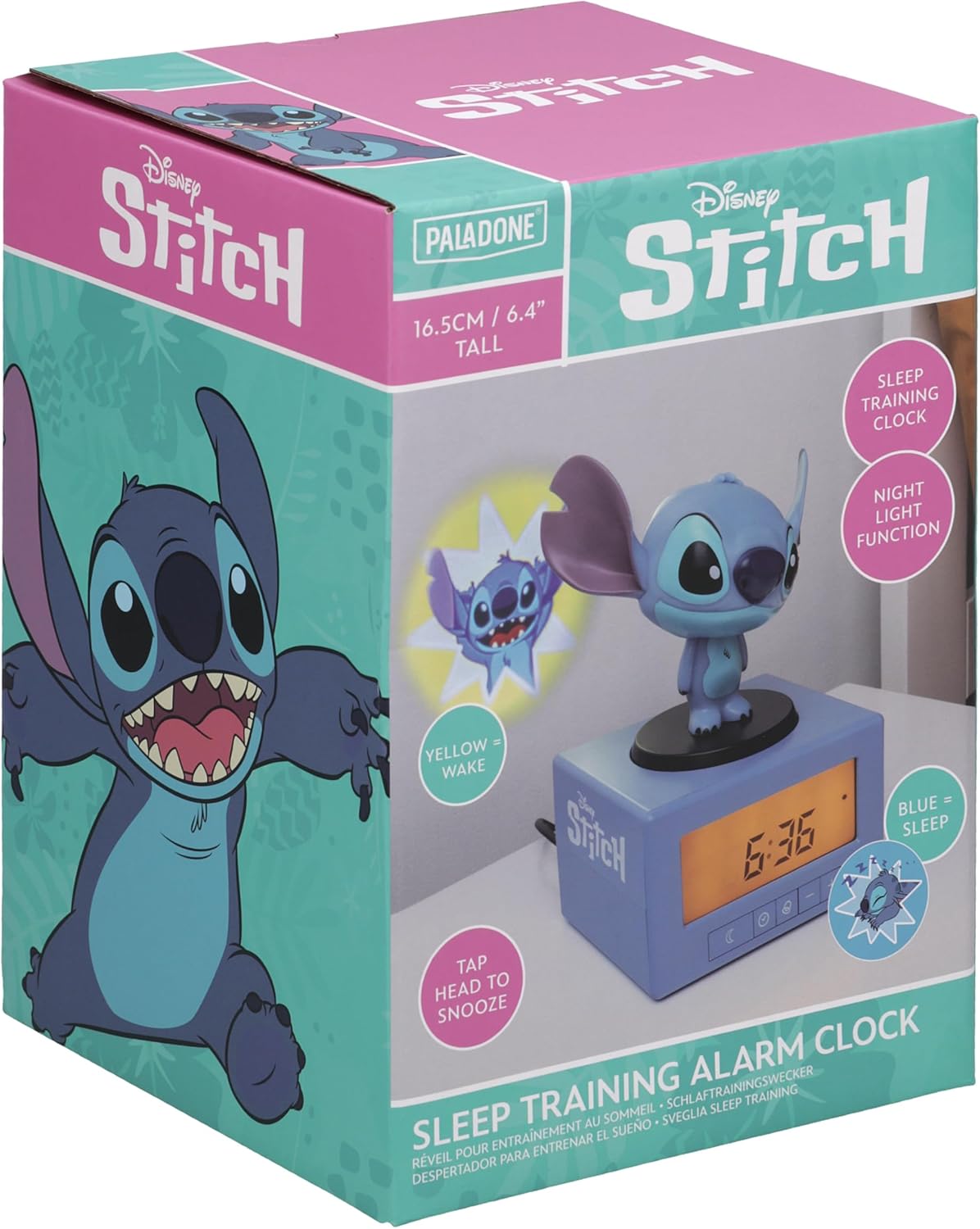
Image: The product packaging, showing the Stitch alarm clock and its features.
Setup
- Power Connection: Connect the included USB cable to the clock's USB port and plug the other end into a compatible USB power adapter (not included) or a powered USB port. The clock display will illuminate.
- Initial Time Setting:
- Press and hold the CLOCK button (often represented by a clock icon).
- Use the + and - buttons to adjust the hour. Press the CLOCK button again to confirm and move to minutes.
- Use the + and - buttons to adjust the minutes. Press the CLOCK button again to confirm.
- To switch between 12-hour and 24-hour mode, press and hold the CLOCK button simultaneously with the + button.

Image: The Stitch alarm clock with its USB power cable connected.
Operating Instructions
1. Setting the Alarm
- Press and hold the ALARM button (often represented by a bell icon).
- Use the + and - buttons to set the desired alarm hour. Press the ALARM button again to confirm and move to minutes.
- Use the + and - buttons to set the desired alarm minutes. Press the ALARM button again to confirm.
- To activate or deactivate the alarm, press the ALARM button briefly. An alarm icon will appear/disappear on the display.
2. Sleep Training Function
The clock uses visual cues to indicate sleep and wake times:
- Sleep Time: At bedtime, a blue image of Stitch sleeping will project onto a nearby wall. The clock's display will show a star countdown, indicating how much sleep time remains.
- Wake Time: When it's time to wake up, a yellow image of Stitch will project. The clock will also play music as the alarm.

Image: The clock displaying "Sleep Time" with a blue projected image of Stitch sleeping.
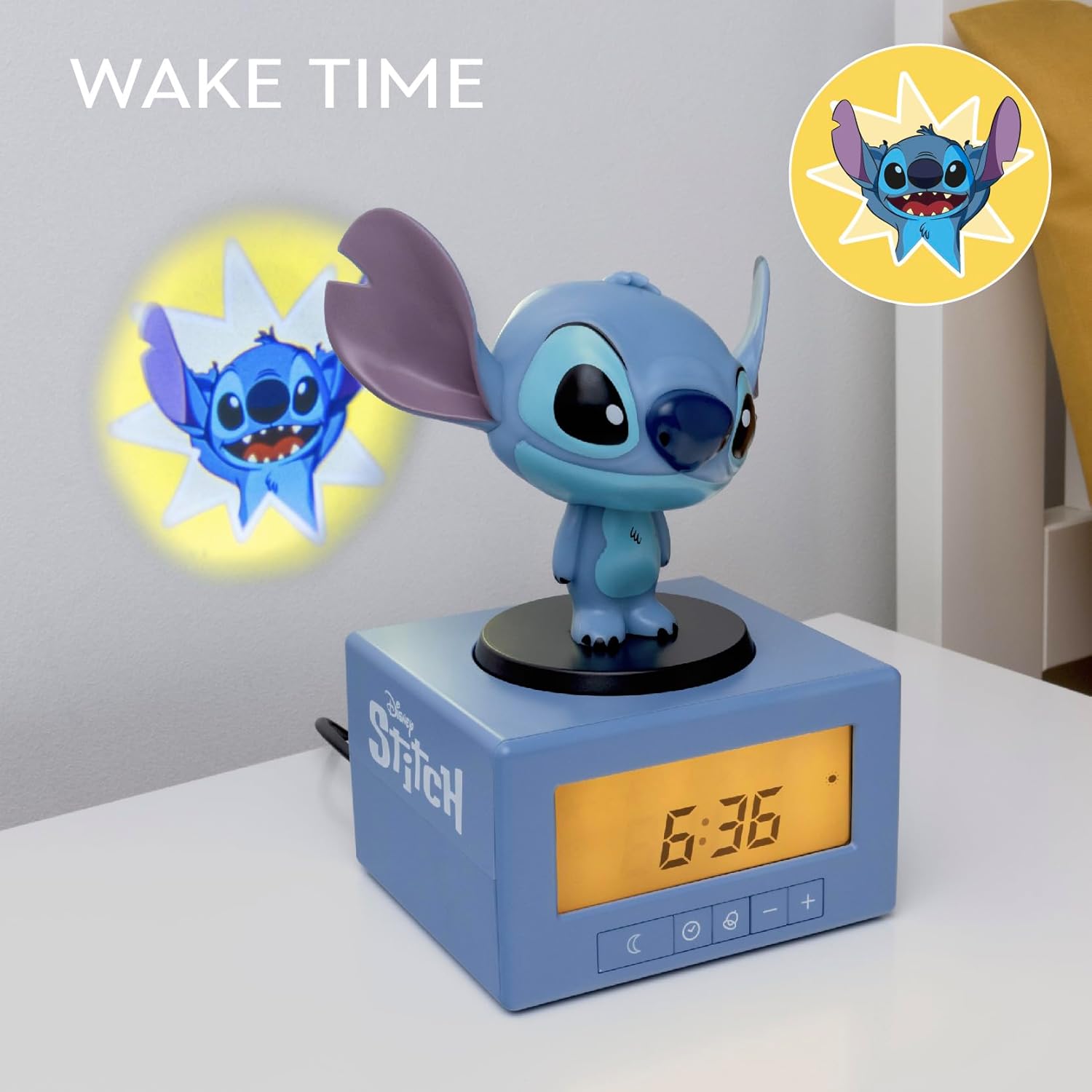
Image: The clock displaying "Wake Time" with a yellow projected image of Stitch.
3. Night Light Function
To activate the night light, gently press down on Stitch's head. This will illuminate Stitch and provide a soft glow. Press Stitch's head again to turn off the night light.

Image: The Stitch alarm clock with the night light function active, showing Stitch illuminated.
4. Snooze Function
When the alarm sounds, tap Stitch's head to activate the snooze function. The alarm will temporarily pause and sound again after a short interval (typically 5-10 minutes).
5. Adjusting Projection Focus
To ensure a clear projected image, locate the focus wheel on the back of the unit. Rotate this wheel until the projected Stitch image appears sharp on the wall.
Maintenance
- Cleaning: Wipe the clock with a soft, dry cloth. Do not use abrasive cleaners or solvents.
- Placement: Place the clock on a stable, flat surface away from direct sunlight, heat sources, and moisture.
- Power Loss: This clock does not have battery backup. In case of power loss or if unplugged, the time and alarm settings will need to be reset.
Troubleshooting
| Problem | Possible Cause / Solution |
|---|---|
| Clock not powering on. | Ensure the USB cable is securely connected to both the clock and a working USB power source. Verify the power source is active. |
| Alarm not sounding. | Check if the alarm is activated (alarm icon visible on display). Ensure the alarm time is set correctly. |
| Projection image is blurry. | Adjust the focus wheel located on the back of the clock until the image is clear. Ensure the clock is positioned at an appropriate distance from the projection surface. |
| Cannot switch to 12-hour time. | Press and hold the CLOCK button simultaneously with the + button to toggle between 12-hour and 24-hour modes. |
| Time/settings reset after unplugging. | This clock does not have a battery backup. Settings must be re-entered after a power interruption. |
Specifications
| Feature | Detail |
|---|---|
| Brand | Paladone |
| Model Number | 13717 |
| Display Type | Digital |
| Power Source | Corded Electric (USB) |
| Product Dimensions | 4.92"W x 4.72"H (10cm W x 16.5cm H including Stitch figurine) |
| Item Weight | 0.3 Kilograms (10.6 ounces) |
| Special Features | Night Mode, Sleep Training, Projection |
| Material | Plastic |

Image: The Stitch alarm clock with its approximate dimensions labeled.
Warranty and Support
For warranty information, please refer to the documentation provided at the time of purchase or contact your retailer. Paladone products are typically covered by a limited warranty against manufacturing defects.
For technical support or further assistance, please visit the official Paladone website or contact their customer service department. Contact details can usually be found on the product packaging or the manufacturer's website.


