
1. Product Overview
The Pigeon Atmos 90 cm T-Shape Kitchen Chimney is designed to efficiently remove smoke, grease, and odors from your cooking area. Featuring a powerful 1500 m³/hr suction capacity, filterless technology, and convenient touch and gesture controls, this chimney ensures a clean and comfortable kitchen environment. It also includes a Heat Auto Clean function for simplified maintenance.
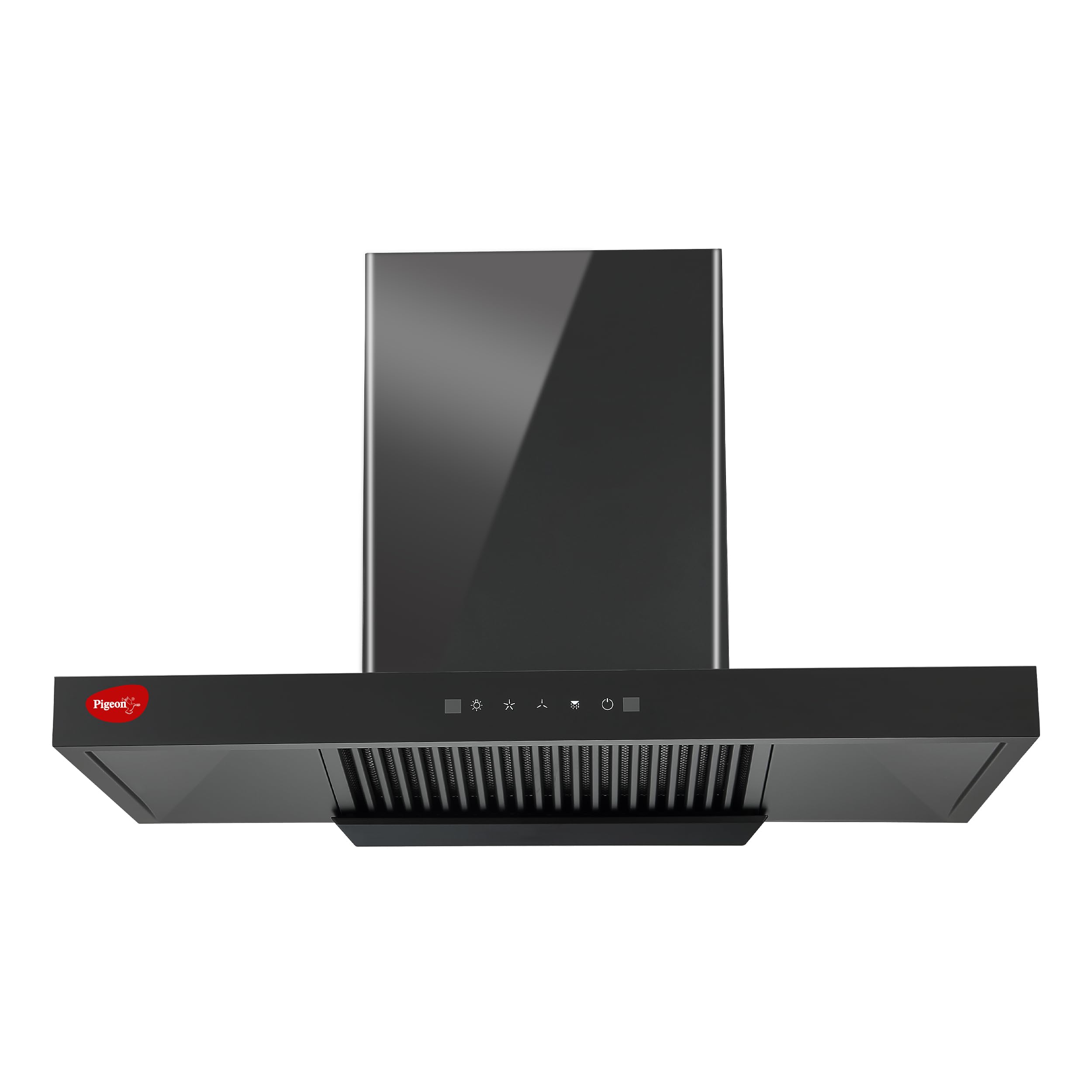
Image: The Pigeon Atmos 90 cm T-Shape Kitchen Chimney in a kitchen setting, effectively clearing smoke.
2. Important Safety Instructions
- Read all instructions carefully before installation and operation.
- Ensure the power supply matches the voltage specified on the rating label.
- Installation must be performed by a qualified technician in accordance with local regulations.
- Do not operate the chimney if the power cord is damaged. Contact customer support for replacement.
- Maintain a safe distance between the chimney and the cooking surface as specified in the installation section.
- Never leave frying food unattended, as grease can ignite.
- Clean the oil collector regularly to prevent grease buildup and fire hazards.
- Do not flambé under the chimney.
- This appliance is for household use only.
3. Package Contents
Upon unpacking, ensure all items are present and undamaged:
- Pigeon Atmos 90 cm T-Shape Kitchen Chimney Unit
- Installation Kit (mounting brackets, screws, wall plugs)
- Ducting Pipe (if included with model)
- User Manual
If any components are missing or damaged, contact customer support immediately.
4. Installation and Setup
The Pigeon Atmos chimney is designed for wall-mount installation and requires proper ducting for optimal performance. Professional installation is recommended.
4.1 Installation Distance
Maintain an optimal distance between the cooking surface and the chimney for effective smoke extraction and safety.

Image: Diagram illustrating the recommended installation distance of 60 to 80 cm from the stove to the chimney.
Recommended Distance: 60 cm to 80 cm from the stove to the bottom of the chimney.
4.2 Mounting Steps (General Guide)
- Marking: Determine the desired height and center point above your cooking range. Mark the drilling points for the mounting brackets on the wall.
- Drilling: Drill holes at the marked points and insert wall plugs.
- Mounting Brackets: Securely attach the mounting brackets to the wall using the provided screws.
- Chimney Placement: Carefully lift the chimney unit and hang it onto the mounted brackets. Ensure it is level and securely seated.
- Ducting Connection: Connect the ducting pipe from the chimney's exhaust outlet to the external vent. Ensure a tight seal to prevent air leakage.
- Electrical Connection: Connect the chimney to a suitable power outlet. Ensure the power supply is off during connection.
5. Operating Instructions
The Pigeon Atmos chimney features both touch and gesture controls for ease of use.
5.1 Control Panel Functions
The control panel typically includes:
- Power Button: To turn the chimney ON/OFF.
- Fan Speed Control: To adjust suction power (low, medium, high).
- Light Button: To turn the LED lights ON/OFF.
- Auto Clean Button: To activate the Heat Auto Clean function.
5.2 Gesture Control
The chimney can be operated hands-free using simple hand gestures.

Image: A hand demonstrating gesture control to operate the chimney, allowing for hands-free operation while cooking.
- Wave Left/Right: Typically used to turn the chimney ON/OFF or adjust fan speed. Refer to the specific gesture patterns indicated on the chimney or in the quick start guide.
- Wave Up/Down: May control fan speed or lights.
Practice the gestures to become familiar with their functions.
6. Maintenance and Cleaning
Regular maintenance ensures the longevity and efficient performance of your chimney.
6.1 Heat Auto Clean (HAC) Function
The Heat Auto Clean feature simplifies the cleaning process by melting and collecting oil residues.

Image: An internal view of the chimney's Heat Auto Clean mechanism, showing water and oil being collected from the blower.
- Activation: Press the 'Auto Clean' button on the control panel. The chimney will initiate a heating cycle to liquefy accumulated oil.
- Collection: The liquefied oil drips into the built-in oil collector.
- Frequency: Use the Auto Clean function regularly, depending on your cooking frequency and type.
6.2 Oil Collector Cleaning
The oil collector should be emptied and cleaned periodically.
- Removal: Carefully slide out the oil collector tray located at the bottom of the chimney.
- Cleaning: Wash the tray with warm, soapy water. Rinse thoroughly and dry completely before reinserting.
- Frequency: Check the oil collector weekly and clean as needed.
6.3 Filterless Technology
This chimney utilizes filterless technology, which means there are no physical filters to clean or replace, simplifying maintenance.

Image: Visual representation of the chimney's filterless technology, highlighting its benefits: low noise, high suction (1500 m³/h), and hand gesture motion sensor.
- The powerful motor and design ensure efficient smoke and oil particle removal without the need for traditional filters.
- Regular use of the Heat Auto Clean function is sufficient for internal cleaning.
6.4 Exterior Cleaning
- Wipe the exterior surfaces with a soft cloth dampened with mild detergent.
- Do not use abrasive cleaners, steel wool, or harsh chemicals, as these can damage the finish.
7. Troubleshooting Guide
Before contacting customer support, refer to the following common issues and solutions:
| Problem | Possible Cause | Solution |
|---|---|---|
| Chimney does not turn ON | No power supply; Loose connection; Faulty power switch | Check power outlet and circuit breaker; Ensure power cord is securely plugged in; Contact service if switch is faulty. |
| Low suction power | Oil collector full; Obstruction in ducting; Improper installation distance | Empty and clean oil collector; Check ducting for blockages; Verify installation height (60-80 cm from stove). |
| Unusual noise during operation | Loose parts; Obstruction in blower; Improper installation | Ensure all screws are tightened; Check for foreign objects in the blower area (power off first); Re-check installation stability. |
| Lights not working | Faulty LED bulb; Wiring issue | Contact customer support for LED replacement or wiring inspection. |
If the problem persists after attempting these solutions, please contact customer support.
8. Product Specifications
| Brand | Pigeon |
| Model Number | 16001896 |
| Product Dimensions (D x W x H) | 40D x 90W x 43.8H Centimeters |
| Colour | Black |
| Special Features | Auto Clean, Built-In Oil Collector, LED Lighting, Gesture Control |
| Air Flow Capacity | 1500 Cubic Meters Per Hour |
| Noise Level | 56 Decibels |
| Mounting Type | Wall Mount |
| Controls Type | Touch, Gesture |
| Voltage | 240 Volts (AC) |
| Filter Type | Filterless |
| Ventilation Type | Ducted/Vented |
| Item Form | T-shape |
| Item Weight | 12500 Grams |
| Material Type | Metal |
9. Warranty Information
Your Pigeon Atmos Kitchen Chimney comes with the following warranty:
- Product Warranty: 1 year comprehensive warranty on the product.
- Motor Warranty: 7 years warranty on the motor.
Terms & Conditions apply. Please retain your purchase receipt for warranty claims. The warranty covers manufacturing defects and does not cover damage due to improper installation, misuse, or normal wear and tear.
10. Customer Support
For any inquiries, installation assistance, or service requests, please contact Pigeon Customer Care:

Image: Pigeon Customer Care contact information, showing the phone number for inquiries and installation support.
Customer Care Number: +91 6364 914 202
You can call or WhatsApp us on the number provided.
