Introduction
Welcome to the user manual for your new Navbow Navbow Plus Smart Professional Underwater Scooter. This manual provides essential information for the safe and effective operation, setup, maintenance, and troubleshooting of your device. Please read this manual thoroughly before using the product to ensure optimal performance and longevity.

The Navbow Navbow Plus Smart Professional Underwater Scooter, featuring a sleek design with dual motors and a camera mount.
Product Overview and Key Features
The Navbow Navbow Plus is designed for an enhanced underwater experience, offering powerful propulsion and smart features.
- 3 Gear Speed Switch: Offers FREE (1m/s), SPORT (1.5m/s), and TURBO (2m/s) modes for varied underwater speeds.
- 15 kgf Dual Motors: Powerful dual motors provide significant thrust, capable of assisting multiple users.
- Extended Usage Time: Up to 60 minutes of intermittent use, with specific continuous use times per mode (45 mins in Free, 20 mins in Sport, 8 mins in Turbo + 9 mins in Sport).
- Removable Battery: Designed for easy replacement and fully charges in 3.5 hours.
- Micro-Positive Buoyancy: Ensures the scooter gently rises to the surface if released, aiding retrieval.
- OLED Display: Provides real-time information including battery power, speed gear, operation mode, wireless connection status, and running time.
- Low Battery Alarm: Visual and vibration alerts at 30% and 20% battery levels.
- One-Hand Operation: The DTC kit (D-ring buckle and tow cord) allows for single-hand control, freeing the other hand for tasks like ear pressure equalization or photography.
- 40m Waterproof: Advanced sealing technology ensures water resistance up to 40 meters (131 feet).
- Action Camera Mount: Universal interface compatible with most action cameras.
- Self-Cleaning: Feature to remove residual seawater and prevent corrosion.
Visual Features Overview
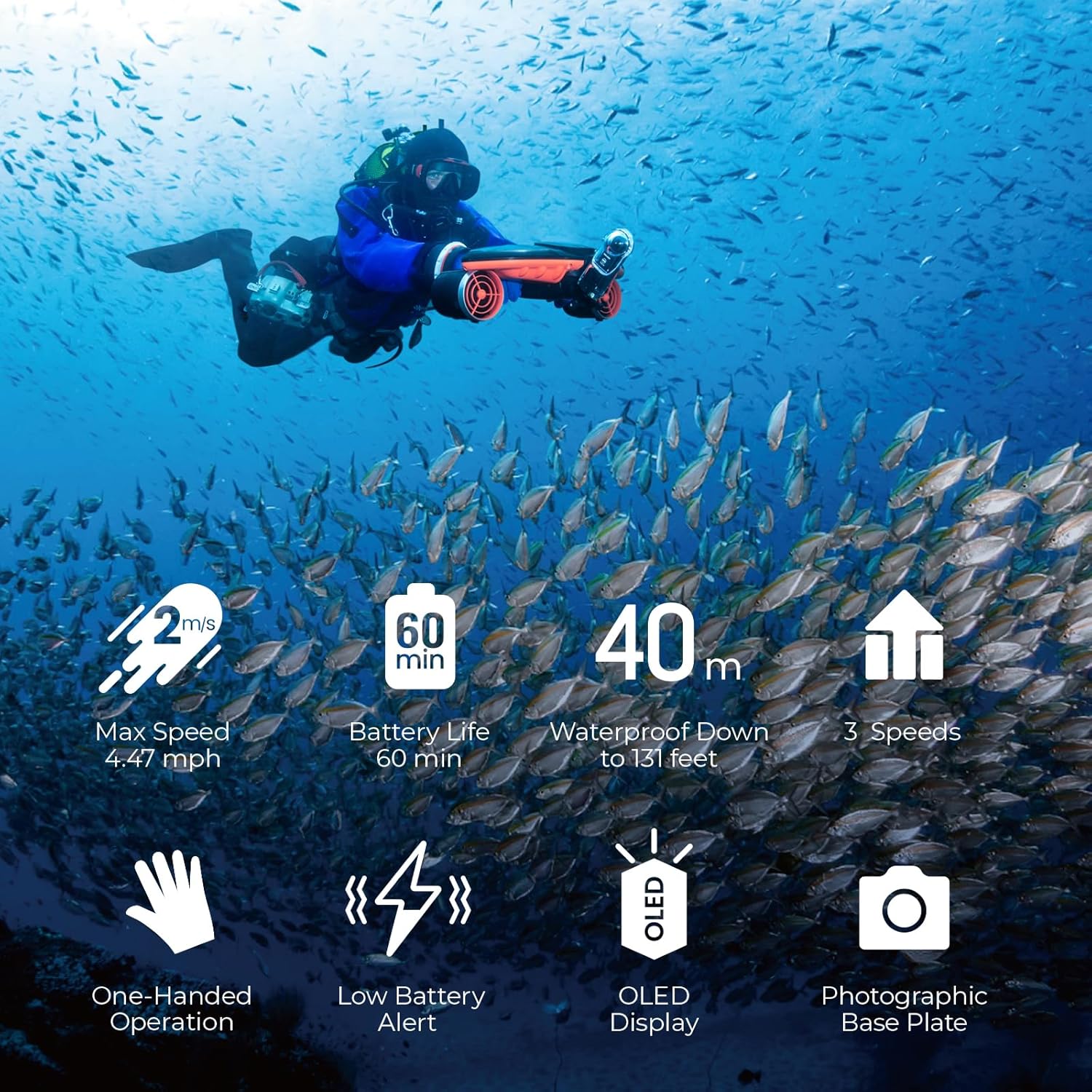
An overview of the Navbow Plus's key features, including max speed, battery life, waterproof depth, and control options.
Speed Modes Demonstration

Illustration of the three available speed modes: Free (1m/s), Sport (1.5m/s), and Turbo (2m/s).
Powerful Dual Motors
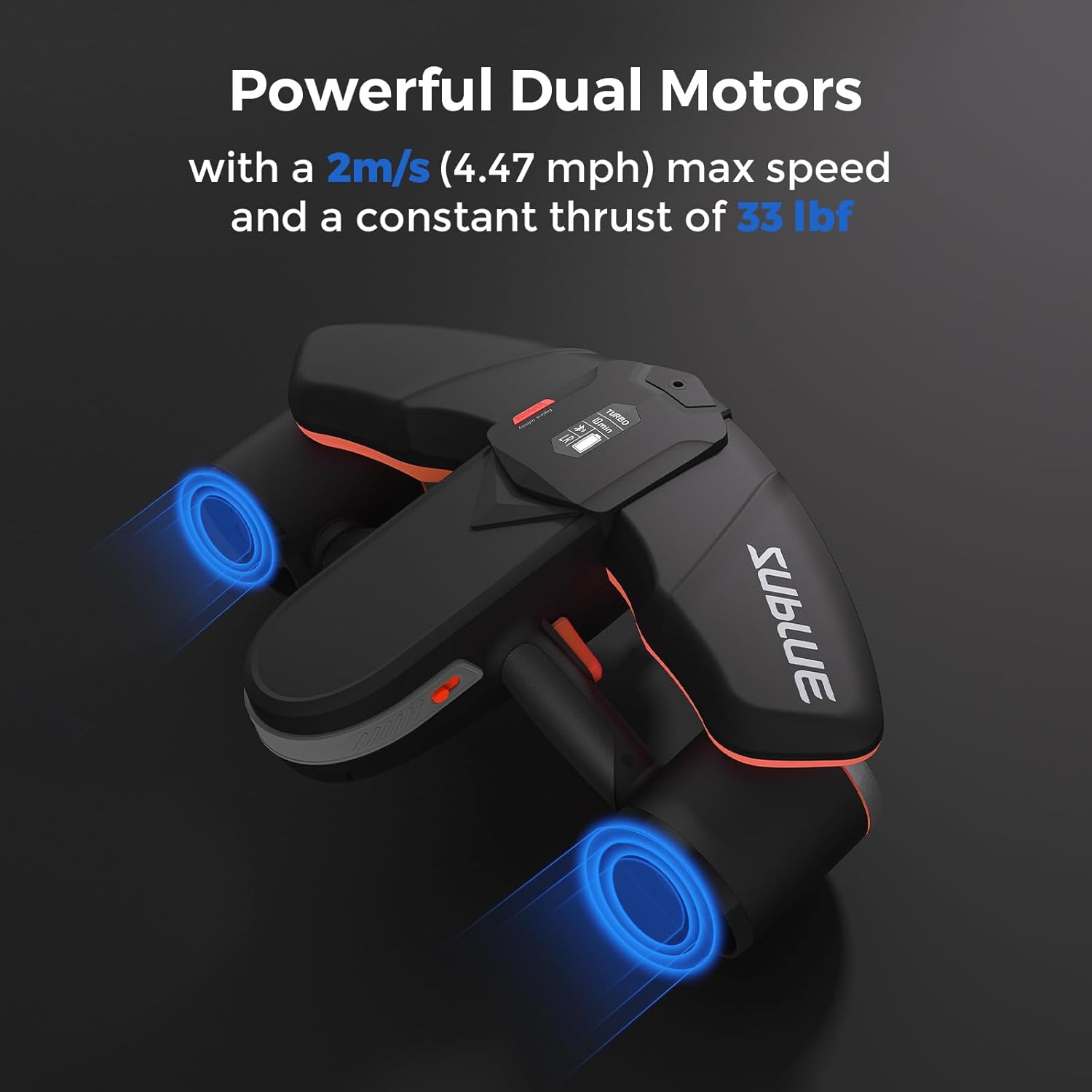
Visual representation of the powerful dual motors, providing 15 kgf of thrust for efficient underwater propulsion.
Battery Life Overview

Information on battery usage times for different modes, including intermittent and continuous use durations.
Waterproof Capability

Details on the scooter's waterproof design, allowing operation up to 40 meters (131 feet) depth.
OLED Display Details

Close-up view of the OLED screen, showing indicators for speed level, time, battery remaining power, security lock, and Bluetooth connection.
One-Hand Operation

Demonstration of the one-hand operation feature, allowing users to free a hand for other tasks while using the scooter.
Action Camera Mount

Illustration of the universal action camera mount, compatible with most cameras on the market.
Self-Cleaning Feature

Visual representation of the self-cleaning process, which helps prevent corrosion from residual seawater.
Safety Features

Overview of the integrated safety features, including plugging protection, overcurrent protection, and low battery alarm.
Official Product Video
Official video demonstrating the Sublue Navbow in action, gliding effortlessly with sea turtles. This video showcases the scooter's maneuverability and speed in an underwater environment.
Setup
Before your first use, ensure all components are present and properly assembled.
Package Contents
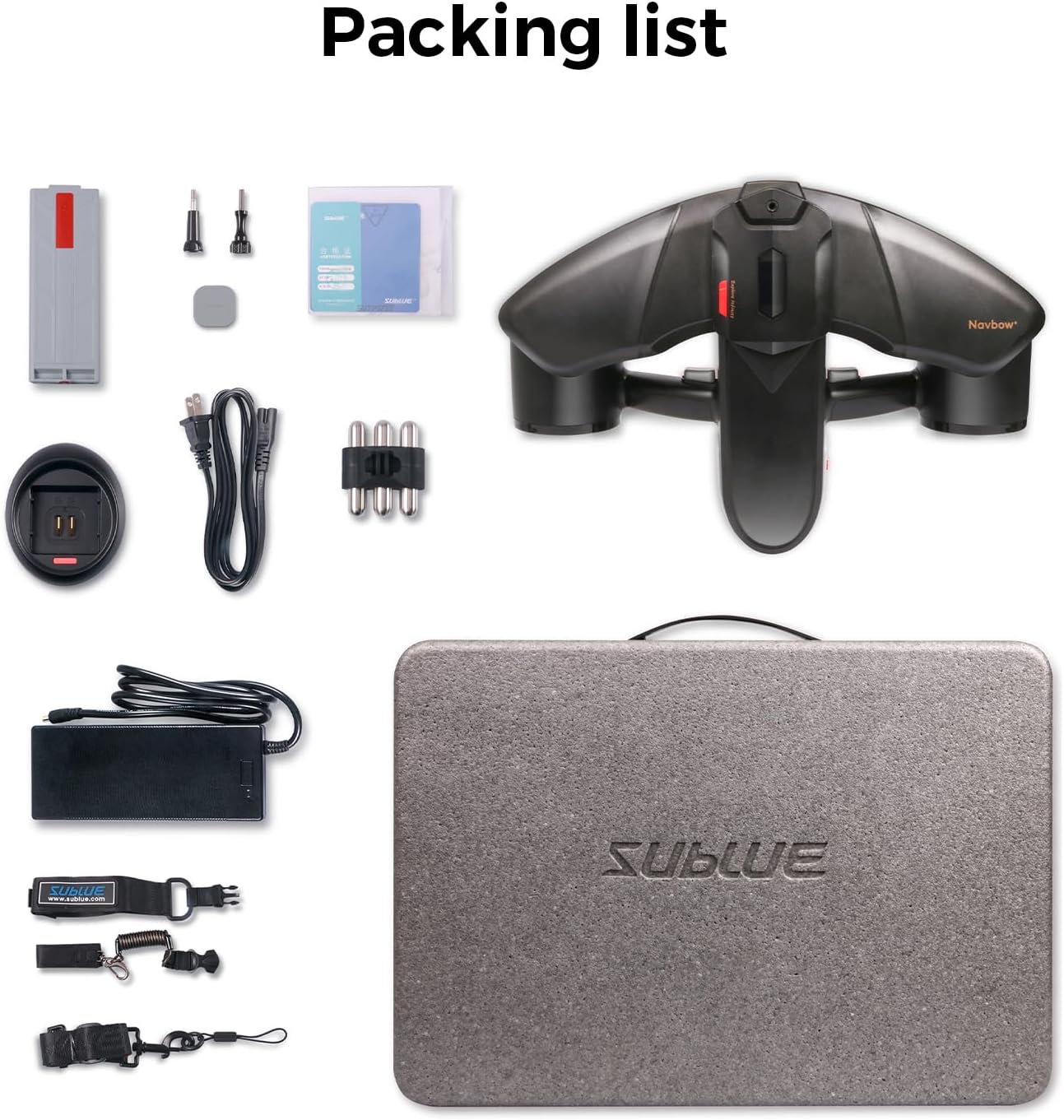
The complete packing list for the Navbow Plus, including the scooter unit, battery, charger, and accessories.
Battery Installation and Charging
- Ensure the scooter is powered off and dry before handling the battery compartment.
- Locate the battery compartment on the underside of the scooter.
- Carefully insert the fully charged battery, ensuring it clicks securely into place.
- Close and seal the battery compartment cover firmly to maintain waterproofing.
- To charge, connect the battery to the provided charger. A full charge takes approximately 3.5 hours.
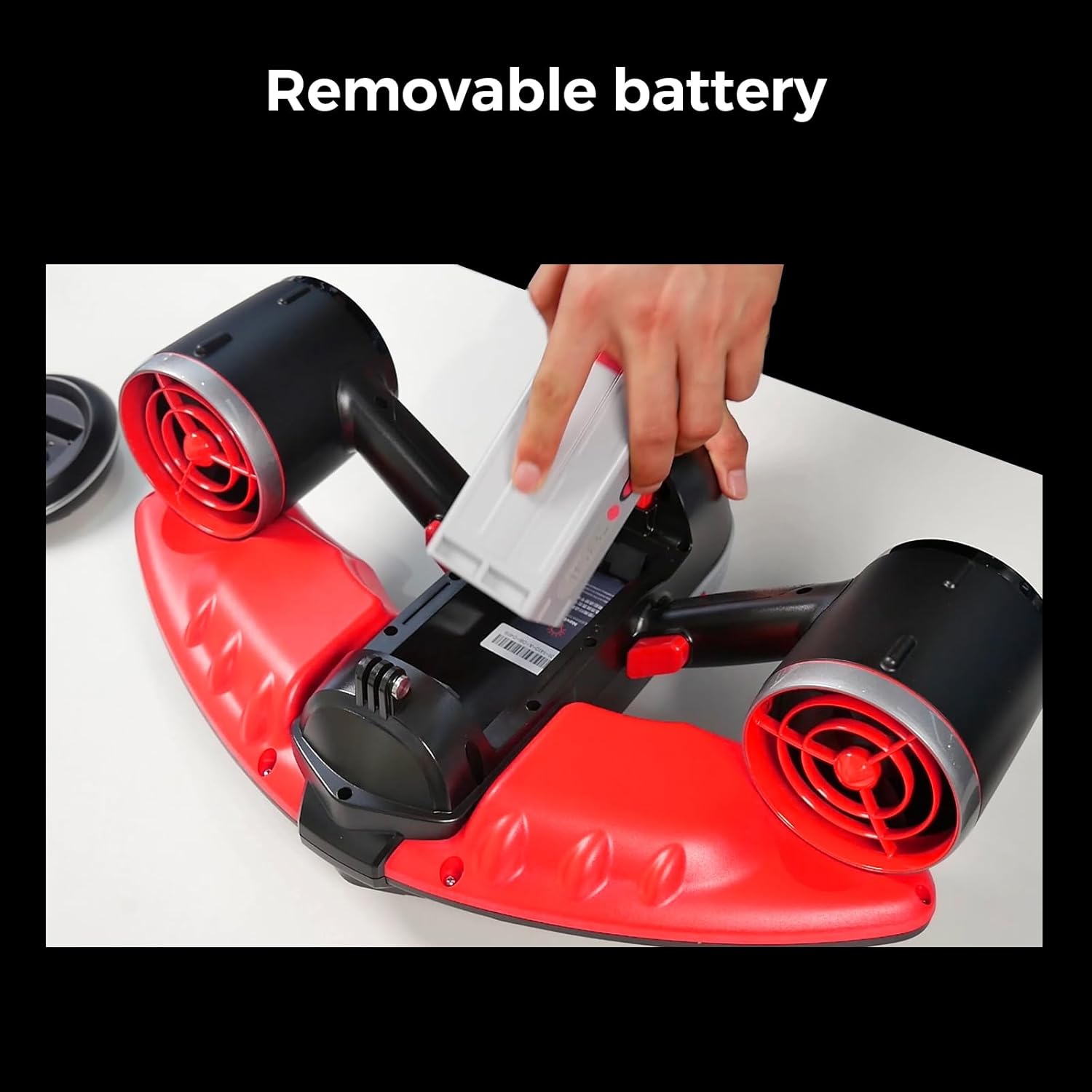
Demonstration of the removable battery feature, highlighting ease of installation and replacement.
Operating Instructions
Powering On/Off and Speed Selection
- To power on, press and hold the power button until the OLED display illuminates.
- Use the speed switch to cycle through the three modes: FREE, SPORT, and TURBO. The current mode will be displayed on the OLED screen.
- To power off, press and hold the power button again until the display turns off.
One-Hand Operation
The included DTC kit allows for single-hand control, providing flexibility for other underwater activities. Attach the D-ring buckle and tow cord as instructed in the accessory guide.
Demonstration of the one-hand operation feature, allowing users to free a hand for other tasks while using the scooter.
Maintenance
Self-Cleaning Feature
The Navbow Plus features a self-cleaning function designed to thoroughly remove residual seawater from internal components, preventing corrosion and extending the lifespan of the device. After each use in saltwater, activate the self-cleaning mode as per the detailed instructions in the full manual (not provided here).
Visual representation of the self-cleaning process, which helps prevent corrosion from residual seawater.
Battery Care
- Always charge the battery fully before storage if not used for an extended period.
- Store the battery in a cool, dry place away from direct sunlight.
- Avoid exposing the battery to extreme temperatures.
Troubleshooting
Low Battery Alerts
The Navbow Plus is equipped with a low battery warning system to ensure safe operation.
- Below 30% Battery: The battery icon on the OLED display will flash, accompanied by 3 vibration alerts.
- Below 20% Battery: The battery icon will flash rapidly, accompanied by 6 vibration alerts. It is recommended to return to the surface and recharge the unit when these alerts occur.

Visual guide to the low battery alert system, showing the flashing icon and vibration indicators at different battery levels.
General Issues
| Problem | Possible Cause | Solution |
|---|---|---|
| Scooter does not power on. | Battery not installed correctly or discharged. | Ensure battery is fully charged and properly seated. |
| Reduced thrust. | Debris in propellers or low battery. | Check propellers for obstructions; recharge battery. |
| OLED display not working. | Power issue or display malfunction. | Recharge battery; if issue persists, contact support. |
Specifications
| Feature | Detail |
|---|---|
| Brand Name | sublue |
| Model Name | Navbow |
| Color | Navbow Green |
| Material | Carbon Fiber |
| Max Speed | 2m/s (4.47 mph) in Turbo mode |
| Thrust | 15 kgf (33 lbf) |
| Max Depth | 40 meters (131 feet) |
| Battery Life (Continuous) | 45 mins (Free Mode), 20 mins (Sport Mode), 8 mins (Turbo Mode) |
| Battery Charge Time | 3.5 hours |
| Item Package Dimensions | 22.75 x 17 x 10.5 inches |
| Package Weight | 8.96 Kilograms |
Warranty and Support
Warranty Information
The Sublue sea scooter comes with a warranty period that varies based on the component:
- Main Unit: Covered by a 1-year warranty.
- Accessories: Battery, Charger, Motor, Motor-driver board, Propeller assembly, and Bearing are covered for 6 months.
For issues covered under warranty, Sublue will provide repair or replacement at no additional cost.
Customer Support
For any inquiries, technical assistance, or warranty claims, please contact Sublue customer support:
- Email: amazon.store@sublue.com
- Phone: 626-242-4446
- Hours: Reply within 24 hours, 9am-6pm, Mon-Fri (Pacific Time).

Sublue customer support details for assistance.


