
1. Introduction
The Klarstein DryFy Connect 50L dehumidifier is designed to efficiently remove excess moisture from the air, improving indoor air quality and preventing issues such as mold and mildew. This unit is suitable for rooms between 45 to 55 square meters. It features a 7-liter water tank, Wi-Fi connectivity for convenient app control, and a 24-hour timer for scheduled operation. The electric dehumidifier offers various operating modes, including automatic dehumidification, a dedicated drying mode for laundry, and an oscillation mode for even air distribution. For user convenience, it includes a carrying handle and wheels for portability, and an option for continuous water drainage. The unit automatically activates when humidity exceeds the set value by 5% and stops when the water tank is full. An internal drying mode helps maintain the unit and prevent internal mold formation.
2. Safety Instructions
Please read all safety instructions carefully before operating the appliance and keep this manual for future reference. Failure to follow these instructions may result in electric shock, fire, or injury.
- Ensure the power supply voltage matches the rating label on the appliance.
- Do not operate the dehumidifier with a damaged cord or plug.
- Keep the appliance away from water and other liquids. Do not immerse it.
- Do not block air inlets or outlets. Maintain at least 20 cm clearance around the unit.
- Always unplug the unit before cleaning, maintenance, or when not in use.
- Do not use the appliance in explosive or flammable environments.
- This appliance is not intended for use by persons (including children) with reduced physical, sensory or mental capabilities, or lack of experience and knowledge, unless they have been given supervision or instruction concerning use of the appliance by a person responsible for their safety.
- Children should be supervised to ensure that they do not play with the appliance.
- Only use accessories recommended by the manufacturer.
- If the supply cord is damaged, it must be replaced by the manufacturer, its service agent, or similarly qualified persons to avoid a hazard.
3. Product Overview
Familiarize yourself with the main components and control panel of your Klarstein DryFy Connect 50L dehumidifier.
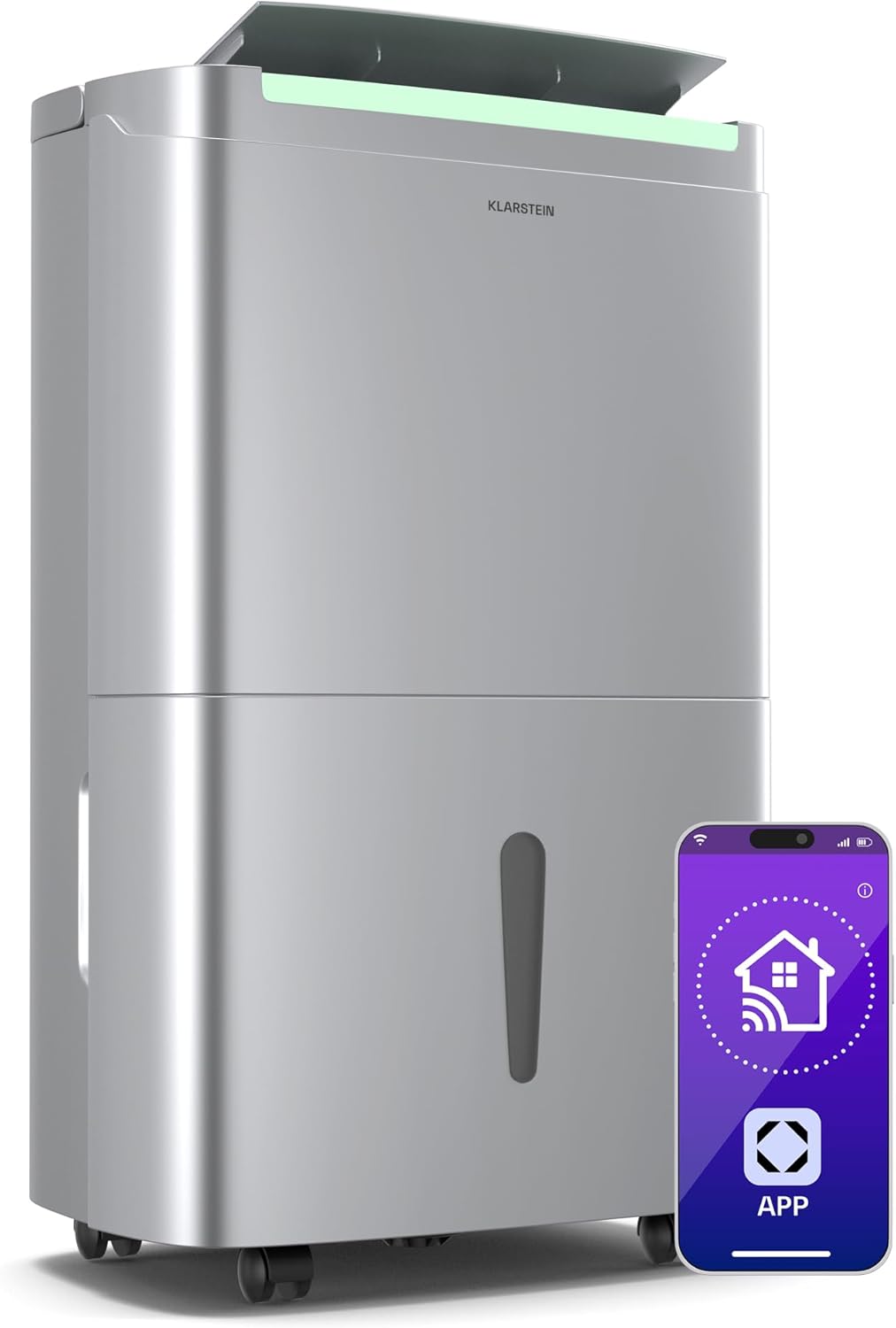
Figure 3.1: Front view of the Klarstein DryFy Connect 50L dehumidifier, highlighting its sleek design and smart app connectivity.
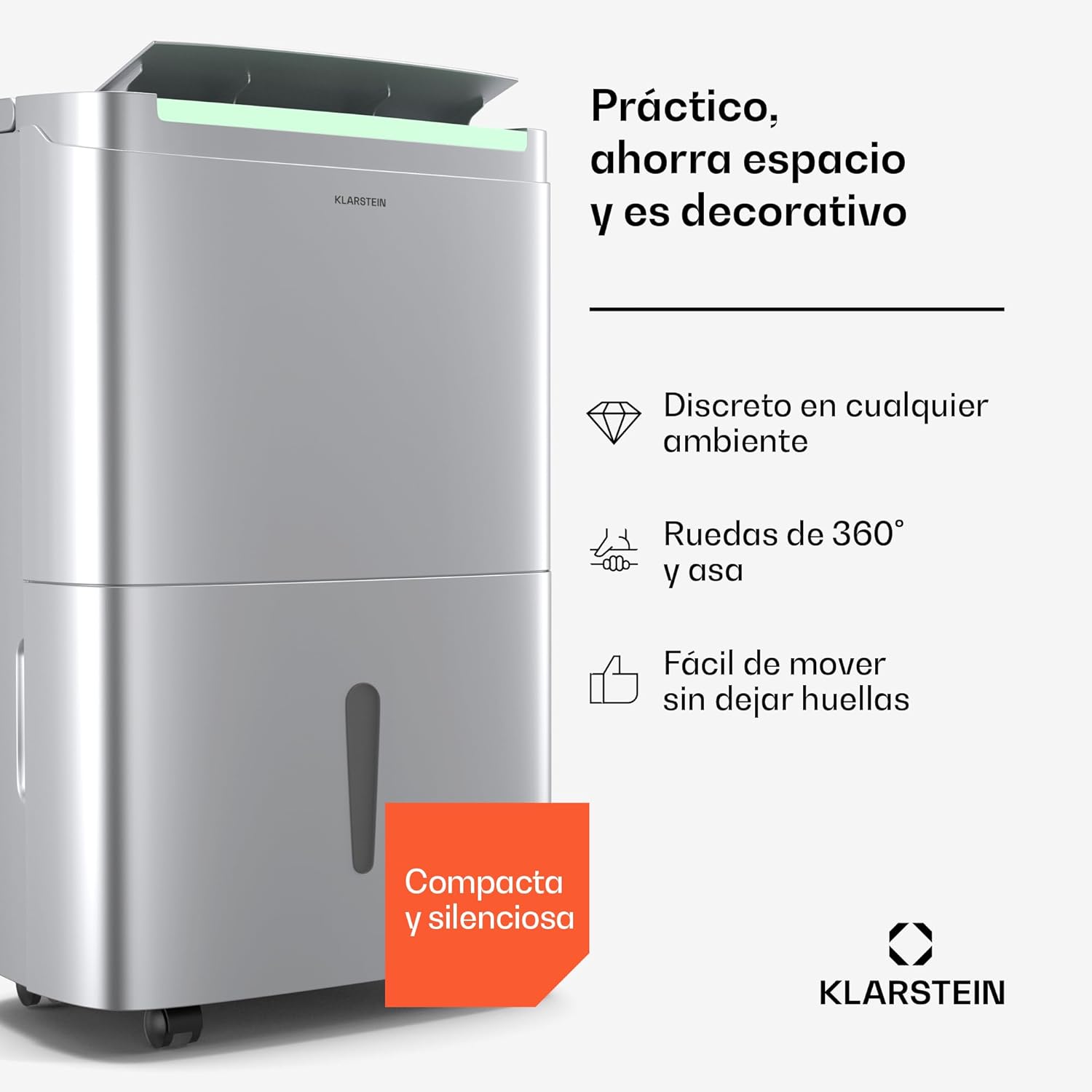
Figure 3.2: Side view illustrating the compact design, 360-degree wheels, and integrated handle for easy mobility.

Figure 3.3: Top view displaying the control panel and air outlet. This image also indicates the unit's capacity to cover 45-56 m² and its 360 m³/h air flow.

Figure 3.4: Detailed view of the control panel, showing buttons for mode selection, fan speed, timer, and the digital humidity display.
Control Panel Functions:
- Power Button: Turns the unit on or off.
- Mode Button: Cycles through different operating modes (e.g., Automatic, Drying, Oscillation).
- Fan Speed Button: Adjusts the fan speed (High/Low).
- Humidity Setting Buttons: Used to set the desired humidity level.
- Timer Button: Activates and sets the 24-hour timer.
- Wi-Fi Indicator: Shows the status of the Wi-Fi connection.
- Display: Shows current humidity, timer settings, and error codes.
4. Setup
Follow these steps to set up your dehumidifier for first use.
- Unpacking: Carefully remove the dehumidifier from its packaging. Retain packaging materials for future storage or transport.
- Placement: Place the unit on a firm, level surface. Ensure there is at least 20 cm of clear space around all sides of the dehumidifier to allow for proper airflow. Do not place it against a wall or near heat sources.
- Power Connection: Plug the power cord into a grounded electrical outlet. Ensure the outlet meets the voltage requirements specified in the specifications section.
- Water Tank: Ensure the 7-liter water tank is correctly inserted into the unit. The unit will not operate if the tank is not properly seated or is full.
- Continuous Drainage (Optional): For continuous operation without emptying the water tank, connect a drainage hose (not included) to the continuous drainage port located at the back of the unit. Ensure the hose is sloped downwards to allow water to drain by gravity into a suitable receptacle or drain.
5. Operating Instructions
5.1 Basic Operation
- Press the Power Button to turn on the dehumidifier. The display will show the current room humidity.
- Press the Mode Button to select your desired operating mode:
- Automatic Dehumidification: The unit will automatically adjust its operation to maintain the set humidity level.
- Drying Mode: Designed for drying laundry, this mode operates continuously at high fan speed.
- Oscillation Mode: The air outlet louver will swing to distribute dehumidified air more widely.
- Use the Humidity Setting Buttons to set your desired humidity level (e.g., 40%, 50%, 60%). The unit will operate until this level is reached.
- Press the Fan Speed Button to switch between High and Low fan speeds.
5.2 Wi-Fi and App Control
The Klarstein DryFy Connect 50L can be controlled remotely via the Klarstein app on your smartphone.
- Download the Klarstein app from your smartphone's app store (iOS or Android).
- Ensure your dehumidifier is plugged in and within range of your Wi-Fi network.
- Follow the in-app instructions to pair your dehumidifier with your smartphone. This typically involves putting the dehumidifier into pairing mode (refer to the app or unit display for specific instructions).
- Once connected, you can control all functions of the dehumidifier, including power, mode, humidity settings, and timer, directly from the app.
5.3 Timer Function
The 24-hour timer allows you to schedule when the dehumidifier turns on or off.
- Press the Timer Button.
- Use the Humidity Setting Buttons (often also used for timer adjustment) to set the desired number of hours for the unit to turn on or off.
- The timer will count down, and the unit will perform the programmed action once the time expires.
6. Maintenance
Regular maintenance ensures optimal performance and extends the lifespan of your dehumidifier.
6.1 Emptying the Water Tank
When the water tank is full, the unit will automatically stop operating, and an indicator light will illuminate. To empty the tank:
- Gently pull out the water tank from the front of the unit.
- Carefully carry the tank to a sink or drain.
- Pour out the collected water.
- Rinse the tank with clean water if necessary.
- Reinsert the empty water tank firmly into the dehumidifier until it clicks into place. The unit will resume operation.
6.2 Cleaning the Air Filter
The air filter should be cleaned regularly (every 2-4 weeks, depending on usage) to prevent dust buildup and maintain efficiency.
- Turn off and unplug the dehumidifier.
- Locate and remove the air filter (usually at the back or side of the unit).
- Clean the filter using a vacuum cleaner to remove loose dust. For heavier dirt, wash the filter gently with lukewarm water and a mild detergent.
- Allow the filter to air dry completely before reinserting it into the unit. Do not use a dryer or direct heat.
6.3 External Cleaning
Wipe the exterior of the dehumidifier with a soft, damp cloth. Do not use harsh chemicals, abrasive cleaners, or solvents, as these can damage the surface.
6.4 Internal Drying Mode
This mode helps dry the internal components of the dehumidifier to prevent mold and odors. Activate it periodically, especially before storing the unit for an extended period. Refer to the control panel or app for specific instructions on activating this mode.
7. Troubleshooting
If you encounter issues with your dehumidifier, consult the following table before contacting customer support.
| Problem | Possible Cause | Solution |
|---|---|---|
| Unit does not turn on | No power supply; Power cord not plugged in; Water tank full or incorrectly inserted. | Check power connection; Empty and reinsert water tank correctly. |
| No dehumidification | Air filter clogged; Room temperature too low; Humidity setting too high; Unit size too small for room. | Clean air filter; Ensure room temperature is above 5°C; Lower desired humidity setting; Consider using multiple units for larger spaces. |
| Water tank full indicator remains on after emptying | Water tank not properly reinserted; Float switch stuck. | Ensure tank is fully pushed in; Gently shake the tank to free the float switch. |
| Unit is noisy | Unit not on a level surface; Air filter clogged; Internal components vibrating. | Place unit on a level surface; Clean air filter; If noise persists, contact support. |
| Wi-Fi connection issues | Incorrect Wi-Fi password; Unit too far from router; Router issues. | Verify Wi-Fi password; Move unit closer to router; Restart router and dehumidifier; Re-pair with app. |
8. Specifications
Detailed technical specifications for the Klarstein DryFy Connect 50L dehumidifier.

Figure 8.1: Physical dimensions of the dehumidifier: 26 cm (depth), 37 cm (width), 62 cm (height).
| Feature | Detail |
|---|---|
| Brand | KLARSTEIN |
| Model Number | DXJ2-Kl-DF-50Ss |
| Dehumidification Capacity | Up to 50 Liters/day |
| Water Tank Capacity | 7 Liters |
| Recommended Room Size | 45 - 55 m² (up to 56 m²) |
| Air Flow | 360 m³/h |
| Dimensions (L x W x H) | 26 x 37 x 61.5 cm |
| Weight | 18.5 Kilograms |
| Material | Stainless Steel, Plastic |
| Special Features | Smart App Control, Automatic Mode, Timer Function, Oscillation Mode |
| Color | Stainless Steel |
9. Warranty and Support
For warranty information, please refer to the documentation provided with your purchase or visit the official Klarstein website. If you require technical assistance or have questions not covered in this manual, please contact Klarstein customer support. Have your model number (DryFy Connect 50L) and purchase details ready when contacting support.


