
1. Product Overview
The Homtronics H2102 Mini Dehumidifier is designed to efficiently remove excess moisture from small enclosed spaces, improving air quality and preventing issues associated with high humidity. Its compact size, quiet operation, and automatic features make it suitable for various rooms.
Key Features:
- High-Efficiency Dehumidification: Utilizes thermoelectric Peltier technology to extract up to 450 ml (15.2 oz) of moisture per day in optimal conditions (86°F, 80% RH).
- Large Water Tank: Features a 35 oz (1000 ml) transparent water tank for easy monitoring.
- Ultra-Quiet Operation: Operates at less than 30dB in sleep mode, ensuring minimal disturbance.
- Dual Working Modes: Offers a strong mode for rapid dehumidification and a quiet sleep mode.
- 7-Color LED Light: Integrated LED night light with seven adjustable colors to enhance ambiance.
- Automatic Shut-off: Automatically powers off when the water tank is full or incorrectly positioned, with a red indicator light.
- Compact and Portable: Designed with a handle for easy relocation, ideal for spaces up to 350 sq ft.

Figure 1: Homtronics H2102 Mini Dehumidifier with visible water tank.
2. Safety Instructions
Please read all safety instructions carefully before using the appliance. Failure to follow these instructions may result in electric shock, fire, or injury.
- Always use the dehumidifier on a stable, level surface.
- Do not block the air inlet or outlet. Maintain at least 10 cm (4 inches) clearance around the unit.
- Ensure the power cord is not damaged, pinched, or placed under heavy objects.
- Do not operate the dehumidifier in extremely dusty or dirty environments.
- Keep the appliance away from heat sources, direct sunlight, and flammable materials.
- Do not immerse the unit, power cord, or plug in water or other liquids.
- Unplug the dehumidifier before cleaning, maintenance, or when not in use for extended periods.
- This appliance is not intended for use by persons (including children) with reduced physical, sensory, or mental capabilities, or lack of experience and knowledge, unless they have been given supervision or instruction concerning use of the appliance by a person responsible for their safety.
- Do not attempt to repair or modify the unit yourself. Contact customer support for assistance.
- Empty the water tank regularly to prevent overflow and maintain efficiency.
3. Package Contents
Verify that all items are present in the package:
- Homtronics H2102 Mini Dehumidifier Unit
- Power Adapter
- User Manual
4. Product Diagram
Familiarize yourself with the components of your dehumidifier:

Figure 2: Front view of the Homtronics H2102 Dehumidifier, showing dimensions and water tank.
- Control Panel: Power button, mode selection, and LED light control.
- Air Outlet: Where dry air is expelled.
- Air Inlet: Where humid air is drawn in.
- Water Tank: Collects condensed moisture.
- Power Port: For connecting the power adapter.
- Handle: For easy portability.
5. Setup
Follow these steps to set up your Homtronics H2102 Mini Dehumidifier:
- Unpack: Carefully remove the dehumidifier and all accessories from the packaging.
- Placement: Place the dehumidifier on a firm, level surface in the desired location. Ensure there is at least 10 cm (4 inches) of space around all sides for proper airflow. Avoid placing it in direct sunlight or near heat sources.
- Power Connection: Connect the power adapter to the power port on the back of the dehumidifier, then plug the adapter into a suitable electrical outlet.
- Water Tank Check: Ensure the water tank is correctly seated in the unit. The dehumidifier will not operate if the tank is not properly installed.

Figure 3: The compact and portable design of the dehumidifier, highlighting its handle.
6. Operating Instructions
Operating your dehumidifier is straightforward:
Power On/Off:
- Press the power button once to turn the unit on. The default mode is usually strong dehumidification.
- Press the power button again to turn the unit off.
Mode Selection:
The dehumidifier features two operating modes:
- Strong Mode: Provides maximum dehumidification for faster moisture removal.
- Sleep Mode: Operates at a lower fan speed for quieter performance (below 30dB), ideal for nighttime use.
Refer to the control panel for specific button functions to switch between modes.

Figure 4: Dehumidifier operating in a quiet environment, illustrating sleep mode and LED lights.
7-Color LED Light:
The integrated LED light can be controlled independently:
- Press the light button to cycle through the 7 available colors.
- Press and hold the light button to turn the LED light off.
Automatic Shut-off:
The dehumidifier is equipped with an auto shut-off function for safety and convenience:
- When the water tank is full, the unit will automatically stop operating.
- A red indicator light will flash to alert you that the tank needs to be emptied.
- The unit will also stop if the water tank is removed or not correctly seated.

Figure 5: The dehumidifier displaying a red light, indicating the auto shut-off feature due to a full water tank.
7. Maintenance
Regular maintenance ensures optimal performance and longevity of your dehumidifier.
Emptying the Water Tank:
- When the red indicator light flashes, the water tank is full.
- Gently pull out the water tank from the front of the unit.
- Carefully pour out the collected water.
- Rinse the water tank with clean water if necessary. Do not use harsh detergents or abrasive cleaners.
- Slide the empty water tank back into the dehumidifier until it clicks into place. The unit will resume operation automatically if it was on.
Cleaning the Unit:
- Exterior: Wipe the exterior of the dehumidifier with a soft, damp cloth. Do not use abrasive cleaners or solvents.
- Air Inlet/Outlet: Periodically check the air inlet and outlet for dust accumulation. Use a soft brush or vacuum cleaner to gently remove any dust or debris.
- Internal Components: Do not attempt to clean internal components.

Figure 6: Visual representation of common dampness issues that the dehumidifier helps mitigate.
8. Troubleshooting
If you encounter issues with your dehumidifier, refer to the following table for common problems and solutions:
| Problem | Possible Cause | Solution |
|---|---|---|
| Dehumidifier does not turn on. | No power supply; Water tank not properly installed; Power button not pressed. | Check power connection; Ensure water tank is correctly seated; Press the power button firmly. |
| No water collected. | Humidity level is too low; Room temperature is too low; Air inlets/outlets blocked. | The unit may not collect water if humidity is below 45% or temperature is below 50°F (10°C); Ensure proper airflow. |
| Unit stops working and red light flashes. | Water tank is full; Water tank is not properly installed. | Empty the water tank; Reinstall the water tank correctly. |
| Unit is noisy. | Operating in Strong Mode; Unit not on a level surface; Airflow obstruction. | Switch to Sleep Mode for quieter operation; Place on a stable, level surface; Clear any obstructions from air inlets/outlets. |
| Weak dehumidification. | Room size too large; Airflow restricted; Low ambient temperature/humidity. | Ensure the unit is used in spaces within its recommended coverage (30-350 sq ft); Clear obstructions; Dehumidification efficiency decreases in cooler/drier conditions. |
If the problem persists after trying these solutions, please contact Homtronics customer support.
9. Specifications
| Feature | Specification |
|---|---|
| Brand | Homtronics |
| Model | H2102 |
| Dehumidification Capacity | Up to 450 ml (15.2 oz) per day (at 86°F, 80% RH) |
| Water Tank Capacity | 35 oz (1000 ml) |
| Coverage Area | 30-350 sq ft |
| Noise Level | <30dB (Sleep Mode) |
| Product Dimensions | 15 x 13 x 25 cm (5.91 x 5.12 x 9.84 inches) |
| Item Weight | 1.43 kg (3.15 lbs) |
| Material | Acrylonitrile Butadiene Styrene (ABS) |
| Special Features | Automatic Shutoff, Ergonomic Handle, LED Power Indicator, Removable Tank, Sleep Mode, 7-Color LED Light |
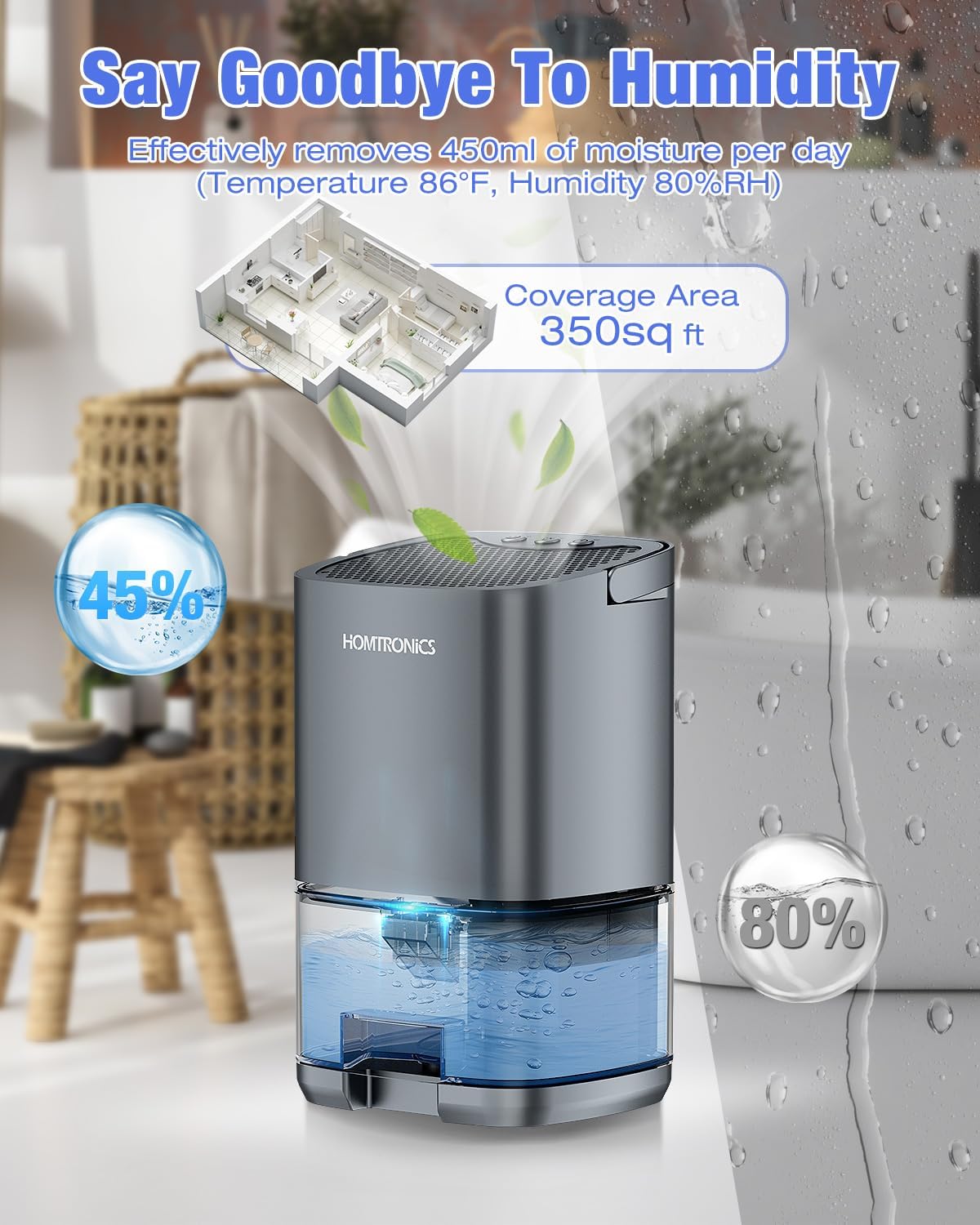
Figure 7: Dehumidifier's performance metrics, including daily moisture removal and coverage area.
10. Warranty and Support
Homtronics products are manufactured to high-quality standards. This product comes with a standard manufacturer's warranty against defects in materials and workmanship from the date of purchase.
Warranty Coverage:
- The warranty covers manufacturing defects.
- It does not cover damage caused by misuse, accident, unauthorized modification, or normal wear and tear.
- Proof of purchase is required for all warranty claims.
Customer Support:
For technical assistance, warranty claims, or any questions regarding your Homtronics H2102 Mini Dehumidifier, please contact Homtronics customer support through the retailer where the product was purchased or visit the official Homtronics website for contact information.
Please have your model number (H2102) and purchase date ready when contacting support.