
1. Product Overview
The Calex Smart Indoor Security Camera (Version 2) is designed to provide reliable indoor surveillance with advanced features for enhanced home security. This manual provides detailed instructions for setting up, operating, maintaining, and troubleshooting your camera.
Key Features:
- FULL HD & NIGHT VISION: Crystal-clear images for day and night camera security, with precise monitoring for safety and clear recognition in darkness.
- WIRELESS CONNECTIVITY: The Wi-Fi connection without an extra hub offers flexible indoor placement options for this Wi-Fi camera.
- EASY INSTALLATION: This camera is ready to use in 3 simple steps with the Calex App.
- SUFFICIENT MEMORY: Standard 24 hours of built-in memory, expandable with MicroSD card or cloud storage.
- SECURE CLOUD STORAGE: View footage anytime, anywhere; events are securely stored 24/7 in the Cloud.

Image 1.1: The Calex Smart Indoor Security Camera shown next to a smartphone displaying its live feed and control options.

Image 1.2: An overview of the camera's main features, including connectivity, storage, and detection capabilities.
2. Setup and Installation
The Calex Smart Indoor Security Camera is designed for quick and easy setup. Follow these steps to get your camera operational.
2.1 What's in the Box:
- 1x Calex Smart Indoor Security Camera
- 1x USB Cable
- 1x Power Adapter
2.2 Installation Steps:
- Download the Calex App: Search for "Calex Smart" in your smartphone's app store (available for iOS and Android) and download the application.
- Create an Account: Open the Calex App and follow the on-screen instructions to create a new user account or log in if you already have one.
- Power On the Camera: Connect the camera to the power adapter using the provided USB cable and plug it into a power outlet. The camera's indicator light will turn on, indicating it's ready for pairing.
- Add Device in App: In the Calex App, tap the "+" icon to add a new device. Select "Camera" or "Security Camera" from the list of available devices.
- Connect to Wi-Fi: Follow the app's instructions to connect the camera to your 2.4GHz Wi-Fi network. You may need to scan a QR code displayed on your phone with the camera lens.
- Placement: Position the camera in your desired indoor location. The camera can be placed on a flat surface or mounted using its magnetic base.

Image 2.1: The camera offers flexible installation options, including tabletop, wall, and ceiling mounting, often utilizing a magnetic base for ease.
3. Operating the Camera
Once installed, you can control and monitor your Calex Smart Indoor Security Camera through the Calex App.
3.1 Live View and Video Quality:
Access the live feed of your camera anytime, anywhere via the Calex App. The camera provides Full HD (1080p) resolution for clear images.

Image 3.1: The camera captures every detail with stunning clarity, offering resolutions up to 2K for superior image quality.
3.2 Night Vision:
The camera automatically switches to infrared night vision in low-light conditions, ensuring clear monitoring even in complete darkness.

Image 3.2: The camera provides both full-color and infrared night vision modes for optimal visibility in varying light conditions.
3.3 Two-Way Audio:
Utilize the built-in microphone and speaker to communicate with people or pets on the camera's side. This feature allows you to listen in or speak through the camera directly from your smartphone.

Image 3.3: Engage in two-way communication using the camera's audio features, allowing you to speak and listen remotely.
3.4 Motion and Human Detection:
The camera is equipped with motion detection and advanced human detection capabilities. You will receive instant alerts on your smartphone when motion or a human figure is detected, reducing false alarms.

Image 3.4: Receive immediate alerts on your device when human motion is detected, ensuring you are always informed of activity.
3.5 Recording and Storage:
The camera supports 24/7 continuous recording. Footage can be stored locally on a MicroSD card (not included) or securely in the cloud (subscription may be required).
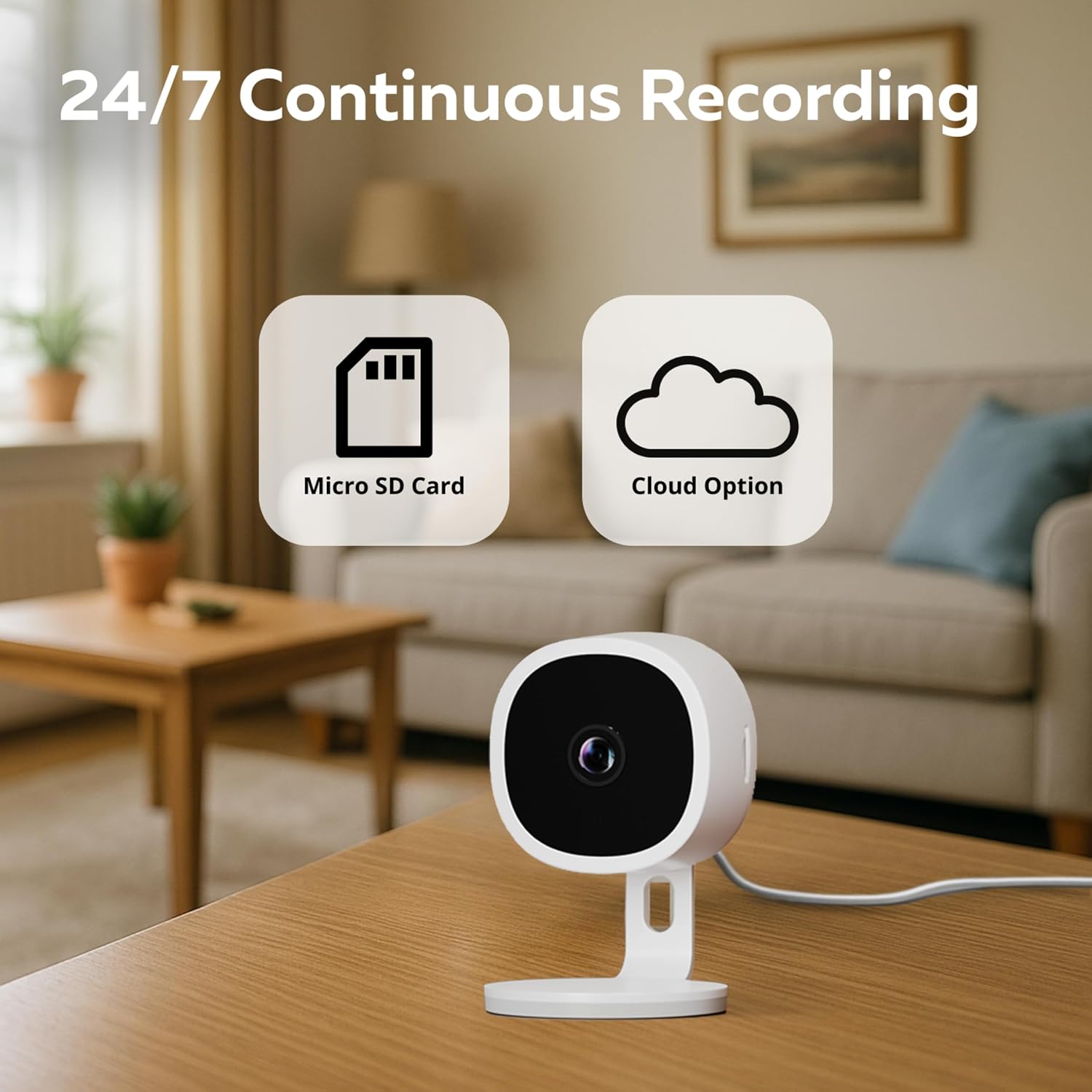
Image 3.5: The camera offers flexible recording options, including local storage via MicroSD card and secure cloud storage.
3.6 Privacy Protection:
The Calex camera is designed with privacy in mind, ensuring your footage is secure and accessible only to authorized users.

Image 3.6: The camera incorporates robust privacy protection features to safeguard your data and ensure secure monitoring.
3.7 Calex Smart Home App:
Manage all your smart devices, including the camera, conveniently through the Calex Smart Home App. This central hub allows you to control lighting, security, and more from one place.

Image 3.7: The Calex Smart Home App provides a centralized platform for managing all your smart devices, from lighting to security.
4. Maintenance
Proper maintenance ensures the longevity and optimal performance of your Calex Smart Indoor Security Camera.
4.1 Cleaning:
- Gently wipe the camera lens and body with a soft, dry, lint-free cloth.
- Do not use liquid cleaners, aerosols, or abrasive solvents, as they may damage the camera.
4.2 Software Updates:
- Regularly check the Calex App for available firmware updates. Updates often include performance improvements, new features, and security enhancements.
- Follow the in-app instructions to perform updates. Ensure the camera remains powered on during the update process.
5. Troubleshooting
If you encounter issues with your Calex Smart Indoor Security Camera, refer to the following common troubleshooting steps.
| Problem | Possible Cause | Solution |
|---|---|---|
| Camera offline in app | No Wi-Fi connection, power issue, or app glitch. | Check Wi-Fi router, ensure camera is powered on, restart camera, restart app, or re-pair the camera. |
| Poor image quality | Dirty lens, insufficient lighting, or network bandwidth issues. | Clean the lens, ensure adequate lighting or enable night vision, check Wi-Fi signal strength. |
| Motion detection not working | Detection settings disabled, sensitivity too low, or obstructions. | Verify motion detection is enabled in the app, adjust sensitivity, ensure clear view. |
| Two-way audio not functioning | Microphone/speaker disabled in app, volume too low, or network delay. | Check audio settings in the app, increase volume, ensure stable network connection. |
| Cannot connect to Wi-Fi | Incorrect Wi-Fi password, 5GHz network, or too far from router. | Ensure correct 2.4GHz Wi-Fi network and password, move camera closer to router. |
If the problem persists after trying these steps, please contact Calex customer support for further assistance.
6. Specifications
Detailed technical specifications for the Calex Smart Indoor Security Camera (Version 2).
| Specification | Value |
|---|---|
| Included Components | 1x Camera, 1x USB Cable, 1x Adapter |
| Material | Plastic |
| Voltage | 220 Volt |
| Item Dimensions (L x W x H) | 5.7 x 5.7 x 8.9 centimeters |
| Water Resistance Level | Not Water Resistant |
| Manufacturer | CALEX |
| Product Dimensions | 5.72 x 5.72 x 8.9 cm; 63 g |
| Item Model Number | 5501001300 |
| Style | Version 2 |
| Shape | Round |
| Number of Items in Package | 1 |
| Indicator Light Type | LED |
| Batteries Included? | No |
| Batteries Required? | No |
| Weight | 63 Grams |
| ASIN | B0DK5D8Z5Q |
| Guaranteed Software Updates Until | Unknown |
| First Available Date | October 9, 2024 |
| Brand | CALEX |
| Model Name | Calex Slimme Bewakingscamera voor Binnen |
| Connectivity Technology | Wireless |
| Indoor/Outdoor Use | Indoor |
| Connectivity Protocol | Wifi |
| Controller Type | App |
| Mounting Type | None (Magnetic base for placement) |
| Video Recording Resolution | 1080p |
| Color | White |
| Number of Items | 1 |
7. Warranty and Support
For warranty information and customer support, please refer to the official Calex website or contact their customer service directly. Details regarding specific warranty periods and claim procedures are typically provided with your purchase documentation or on the manufacturer's website.
Online Support: Visit the Calex Store on Amazon for product information and support resources.
Contact Manufacturer: For technical assistance or warranty claims, please reach out to CALEX customer support through their official channels.