
1. Introduction
The HOTO SNAPBLOQ™ D-A03 Electric Mini Drill Pen is a versatile, cordless, and portable tool designed for precision tasks. Ideal for artists, DIY enthusiasts, and hobbyists, this pen-style drill offers three adjustable speeds and USB-C recharging for convenient use across various materials.
Its compact design and advanced features make it suitable for intricate work such as jewelry making, PCB drilling, and detailing 3D-printed parts. The innovative SNAPBLOQ™ modular storage system ensures your tools and accessories are organized and easily accessible.
2. Product Overview
The HOTO SNAPBLOQ™ D-A03 Electric Mini Drill Pen comes as a complete kit, featuring the drill pen, an aluminum alloy case, 20 high-precision M2 drill bits, and a drilling object locator. The modular design allows for efficient storage and transport.

Figure 1: HOTO SNAPBLOQ™ D-A03 Electric Mini Drill Pen kit showing the drill, modular case, and drill bits.
3. Setup & Assembly
3.1 Unboxing and Components

Figure 2: The complete contents of the HOTO SNAPBLOQ™ D-A03 kit.
Your HOTO SNAPBLOQ™ D-A03 kit includes:
- Advanced E-Drill Pen
- Aluminum Alloy Case
- 20 M2 High-Speed Steel Drill Bits
- Drilling Object Locator
- USB-C Charging Cable
3.2 Charging the Drill Pen
Before first use, fully charge the drill pen using the provided USB-C charging cable. The 800mAh lithium battery ensures extended operation.
3.3 Inserting Drill Bits
- Gently twist the front cap of the drill pen counter-clockwise to loosen the chuck.
- Insert the desired M2 drill bit into the chuck.
- Twist the front cap clockwise to securely fasten the drill bit.

Figure 3: Step-by-step guide for inserting a drill bit.
3.4 Modular Storage System
The SNAPBLOQ™ system features magnetic slots for easy access and storage. The drill pen and bit cases can be linked, stacked, and attached to customize your workspace.
Video 1: Demonstration of the HOTO SNAPBLOQ™ Modular System for tool organization and customization.
4. Operating Instructions
4.1 Controls and Speed Settings

Figure 4: Controls of the HOTO Electric Mini Drill Pen.
The drill pen features an intuitive control panel:
- Torque Selection Button: Press to cycle through 3 speed settings:
- Gear I: 600 RPM
- Gear II: 900 RPM
- Gear III: 1200 RPM
- Drill In/Out Button: Use the arrow buttons for forward (drill in) or reverse (drill out) rotation.
4.2 LED Ring Light
A built-in circular LED ring light illuminates the work area, ensuring clear visibility and shadowless operation, even in low-light conditions.
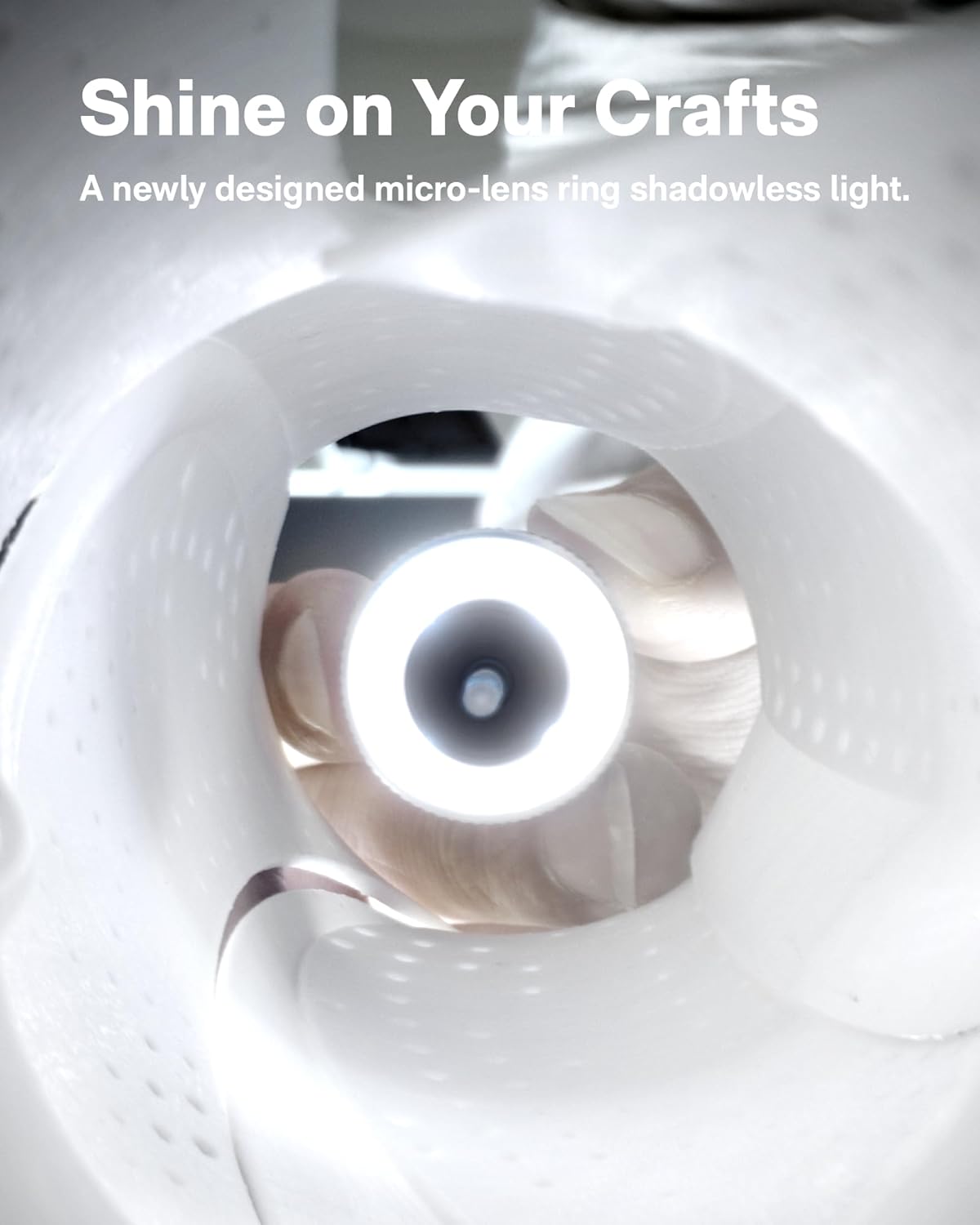
Figure 5: The LED ring light in operation.
Video 2: Demonstration of the HOTO mini drill pen's precise speed control and functionality.
5. Applications
The HOTO SNAPBLOQ™ D-A03 is designed for a wide range of precision drilling tasks:
- 3D Printing Post-Processing: Ideal for detailing, smoothing, and drilling 3D-printed parts, including support removal and hole customization.
- Crafts & Hobbies: Perfect for jewelry making, model building, and other intricate DIY projects.
- Electronics: Suitable for creating precise holes in PCB (Printed Circuit Boards) without damaging delicate components.
- Materials: Effectively drills into wood, plastic, thin aluminum, acrylic, and shell materials.

Figure 6: Versatile applications of the HOTO mini drill pen on different materials.
6. Maintenance
To ensure the longevity and optimal performance of your HOTO SNAPBLOQ™ D-A03 Electric Mini Drill Pen:
- Cleaning: After each use, gently clean any dust or debris from the drill bit and chuck area. Use a soft, dry cloth for the main body.
- Storage: Store the drill pen and its accessories in the provided modular case to protect them from damage and keep them organized.
- Battery Care: Recharge the 800mAh lithium battery regularly, even if not in frequent use, to maintain battery health. Avoid fully discharging the battery for extended periods.
- Bit Care: The 20 high-precision M2 drill bits are durable, but proper handling and storage will extend their lifespan. Avoid excessive force during drilling to prevent breakage.
7. Troubleshooting
If you encounter any issues with your HOTO SNAPBLOQ™ D-A03 Electric Mini Drill Pen, consider the following:
- Drill not turning on: Ensure the battery is charged. Connect the USB-C cable and allow it to charge for a period.
- Drill bit slipping: Make sure the chuck is tightened securely around the drill bit. If the bit is worn, replace it with a new one from the kit.
- Reduced performance: Check the battery level. A low battery can affect torque and speed. Ensure you are using the appropriate speed setting for the material.
- Overheating: The drill features an intelligent power management system to prevent overheating. If the tool feels excessively hot, discontinue use and allow it to cool down.
8. Specifications
| Feature | Specification |
|---|---|
| Brand | HOTO |
| Model Number | SNAPBLOQ™ D-A03 |
| Power Source | Battery Powered |
| Battery Type | Lithium Ion (included) |
| Battery Capacity | 800 Milliamp Hours |
| Voltage | 3.7 Volts |
| Amperage | 0.5 A |
| Number of Speeds | 3 |
| Maximum Rotational Speed | 1200 RPM |
| Maximum Torque | 0.1 Newton Meters |
| Maximum Chuck Size | 2.55 Millimeters |
| Drilling Capacity Wood | 25.5 Millimeters |
| Drilling Capacity Metal | 1.27 Millimeters |
| Item Weight | 107 Grams (3.77 ounces) |
| Product Dimensions | 7.2"L x 0.79"W x 0.98"H |
| Material | Metal, Plastic |
| Special Features | Adjustable Torque, Auto Shut-Off, Brushless Motor, Built-In LED Working Light, Lightweight |
9. Warranty & Support
For warranty information or technical support, please refer to the official HOTO website or contact their customer service directly. Keep your purchase receipt for warranty claims.