
1. Introduction
Welcome to the PEJE Band 1 Smartwatch user manual. This guide provides detailed instructions on how to set up, operate, and maintain your new smartwatch. The PEJE Band 1 features a vibrant 1.45-inch TFT display, IP68 water resistance, over 100 sports modes, smart notifications, and a voice assistant, making it a versatile companion for your daily activities and health monitoring.

Figure 1: PEJE Band 1 Smartwatch
2. Package Contents
Upon opening your PEJE Band 1 Smartwatch package, please ensure all the following items are included:
- PEJE Band 1 Smartwatch
- Magnetic Charging Cable
- User Manual

Figure 2: Smartwatch and Magnetic Charging Cable
3. Product Overview
Familiarize yourself with the physical dimensions and key components of your PEJE Band 1 Smartwatch.

Figure 3: Product Dimensions (42mm x 25mm x 11mm, total length 254mm)
4. Getting Started
4.1 Charging the Smartwatch
Before first use, fully charge your smartwatch. Connect the magnetic charging cable to the charging points on the back of the watch and to a USB power source. A full charge typically takes 2-2.5 hours and provides 4-6 days of typical use or up to 21 days in standby mode.

Figure 4: Smartwatch Charging
4.2 Power On/Off
To power on the smartwatch, press and hold the side button until the screen lights up. To power off, navigate to the settings menu on the watch and select the power off option.
4.3 App Installation and Pairing
Download the official PEJE companion app from your smartphone's app store (compatible with iOS and Android devices). Open the app and follow the on-screen instructions to pair your smartwatch via Bluetooth. Ensure Bluetooth is enabled on your phone.

Figure 5: PEJE App Interface
5. Operating Your Smartwatch
5.1 Display and Navigation
The smartwatch features a 1.45-inch full-touch TFT screen. Swipe left, right, up, or down to navigate through menus and functions. Use the side button to return to the home screen or access specific features.
5.2 Customizing Watch Faces
Personalize your smartwatch with over 100 varied watch faces available through the PEJE app. You can also use a personal photo as a background.
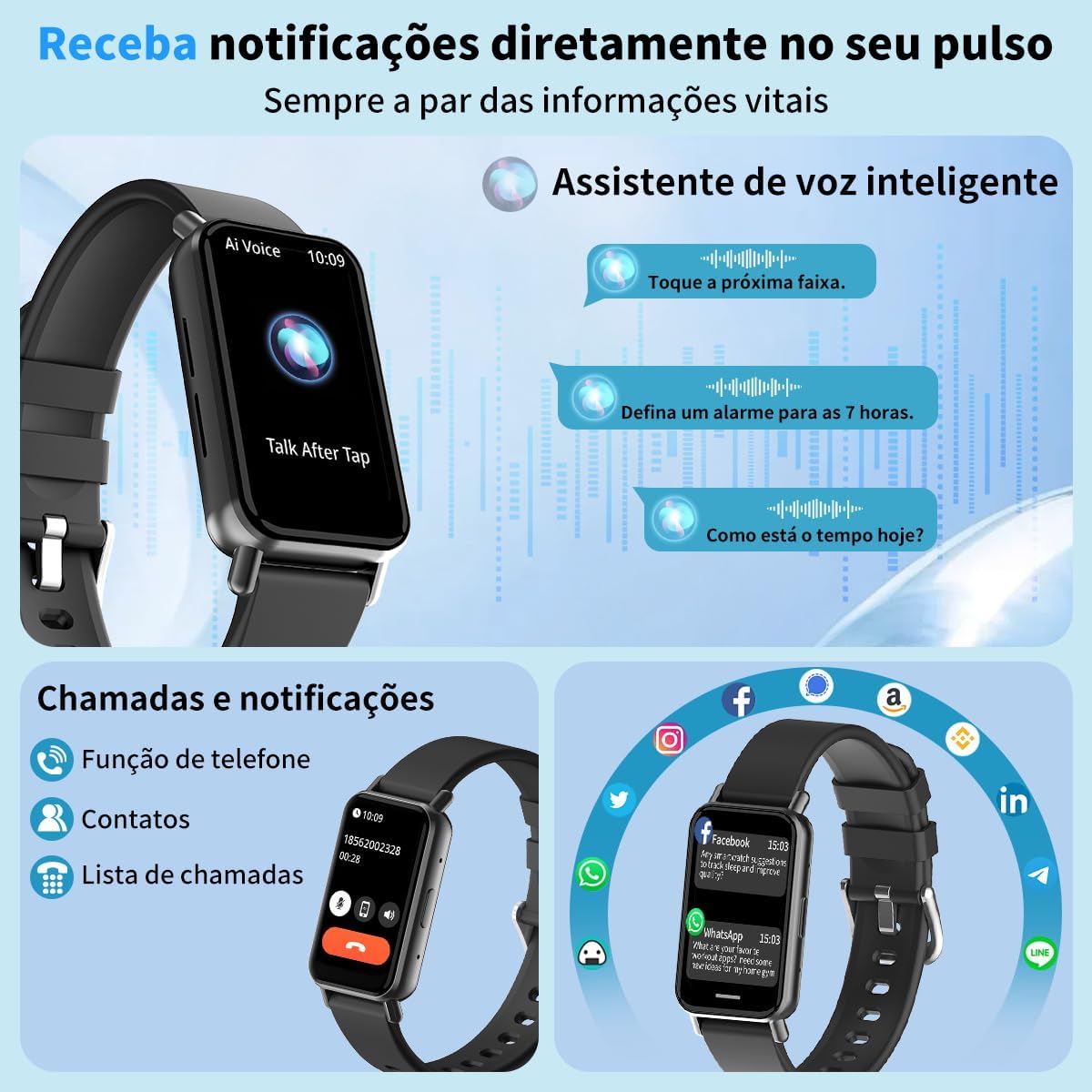
Figure 6: Customizable Watch Faces
5.3 Bluetooth Calls and Smart Notifications
The smartwatch includes a built-in speaker, allowing you to make and receive calls via Bluetooth. Stay informed with vibrating alerts for messages from applications like Facebook, WhatsApp, Instagram, and Twitter.
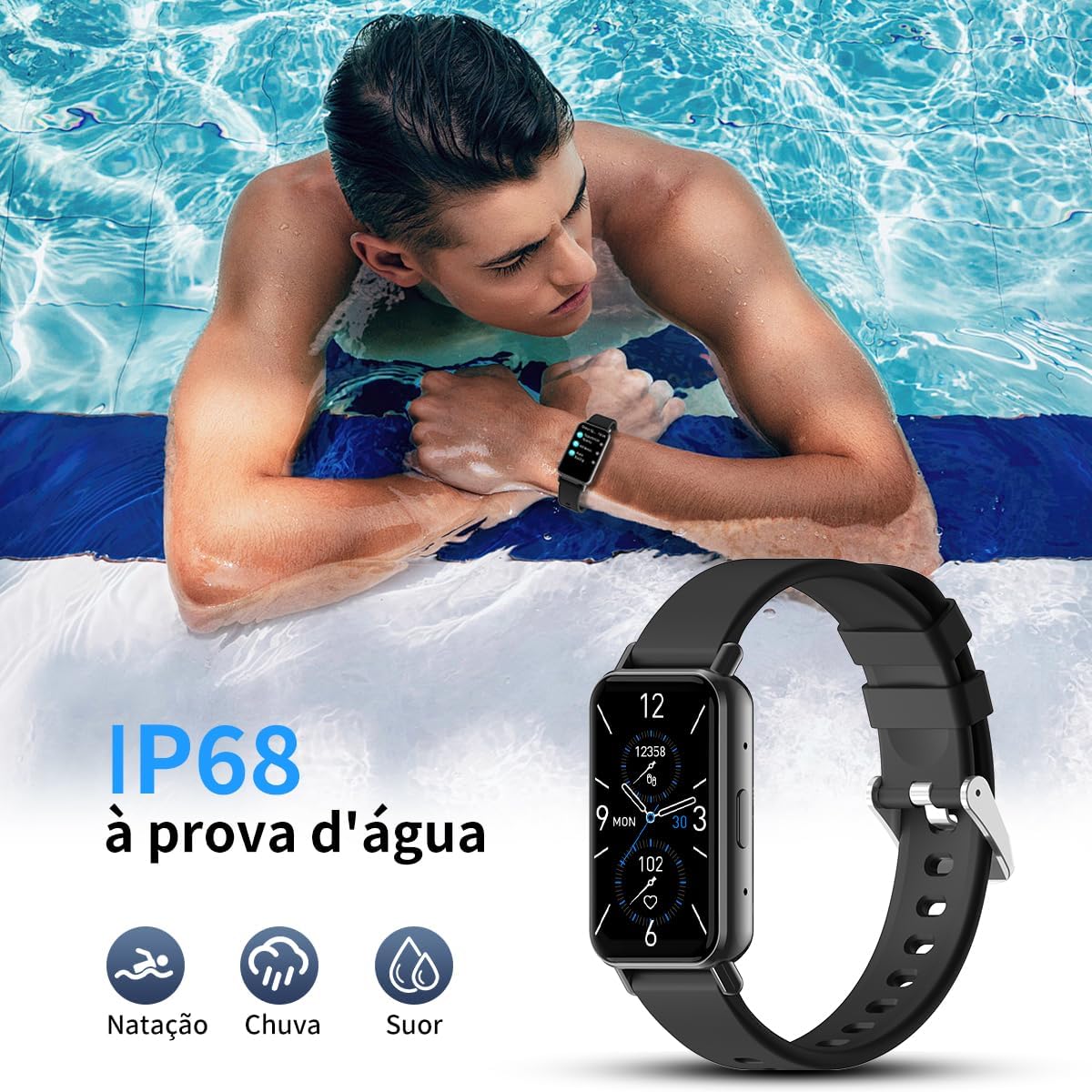
Figure 7: Bluetooth Calls and Notifications

Figure 8: Intelligent Notifications on Your Wrist
5.4 Voice Assistant
Utilize the integrated voice assistant for quick commands and information retrieval directly from your wrist.
Figure 9: Voice Assistant Functionality
5.5 Sports Modes
The smartwatch offers over 100 sports modes, including running, cycling, and yoga. It tracks your activity data, such as calories burned, steps taken, and distance covered.
Figure 10: Over 100 Sports Modes

Figure 11: All-Day Activity Tracking
5.6 Health Monitoring
The PEJE Band 1 monitors various health metrics to help you maintain your well-being. All data is for personal reference and wellness purposes only, not for medical use.
- Heart Rate Monitoring: Real-time heart rate tracking.
- Sleep Tracking: Intelligent analysis of sleep patterns (deep, light, awake).
- Step and Calorie Tracking: Monitors steps taken and calories burned.
- Menstrual Cycle Tracking: Provides precise monitoring for female users.

Figure 12: Health Metrics Overview

Figure 13: 24-Hour Heart Rate Monitor
Figure 14: Sleep Monitor

Figure 15: Menstrual Cycle Tracking
6. Water Resistance (IP68)
The PEJE Band 1 Smartwatch has an IP68 rating, ensuring resistance to water. This makes it suitable for activities like swimming, use in the rain, and during intense workouts where you might sweat. However, avoid using the watch in very hot baths or with a wet wrist, as prolonged exposure to hot water can reduce its water resistance over time.
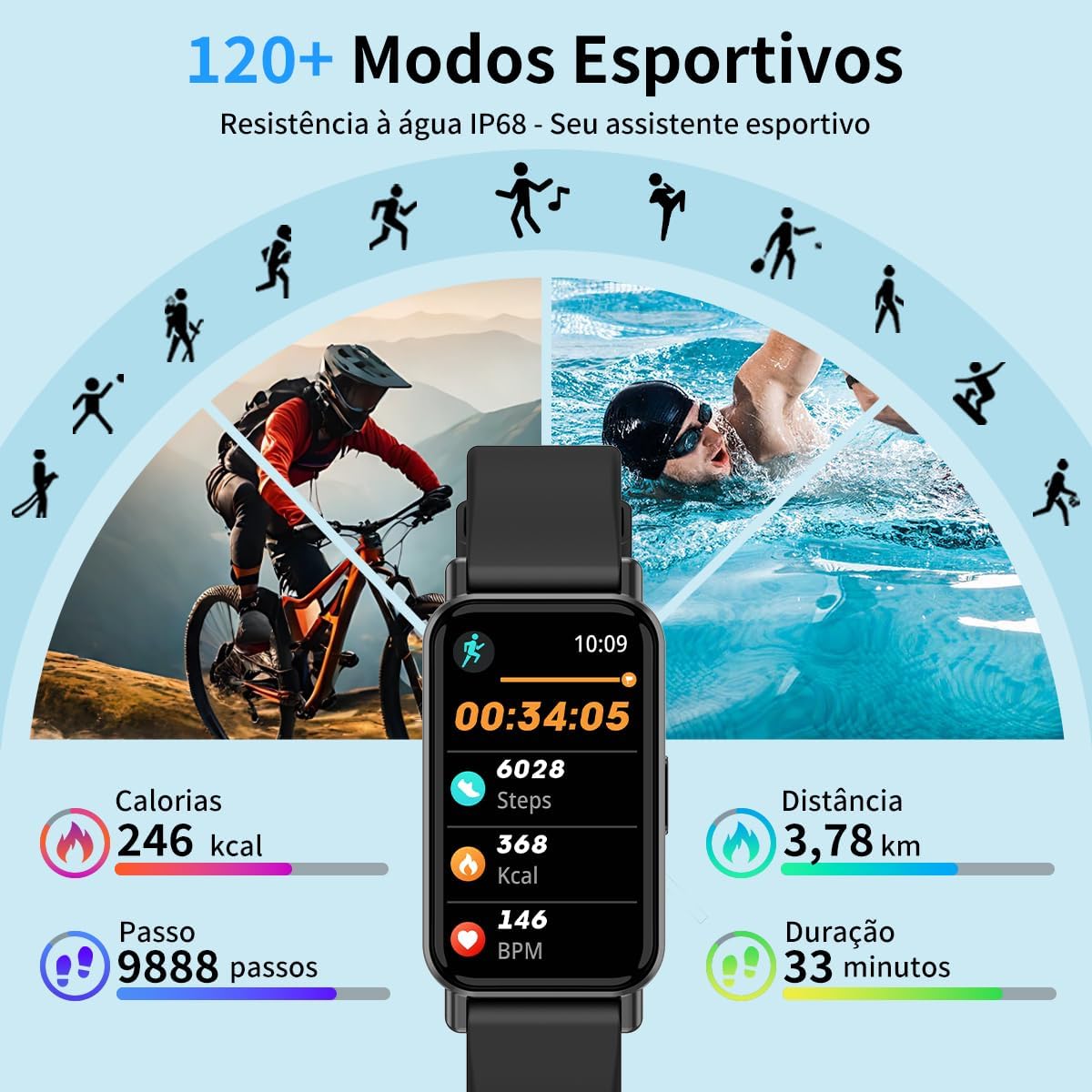
Figure 16: IP68 Water Resistance for Swimming, Rain, and Sweat
7. Maintenance and Care
To ensure the longevity and optimal performance of your PEJE Band 1 Smartwatch, follow these maintenance guidelines:
- Avoid using the watch in very hot baths.
- Do not use the smartwatch with a wet wrist.
- Water resistance may decrease with use over time.
- Dry the watch before using it after exposure to water.
- Clean the charging contacts with alcohol every 1-3 months.
- The recommended initial charging time is 5 hours.
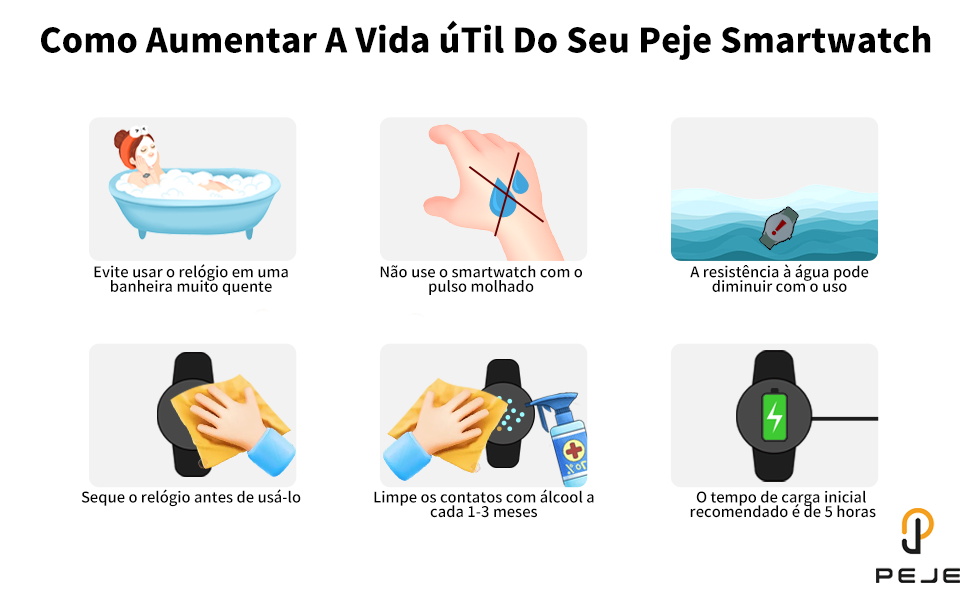
Figure 17: How to Extend the Lifespan of Your PEJE Smartwatch
8. Specifications
Below are the technical specifications for the PEJE Band 1 Smartwatch:
| Brand | PEJE |
| Model | W26+ - (Band 1) |
| Screen Size | 1.45 Inches |
| Display Type | OLED |
| Connectivity | Bluetooth |
| Compatible Devices | Smartphone (iOS/Android) |
| Water Resistance | IP68 |
| Battery Composition | Lithium Polymer |
| Power Source | Battery Powered |
| Included Components | Charging Cable |
| Product Weight | 110 g |
| Color | Black |
9. Troubleshooting
If you encounter any issues with your PEJE Band 1 Smartwatch, please refer to the following common troubleshooting steps:
- Device not turning on: Ensure the device is fully charged. Connect it to the charger for at least 30 minutes.
- Cannot pair with smartphone: Make sure Bluetooth is enabled on your phone and the smartwatch is within range. Restart both devices and try pairing again. Check if the app is updated to the latest version.
- Inaccurate health data: Ensure the watch is worn snugly on your wrist, not too tight or too loose. Clean the sensors regularly. Remember that health data is for reference only and not for medical diagnosis.
- Notifications not received: Check app permissions on your smartphone to ensure the PEJE app has access to notifications. Verify that notifications are enabled within the PEJE app settings and on the smartwatch itself.
- Short battery life: Reduce screen brightness, disable unnecessary features, and limit background app refresh to extend battery life.
10. Warranty and Support
Your PEJE Band 1 Smartwatch comes with a manufacturer's warranty of six months from the date of purchase, covering defects in materials and workmanship. Additionally, a 30-day return/replacement policy is available through your retailer.
For technical support, warranty claims, or further assistance, please contact the seller or refer to the official PEJE website for contact information.
Official Product Video
Video 1: PEJE Smartwatch with Extra Strap, 5-7 Day Battery. This video demonstrates the smartwatch's features, including its battery life and the inclusion of an extra strap.