1. Introduction and Overview
The XZMO Original Air 3S Intelligent Flight Battery is designed to provide reliable power for your DJI Air 3S and Air 3 drones. With a capacity of 4276 mAh, this Li-ion 4S battery extends your flight time, allowing for more extensive aerial photography and videography sessions.
Key features include:
- Up to 45 minutes of flight time (actual flight time may vary based on environmental conditions and flight patterns).
- Capacity: 4276 mAh.
- Battery Type: Li-ion 4S.
- Off-State QuickTransfer feature for high-speed file transfer to your smartphone, even when the drone is powered off.
- Compatibility: Specifically designed for DJI Air 3S and Air 3 drones.
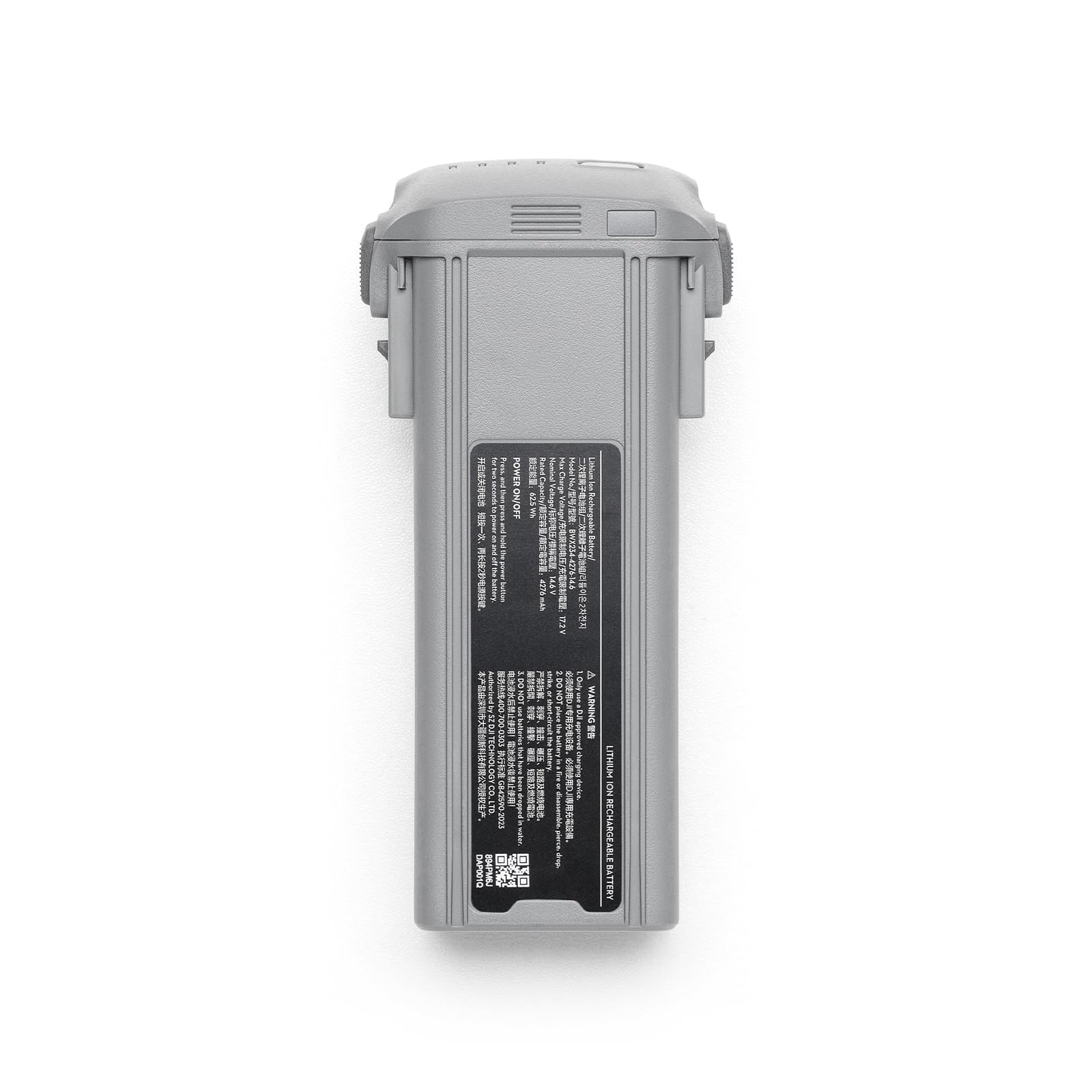
Figure 1: XZMO Original Air 3S Intelligent Flight Battery.
2. Setup and Charging
2.1. Installing the Battery
To install the Intelligent Flight Battery, align it with the battery compartment on your DJI Air 3S or Air 3 drone and push it firmly until it clicks into place. Ensure the battery is securely seated to prevent dislodgement during flight.

Figure 2: Proper installation of the Intelligent Flight Battery into the drone.
2.2. Charging the Battery
The battery should be charged using a compatible DJI charger or charging hub. The recommended charging temperature is between 5°C to 40°C (41°F to 104°F). Avoid charging outside this temperature range to ensure optimal battery life and safety.
To check the battery level, press the power button once. The LED indicators on the battery will illuminate to show the current charge status. For full charge, ensure all LEDs are solid green.
Video 1: Demonstration of battery installation and checking charge level. This video also highlights the charging hub for multiple batteries.
3. Operating Instructions
3.1. Powering On/Off
To power on the battery, press the power button once, then press and hold it for two seconds. To power off, repeat the same sequence.
3.2. Off-State QuickTransfer
The Intelligent Flight Battery supports Off-State QuickTransfer. This feature allows you to transfer files from your drone to your smartphone at high speeds, even when the drone is powered off. Refer to your drone's specific user manual for detailed instructions on activating and using this feature.

Figure 3: The power button and LED indicators on the Intelligent Flight Battery.
4. Maintenance and Storage
- Temperature Control: Always charge and store the battery within the recommended temperature range of 5°C to 40°C (41°F to 104°F). Extreme temperatures can degrade battery performance and lifespan.
- Regular Charging: If storing the battery for an extended period, it is recommended to charge it to approximately 50-60% every three months to maintain its health.
- Avoid Damage: Do not drop, crush, puncture, or short-circuit the battery. Avoid exposing the battery to water or any liquids.
- Disposal: Dispose of batteries responsibly according to local regulations. Do not dispose of batteries in general waste.

Figure 4: Warning labels and safety information on the battery casing.
5. Troubleshooting
If you encounter any issues with your XZMO Intelligent Flight Battery, please consider the following general troubleshooting steps:
- Battery Not Charging: Ensure the charger and charging cable are properly connected and undamaged. Verify that the charging temperature is within the recommended range.
- Shortened Flight Time: Flight time can be affected by environmental factors such as wind, temperature, and flight patterns. Ensure the battery is fully charged before use. If the issue persists, the battery may be nearing the end of its lifespan.
- Battery Not Powering On: Confirm the battery is charged. Press the power button once, then press and hold for two seconds to power on.
For persistent issues or further assistance, please contact XZMO customer support.
6. Specifications
| Feature | Detail |
|---|---|
| Capacity | 4276 mAh |
| Battery Type | Li-ion 4S |
| Charging Temperature | 5° to 40° C (41° to 104° F) |
| Compatibility | DJI Air 3S / Air 3 |
| Reusability | Rechargeable |
| Item Weight | 2 pounds |
| Package Dimensions | 2 x 2 x 1 inches |
7. Warranty and Support
For information regarding product warranty, returns, or technical support, please refer to the official XZMO website or contact their customer service department directly. Keep your purchase receipt as proof of purchase for any warranty claims.


