Introduction
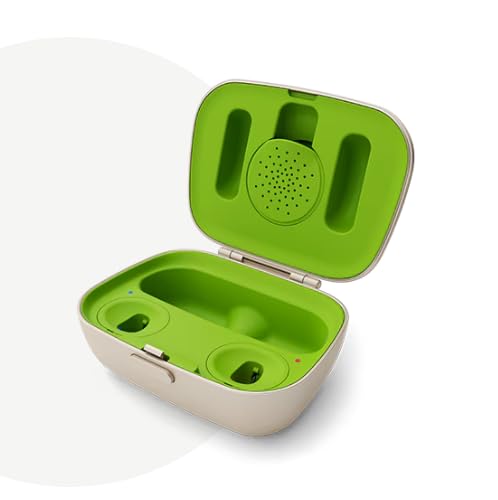
The Phonak Combi 2 is a versatile hearing aid charger designed to provide convenient charging and protection for your compatible Phonak hearing aids. This device also functions as a durable hard case, ideal for travel, and includes a compartment for a drying capsule (drying capsules sold separately) to maintain your hearing aids' condition. It offers a full day of battery run time after approximately three hours of charging. Indicator lights clearly show the charging status. The charger requires a wall connection for operation but is compatible with the Phonak Power Pack (sold separately) for on-the-go charging.
What's in the Box
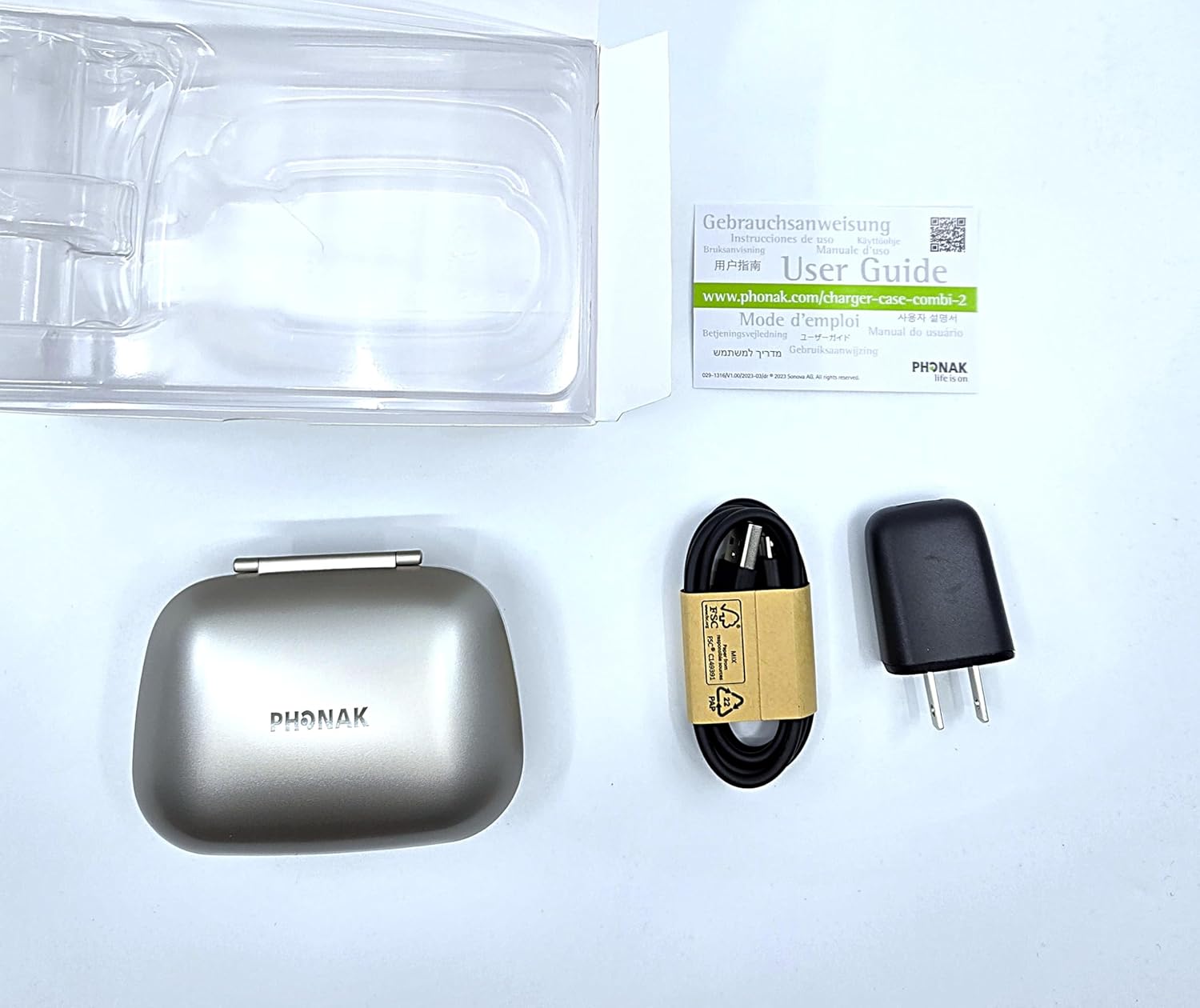
Upon opening your Phonak Combi 2 package, you should find the following items:
- Phonak Combi 2 Hearing Aid Charger
- USB-C charging cable
- Charging block
- Information to access instructions (User Guide)
Setup
Follow these steps to set up your Phonak Combi 2 charger:
- Connect the Charger: Plug the USB-C charging cable into the port at the back of the Combi 2 charger. Connect the other end of the cable to the charging block, and then plug the charging block into a standard wall outlet.
- Open the Case: Press the release button on the front of the charger case to open the lid.
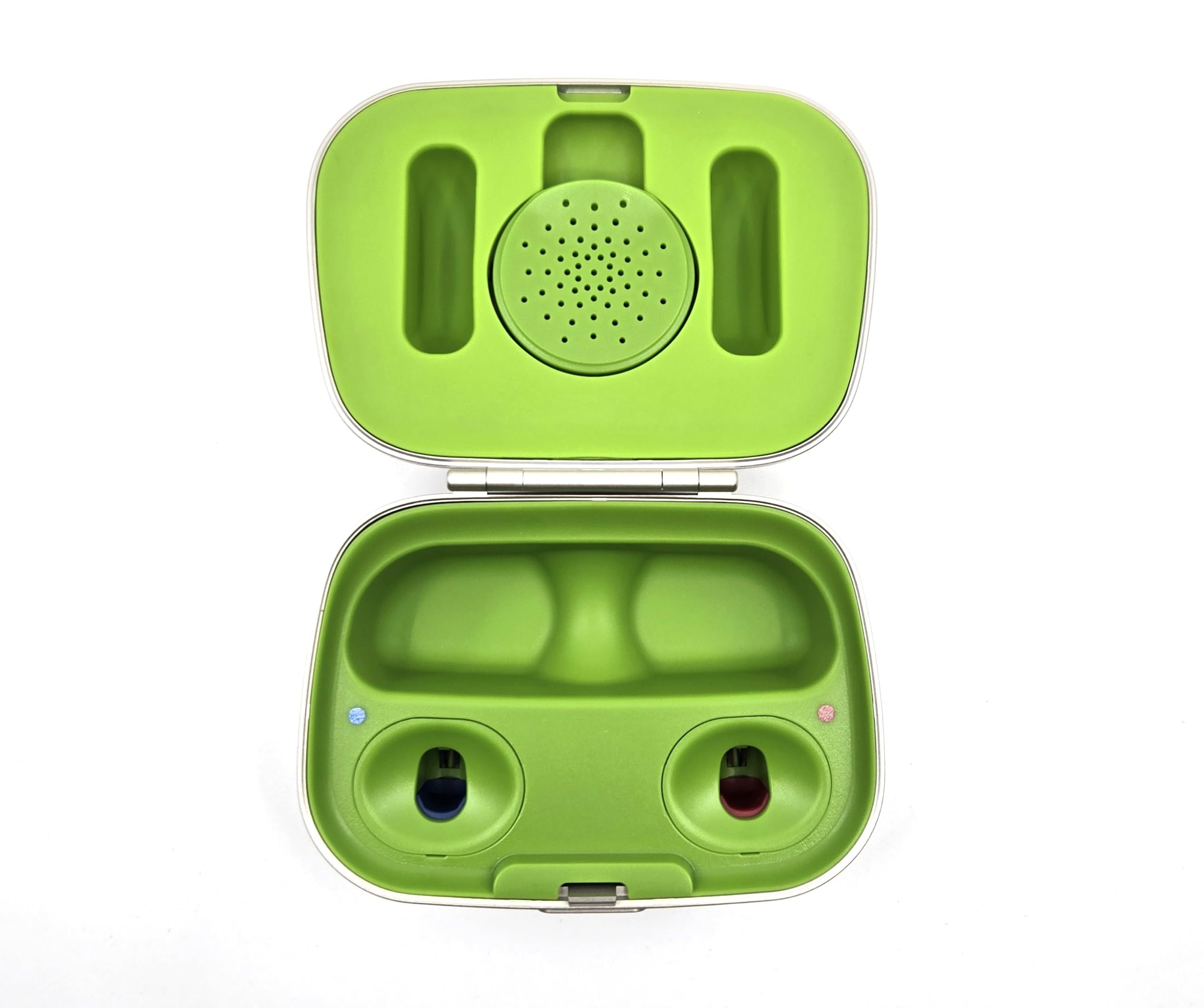
- Insert Hearing Aids: Carefully place your compatible Phonak hearing aids into their respective charging slots. The slots are typically color-coded (red for right, blue for left) to ensure correct placement. Ensure the hearing aids are seated firmly in the slots.
- Observe Charging Indicators: Once the hearing aids are correctly placed, indicator lights on the charger will illuminate to show that charging has begun. A blinking light usually indicates active charging, while a solid light indicates a full charge.
Operating the Charger
The Phonak Combi 2 charger is designed for simplicity and efficiency:
- Charging Time: Your hearing aids will achieve a full day of battery life after approximately three hours of charging.
- Charging Indicators: The lights on the charger indicate the charging status. A blinking light signifies that the hearing aids are actively charging. A solid light indicates that the hearing aids are fully charged.
- Portability: The Combi 2 doubles as a protective hard case, allowing you to safely transport your hearing aids. While it requires a wall connection for charging, it can be used with the optional Phonak Power Pack (sold separately) for charging on the go.
Maintenance
To ensure the longevity and optimal performance of your hearing aids and charger:
- Drying Capsule Compartment: The Combi 2 includes a dedicated compartment for a drying capsule. This helps to remove moisture from your hearing aids while they are charging or being transported, which is crucial for their maintenance. Drying capsules are not included and must be purchased separately.
- Cleaning: Keep the charging slots and the exterior of the charger clean and free from dust or debris. Use a soft, dry cloth for cleaning.
Compatibility
The Phonak Combi 2 charger is compatible with a range of Phonak hearing aids. Please verify your hearing aid model against the list below:
- Phonak Audéo Lumity L-R (L90/L70/L50/L30/Trial)
- Phonak Audéo Paradise P-R (P90/P70/P50/P30/Trial)
- Phonak Audéo Paradise P-RT (P90/P70/P50/P30/Trial)
- Phonak Audéo Paradise P-Fit (P90/P70/P50/P30/Trial)
- Phonak Audéo Marvel M-R (M90/M70/M50/M30/Trial)
- Phonak Audéo Marvel M-RT (M90/M70/M50/M30/Trial)
- Phonak Audéo B-R (B90/B70/B50/B30/Trial)
- Phonak CROS P-R
- Phonak CROS L-R
Important: This charger is NOT COMPATIBLE with Lumity Life devices (Audéo L-RL).
Troubleshooting
If you encounter issues with your Phonak Combi 2 charger, consider the following:
- No Charging Indication: Ensure the charging cable is securely connected to both the charger and the power outlet. Verify that the power outlet is functional. Re-seat the hearing aids in their charging slots to ensure proper contact.
- Slow Charging: Ensure you are using the original Phonak charging cable and block. Using third-party accessories may affect charging performance.
- Hearing Aids Not Fitting: Confirm that your hearing aid models are listed as compatible with the Combi 2 charger. Refer to the Compatibility section.
For persistent issues, please contact customer support or refer to the official Phonak website for detailed troubleshooting guides.
Specifications
| Model Name | Phonak Combi-2 |
| Package Dimensions | 6.25 x 3.75 x 2.75 inches |
| Item Weight | 6.9 ounces |
| Manufacturer | Phonak |
| Material | Plastic |
| Color | Champagne |
| Style | Both Ear |
Warranty and Support
The Phonak Combi 2 charger includes a 3-month manufacturer warranty. This warranty is serviced through the Amazon store where the purchase was made.
For additional support, detailed instructions, or to register your product, please visit the official Phonak website:
www.phonak.com/charger-case-combi-2