1. Introduction
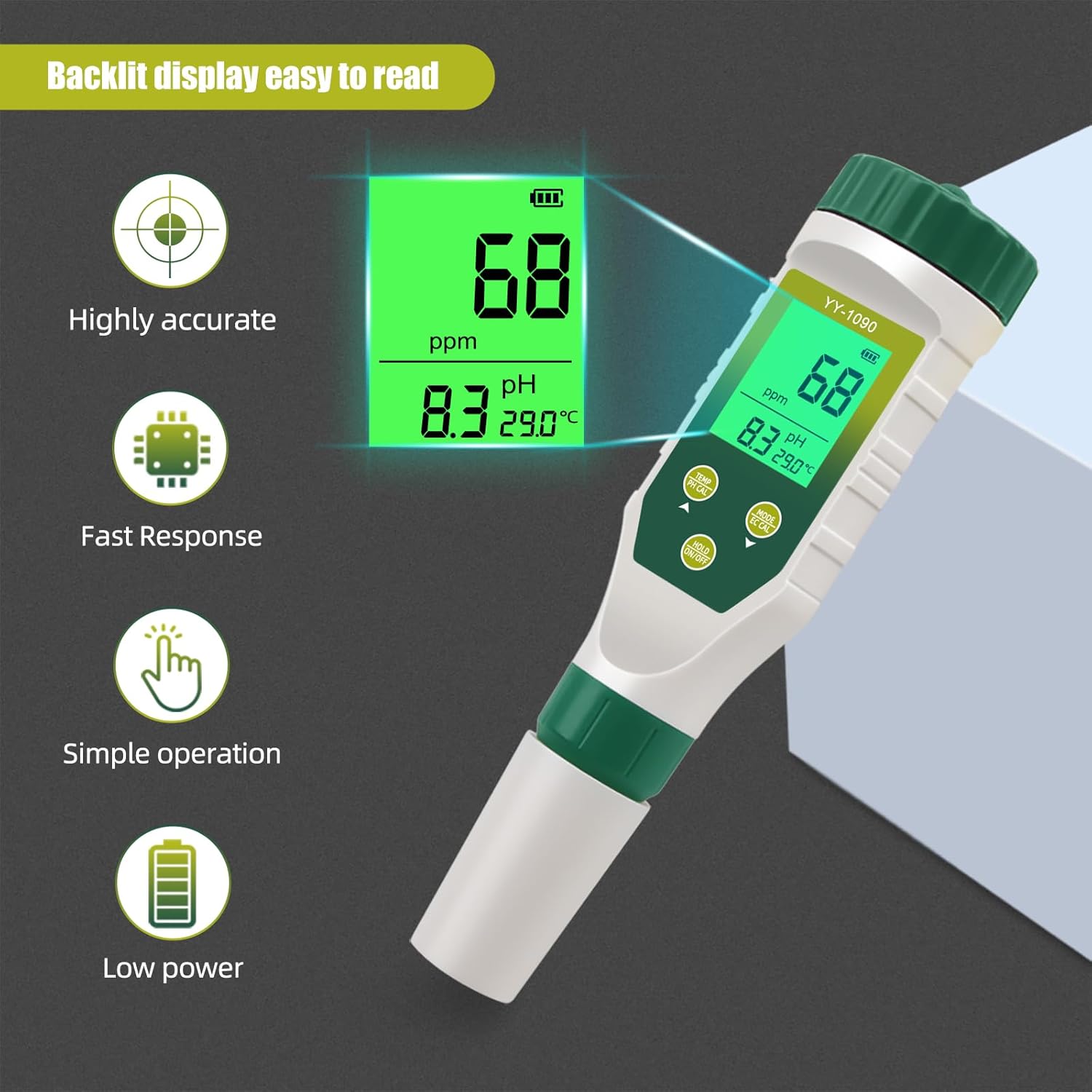
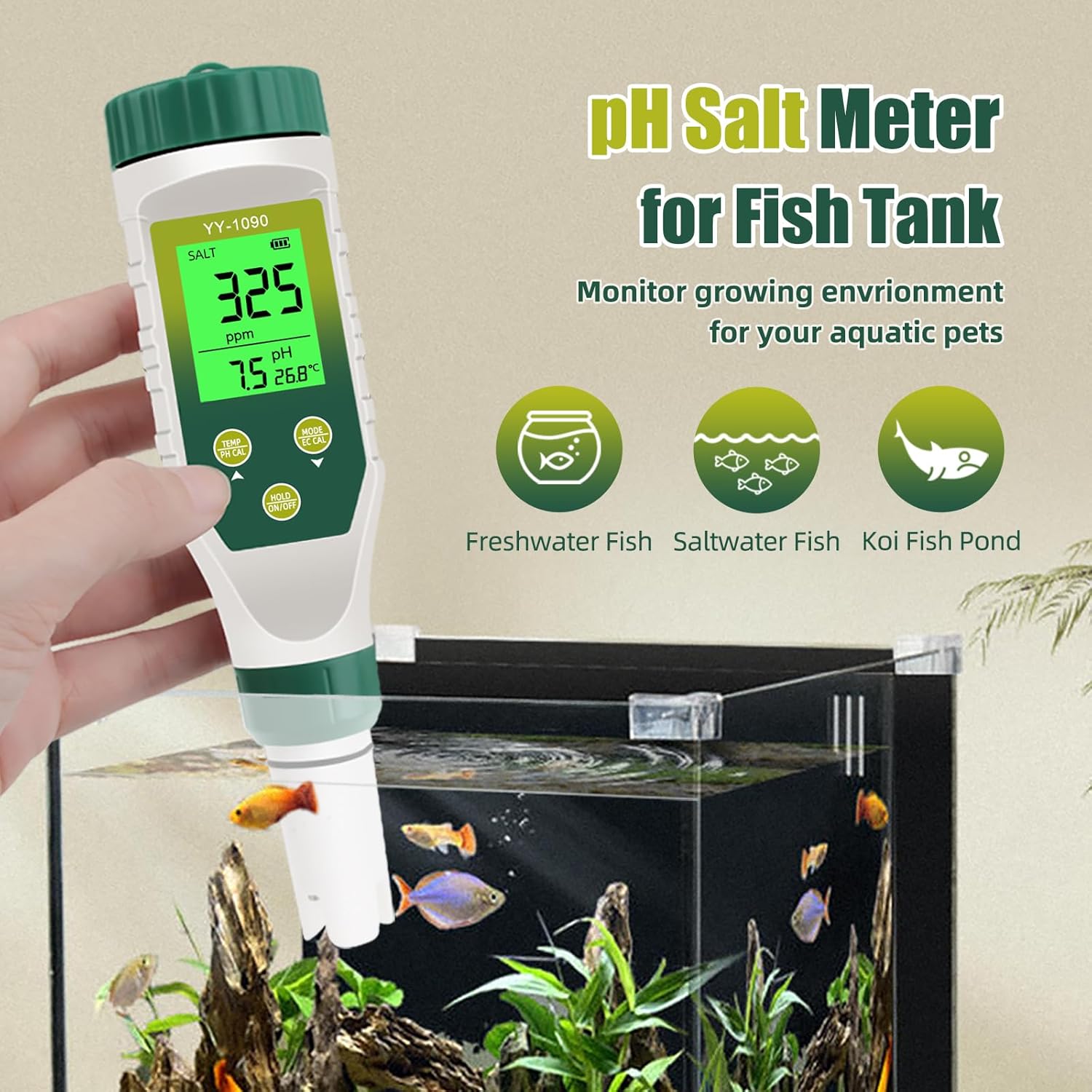
The Yewhick YY-1090 is a multi-functional water quality tester designed for accurate measurement of pH, Total Dissolved Solids (TDS), Electrical Conductivity (EC), Salinity, and Temperature. This device is suitable for various applications including hydroponics, aquariums, pools, and drinking water analysis. Its dual-screen display allows for simultaneous viewing of multiple data points, enhancing efficiency and ease of comparison.
2. Product Overview
2.1 Key Features
- 5-in-1 Measurement: Measures pH, TDS, EC, Salinity, and Temperature.
- Dual Screen Display: Simultaneously displays pH and other functions for quick data comparison.
- High-Resolution Backlit Display: Ensures clear readings in various lighting conditions.
- High-Precision Replaceable Electrode: Provides accurate and reliable measurement results.
- Automatic Temperature Compensation (ATC): Adjusts measurements based on temperature for improved accuracy.
- IP67 Waterproof Rating: Allows submersion up to 1 meter for 30 minutes.
- Auto-Off Function: Automatically shuts down after 5 minutes of inactivity to conserve battery.
2.2 Components
The Yewhick YY-1090 tester consists of a main body with a digital display, control buttons, and a replaceable electrode at the bottom. A protective cap covers the electrode when not in use.

3. Setup
3.1 Battery Installation
The Yewhick YY-1090 requires 3 LR44 button cell batteries, which are included. To install or replace batteries:
- Unscrew the battery compartment cap located at the top of the device.
- Insert the 3 LR44 batteries, ensuring correct polarity (+/-).
- Securely screw the battery compartment cap back on.
3.2 Initial Preparation
Before first use, or after prolonged storage, rinse the electrode with distilled water and gently blot dry with a clean tissue. Remove the protective cap from the electrode.
4. Operating Instructions
4.1 Powering On/Off
- To power on, press the ON/OFF button.
- To power off, press and hold the ON/OFF button for a few seconds until the display turns off. The device also features an automatic shutdown after 5 minutes of inactivity.
4.2 Mode Selection
The YY-1090 automatically displays pH, EC/TDS/Salt, and Temperature. To switch between EC, TDS, and Salinity readings, press the MODE/CAL button briefly.
4.3 Measurement Procedure
- Ensure the device is powered on and the electrode protective cap is removed.
- Immerse the electrode into the water sample up to the immersion line. Do not immerse above this line.
- Gently stir the tester to remove any air bubbles and allow the reading to stabilize.
- Read the values displayed on the screen. The device will show pH, EC/TDS/Salt, and temperature simultaneously.
- To hold the current reading, press the HOLD/TEMP button. Press again to release.
- After measurement, rinse the electrode with distilled water and replace the protective cap.



4.4 pH Calibration
Regular pH calibration ensures the accuracy of your measurements. A pH calibration kit (buffer powders for pH 4.00, 7.00, and 10.01) is included.
- Prepare the buffer solutions according to the instructions on the calibration powder packets. Typically, dissolve each powder in 250ml of distilled water.
- Power on the tester and immerse the electrode into the pH 6.86 (or 7.00) buffer solution.
- Press and hold the MODE/CAL button until the display shows "CAL". Release the button.
- The tester will automatically recognize the buffer solution and begin calibration. Wait for the reading to stabilize and flash three times, indicating successful calibration for that point.
- Rinse the electrode with distilled water.
- Repeat steps 2-5 for pH 4.00 and pH 9.18 (or 10.01) buffer solutions, in that order.
- After completing all calibration points, rinse the electrode and replace the protective cap.
5. Maintenance
5.1 Electrode Cleaning
To maintain accuracy and extend the life of the electrode:
- Always rinse the electrode with distilled water before and after each use.
- If the electrode becomes dirty or readings are unstable, soak the electrode in a pH electrode cleaning solution for 15-30 minutes, then rinse thoroughly with distilled water.
- Avoid touching the electrode glass bulb with your fingers.
5.2 Electrode Storage
When not in use, always replace the protective cap. For long-term storage, ensure the electrode is kept moist. You can add a few drops of pH storage solution or KCL solution into the cap to prevent the electrode from drying out. Never store the electrode dry.
5.3 Battery Replacement
When the battery indicator on the display shows low power, replace the LR44 batteries as described in Section 3.1.
6. Troubleshooting
| Problem | Possible Cause | Solution |
|---|---|---|
| Inaccurate pH readings | Electrode not calibrated; dirty electrode; electrode dry. | Perform pH calibration (Section 4.4); clean electrode (Section 5.1); ensure electrode is stored moist (Section 5.2). |
| Unstable readings | Air bubbles around electrode; dirty electrode; electrode nearing end of life. | Gently stir the tester; clean electrode (Section 5.1); consider replacing the electrode. |
| Display not turning on | Dead batteries; incorrect battery installation. | Replace batteries (Section 3.1); check battery polarity. |
| No response from buttons | Device frozen; low battery. | Remove and reinsert batteries; replace batteries. |
7. Specifications
| Parameter | Value |
|---|---|
| Model Number | YY-1090 |
| Measurement Functions | pH, TDS, EC, Salinity, Temperature |
| Batteries | 3 x LR44 (included) |
| Package Dimensions | 7.72 x 6.85 x 1.73 inches |
| Item Weight | 13.44 ounces |
| Waterproof Rating | IP67 |
| Manufacturer | Yewhick |
8. Warranty and Support
For warranty information and technical support, please refer to the documentation provided with your purchase or contact Yewhick customer service directly. Keep your purchase receipt as proof of purchase for any warranty claims.