
1. Introduction
The NFACOUS NM20 In-Ear Monitor Earphones are designed for professional monitoring and audiophile listening, offering clear sound with enhanced bass. Featuring a single dynamic driver and a unique cavity structure, these earphones provide a balanced and detailed audio experience. Their ergonomic design ensures comfort for extended listening sessions, making them ideal for musicians, studio professionals, and audio enthusiasts.
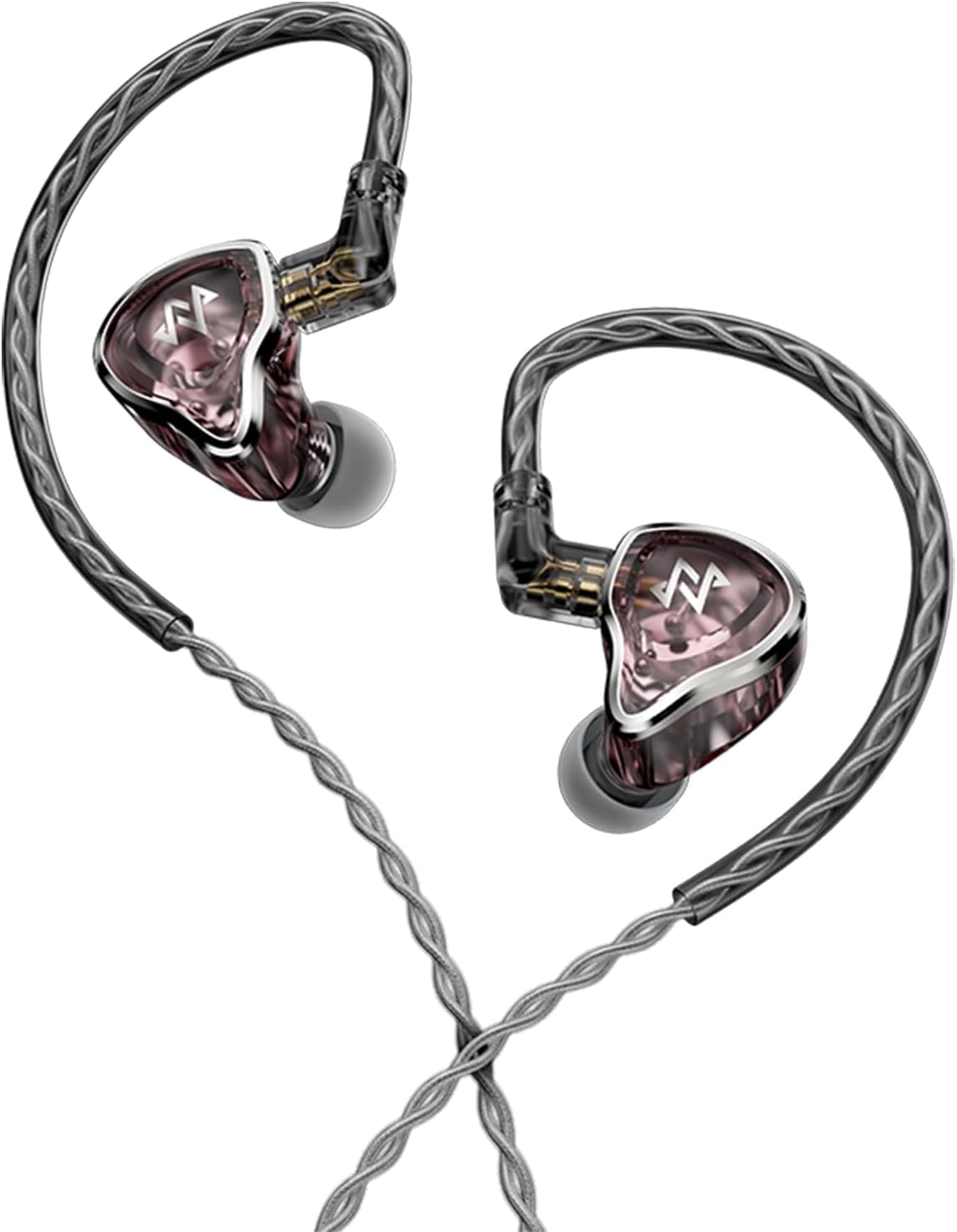
Figure 1.1: NFACOUS NM20 In-Ear Monitor Earphones (Pink)
2. Package Contents
Please verify that all items listed below are included in your package:
- NM20 Earphones (2 units)
- 0.78mm 2-pin 5N OFC Cable (1 unit)
- Ear tips (4 pairs: XS, S, M, L)
- Storage Box
- 6.35mm to 3.5mm Gold-Coated Adapter
- User Guide

Figure 2.1: Contents of the NFACOUS NM20 retail package.
3. Setup
3.1 Attaching the Cable
- Identify the left (L) and right (R) earphone units and the corresponding connectors on the 0.78mm 2-pin OFC cable.
- Align the 2-pin connector on the cable with the receptacle on the earphone unit. Ensure correct orientation (the cable's ear hook should curve towards the front of the earphone).
- Gently push the connector firmly into the earphone unit until it clicks into place. Do not force the connection.
- Repeat for the other earphone unit.

Figure 3.1: NM20 Earphones with the detachable 2-pin OFC cable connected.
3.2 Selecting and Attaching Ear Tips
Proper ear tip selection is crucial for optimal sound quality and comfort. Experiment with the four provided sizes (XS, S, M, L) to find the best fit for your ears.
- Gently remove any pre-installed ear tips by pulling them off the nozzle.
- Select an ear tip size that feels comfortable and creates a good seal in your ear canal. A good seal is essential for bass response and noise isolation.
- Push the chosen ear tip onto the earphone nozzle until it is securely seated.
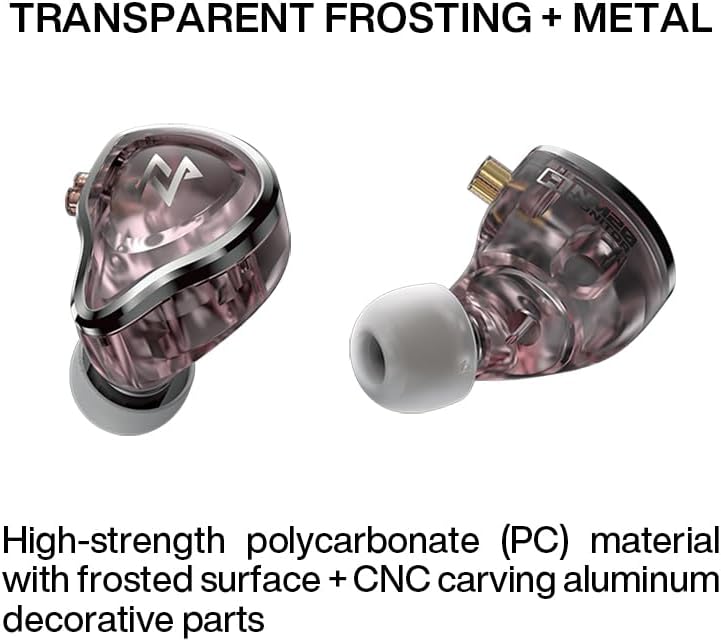
Figure 3.2: NM20 Earphones showing the ear tips.
4. Operating Instructions
4.1 Wearing the Earphones
The NM20 earphones feature an ergonomic design for a secure and comfortable fit, especially during active use or long listening sessions.
- Identify the left (L) and right (R) earphone units.
- Place the earphone into your ear canal, ensuring the ear tip forms a snug seal.
- Guide the cable over the top of your ear, allowing the pre-formed ear hook to rest comfortably behind your ear. This provides stability and reduces microphonics.
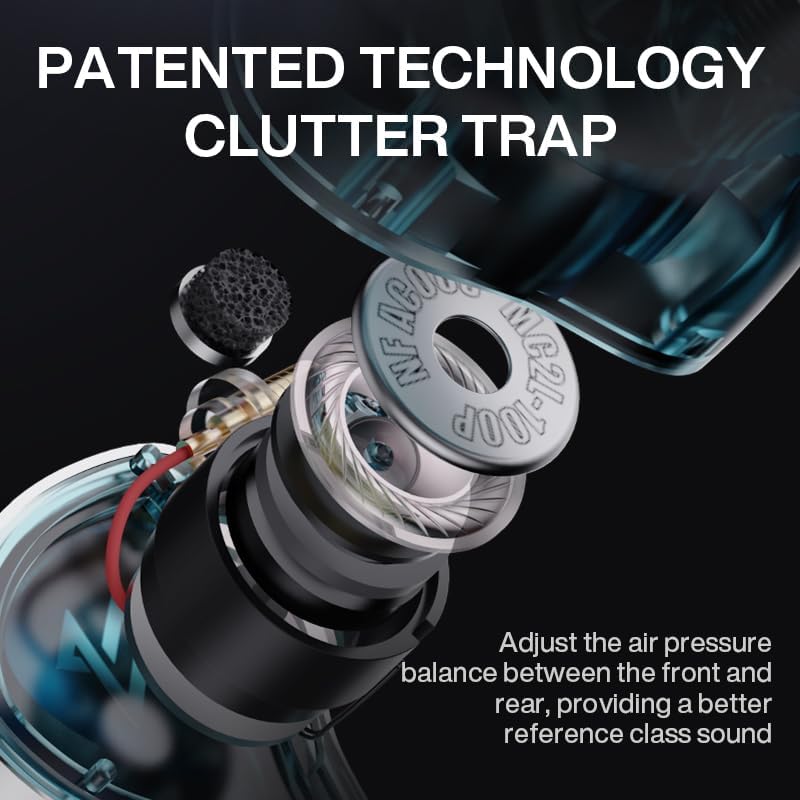
Figure 4.1: Proper wearing of the NM20 Earphones for ergonomic fit.
4.2 Connecting to Audio Source
Connect the 3.5mm jack of the earphone cable to your audio source (e.g., smartphone, digital audio player, audio interface, mixer). If your device requires a 6.35mm connection, use the included adapter.
4.3 Audio Performance
The NM20 features an upgraded dynamic driver and NF ACOUS's Clutter Trap Technology, which adjusts air pressure balance for a reference-class sound. This design aims to increase low-frequency performance below 100Hz while maintaining detailed and clear sound across the frequency spectrum.

Figure 4.2: Diagram illustrating the NF ACOUS MC2L-100P Dynamic Driver.

Figure 4.3: Frequency response curve of the NM20, highlighting low-frequency performance.
5. Maintenance
To ensure the longevity and optimal performance of your NM20 earphones, follow these maintenance guidelines:
- Cleaning Ear Tips: Regularly remove ear tips and clean them with a soft cloth dampened with mild soap and water. Allow them to dry completely before reattaching.
- Cleaning Earphone Units: Wipe the earphone units with a dry, soft, lint-free cloth. Avoid using harsh chemicals or abrasive materials.
- Cable Care: Handle the cable gently. Avoid sharp bends or excessive pulling. When not in use, coil the cable loosely.
- Storage: Store your earphones in the provided storage box when not in use to protect them from dust, moisture, and physical damage.
6. Troubleshooting
| Problem | Possible Cause | Solution |
|---|---|---|
| No sound or low volume | Cable not fully connected; incorrect ear tip size; audio source volume too low; incorrect audio output selected on device. | Ensure cable is securely attached to earphones and audio source. Try different ear tip sizes for a better seal. Increase volume on audio source. Check device's audio output settings. |
| Distorted sound | Audio source volume too high; damaged cable or earphone unit. | Reduce volume on audio source. Inspect cable and earphone units for visible damage. If damage is present, contact support. |
| Poor bass response | Poor ear tip seal. | Try different ear tip sizes until a tight, comfortable seal is achieved. |
| Earphones fall out easily | Incorrect ear tip size; improper wearing. | Try smaller or larger ear tips. Ensure the cable is correctly routed over and behind your ear. |
7. Specifications
| Feature | Detail |
|---|---|
| Model Name | NFACOUS NM20 |
| Brand | NFACOUS |
| Connectivity Technology | Wired |
| Headphones Jack | 3.5 mm Jack |
| Audio Driver Type | Dynamic Driver |
| Frequency Response | 20 Hz - 40 KHz |
| Sensitivity | 108 dB |
| Impedance | 32 Ohm |
| Noise Control | Sound Isolation |
| Material | High-strength transparent polycarbonate & CNC carved anodized aluminum parts |
| Cable Feature | Detachable (0.78mm 2-pin 5N OFC) |
| Product Dimensions | 5.9 x 5.2 x 3.2 inches |
| Item Weight | 10.6 ounces |
| Color | Pink |

Figure 7.1: Overview of NFACOUS NM20 key specifications.
8. Warranty and Support
For warranty information and customer support, please refer to the documentation provided with your purchase or visit the official NFACOUS website. Keep your proof of purchase for warranty claims.