
Introduction
This manual provides essential information for the safe and efficient operation of your LG 43QNED776RB Smart TV. Please read this manual thoroughly before using your TV and keep it for future reference.
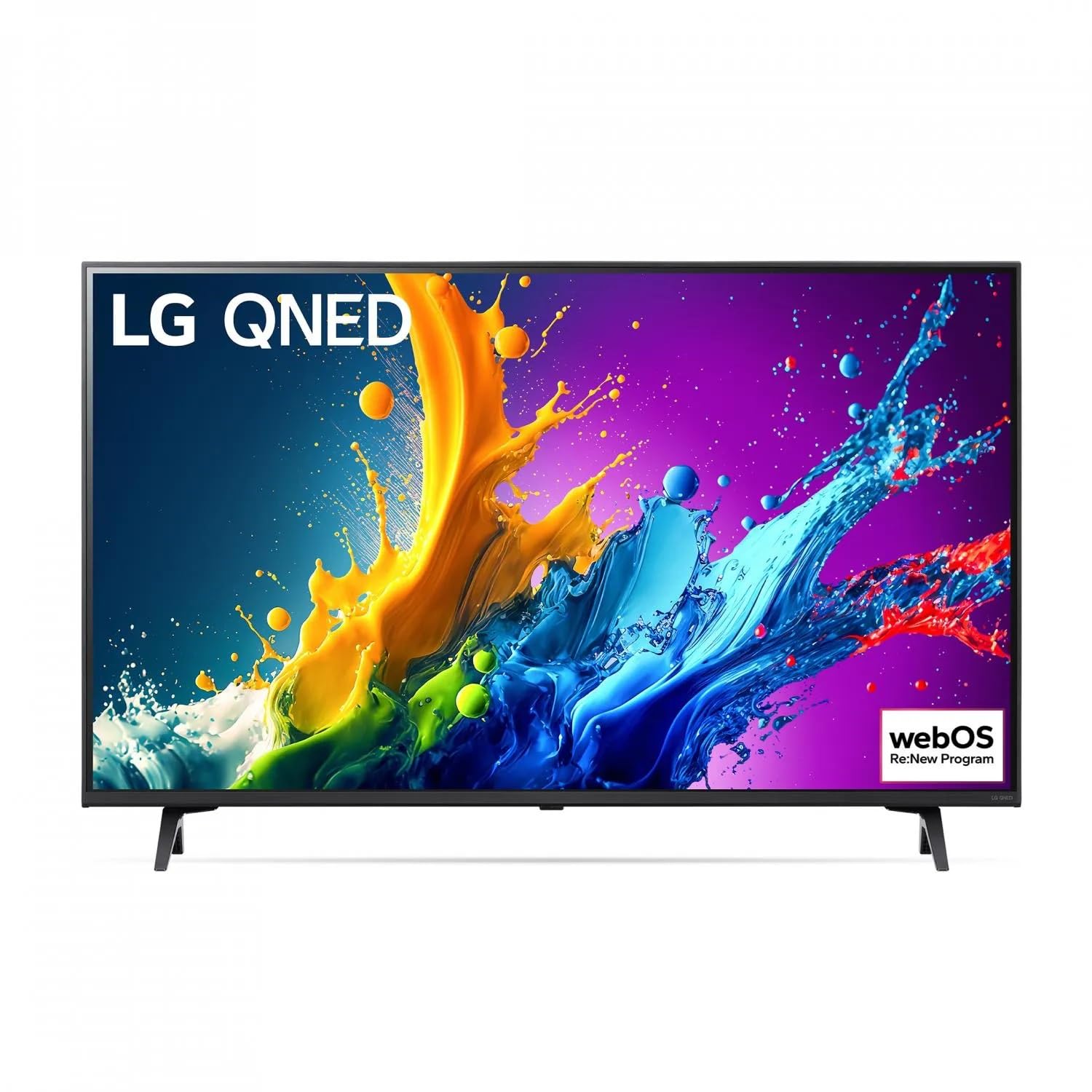
Image: Front view of the LG 43QNED776RB Smart TV, showcasing its slim bezel and display.
Safety Information
Before operating the TV, please read these safety precautions carefully to prevent electric shock, fire, damage, or injury.
- Do not expose the TV to rain or moisture.
- Do not open the TV casing; refer all servicing to qualified personnel.
- Ensure proper ventilation around the TV.
- Use only the power cord supplied with the TV.
- Keep the TV away from heat sources and direct sunlight.
- Avoid placing heavy objects on the TV or power cord.
Setup
1. Unpacking
Carefully remove the TV and all accessories from the packaging. Check for any damage during transit. Retain the packaging for future transport.
2. Stand or Wall Mount Installation
For stand installation, attach the stand to the TV following the instructions provided in the separate stand assembly guide. For wall mounting, use a compatible VESA wall mount kit (sold separately) and follow its instructions. Ensure the wall can support the TV's weight.
3. Connecting Peripherals
Connect your external devices to the TV using the appropriate ports:
- HDMI: Connect Blu-ray players, game consoles, or set-top boxes. The TV supports multiple HDMI inputs.
- USB: Connect USB storage devices for media playback. The TV has 2 USB ports.
- Antenna/Cable: Connect an antenna or cable for DVB-T2/S/S2 reception.
- Ethernet (LAN): Connect an Ethernet cable for a wired internet connection.
- Power: Connect the power cord to the TV and then to a wall outlet.
4. Initial Power On and Setup Wizard
After connecting the power, press the power button on the remote control or TV. The initial setup wizard will guide you through language selection, network connection (Wi-Fi or Ethernet), channel scanning, and other basic settings.
Operating
1. Remote Control Overview
The remote control allows you to access all TV functions. Familiarize yourself with the main buttons:
- Power: Turns the TV on or off.
- Volume (+/-): Adjusts the volume level.
- Channel (Up/Down): Changes TV channels.
- Home: Accesses the Smart TV home screen (webOS).
- Input: Selects the input source (HDMI, USB, TV).
- Navigation Buttons: Used to navigate menus and select options.
2. Smart TV Features (webOS)
Your LG Smart TV runs on the webOS platform, providing access to a variety of applications, streaming services, and internet browsing. Use the Home button on your remote to access the launcher bar and navigate through available apps.
3. Network Connection
To use Smart TV features, connect your TV to the internet:
- Wi-Fi: Go to Settings > Network > Wi-Fi Connection, select your network, and enter the password.
- Wired (Ethernet): Connect an Ethernet cable from your router to the LAN port on the TV. The TV will automatically detect the connection.
4. Picture and Sound Settings
Customize your viewing experience by adjusting picture and sound settings:
- Picture Mode: Select from modes like Standard, Vivid, Cinema, Game, or customize settings like Brightness, Contrast, Color, and Sharpness.
- Sound Mode: Choose from modes like Standard, Cinema, Clear Voice, or adjust Equalizer settings.
Maintenance
1. Cleaning the TV
Before cleaning, unplug the power cord. Use a soft, dry cloth to wipe the screen and cabinet. For stubborn marks, lightly dampen the cloth with water or a specialized screen cleaner. Do not use abrasive cleaners or solvents.
2. Software Updates
Periodically check for software updates to ensure optimal performance and access to new features. Go to Settings > Support > Software Update. You can enable automatic updates for convenience.
Troubleshooting
If you encounter issues with your TV, refer to the following common solutions:
| Problem | Solution |
|---|---|
| No power | Check if the power cord is securely plugged into the TV and the wall outlet. Try a different outlet. |
| No picture, but sound is present | Ensure the correct input source is selected. Check cable connections to external devices. |
| No sound, but picture is present | Check the volume level and mute status. Verify audio cable connections. Try a different sound mode. |
| "No Signal" message | Verify antenna/cable connection or external device connection. Ensure the correct input source is selected. |
| Smart TV features not working | Check your internet connection (Wi-Fi or Ethernet). Restart your router and the TV. |
Specifications
Key technical specifications for the LG 43QNED776RB Smart TV:
- Screen Size: 43 inches (109.2 cm)
- Resolution: 4K Ultra HD (3840 x 2160 pixels)
- Display Technology: QNED
- Backlight Type: Edge-LED
- Aspect Ratio: 16:9
- Digital Signal Format: DVB-S, DVB-S2, DVB-T, DVB-T2
- Connectivity: Wi-Fi, Ethernet LAN, 2x USB ports, HDMI, RCA, 3.5 mm, Optical audio input
- Model Year: 2020
- Color: Grey
- Speaker Description: 5.1 surround sound system
Warranty and Support
Your LG 43QNED776RB Smart TV comes with a standard manufacturer's warranty. For detailed warranty terms and conditions, please refer to the warranty card included with your product or visit the official LG website. For technical support, service, or spare parts information, please contact LG customer service in your region.
Note: Spare parts availability and software update guarantees are subject to regional policies and product lifecycle.