
Introduction
Thank you for choosing the Gritin G1310 Rechargeable Reading Light. This device is designed to provide comfortable and versatile illumination for reading, with features focused on eye protection and user convenience. Please read this manual thoroughly before using the product to ensure proper operation and maintenance.
Package Contents
Ensure all items are present in the package:
- Gritin G1310 Rechargeable Reading Light
- USB-C Charging Cable
- User Manual (this document)
Product Features
The Gritin G1310 Reading Light offers several key features:
- Advanced Eye Protection: Equipped with 7 high-quality eye-protection LED beads and a unique honeycomb lampshade design to soften and evenly diffuse light, reducing glare, flicker, and shadows.
- Adjustable Color Temperatures: Three distinct color modes (Amber Light 1800K, Mixed Light 3400K, White Light 6000K) to suit various reading environments and preferences.
- Multiple Brightness Levels: Five preset brightness levels (10%, 25%, 50%, 75%, 100%) and stepless dimming from 10% to 100% for precise light control.
- Long-Lasting Rechargeable Battery: Integrated 600mAh battery provides up to 8 hours of illumination on high brightness, rechargeable via standard USB-C.
- Flexible Angle Adjustment: The light head can rotate 90° left/right, tilt 45° downward, and the clip adjusts up to 215° for optimal positioning.
- Memory Function: Automatically resumes the last used color temperature and brightness settings.
- Compact and Portable: Made from durable ABS material, lightweight (20g) and foldable for easy storage and transport.
- Power Indicator: Four LED lights indicate remaining battery charge.

Figure 1: Gritin G1310 Reading Light overview with control buttons and indicator lights.
Setup
Initial Charging
Before first use, fully charge the reading light. Connect the provided USB-C charging cable to the light's charging port and to a standard USB power source (e.g., computer, wall adapter). The power indicator lights will illuminate during charging and turn off when fully charged.
Operating Instructions
Power On/Off
Press the Power Button () once to turn the light on. Press it again to turn the light off.
Adjusting Brightness
The Gritin G1310 offers two ways to adjust brightness:
- Preset Brightness Levels: Short press the Brightness Adjustment Button (
 ) to cycle through 5 preset brightness levels: 10%, 25%, 50%, 75%, and 100%.
- Stepless Dimming: Press and hold the Brightness Adjustment Button for 4 seconds to continuously dim the brightness from 100% down to 10%, or vice versa. Release the button at your desired brightness level.
Figure 2: Brightness adjustment options, including 5 preset levels and stepless dimming.
Adjusting Color Temperature
Short press the Color Temperature Switching Button ( ) to switch between the three available color modes:
- Amber Light (1800K): Warm light, ideal for relaxing reading before sleep.
- Mixed Light (3400K): Natural light, suitable for general reading.
- White Light (6000K): Cool light, good for focused tasks or bright environments.
Figure 3: Three distinct color temperature modes for various reading preferences.
Charging the Device
When the battery is low, the power indicator lights will flash. Connect the USB-C charging cable to the charging port on the light and to a 5V USB power source. The indicator lights will show charging progress and turn off when fully charged. A full charge typically takes approximately 1.5 hours.

Figure 4: USB-C charging port and battery capacity information.
Flexible Angle Adjustment
The Gritin G1310 features a highly flexible design to direct light precisely where needed:
- The light head can be rotated 90° to the left or right.
- The light head can be tilted 45° downward.
- The clip base can be adjusted up to 215° to securely attach to various surfaces or books.
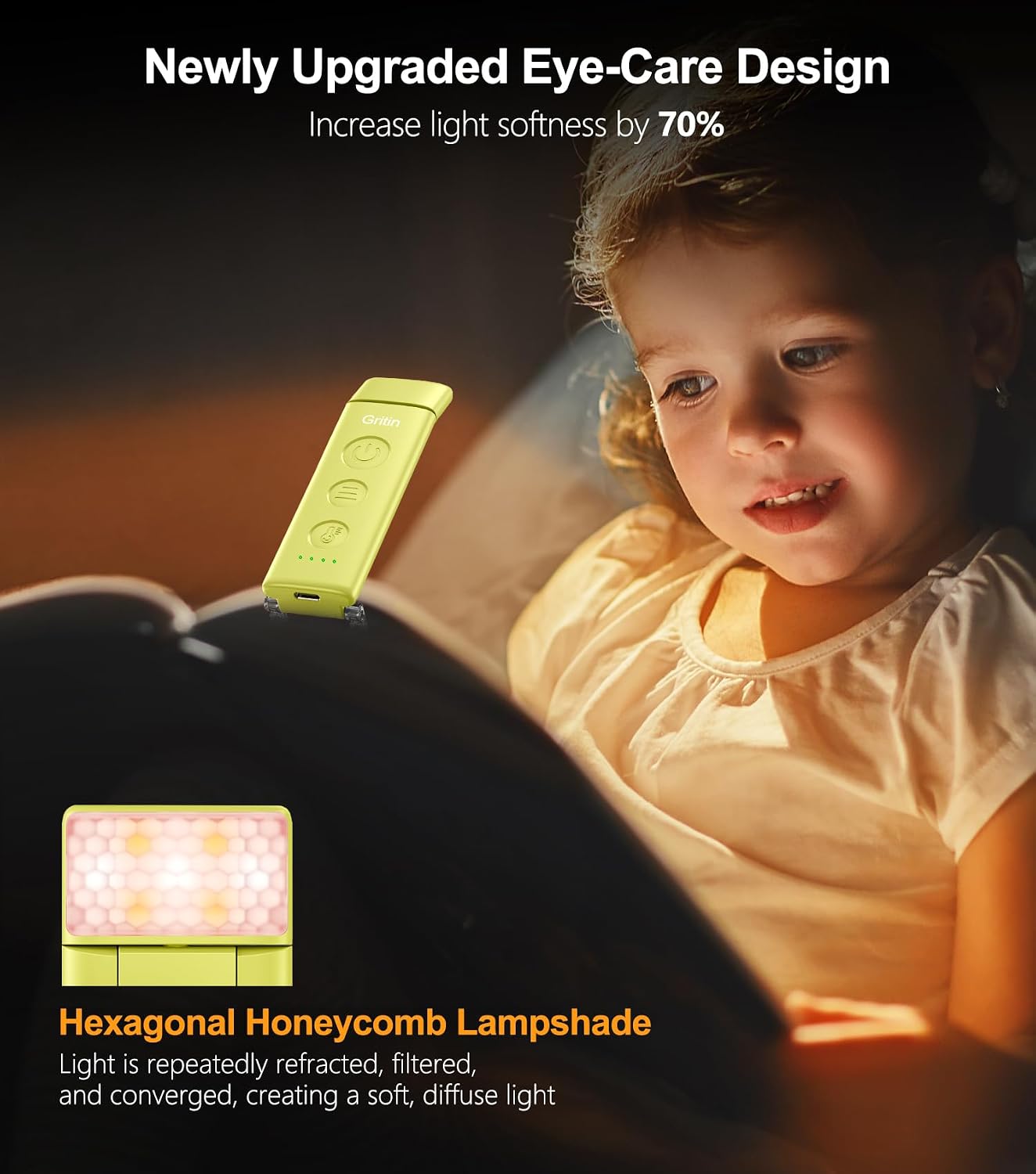
Figure 5: Multi-angle adjustment capabilities for optimal light positioning.

Figure 6: The reading light provides focused illumination for private reading.
Maintenance
Cleaning
Wipe the device with a soft, dry cloth. Do not use abrasive cleaners or solvents.
Storage
Store the reading light in a cool, dry place when not in use. If storing for an extended period, charge the battery periodically to maintain its lifespan.
Troubleshooting
Light Does Not Turn On
- Check if the battery is charged. Connect the light to a power source using the USB-C cable.
- Ensure the power button is pressed firmly.
Light Flickers or Dims Unexpectedly
- The battery might be low. Recharge the device.
- Ensure the charging cable is securely connected if charging.
Cannot Adjust Brightness/Color Temperature
- Ensure the correct button is being pressed (Brightness Adjustment Button for brightness, Color Temperature Switching Button for color).
- If the device is unresponsive, try turning it off and on again.
Specifications
Product Specifications
| Feature | Specification |
|---|---|
| Brand | Gritin |
| Model Number | G1310 |
| Product Dimensions (L x W x H) | 10.97 x 3.26 x 1.5 cm (4.31 x 1.28 x 0.59 inches) |
| Weight | 20 grams (0.71 oz) |
| Battery Type | 1 Lithium Polymer (included) |
| Battery Capacity | 600mAh |
| Input Voltage | 5 Volts (DC) |
| Power | 1.5 Watt-hours |
| Light Source Type | LED (7 beads) |
| Color Temperatures | 1800K (Amber), 3400K (Mixed), 6000K (White) |
| Brightness Levels | 5 preset levels, stepless dimming (10%-100%) |
| Charging Port | USB-C |
| Special Features | Wireless, Eye Protection, Memory Function, Flexible Angle |
| Material | ABS Plastic |
| Country of Origin | China |

Figure 7: Compact and lightweight design for portability.
Important Safety Instructions
- Do not disassemble or modify the device.
- Keep away from water and high humidity.
- Avoid exposing the device to extreme temperatures or direct sunlight.
- Do not look directly into the LED light source for extended periods.
- Keep out of reach of children.
- Use only the provided USB-C cable or a certified equivalent for charging.
- Dispose of the battery according to local regulations.
Warranty and Customer Support
For warranty information or customer support, please refer to the documentation provided at the time of purchase or contact Gritin customer service through the retailer where the product was purchased. Please have your model number (G1310) and purchase details ready.