
Lefant M210 Pro
Lefant M210 Pro Robot Vacuum Cleaner User Manual
Model: M210 Pro (LH-US09-M210PW)
1. Introduction
This manual provides essential information for the safe operation, maintenance, and troubleshooting of your Lefant M210 Pro Robot Vacuum Cleaner. Please read it thoroughly before using the product and retain it for future reference.
2. Safety Instructions
To reduce the risk of injury or damage, observe the following safety precautions:
- Read all instructions before operating the appliance.
- Do not allow children to operate the robot vacuum. Supervise children and pets when the robot is operating.
- Ensure the power adapter voltage is compatible with your local power supply.
- Do not use the robot vacuum on wet surfaces or in environments with standing water.
- Remove loose cables, small objects, and fragile items from the cleaning path to prevent entanglement or damage.
- Do not use the robot vacuum to pick up large debris, liquids, burning or smoking materials.
- Turn off the robot and unplug the charging dock before cleaning or performing maintenance.
- Store the robot vacuum and charging dock in a cool, dry place.
3. Package Contents
Verify that all components are present in the package:
- Lefant M210 Pro Robot Vacuum
- Charging Dock
- Power Adapter
- 550ml Dustbin
- 2 Side Brushes
- 2 HEPA Filters
- Cleaning Tool
- User Manual
- FQA (Frequently Asked Questions)
- Networking Guide
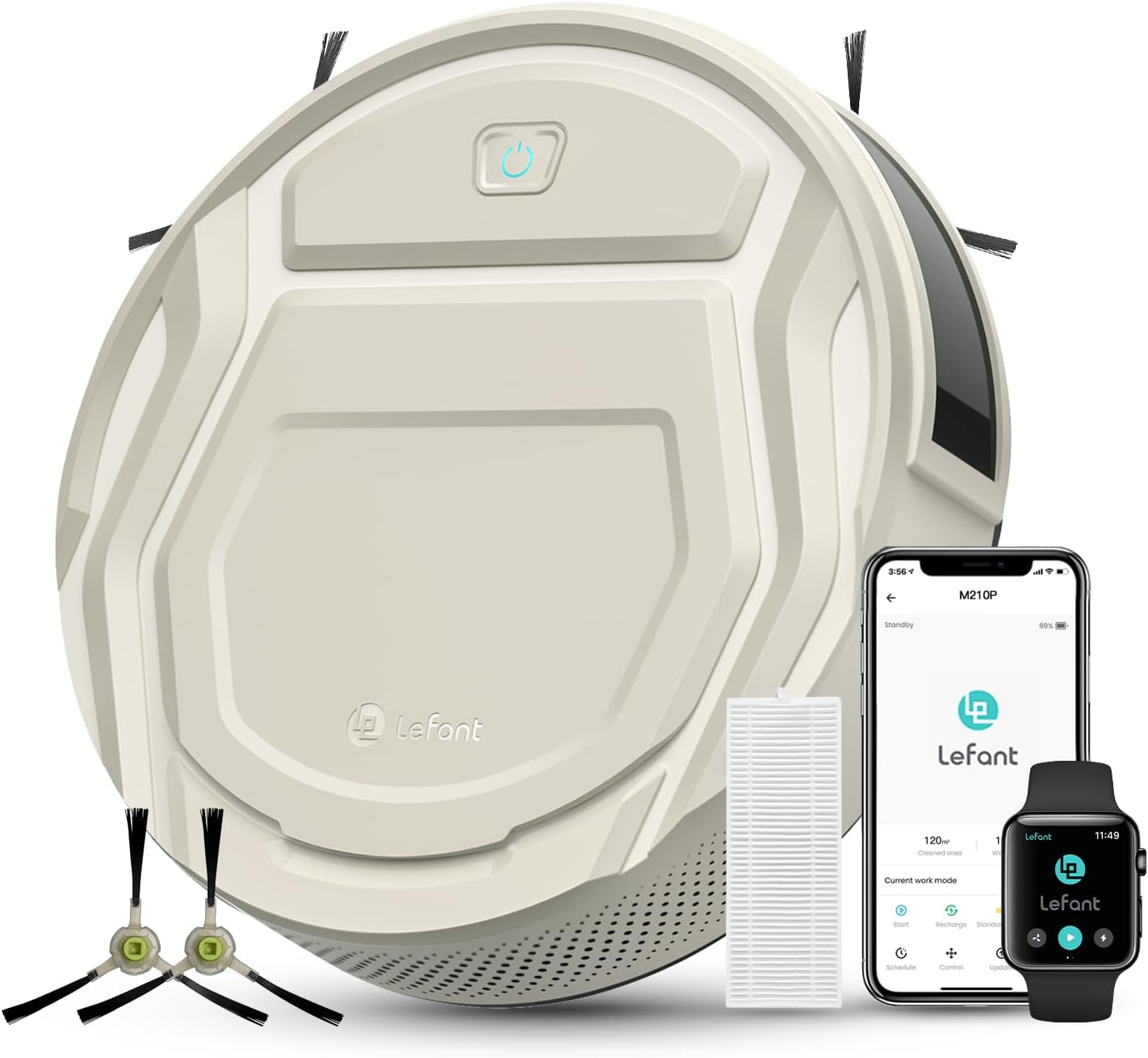
Image: Lefant M210 Pro Robot Vacuum, charging dock, side brushes, and filters.
4. Product Overview
The Lefant M210 Pro is designed for efficient multi-surface cleaning, featuring a compact design and smart control options.
Key Features:
- Pet Hair Optimization: Equipped with 2200Pa suction and a tangle-free brush system, suitable for pet hair on various floor types.
- Freemove 3.0 Anti-Collision: Upgraded infrared sensors help prevent falls and getting stuck.
- Compact Design: Ultra-slim 2.99-inch profile allows cleaning under furniture.
- Quiet Operation: Operates at approximately 55dB.
- Long Runtime: Up to 120 minutes of cleaning on a single charge.

Image: The Lefant M210 Pro robot vacuum cleaning pet hair from a hard floor.

Image: The Lefant M210 Pro robot vacuum cleaning under a sofa, highlighting its compact size and quiet operation (55dB).
5. Setup
5.1 Initial Charging
Before first use, ensure the blue power switch on the robot is turned to "ON". Place the robot on the charging dock and allow it to charge for approximately 4 hours until fully charged. The robot cannot charge if it is turned off.

Image: Diagram illustrating the initial charging process, including the power switch location and the robot returning to its charging station.
5.2 App and Wi-Fi Connection
The Lefant M210 Pro can be controlled via the Lefant App. Ensure your Wi-Fi network is 2.4GHz, as the robot only supports this frequency.
- Download the "Lefant" App from your mobile device's app market.
- Open the App and add your M210 Pro robot vacuum.
- Ensure your mobile device is connected to a 2.4GHz Wi-Fi network.
- Turn the robot's blue switch to "I" (ON).
- Press and hold the start button on the robot for 6 seconds to enter pairing mode.
- Select "M210P" in the app and wait for the robot to pair successfully.

Image: Step-by-step guide for connecting the Lefant robot vacuum to the Lefant App via Wi-Fi.
5.3 Voice Control Setup (Alexa/Google Assistant)
After connecting to the Lefant App, you can integrate your robot vacuum with Amazon Alexa or Google Assistant for voice commands.
- Connect your Alexa or Google Assistant device to the internet and pair it.
- Open the Lefant App, navigate to "Mine" and select "Google Assistant/Alexa".
- Choose "Alexa" or "Google Assistant" and tap "One-click Bind".
- Tap "Log in to Amazon Account" (for Alexa) or follow Google Assistant prompts. Click "LINK", then press "Back".
- Alexa/Google Assistant is now successfully bound.
- Open the respective voice assistant app to view the bound devices under "Devices".

Image: Visual guide for connecting the Lefant robot vacuum to Amazon Alexa for voice control.
6. Operating Instructions
6.1 Cleaning Modes
The M210 Pro offers 6 cleaning modes, controllable via the Lefant App:
- Zigzag Mode: For systematic cleaning of open areas. (Note: Avoid on carpets).
- Random Mode: For general cleaning, covering areas randomly.
- Spot Mode: Concentrates cleaning on a specific dirty area.
- Edge Mode: Cleans along walls and furniture edges.
- Scheduled Mode: Allows setting predetermined cleaning times.
- Manual Mode: Control the robot's movement directly via the app.

Image: Illustrations of the robot vacuum performing different cleaning modes: Random, Zigzag, Edge, and Spot cleaning.

Image: The robot vacuum cleaning a room in an organized zigzag pattern.
6.2 Suction Levels
Adjustable suction levels are available via the Lefant App to suit different cleaning needs, from light dust to heavier debris like pet hair or cat litter.

Image: Visual representation of three adjustable suction levels for different types of debris (dust/pet hair, cat litter, coffee beans).
6.3 Carpet Auto-Detection
The robot can detect low-pile carpets and automatically increase suction power to effectively clean embedded dust and hairs.

Image: The robot vacuum transitioning from hard floor to carpet, illustrating its auto-detection and increased suction feature.
6.4 Auto-Recharge
When cleaning is complete or the battery level is low, the M210 Pro will automatically return to its charging station.
Image: The robot vacuum navigating back to its charging dock for automatic recharging.
7. Maintenance
Regular maintenance ensures optimal performance and extends the lifespan of your robot vacuum. Always turn off the robot and unplug the charging dock before performing any maintenance.
7.1 Dustbin and Filters
- Empty the 550ml dustbin after each cleaning cycle.
- Clean the HEPA filters regularly using the provided cleaning tool. Replace filters as needed (typically every 3-6 months, depending on usage).

Image: The 550ml dustbin and HEPA filters of the Lefant M210 Pro.
7.2 Side Brushes
- Inspect side brushes for tangled hair or debris. Clean them regularly.
- Replace worn or damaged side brushes to maintain effective edge cleaning.
7.3 Sensors
- Wipe the anti-drop sensors and anti-collision sensors with a clean, dry cloth to ensure proper navigation.
8. Troubleshooting
Refer to the following common issues and solutions:
| Issue | Solution |
|---|---|
| Robot cannot connect to Wi-Fi. | The robot only works with 2.4GHz Wi-Fi networks. Ensure your network is set to 2.4GHz during connection. |
| Robot stops working after a few minutes of first use. | For first-time use, fully charge the battery for 4 hours before operation. Ensure the blue power switch is ON. |
| Robot gets stuck or falls. | Ensure the anti-collision and anti-drop sensors are clean. Remove obstacles like loose cables or small objects from the cleaning path. The robot can climb objects less than 12mm high. |
| Robot does not return to charging dock. | Ensure the charging dock is placed in an open area with no obstructions. Verify the robot's power switch is ON. |
9. Specifications
| Feature | Detail |
|---|---|
| Brand | Lefant |
| Model Name | M210 Pro (M210P) |
| Model Number | LH-US09-M210PW |
| Special Features | Edge Cleaning, Pet Hair Pick Up |
| Color | Champagne Grey |
| Product Dimensions | 11"L x 11"W x 2.99"H |
| Filter Type | Cartridge, Foam, Sponge |
| Battery Life (Runtime) | Up to 120 minutes |
| Dustbin Capacity | 550 Milliliters |
| Power Source | Battery Powered (4 Lithium Metal batteries included) |
| Control Method | App, Voice (Alexa, Google Home) |
| Item Weight | 5.28 pounds |
| UPC | 659048515689 |
10. Warranty and Support
The Lefant M210 Pro Robot Vacuum Cleaner comes with a 24-Months Warranty. For professional customer service and any questions, please contact Lefant support.
Additional protection plans are available for purchase:
- 2-Year Protection Plan
- 3-Year Protection Plan
- Complete Protect (monthly plan)
For more information, visit the official Lefant Store on Amazon.
Related documentsM210 Pro


Ask a question about this manual
Ask about setup, troubleshooting, compatibility, parts, safety, or missing instructions. Manuals+ will review the question and use this page’s manual context to help answer it.