
1. Introduction
Thank you for choosing the DEFENTAC DF-9075-FL Weapon Light. This manual provides essential information for the safe and effective use, installation, and maintenance of your new device. Please read this manual thoroughly before operation and retain it for future reference.
Safety Warnings
- Always ensure the weapon is unloaded and safe before installing or performing maintenance on the weapon light.
- Avoid direct eye exposure to the light beam. The high intensity light can cause temporary vision impairment or permanent eye damage.
- Keep out of reach of children.
- Do not disassemble the light head or main body; this may cause damage and void the warranty.
- Use only the provided magnetic charging cable for recharging.
2. Package Contents
Verify that all items listed below are present in your package:
- DEFENTAC DF-9075-FL Weapon Light
- Magnetic Charging Cable (x1)
- 3.5mm Spacers (x2)
- Adjustment Tooling (Hex Key)
- User Manual

Image: Contents of the DEFENTAC DF-9075-FL package, showing the weapon light, magnetic charging cable, two 3.5mm spacers, an adjustment tool, and the user manual.
3. Product Features
- 2-in-1 Surface-mounted Design: Compatible with Picatinny and M-LOK rails directly, eliminating the need for additional adapters.
- High Brightness Output: Maximum 2400 Lumens with a beam distance of 240 meters.
- Battery Level Indicator: A three-color indicator (Red: <30%, Yellow: 30%-70%, Green: 70%-100%) displays the remaining power level.
- Magnetic Charging: Built-in battery recharges conveniently with the included magnetic charging cable, even while mounted.
- Included Spacers: Two 3.5mm M-LOK spacers are provided for installations on uneven mounting surfaces.
- Durable Construction: Made from anodized aluminum for robust performance in various conditions.
- Integrated Pressure Pad Switches: Two separate built-in pressure pad switches for easy activation of strobe and momentary modes without external wires or pads.

Image: Overview of the DEFENTAC DF-9075-FL weapon light, highlighting its ultra-bright 2400 lumens, water resistance, dimensions (4.0 in length, 0.8 in width), and performance metrics including 240-meter throw, IPX6 waterproof rating, 4-hour runtime, and 175g weight.
4. Setup and Installation
The DF-9075-FL weapon light is designed for direct mounting on both Picatinny and M-LOK rails.
Mounting on Picatinny/M-LOK Rails
- Identify the desired mounting position on your Picatinny or M-LOK rail.
- Align the weapon light's integrated mount with the rail slots.
- For M-LOK, ensure the M screws are properly seated in the M-LOK slots. For Picatinny, ensure the Pic rail clamp engages the rail.
- Use the provided adjustment tooling (hex key) to tighten the mounting screws securely. Do not overtighten.
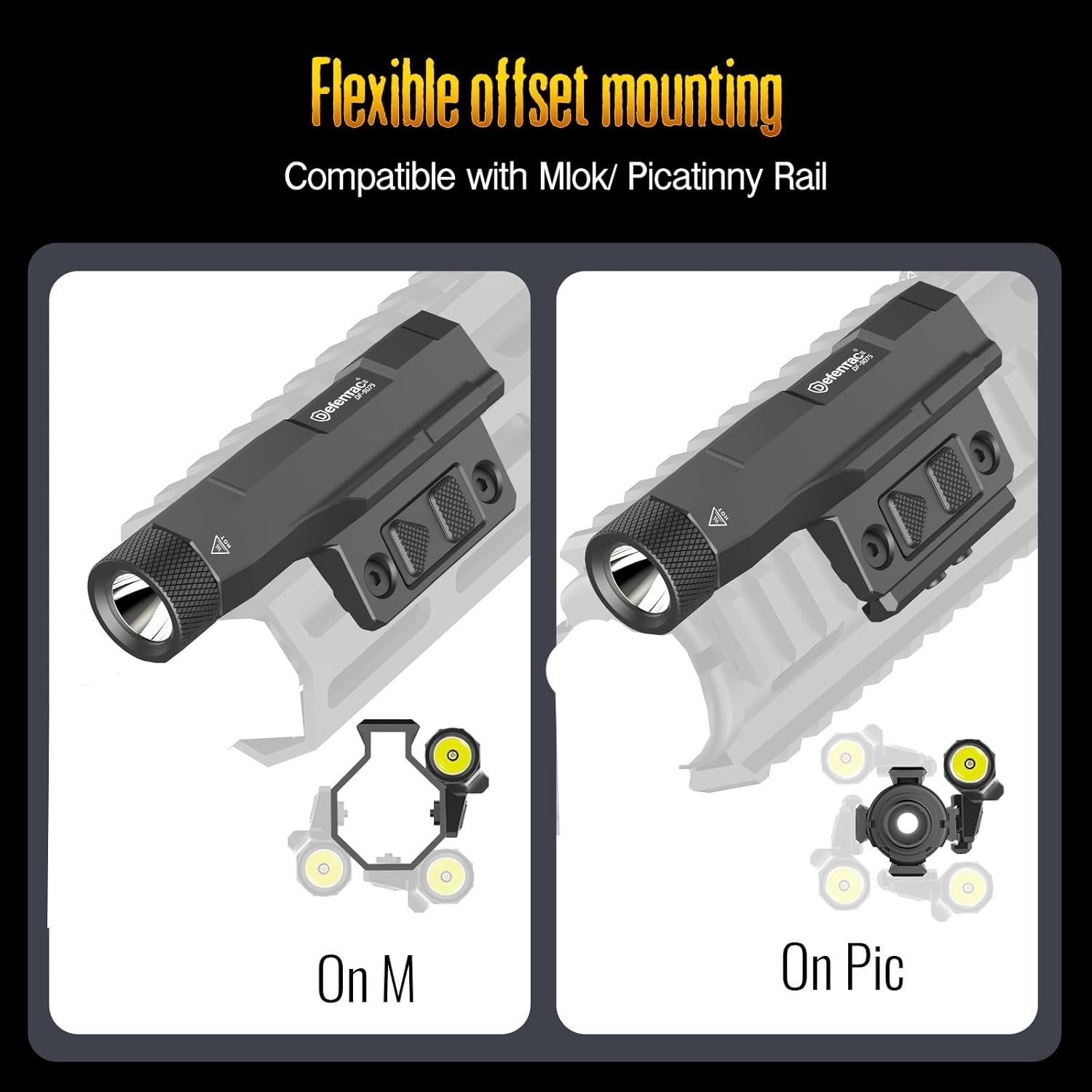
Image: Illustration demonstrating the flexible offset mounting capabilities of the DEFENTAC DF-9075-FL weapon light on both M-LOK and Picatinny rails, showing the different mounting configurations.
Using Spacers for Uneven Surfaces
If your mounting surface has a raised part less than 3.5mm, use the included 3.5mm spacers to ensure a flat and secure mount.
- Place the spacer(s) between the weapon light's mount and the rail to bridge any gaps.
- Proceed with step 4 of the mounting instructions, ensuring the screws pass through the spacers and engage the rail securely.

Image: A two-part diagram illustrating the use of 3.5mm spacers. The top image shows a spacer being placed to bridge a raised part on a handguard, and the bottom image shows the weapon light mounted securely on the handguard with the spacer in place.
5. Operation
The DF-9075-FL features two integrated pressure pad switches for intuitive control.

Image: Detailed view of the DEFENTAC DF-9075-FL weapon light, labeling its components: strobe mode switch, flashlight switch, level indicator, Pic rail clamp, M screws, and charging port.
Activating the Light
- Constant On/Off: Press and release the main flashlight switch (rear button) to turn the light on or off.
- Momentary On: Press and hold the main flashlight switch (rear button). The light will remain on as long as the button is held and turn off upon release.
- Strobe Mode: Press and release the strobe mode switch (front button) to activate constant strobe. Press again to turn off.
- Momentary Strobe: Press and hold the strobe mode switch (front button). The light will strobe as long as the button is held and stop upon release.
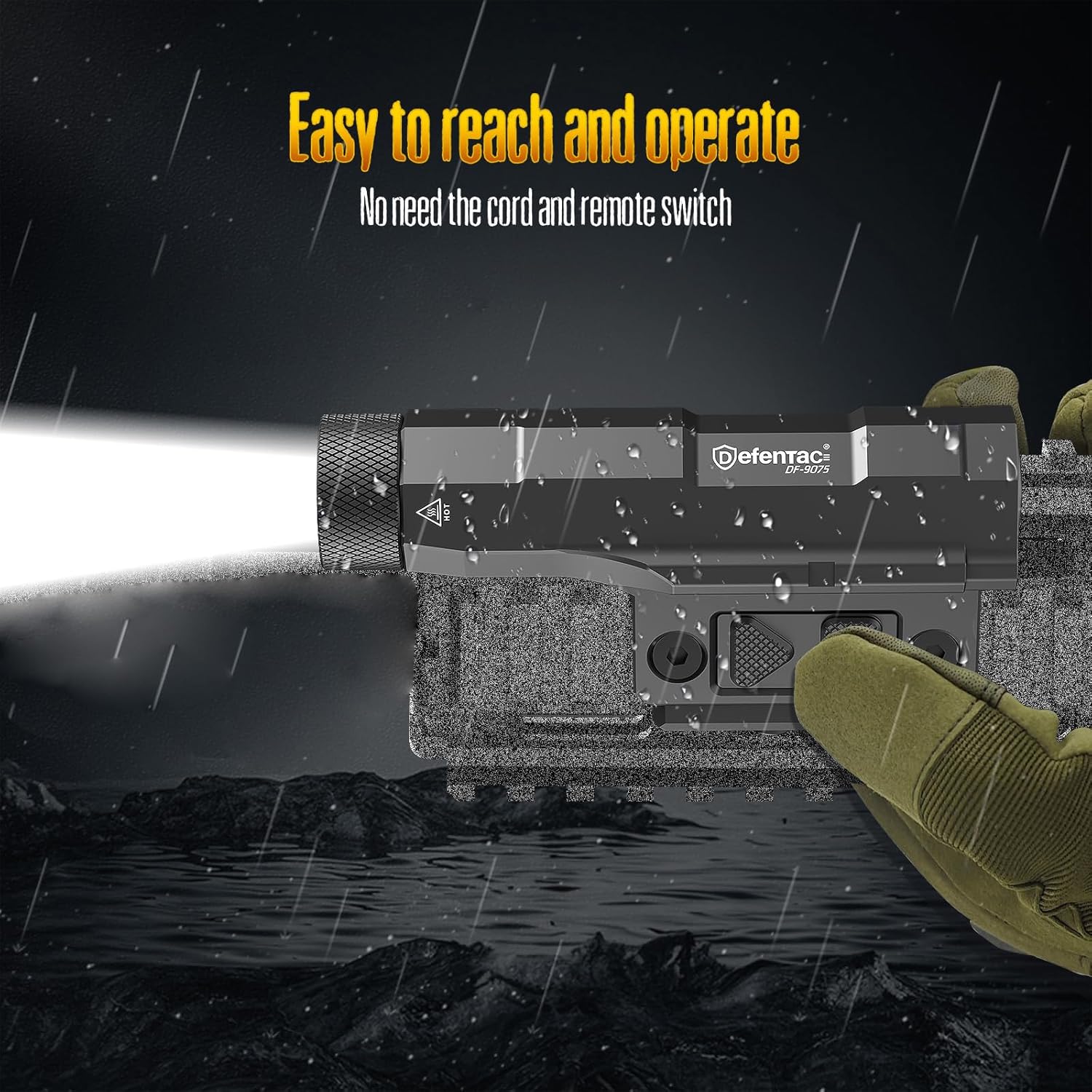
Image: The DEFENTAC DF-9075-FL weapon light mounted and in use, demonstrating its integrated pressure pad switches that allow for easy and direct operation without external wires. The image also depicts the light's water resistance in a simulated rainy environment.
6. Battery Management and Charging
The DF-9075-FL features a built-in rechargeable Lithium Polymer battery and a convenient magnetic charging system.
Charging Instructions
- Locate the magnetic charging port on the weapon light.
- Connect the magnetic end of the provided charging cable to the charging port. The magnetic connection will secure it in place.
- Connect the USB-A end of the charging cable to a compatible USB power source (e.g., USB wall adapter, car charger, computer USB port).
- The battery level indicator will show charging status.
- Charging is complete when the indicator shows a solid green light.
Battery Level Indicator
The power level indicator provides a quick visual reference of the battery's charge:
- Red Light: Battery level is less than 30%. Recharge soon.
- Yellow Light: Battery level is between 30% and 70%.
- Green Light: Battery level is between 70% and 100%.

Image: The DEFENTAC DF-9075-FL weapon light connected to its magnetic charging cable, illustrating the power level indicator with its red, yellow, and green states. Below, examples of compatible charging sources such as a car charger, a USB wall charger, and a laptop are shown.
7. Maintenance
Proper maintenance ensures the longevity and optimal performance of your DEFENTAC weapon light.
- Cleaning: Wipe the light body with a soft, damp cloth. Do not use abrasive cleaners or solvents.
- Water Resistance: The light is waterproof (IPX6 rated). Ensure the charging port is clean and dry before charging.
- Storage: Store the light in a cool, dry place away from direct sunlight and extreme temperatures. For long-term storage, ensure the battery is partially charged (around 50-70%).
- Inspection: Periodically check mounting screws for tightness and ensure the lens is clean and free from obstructions.
8. Troubleshooting
If you encounter issues with your weapon light, refer to the following common problems and solutions:
| Problem | Possible Cause | Solution |
|---|---|---|
| Light does not turn on. | Low battery. Loose connection. Faulty switch. | Charge the battery. Ensure the light is securely mounted. Contact customer support if switches are unresponsive. |
| Light output is dim. | Low battery. Dirty lens. | Charge the battery. Clean the lens with a soft cloth. |
| Magnetic charging not working. | Charging cable not properly connected. Charging port is dirty. Faulty cable or power source. | Ensure magnetic cable is firmly attached. Clean the charging port. Try a different USB power source or cable. |
9. Specifications
| Feature | Detail |
|---|---|
| Model Number | DF-9075-FL |
| Light Output (Max) | 2400 Lumens |
| Beam Distance | 240 meters |
| Light Source Type | LED |
| Power Source | Battery Powered (Built-in Lithium Polymer) |
| Voltage | 5 Volts |
| Runtime | 4 hours (approx.) |
| Material | Anodized Aluminum |
| Water Resistance Level | Waterproof (IPX6) |
| Mounting Type | Picatinny/M-LOK (2-in-1) |
| Product Dimensions (L x W x H) | 102D x 20W x 20H millimetres (10.2L x 2W x 2H centimetres) |
| Item Weight | 150 g |
| Special Features | Magnetic Charging, Battery Level Indicator, Strobe/Momentary Modes |
10. Warranty and Support
DEFENTAC products are manufactured to high-quality standards. For warranty information, technical support, or service inquiries, please refer to the warranty card included with your product or contact DEFENTAC customer service through the retailer where the product was purchased.
Please retain your proof of purchase for warranty claims.