
Introduction
The Apowking R100 USB LED Light Bulb is designed for portable and emergency lighting needs. It offers adjustable brightness and multiple light modes, making it suitable for various environments such as outdoor camping or as a backup light source during power outages. This manual provides essential information for the safe and effective use of your R100 LED light bulb.
Product Overview
The R100 USB LED Light Bulb features a durable design and user-friendly controls. It is engineered for low current draw, allowing for extended use with compatible power sources.
Key Features:
- Wide Compatibility: Designed for use with Apowking power stations, power banks, solar generators, and other R100 compatible power sources.
- Low Power Consumption: Efficient design allows for long operating times; a 10000mAh power bank can power the bulb for approximately 10 hours (Max input current 1A).
- Adjustable Brightness & Modes: Offers warm, natural, and cold white light options with 10 levels of adjustable brightness, providing ample illumination for outdoor camping and other activities.
- Easy to Use: Features a 6 ft long cable with a switch positioned 3.3 ft from the plug, preventing accidental disconnections during operation.
What's in the Box:
- 1 x Apowking R100 USB LED Light Bulb
Setup
Setting up your Apowking R100 USB LED Light Bulb is straightforward:
- Identify a compatible 5V USB power source (e.g., Apowking power bank, solar generator, laptop USB port, power adapter, car/boat USB port).
- Plug the USB connector of the R100 LED light bulb into the USB output port of your chosen power source.
- Use the integrated hook on the bulb for easy hanging in your desired location.
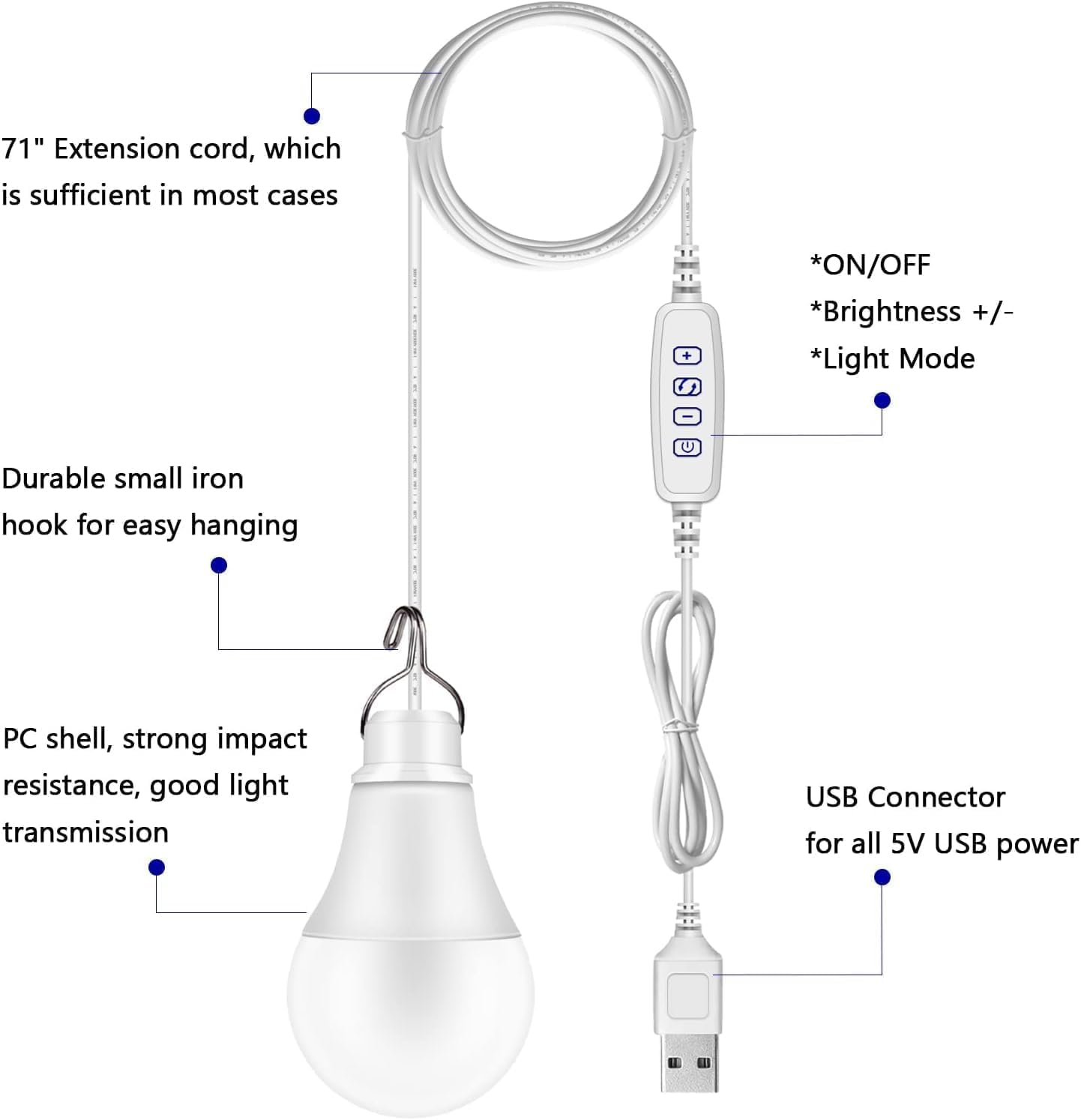
Figure 1: Apowking R100 USB LED Light Bulb components and features, including the 71-inch extension cord, control switch, hanging hook, PC shell, and USB connector.
Operating Instructions
The R100 LED light bulb is controlled via an inline switch on its cable:
- Power On/Off: Press the power button on the inline switch to turn the light on or off.
- Adjust Brightness: Use the '+' and '-' buttons on the switch to increase or decrease the brightness. There are 10 levels of brightness adjustment.
- Change Light Mode: Press the mode button (often indicated by a wave or light bulb icon) to cycle through warm, natural, and cold white light settings.
Compatibility
The Apowking R100 USB LED Light Bulb is designed for broad compatibility with various 5V USB power sources. This includes:
- Apowking Power Stations (e.g., R100 Power Bank, HP200L Generator)
- Standard Power Banks
- Solar Panels with USB output
- Laptop USB Ports
- USB Power Adapters (wall chargers)
- Car/Boat USB Ports

Figure 2: The R100 USB LED Light Bulb demonstrating compatibility with multiple mobile power sources.
Maintenance
To ensure the longevity and optimal performance of your Apowking R100 USB LED Light Bulb, follow these maintenance guidelines:
- Cleaning: Wipe the bulb and cable with a soft, dry cloth. Avoid using abrasive cleaners or solvents.
- Storage: Store the light bulb in a cool, dry place when not in use. Avoid extreme temperatures and direct sunlight for prolonged periods.
- Handling: Do not bend or twist the cable excessively. Avoid dropping the bulb or subjecting it to strong impacts.
Troubleshooting
If you encounter issues with your R100 USB LED Light Bulb, refer to the following troubleshooting tips:
| Problem | Possible Cause | Solution |
|---|---|---|
| Light does not turn on. | No power from source, loose connection, or faulty switch. | Ensure the power source is active and charged. Check if the USB connection is secure. Press the power button firmly. Try a different USB power source. |
| Light is dim or flickers. | Insufficient power from source or low battery in power bank. | Charge your power bank or connect to a fully powered USB source. Ensure the brightness setting is not at its lowest level. |
| Cannot change light mode or brightness. | Faulty inline switch. | Ensure the light is powered on. Press the mode and brightness buttons firmly. If the issue persists, contact customer support. |
Specifications
- Product Dimensions: 1 x 1 x 1 inches
- Item Weight: 4.6 ounces
- Item Model Number: R100
- Manufacturer: Apowking
- Voltage: 110 Volts (Note: The bulb operates via 5V USB input; 110V refers to the AC input voltage for compatible power banks/adapters.)
- Power Source: Solar Powered (Note: Refers to compatible power banks being rechargeable via solar panels, not the bulb itself.)
- Number of Items: 1
- Whats in the box: R100 power bank bulb
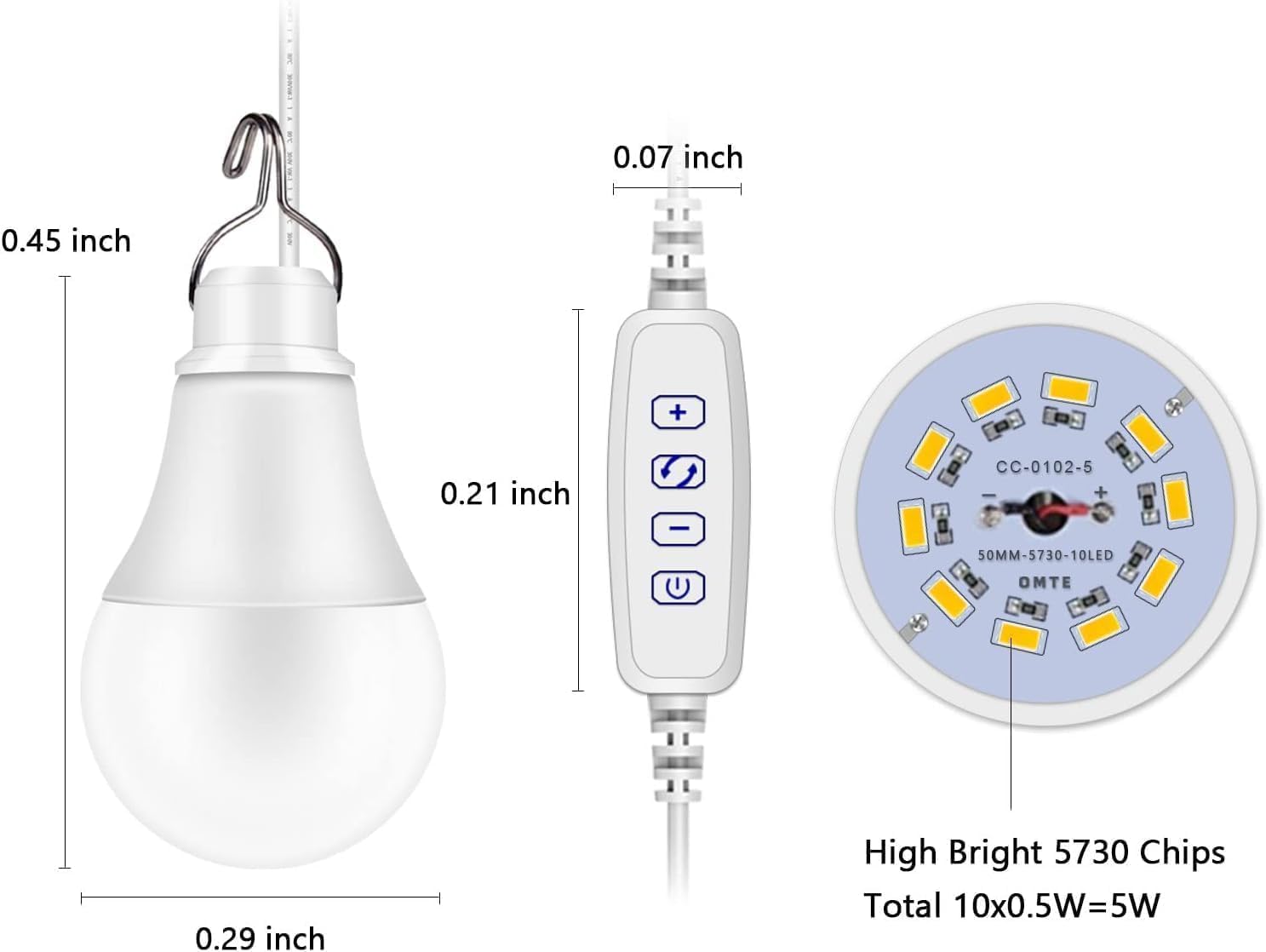
Figure 3: Dimensions and internal components of the R100 USB LED Light Bulb.
Warranty and Support
Apowking is committed to providing high-quality products and customer satisfaction. For any inquiries or support needs regarding your R100 USB LED Light Bulb, please refer to the following:
- Return Policy: This product is eligible for a 30-day refund/replacement return policy.
- Customer Service: For assistance, please contact Apowking customer service.
- Technical Support: Lifetime technical support is available for this product.
Figure 4: Apowking's commitment to quality service and customer support.