
1. Introduction
The Samsung HW-Q65C/ZA is a 5.1 channel soundbar system designed to enhance your home audio experience with immersive sound. Featuring a soundbar, wireless subwoofer, and rear speakers, this system supports Q-Symphony and Dolby Atmos audio for a dynamic and captivating listening environment. This manual provides essential information for setting up, operating, and maintaining your soundbar system.
2. What's in the Box
Carefully unpack all components and ensure the following items are included:
- Soundbar
- Wireless Subwoofer
- Rear Speakers (2 units)
- Rear Speaker Wireless Module
- Remote Controller with Batteries
- HDMI Cable
- Power Adapter
- Wall Mount Kit
- User Manual (this document)
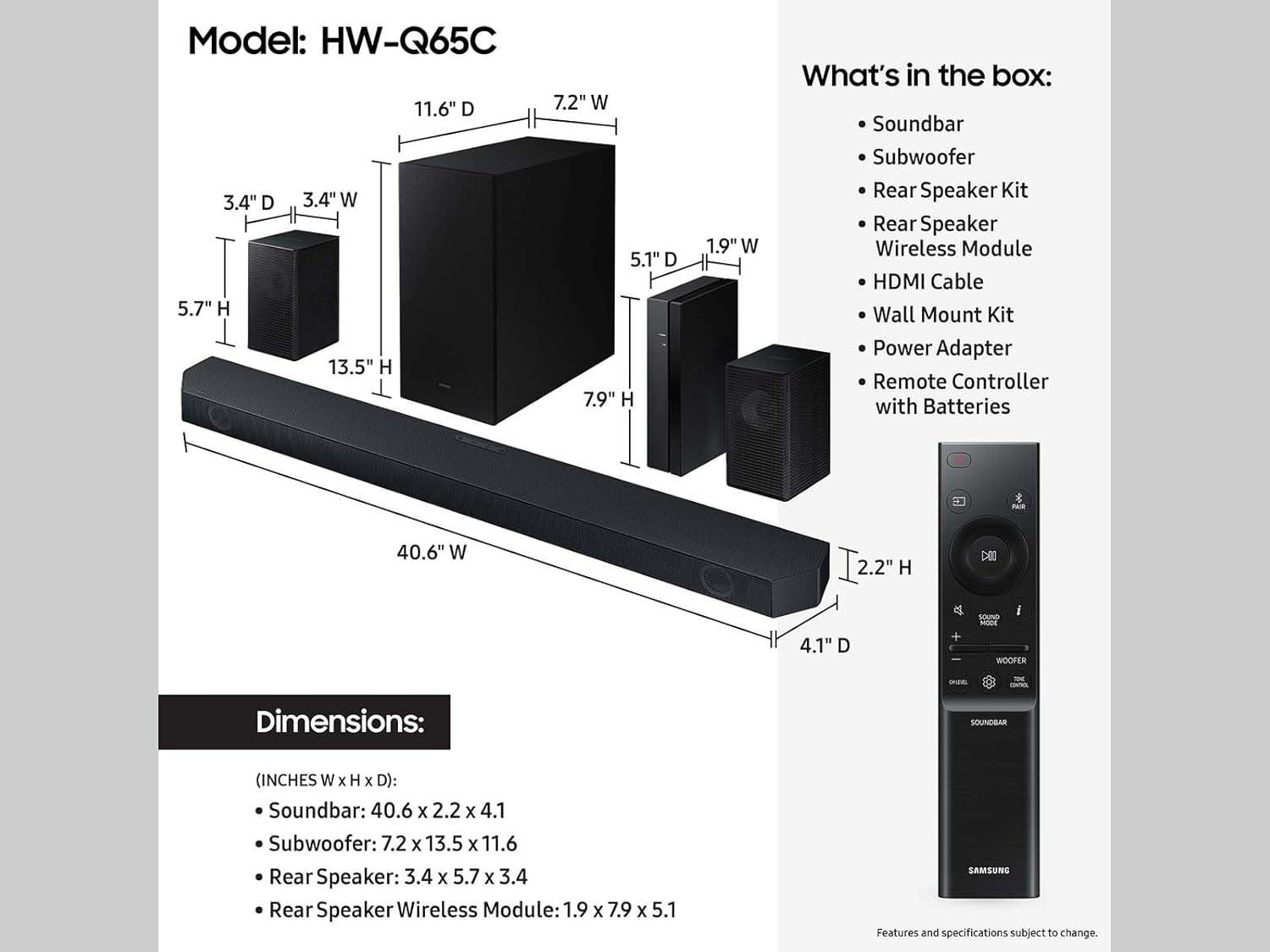
Figure 2.1: Included Components and Dimensions
If any items are missing or damaged, please contact Samsung customer support.
3. Setup Guide
3.1 Placement
For optimal audio performance, place the soundbar centrally below your TV. Position the wireless subwoofer in a corner or near a wall for enhanced bass. The rear speakers should be placed behind your listening position, ideally at ear level, to create an immersive surround sound field.

Figure 3.1: Recommended System Placement
3.2 Connecting the Components
- Soundbar Power: Connect the power adapter to the soundbar and then to a wall outlet.
- Subwoofer Power: Connect the wireless subwoofer to a power outlet. The subwoofer will automatically pair with the soundbar.
- Rear Speakers: Connect the two rear speakers to the wireless module. Then, connect the wireless module to a power outlet. The module will automatically pair with the soundbar.
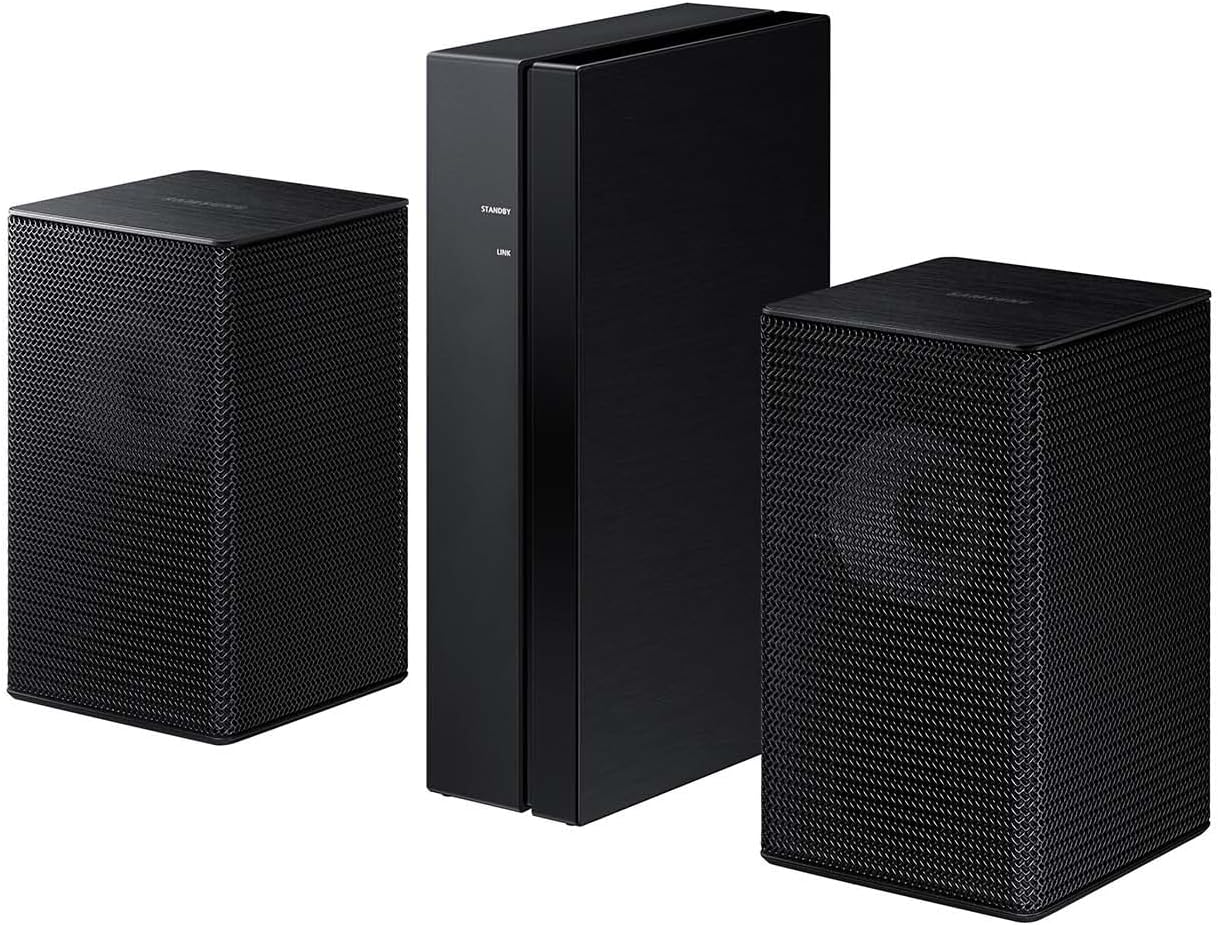
Figure 3.2: Rear Speakers and Wireless Module
3.3 Connecting to your TV
Choose one of the following connection methods:
- HDMI eARC (Recommended): Connect one end of the provided HDMI cable to the HDMI eARC port on your soundbar and the other end to the HDMI eARC/ARC port on your TV. This single cable connection supports advanced audio formats like Dolby Atmos.
- Optical Cable: Connect an optical cable (not always included) from the DIGITAL AUDIO IN (OPTICAL) port on your soundbar to the Optical Out port on your TV.
- Bluetooth: For wireless connection, select the Bluetooth source on your soundbar and pair it with your TV's Bluetooth settings.
Video 3.1: Honest Review of Samsung 5.1 Soundbar with Subwoofer. This video demonstrates the soundbar's features, setup, and remote control functionality.
4. Operating Instructions
4.1 Basic Controls
Use the included remote control to manage your soundbar system. Key functions include:
- Power: Turn the soundbar on/off.
- Volume: Adjust the overall system volume.
- Source: Switch between input sources (HDMI, Optical, Bluetooth).
- Sound Mode: Cycle through various sound modes (e.g., Standard, Surround, Game, Adaptive Sound).
- Woofer Level: Adjust the bass level of the wireless subwoofer.
4.2 Advanced Features
- Q-Symphony: When paired with a compatible Samsung TV, Q-Symphony allows your TV speakers and soundbar to operate simultaneously, creating a richer, more expansive soundstage. Ensure your TV supports Q-Symphony and activate it in your TV's sound settings.
- Dolby Atmos Audio: Experience multi-dimensional sound that moves around you, including overhead. This feature is automatically enabled when playing content encoded with Dolby Atmos via HDMI eARC.
- Adaptive Sound Lite: This feature dynamically optimizes audio by analyzing scenes in real-time, enhancing voice clarity for dialogue and amplifying important audio elements in action sequences.
- Game Mode: Optimize your gaming experience with perfectly synced directional audio. Game Mode reduces distractions and enhances sound cues, providing a competitive edge. Compatible with Gaming Hub and select gaming consoles (e.g., Xbox X, PS5).
- Bluetooth Multi Connection: Connect two smart devices simultaneously via Bluetooth to share control of the soundbar without disconnecting. This allows for seamless music playback from different devices.
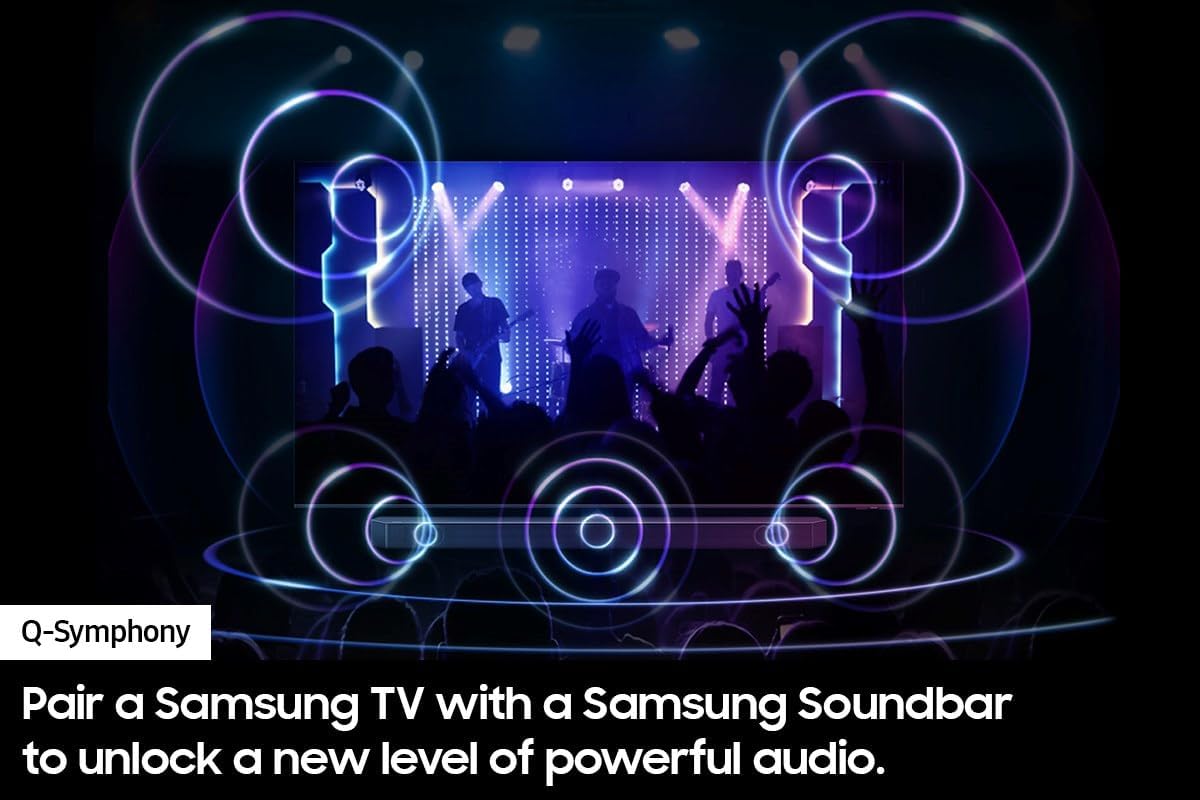
Figure 4.1: Q-Symphony in Action
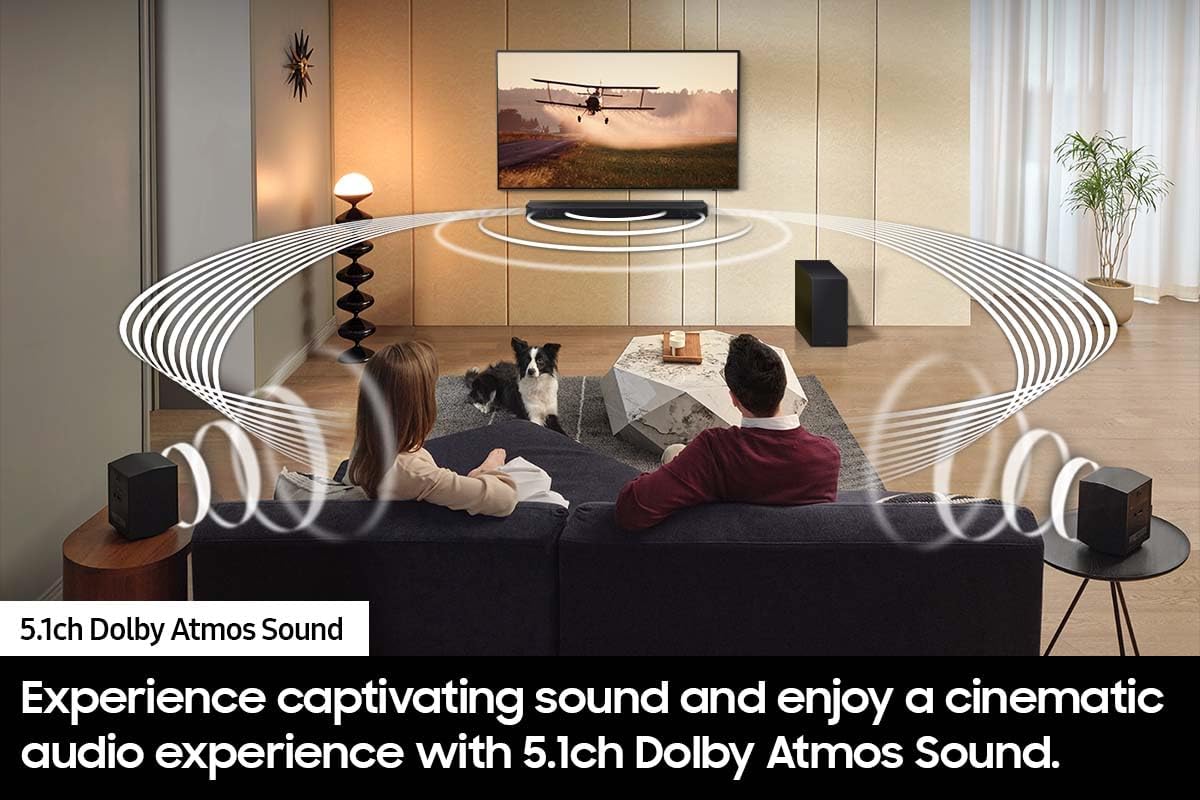
Figure 4.2: Dolby Atmos Surround Sound
5. Maintenance
To ensure the longevity and optimal performance of your Samsung Sound Bar, follow these maintenance guidelines:
- Cleaning: Use a soft, dry cloth to clean the surfaces of the soundbar, subwoofer, and rear speakers. Avoid using liquid cleaners, abrasive materials, or solvents, as these can damage the finish.
- Ventilation: Ensure adequate ventilation around all components to prevent overheating. Do not block any ventilation openings.
- Power Cord: Regularly check the power cords for any signs of damage. If a cord is damaged, discontinue use and replace it with an authorized Samsung part.
- Storage: If storing the system for an extended period, disconnect it from power, clean all components, and store them in a cool, dry place away from direct sunlight and extreme temperatures.
6. Troubleshooting
If you encounter issues with your soundbar system, refer to the following common troubleshooting steps:
| Problem | Possible Solution |
|---|---|
| No Sound |
|
| Subwoofer/Rear Speakers Not Connecting |
|
| Sound is Distorted or Unclear |
|
| Remote Control Not Working |
|
For more detailed troubleshooting or persistent issues, please consult the full product manual or contact Samsung customer support.
7. Specifications
| Feature | Detail |
|---|---|
| Brand | Samsung |
| Model Name | HW-Q65C/ZA |
| Speaker Maximum Output Power | 460 Watts |
| Connectivity Technology | Bluetooth, HDMI, Optical |
| Mounting Type | Tabletop Mount, Wall Mount (kit included) |
| Material | Metal |
| Color | Black |
| Item Weight | 44 Pounds (total system) |
| Subwoofer Connectivity | Wireless |
| Built-In Media | Soundbar, Subwoofer, Rear Speakers, Wireless Module |
| Additional Features | 5.1 CH. DOLBY ATMOS SOUND, Adaptive Sound Lite, HDMI eARC, One Remote Control, Q-SYMPHONY, Game Mode |
8. Warranty and Support
This Samsung Sound Bar HW-Q65C/ZA comes with a 90-day limited warranty. For warranty claims, technical support, or service inquiries, please visit the official Samsung support website or contact their customer service directly. Keep your proof of purchase for warranty validation.


