
1. Introduction
The Bneta BF002 Pet Smart AI Bird Feeder is designed to enhance your bird-watching experience. It features advanced sensing technology for accurate bird detection and a Full HD camera for live viewing and recording. This manual provides instructions for the proper setup, operation, and maintenance of your bird feeder.

Figure 1: Front view of the Bneta BF002 Smart AI Bird Feeder.
2. Product Features
The Bneta BF002 bird feeder combines technology with convenience to offer an interactive bird-watching experience. Key features include:
- Dual-Action Motion Sensors and Accelerometer: For precise and reliable bird detection.
- Full HD 1080P Camera: 2.0 Mega Pixel camera for live streaming video, photo capture, and video recording.
- AI Bird Recognition: Advanced artificial intelligence for identifying bird species.
- 2.5 Liter Capacity: Ample seed storage to reduce refill frequency.
- Solar Energy Charging: Integrated solar panel for sustainable power. USB cable included for alternative charging.
- 5200 mAh Rechargeable Lithium-Ion Battery: Provides extended operation.
- Weatherproof Design: Camera and feeder are designed to withstand rain and snow.
- Wi-Fi Connectivity: Supports 2.4GHz wireless networks for remote monitoring.
- Wide Field of View: 130° diagonal, 94° horizontal, 40° vertical for comprehensive coverage.
- Built-in Microphone: For audio capture.
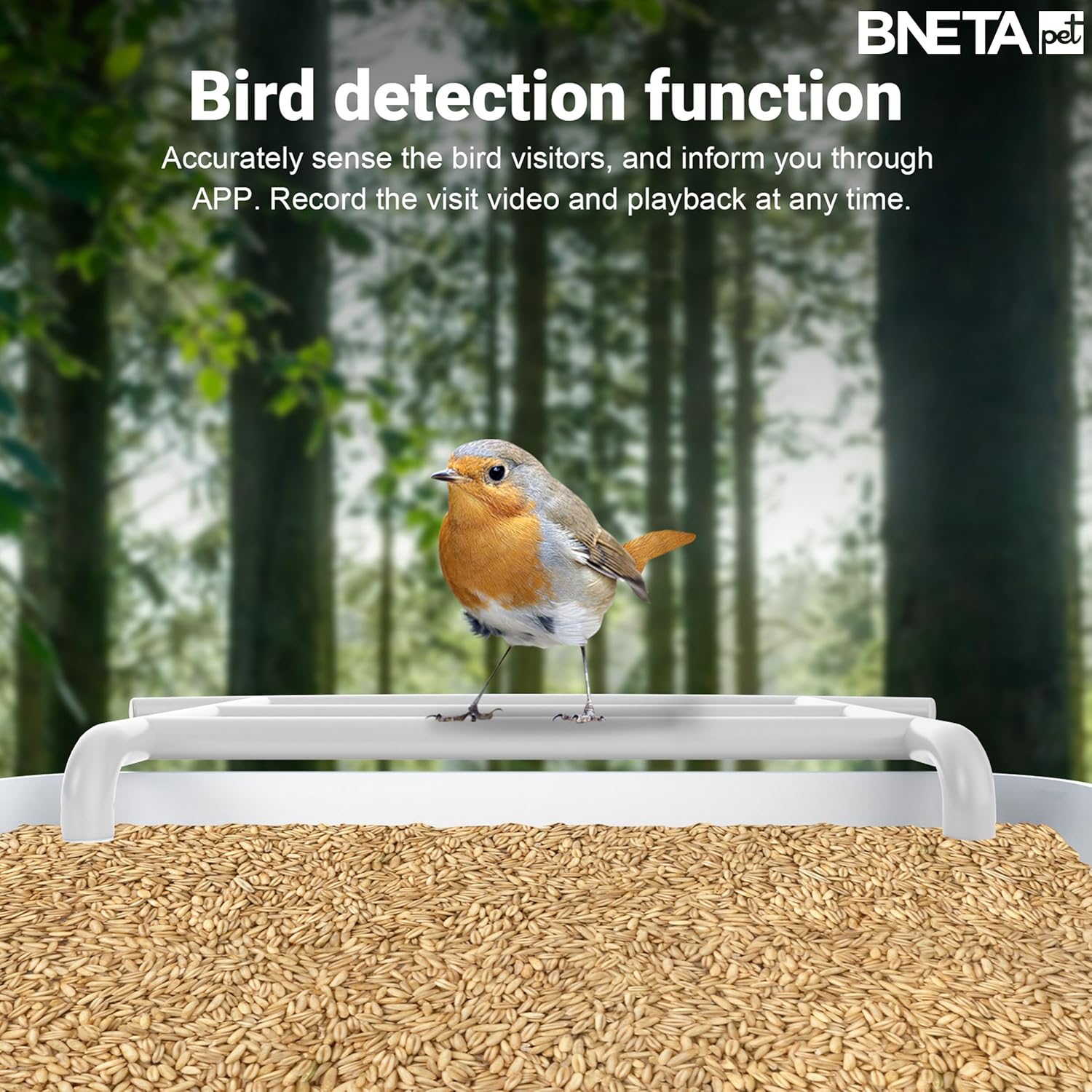
Figure 2: Overview of key features of the Bneta BF002.
3. Installation
Follow these steps to install your Bneta BF002 bird feeder:
- Choose a Location: Select a safe outdoor location where birds are likely to visit and where the feeder can receive adequate sunlight for the solar panel. Ensure the chosen location has stable 2.4GHz Wi-Fi coverage.
- Mount the Feeder: The feeder can be mounted on a wall or a pole. Use appropriate mounting hardware (not included unless specified in packaging) to secure the feeder firmly. Ensure it is stable and level.
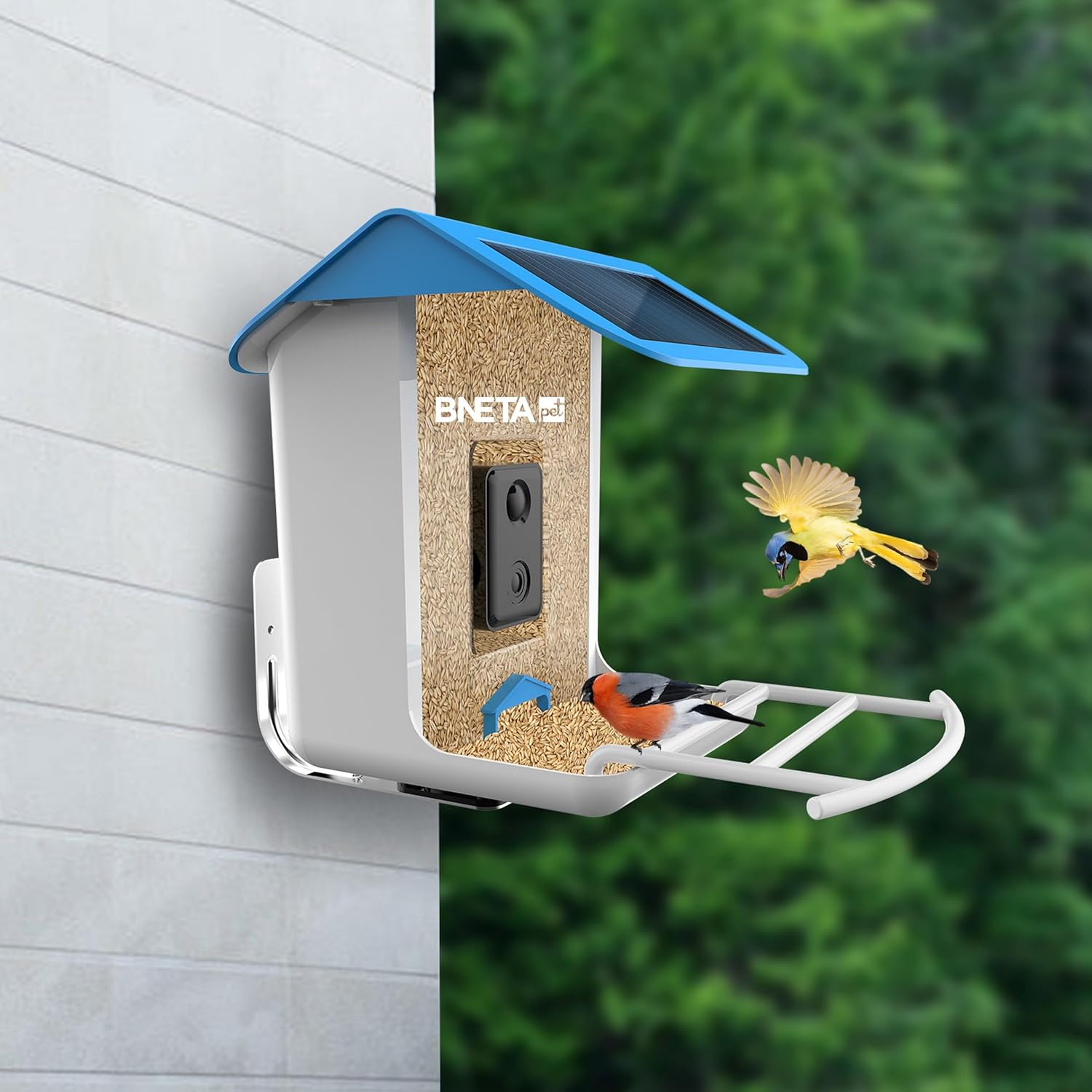
Figure 3: Feeder mounted on a wall.
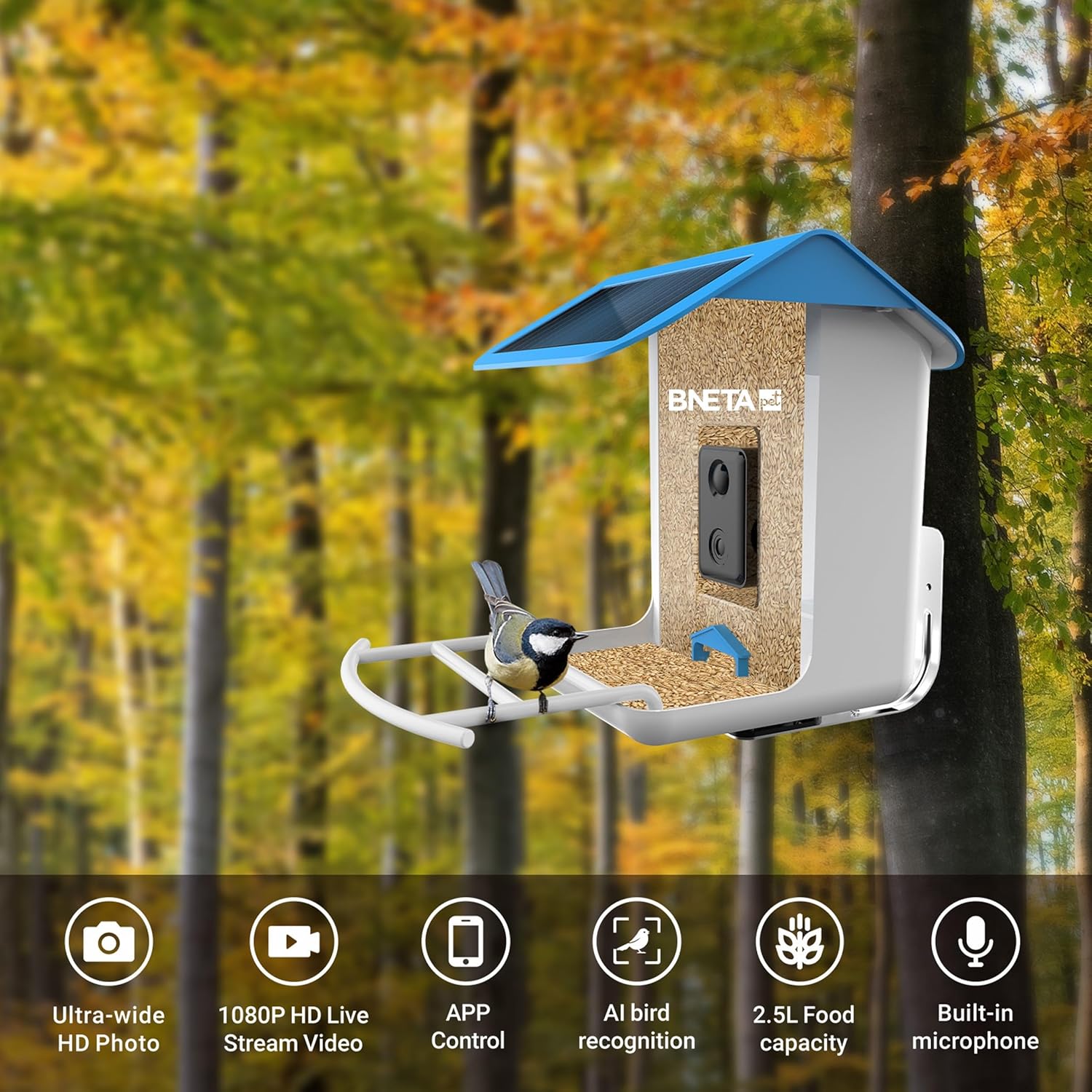
Figure 4: Feeder mounted on a pole.
- Charge the Battery: Before initial use, fully charge the internal 5200 mAh lithium-ion battery using the provided USB cable. The solar panel will maintain the charge during daylight hours.
- Fill with Bird Seed: Open the top lid and fill the feeder with your preferred bird seed. The feeder has a 2.5-liter capacity.

Figure 5: Side view of the feeder, showing the solar panel and seed tray.
4. App Setup and Wi-Fi Connection
To monitor your bird feeder, you need to connect it to the dedicated bird lover app:
- Download the App: Search for the "bird lover app" in your smartphone's app store (iOS or Android) and download it.
- Create an Account: Open the app and follow the on-screen instructions to create a new user account or log in if you already have one.
- Add Device: In the app, select the option to add a new device. Follow the pairing instructions, which typically involve scanning a QR code on the feeder or entering a device ID.
- Connect to Wi-Fi: During the setup process, you will be prompted to connect the feeder to your home's 2.4GHz Wi-Fi network. Ensure your smartphone is also connected to the same 2.4GHz network during this step.
- Complete Setup: Once connected, the app will confirm successful pairing. You can then customize settings such as notification preferences and recording schedules.
5. Operation
The Bneta BF002 offers various features for an interactive bird-watching experience:
- Real-time Notifications: When a bird is detected by the dual-action motion sensors and accelerometer, the app will send a real-time notification to your smartphone.
- Live View: Open the app to view live footage from the 1080P HD camera at any time.
- Capture Photos and Videos: Use the app to manually capture photos or record videos of visiting birds. The feeder can also be set to automatically record upon detection.
- Playback: Access recorded footage and photos through the app's gallery or history section.
- AI Bird Recognition: The AI feature helps identify different bird species, enhancing your bird-watching knowledge.

Figure 6: Bird detection function in action.

Figure 7: AI bird recognition in action.
6. Maintenance
Regular maintenance ensures optimal performance and longevity of your bird feeder:
- Refilling Seed: Check the seed level regularly and refill as needed. The 2.5-liter capacity allows for less frequent refilling.
- Cleaning: Clean the feeder periodically to prevent mold and bacterial growth, which can harm birds. Use a mild soap solution and rinse thoroughly with water. Ensure the feeder is completely dry before refilling with seed.
- Camera Lens: Gently wipe the camera lens with a soft, clean cloth to ensure clear image quality. Avoid abrasive materials.
- Solar Panel: Keep the solar panel clean and free of debris (leaves, dust) to maximize charging efficiency.
- Battery Care: While the solar panel helps maintain charge, if the feeder is in a shaded area or during prolonged cloudy periods, you may need to manually charge the battery via the USB port.
7. Troubleshooting
If you encounter issues with your Bneta BF002 bird feeder, refer to the following common problems and solutions:
| Problem | Possible Cause | Solution |
|---|---|---|
| Feeder not connecting to Wi-Fi | Incorrect Wi-Fi password; Feeder too far from router; Only 5GHz Wi-Fi available. | Verify password; Move feeder closer to router or use a Wi-Fi extender; Ensure your router supports 2.4GHz and connect to it. |
| No bird detection notifications | Motion detection sensitivity too low; App notifications disabled; Feeder offline. | Adjust sensitivity settings in the app; Enable notifications for the app; Check Wi-Fi connection and feeder power. |
| Poor camera image quality | Dirty camera lens; Poor lighting conditions; Weak Wi-Fi signal. | Clean the camera lens; Ensure adequate lighting; Improve Wi-Fi signal strength. |
| Battery not charging | Solar panel obstructed or dirty; Insufficient sunlight; Faulty USB cable/port. | Clean solar panel; Relocate feeder to a sunnier spot; Try charging with USB cable and different power adapter. |
| App not responding | App crash; Outdated app version; Phone operating system issues. | Restart the app; Check for app updates; Restart your smartphone. |
If the problem persists, please contact customer support.
8. Specifications
| Feature | Detail |
|---|---|
| Model Number | BF002 |
| Detection Mechanism | Dual-Action Motion Sensors, Accelerometer |
| Camera Resolution | 2.0 Mega Pixel 1080P HD |
| Field of View (Diagonal) | 130 degrees |
| Field of View (Horizontal) | 94 degrees |
| Field of View (Vertical) | 40 degrees |
| Battery Type | 5200 mAh Rechargeable Lithium-Ion Battery (included) |
| Charging | Solar Energy, USB Cable Included |
| Wireless Type | WiFi 2.4GHz |
| Operating Temperature | -5°F to 120°F (-20.5°C to 48.5°C) |
| Working Voltage (Vmp) | 6V ±5% |
| Working Current (Imp) | 400mA ±5% |
| Open Circuit Voltage (VOC) | 7.2V ±5% |
| Short-Circuit Current (ISC) | 480mA ±5% |
| Food Capacity | 2.5 Liters |
| Item Weight | 0.75 Kilograms |
| Package Dimensions | 30.2 x 23.6 x 23 cm |
| Specific Uses | Indoor, Outdoor |
9. Warranty Information
The Bneta BF002 Pet Smart AI Bird Feeder comes with a Limited Warranty. For specific terms and conditions, including coverage details and duration, please refer to the warranty card included with your product or contact Bneta customer support.
10. Customer Support
For technical assistance, troubleshooting not covered in this manual, or warranty inquiries, please contact Bneta customer support. Refer to the product packaging or the official Bneta website for contact details.
Online Resources: Visit the official Bneta website for FAQs, updated manuals, and software/firmware updates.


