
Introduction
Thank you for choosing the ChunHee Smart Dog Door Bells. This system is designed to facilitate communication between you and your dog, enabling them to signal when they need to go outside for potty breaks or to come back inside. By using this manual, you will learn how to set up, operate, and maintain your dog doorbell system effectively.

Image: The ChunHee Smart Dog Door Bells system, featuring two white receivers with blue LED rings and three black dog buttons with a yellow dog icon. A beagle is shown pressing one of the buttons.
Product Overview
Components
- Receiver(s): Plugs into a standard wall outlet, emits sound and light signals.
- Dog Button(s) (Transmitter): Battery-powered, touch-sensitive, for dog interaction.
- Mounting Accessories: Reusable Velcro adhesive for installation.
- User Manual: This guide.
Key Features
- Customized Ringtones: 32 selectable sounds and voice commands (e.g., "outside," "potty," "hungry").
- Adjustable Volume: 5 levels, ranging from 0 to 111 decibels.
- Touch Sensitive: Large, responsive touch area suitable for all dog sizes.
- Long Battery Life: Up to 4 years for the dog button.
- Easy Installation: Wireless, plug-and-play design with adhesive mounting.
- Weatherproof: IP55 rating, suitable for outdoor use in various conditions (-4°F to 140°F).

Image: A graphic comparing the ChunHee Smart Dog Door Bell's features (0-110dB, 5-level volume, 32 ringtones, 3-year usage time, smooth surface) with limitations of traditional dog doorbells.
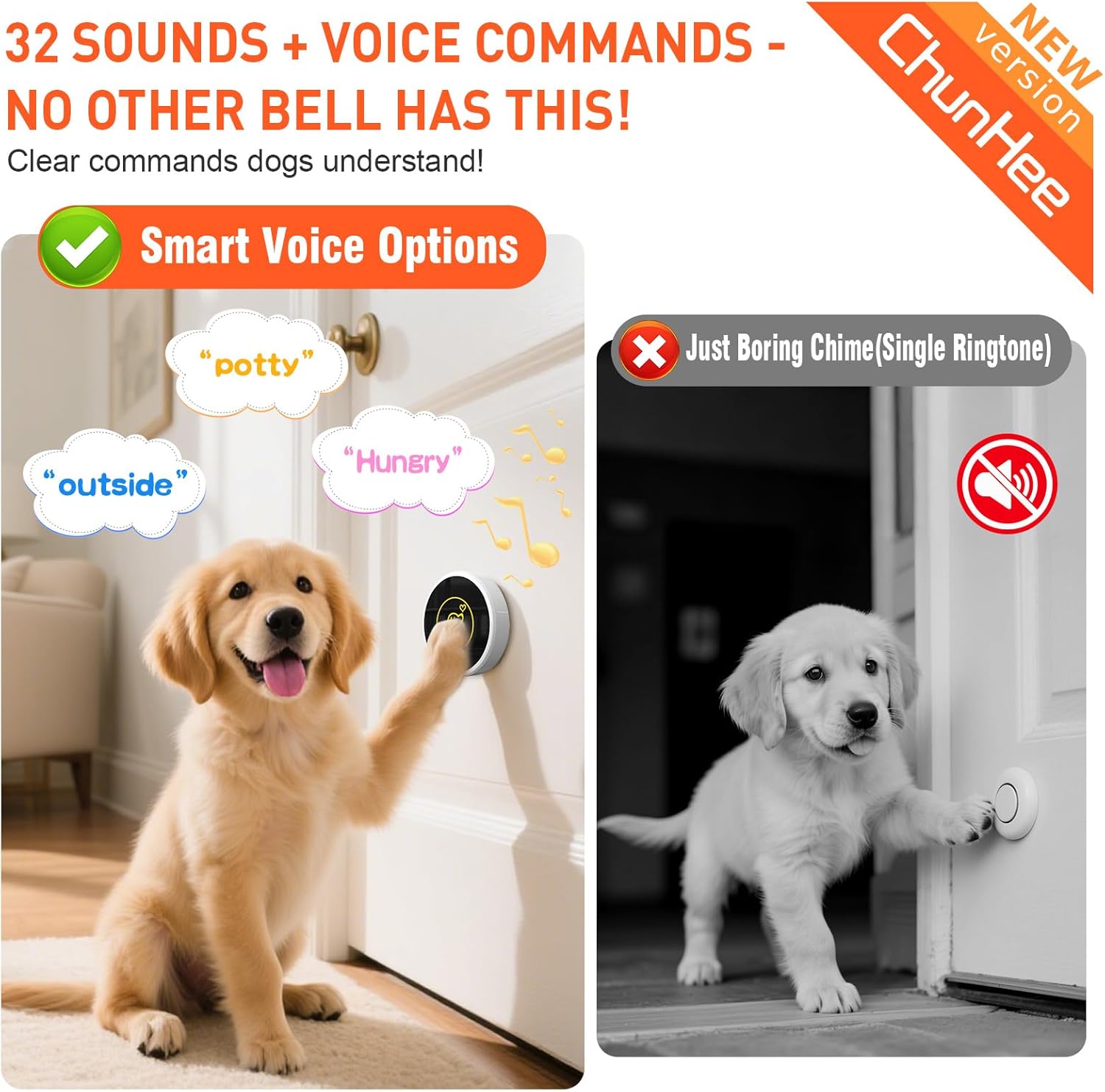
Image: A comparison showing a Golden Retriever puppy interacting with the ChunHee Smart Dog Door Bell, which offers voice commands, next to a black and white image of a puppy with a traditional, single-tone chime.
Setup Instructions
1. Receiver Installation
- Plug the receiver into a standard electrical outlet in a central location where the sound can be easily heard throughout your home.

Image: The ChunHee receiver plugged into a wall socket, illustrating its "Plug and Play" nature with features like 32 chimes, LED indicator, memory function, and 0-110dB volume.
2. Dog Button (Transmitter) Installation
- Choose a suitable location for the dog button, such as near the door your dog uses to go outside. Ensure it's at a height easily accessible by your dog's paw or nose.
- Clean the surface where you intend to mount the button.
- Peel off the backing from the reusable Velcro adhesive.
- Attach the adhesive to the back of the dog button, ensuring not to cover the screw holes if present.
- Press the dog button firmly onto the chosen surface (door, wall, or even on the floor).

Image: Examples of easy installation for the dog button using an adhesive patch, demonstrating placement on a door, glass, and floor. A note advises not to cover the screws.
3. Pairing the Button with the Receiver
If your button and receiver are not already paired, or if you wish to add more buttons, follow these steps:
- Plug the receiver into a socket.
- Press the "Forward" or "Backward" button on the receiver to select your desired melody.
- Press and hold the "Volume" button on the receiver for approximately 3 seconds until it makes a "Ding" sound and the receiver indicator flashes.
- Within 8 seconds, touch the dog button (transmitter). The receiver will make a "Ding Ding" sound, and its indicator will flash, confirming successful pairing.

Image: A step-by-step guide illustrating how to pair the dog button with the receiver. It shows plugging in the receiver, selecting a melody, holding the volume button, and then touching the transmitter.
Operating Instructions
Adjusting Ringtones and Volume
- Changing Ringtones: Use the "Forward" and "Backward" buttons on the receiver to cycle through the 32 available melodies and voice commands.
- Adjusting Volume: Press the "Volume" button on the receiver to select one of the 5 volume levels.
How Your Dog Uses the System
Once trained, your dog will simply touch the large, sensitive area of the dog button with their paw or nose. This action sends a wireless signal to the receiver, which then plays the selected chime or voice command and flashes its LED indicator, alerting you to your dog's request.

Image: A corgi observing the dog button, emphasizing its sensitive touch and the yellow triggering area, which is roughly the size of a finger joint.
Training Guide
The ChunHee Smart Dog Door Bells system includes a training guide to help your dog quickly learn to use the doorbell. Consistent training is key to success.
Basic Training Steps:
- Introduce the Button: Place the button near the door. Encourage your dog to touch it with their paw or nose. You can use a treat to lure them.
- Associate with Going Outside: Each time your dog touches the button, immediately open the door and take them outside, even if it's just for a moment. Praise and reward them.
- Consistency: Repeat this process consistently. Every time your dog needs to go out, guide them to the button.
- Coming Back In: You can also train your dog to ring the bell when they want to come back inside.

Image: A person assisting a white dog in pressing the ChunHee dog button, with a user manual titled "ChunHee Dog Door bells" in the foreground, emphasizing that training guidance is provided.

Image: A beagle sitting calmly next to a ChunHee dog button placed on the floor, illustrating its use for potty training.

Image: A Golden Retriever standing on its hind legs, pressing the ChunHee dog button mounted on a door, demonstrating how dogs can easily signal to go outside.
Maintenance
Battery Replacement
The dog button uses a CR2032 battery, which typically lasts for 2-4 years. When the button's performance declines or it stops responding, it's time to replace the battery.
- Carefully open the back cover of the dog button.
- Remove the old CR2032 battery.
- Insert a new CR2032 battery with the positive (+) side facing up.
- Close the back cover securely.

Image: A visual comparison highlighting the ChunHee dog button's use of a long-lasting CR2032 battery (2-3 years) against other brands that require more frequent changes of 12V 23A batteries.
Cleaning
Wipe the surfaces of the receiver and dog button with a soft, damp cloth. Do not use harsh chemicals or abrasive cleaners. Ensure the dog button is dry before re-mounting, especially if used outdoors.
Weather Resistance
The dog button is IP55 weatherproof, designed to withstand rain and varying temperatures from -4°F to 140°F. However, for optimal longevity, avoid prolonged exposure to extreme weather conditions.

Image: A Golden Retriever sitting on a wet porch during rainfall, with a ChunHee dog button mounted on the door frame, demonstrating the product's IP55 weatherproof rating and ability to function between -4°F and 140°F.
Troubleshooting
| Problem | Possible Cause | Solution |
|---|---|---|
| Button not ringing receiver |
|
|
| Receiver "ghost rings" or rings continuously |
|
|
| Sound is too low or too loud |
|
|
Specifications
| Feature | Detail |
|---|---|
| Brand | ChunHee |
| Model Number | CC15WH-CB09BL 3-2 US (CB09 Series) |
| Item Weight | 0.4 Kilograms (14.1 ounces) |
| Package Dimensions | 5.2 x 4.06 x 3.94 inches |
| Ringtones | 32 (including voice commands) |
| Volume Levels | 5 (0-111 dB) |
| Button Battery Type | CR2032 |
| Button Battery Life | Up to 4 years |
| Weatherproof Rating | IP55 |
| Operating Temperature | -4°F to 140°F |
| First Available Date | October 14, 2024 |
Warranty and Support
ChunHee products are designed for reliability and performance. For any questions, concerns, or technical support regarding your Smart Dog Door Bells, please contact ChunHee customer service. Refer to the product packaging or the official ChunHee website for specific warranty details and contact information.
You can visit the ChunHee Store on Amazon for more information and support.
Safety Information
- Keep the product away from extreme heat sources and open flames.
- Do not attempt to disassemble or repair the product yourself. Contact customer support for assistance.
- Ensure the receiver is plugged into a properly functioning electrical outlet.
- Keep batteries out of reach of children and pets. Dispose of used batteries responsibly.
- This product is intended for pet training purposes. Do not use it for any other unintended applications.
