
Indulgear 5DBOC
Contents
Indulgear 600LBS Heavy Duty Office Chair User Manual
Model: 5DBOC | Brand: Indulgear
1. Product Overview
The Indulgear 600LBS Large Heavy Duty Office Chair is designed for comfort and durability, featuring a 5D flip arm design, pocket spring cushion, and inflatable lumbar support. This chair is built to accommodate big and tall individuals, providing ergonomic support for long hours of use.

Image 1.1: The Indulgear 600LBS Heavy Duty Office Chair in black, showcasing its robust design and adjustable features. The image highlights the 600 lbs weight capacity and dual rubber wheels.
Key Features:
- 600lbs Weight Capacity: Engineered for heavy-duty use, providing robust support.
- 5D Flip Armrests: Multi-directional adjustable armrests that can flip up for space efficiency.
- Inflatable Lumbar Support: Customizable back support to prevent low-back pain.
- Pocket Spring Cushion: Reduces hip pressure and offers a comfortable seating experience.
- Dual Rubber Casters: Designed to protect floors from scratches and ensure smooth, quiet gliding.
- High-Quality PU Leather: Breathable, waterproof, and easy-to-clean material.
- Ergonomic Design: Provides comprehensive support for the cervical spine, back, lumbar, and hips.
2. Important Safety Information
- This chair has a maximum weight recommendation of 600 pounds. Ensure the user's weight does not exceed this capacity to maintain stability and prevent damage to the chair.
- When assembling the chair, follow the provided instructions carefully to avoid injury or damage to the product.
- Improper use of the adjustable lumbar support system may result in discomfort or injury. Users should adjust the lumbar area to their preferences for optimum comfort during the day.
- Always ensure the chair is stable and does not wobble or tip over, especially when using the 5D armrests or swiveling.
- When moving the chair, lift it carefully to avoid injury or damage to floors. Use caution on stairs or uneven surfaces.
3. Setup and Assembly
The Indulgear office chair is designed for straightforward assembly, typically taking approximately 20 minutes. Detailed step-by-step instructions and all necessary tools are included in the product packaging. Please refer to the separate assembly guide provided with your chair for specific instructions.
General Assembly Tips:
- Unpack all components and verify against the parts list in the assembly guide.
- Assemble on a soft, clean surface to prevent scratching the chair or floor.
- Do not fully tighten all screws until the entire chair is assembled, then tighten securely.
- Ensure all connections are firm and stable before using the chair.
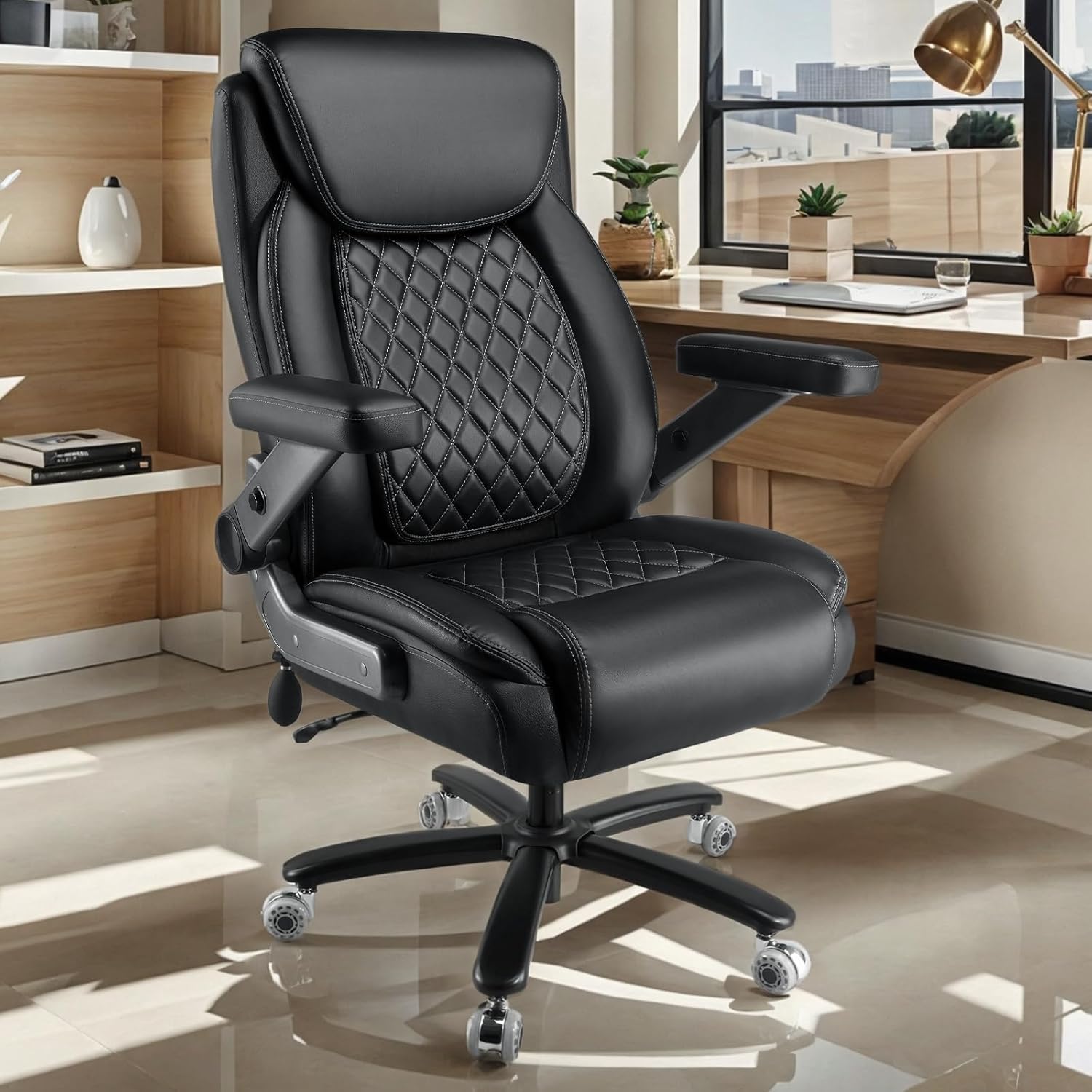
Image 3.1: The assembled Indulgear office chair positioned in a modern office environment, demonstrating its aesthetic integration into a workspace.
4. Operating Your Office Chair
This section details how to utilize the various adjustable features of your Indulgear office chair to achieve optimal comfort and ergonomic support.
4.1 Adjusting Seat Height
To adjust the seat height, locate the lever on the right side beneath the seat. Pull the lever upwards while seated to lower the seat, or stand up and pull the lever upwards to raise the seat. Release the lever at your desired height.
4.2 Adjusting Lumbar Support
The chair features an inflatable lumbar support system. Locate the small airbag pump and release button on the side of the chair. Press the pump repeatedly to inflate the lumbar area to your preferred firmness. To deflate, press the release button.

Image 4.1: Diagram illustrating the ergonomic design and adjustable lumbar support mechanism. It shows how to inflate and deflate the lumbar area for personalized comfort.
4.3 Using 5D Flip Armrests
The 5D armrests offer multiple adjustment options for enhanced flexibility and space-saving. They can be adjusted up and down, forward and back, rotated 360 degrees, and flipped up 90 degrees to push the chair closer to a desk or for easier entry/exit.

Image 4.2: A close-up diagram detailing the various adjustments of the 5D armrests, including vertical, horizontal, rotational, and flip-up movements.
4.4 Tilt Functionality
The chair allows for adjustable back angle and rocking pressure. To recline, pull out the lever on the left side of the chair. Push it back in to lock the chair in an upright position. The rocking tension can be adjusted by turning the knob located underneath the seat.

Image 4.3: Illustration demonstrating how to operate the tilt lockout mechanism and adjust the rocking pressure for the chair's backrest.
5. Care and Maintenance
Proper care and maintenance will extend the life and appearance of your Indulgear office chair.
5.1 Cleaning the PU Leather
- Wipe the PU leather surfaces with a soft, damp cloth.
- For stubborn stains, use a mild soap solution and wipe immediately with a clean, damp cloth, then dry thoroughly.
- Avoid harsh chemicals, abrasive cleaners, or solvents, as these can damage the material.
- Regularly dust the chair to prevent dirt buildup.

Image 5.1: An image highlighting the features of the high-quality PU leather used on the chair, emphasizing its breathability, waterproof nature, and ease of cleaning.
5.2 Caster Care
- Periodically check the dual rubber casters for accumulated hair or debris and clean as necessary to ensure smooth movement.
- Avoid using the chair on extremely rough surfaces that could damage the casters.

Image 5.2: A visual comparison illustrating the upgraded dual rubber casters, highlighting their smoother operation, larger contact area, and enhanced stability compared to traditional casters.
5.3 General Maintenance
- Regularly inspect all bolts and screws to ensure they are tight. Retighten if necessary.
- Avoid standing on the chair or using it as a step stool.
- Do not expose the chair to direct sunlight for prolonged periods, as this can cause the material to fade or crack.
6. Troubleshooting Common Issues
This section provides solutions for common issues you might encounter with your office chair.
6.1 Chair Squeaks or Creaks
- Solution: Check all assembly bolts and screws and tighten them securely. A small amount of silicone lubricant can be applied to moving parts or joints if the noise persists.
6.2 Seat Height Adjustment Not Working
- Solution: Ensure the gas lift lever is fully engaged. If the issue persists, the gas lift cylinder may need replacement. Contact customer support for assistance.
6.3 Casters Not Rolling Smoothly
- Solution: Inspect the casters for debris (hair, lint, dirt) and remove any obstructions. Ensure the casters are properly inserted into the chair base.
6.4 Chair Feels Unstable or Wobbly
- Solution: Recheck all assembly connections, especially where the chair back attaches to the seat and the base to the gas lift. Ensure all bolts are tightened evenly.
7. Product Specifications

Image 7.1: Diagram illustrating the key dimensions of the Indulgear office chair, including height, width, and depth measurements.
| Feature | Detail |
|---|---|
| Brand | Indulgear |
| Model Name | 5DBOC |
| Color | Black |
| Product Dimensions | 24.8"D x 32.7"W x 47.7"H |
| Size | X-Large |
| Special Features | Adjustable Height, Adjustable Lumbar, Big and Tall, Heavy Duty |
| Unit Count | 1.0 Count |
| Style | Classic |
| Pattern | Solid |
| Age Range (Description) | Adult |
| Included Components | Arm Pad, Caster |
| Shape | Square |
| Arm Style | 5D Flip Arms (Adjustable) |
| Furniture Base Movement | Glide (Dual Rubber Casters) |
| Indoor/Outdoor Usage | Indoor |
| Seat Depth | 21.65 inches |
| Leg Style | Tapered Leg (5-star base) |
| Tilting | Yes (Adjustable Back Angle) |
| Form Factor | Executive/Recliner |
| Item Weight | 55 pounds |
| Date First Available | October 14, 2024 |
8. Warranty and Customer Support
Indulgear products come with a one-year warranty period from the date of purchase. This warranty covers manufacturing defects and material flaws under normal use.
What the Warranty Covers:
- Defects in materials and workmanship.
- Functional components such as the gas lift, casters, and adjustment mechanisms.
What the Warranty Does Not Cover:
- Normal wear and tear.
- Damage caused by misuse, abuse, accident, or unauthorized modifications.
- Damage from improper assembly or maintenance not in accordance with this manual.
Customer Support:
If you have any questions, concerns, or require assistance with your Indulgear office chair, please do not hesitate to contact our customer support team. We are committed to providing a satisfactory solution.
Please refer to your purchase documentation or the Indulgear official website for the most current contact information.
Documents and downloads
Ask a question about this manual
Ask about setup, troubleshooting, compatibility, parts, safety, or missing instructions. Manuals+ will review the question and use this page’s manual context to help answer it.