
Retevis RT86A
Retevis RT86A Walkie Talkie Instruction Manual
Model: RT86A | Brand: Retevis
1. Product Overview
The Retevis RT86A is a high-power GMRS 2-way radio designed for robust and reliable communication in demanding environments such as industrial parks and warehouses. It features strong signal penetration, long battery life, and convenient group call functions.
1.1 Product Image

1.2 What's in the Box
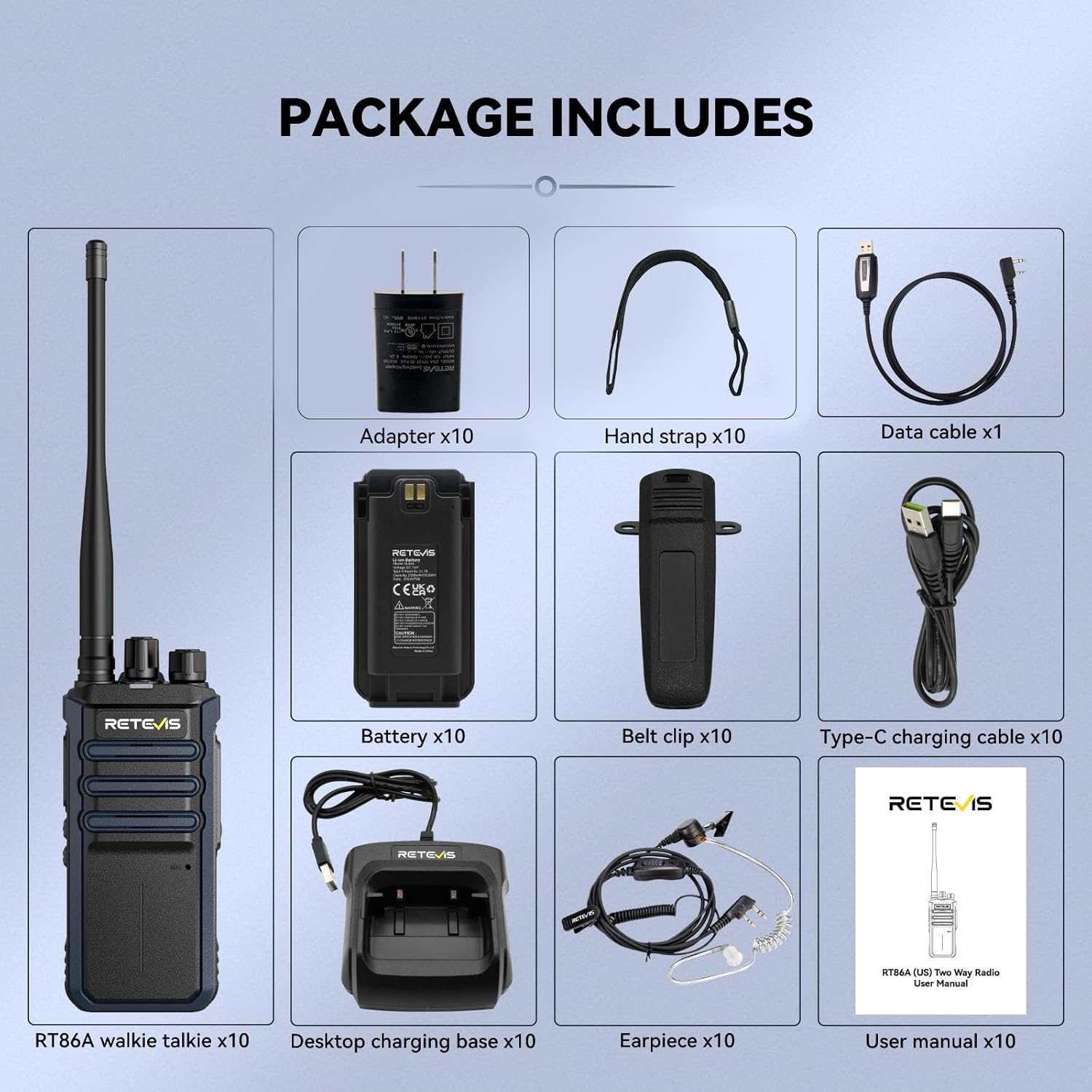
- RT86A walkie talkie x10
- Battery x10
- Type-C charging cable x10
- Desktop charging base x10
- Adapter x10
- Earpiece x10
- User manual x10
1.3 Package Details Video
This video provides a detailed overview of the RT86A package contents and how they are presented.
2. Setup Guide
2.1 Attaching the Battery
Align the battery with the back of the radio and slide it into place until it clicks securely. Ensure the battery is fully seated to maintain power connection.
2.2 Attaching the Antenna
Screw the antenna clockwise into the connector on the top of the radio until it is firmly attached. Do not overtighten.
2.3 Attaching the Belt Clip and Hand Strap
Secure the belt clip to the designated area on the back of the radio using the provided screws. Attach the hand strap to the loop on the radio for added security during use.
2.4 Initial Charging
Before first use, fully charge the radio's battery. Place the radio in the desktop charging base or connect the Type-C charging cable directly to the radio. The 2500 mAh battery provides approximately 17 hours of work time and 120 hours of standby time on a full charge.

3. Operating Instructions
3.1 Power On/Off
To power on the radio, rotate the power/volume knob clockwise until you hear a click. To power off, rotate it counter-clockwise until it clicks.
3.2 Channel Selection
Rotate the channel knob on the top of the radio to select your desired communication channel. The RT86A supports 30 memory channels.
3.3 Push-to-Talk (PTT)
Press and hold the large side button (PTT) to transmit your voice. Release the button to receive. Speak clearly into the microphone located on the front of the radio.
3.4 Group Call Function
The one-touch group call function allows you to contact team members across different channels. This feature is useful for work dispatch, emergency notifications, and team coordination in large-scale operations.

3.5 Emergency Alarm
Long press the PF1 button (programmable function button 1) for 3 seconds to activate the emergency alarm. This feature helps in maintaining safety and responding to emergencies promptly.
3.6 VOX Hands-free Operation
The RT86A supports VOX (Voice Operated Exchange) for hands-free communication. When VOX is enabled, the radio will automatically transmit when it detects your voice, eliminating the need to press the PTT button. Refer to the full user manual for VOX sensitivity level adjustments.
3.7 Power Adjustment
The RT86A allows for power adjustment (Low, Medium, High) to optimize battery life and communication range. Consult the full user manual for detailed instructions on how to change power settings.
3.8 Compatibility and Intercommunication
The RT86A is designed for broad compatibility. When the walkie talkie is powered off, press and hold the PF2 button for 3 seconds to turn it on and switch to the frequency of RT86, achieving quick compatibility. To improve compatibility with other GMRS walkie-talkies, you can turn off CTCSS/DCS. To do this, turn off the RT86A, then press the PF2 and PTT buttons simultaneously to turn it on. After the prompt tone, CTCSS/DCS will be turned off for all channels.

3.9 Function Operation Video
This video demonstrates various functions and operations of the RT86A walkie talkie.
3.10 Intercommunication with RT86 Video
This video illustrates the intercommunication process between the RT86A and RT86 models.
4. Maintenance and Care
4.1 Battery Care
To maximize battery life, avoid overcharging and completely discharging the battery. Store the radio and battery in a cool, dry place when not in use for extended periods.
4.2 Durability and Environmental Conditions
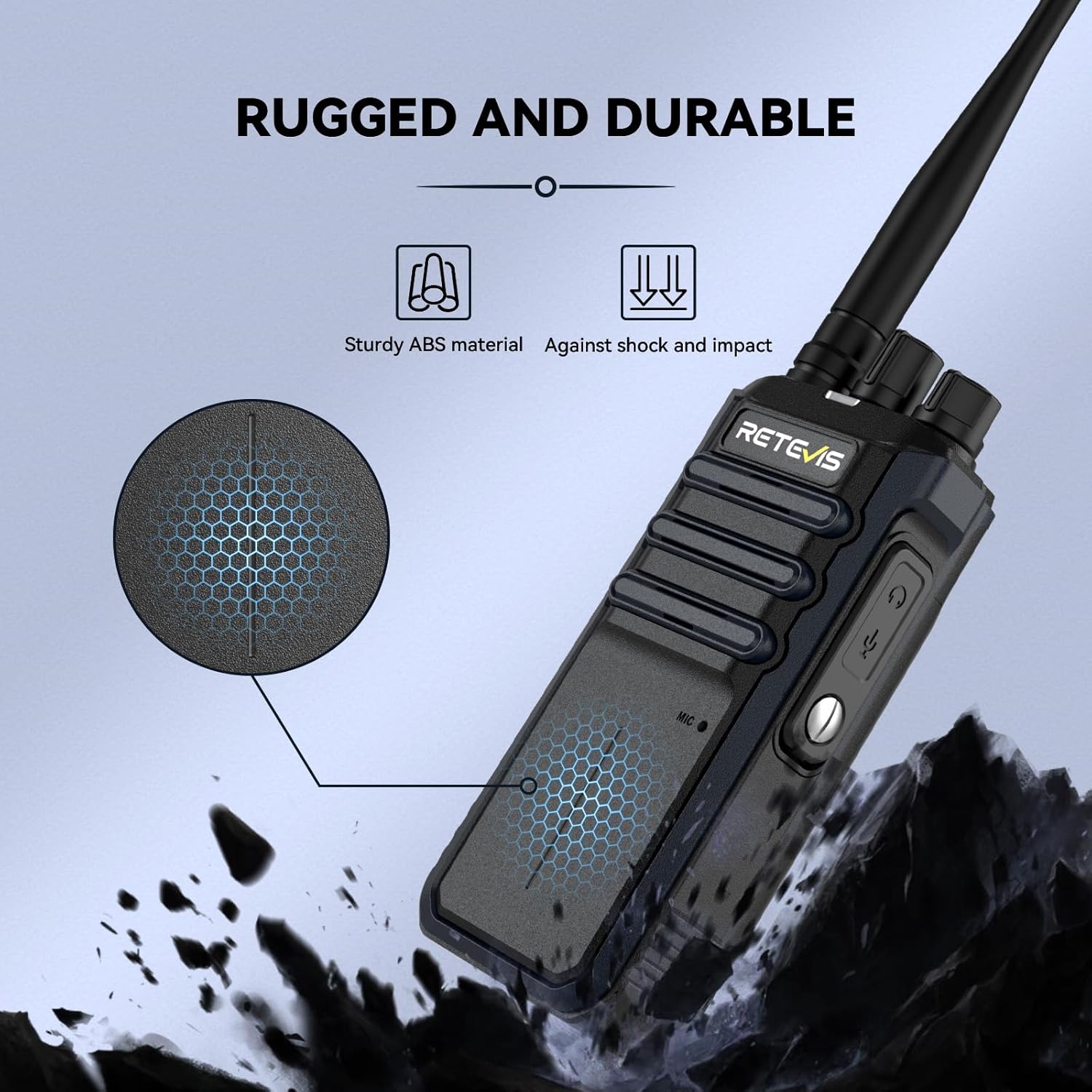
The RT86A walkie talkie shell is made of durable ABS material, providing good rigidity, high impact strength, heat resistance, and low temperature resistance. It can be used in temperatures ranging from -20℃ to 50℃ and is designed to withstand accidental drops, making it suitable for complex working environments.
4.3 Cleaning
Clean the radio with a soft, damp cloth. Do not use harsh chemicals or abrasive cleaners. Ensure the charging ports are free of dust and debris.
5. Troubleshooting
5.1 No Power
- Check if the battery is properly installed and charged.
- Ensure the power/volume knob is turned clockwise to the 'ON' position.
5.2 No Sound or Low Volume
- Adjust the volume knob.
- Ensure the radio is on the correct channel.
- Check if the earpiece is properly connected and functioning.
- The RT86A is equipped with a microphone gain function to help increase the transmission volume and keep communication clear and loud.
5.3 Short Communication Range
- Ensure the antenna is securely attached.
- Check for obstructions like buildings or terrain that may interfere with the signal.
- Verify the power setting is on 'High' for maximum range.
- The RT86A's high power output can cover up to 700,000 square feet and penetrate up to 50 floors.

5.4 Cannot Communicate with Other Radios
- Ensure all radios are on the same channel.
- Verify that CTCSS/DCS settings are consistent across all radios, or turn off CTCSS/DCS on the RT86A for broader compatibility (refer to section 3.8).
6. Specifications
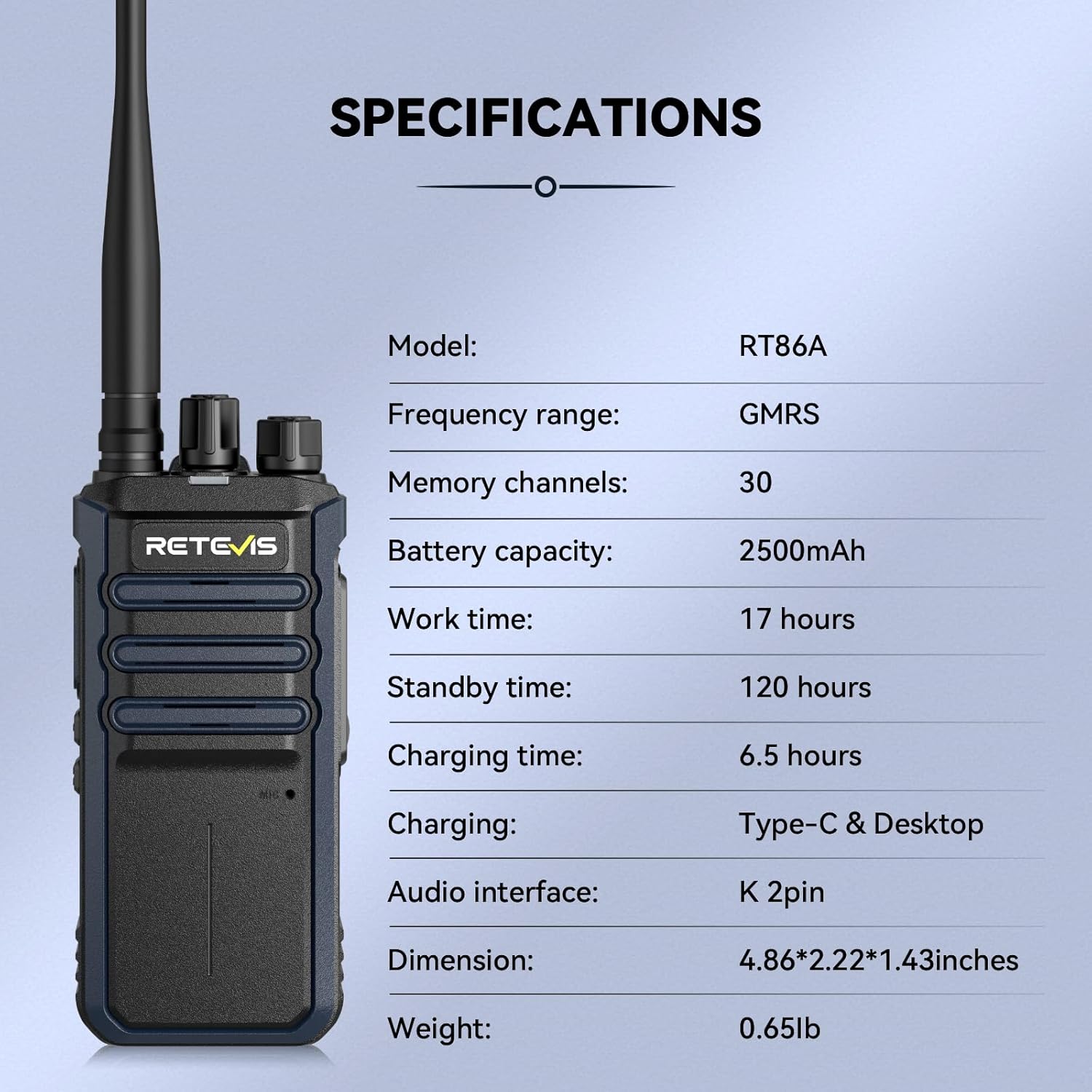
| Feature | Detail |
|---|---|
| Model Number | RT86A |
| Item Weight | 10.4 ounces |
| Product Dimensions | 2.22 x 4.86 x 1.43 inches |
| Country of Origin | China |
| Batteries | 10 Lithium Ion batteries required (included) |
| Manufacturer | Retevis |
| Color | Black |
| Number of Channels | 30 |
| Special Feature | High power; Group call; Easy pairing |
| Frequency Range | GMRS |
| Talking Range Maximum | 3.6E+2 Meter (approx. 700,000 sq ft coverage) |
| Tuner Technology | GMRS |
| Voltage | 7.4 Volts (DC) |
| Water Resistance Level | Water Resistant |
7. Warranty and Support
7.1 Warranty Information
Retevis provides a 2-year warranty for the radio body and a 1-year warranty for accessories. We also offer a 30-day no-reason return policy.
7.2 Post-Warranty Service
Beyond the warranty period, we continue to offer maintenance services. Buyers are responsible for any corresponding costs incurred.
7.3 Customer Support
For any inquiries or support needs, please contact us on Amazon. We aim to reply within 12 hours to provide the most hassle-free assistance possible.
For more information, visit the official Retevis Store.
Ask a question about this manual
Ask about setup, troubleshooting, compatibility, parts, safety, or missing instructions. Manuals+ will review the question and use this page’s manual context to help answer it.