
1. Introduction
Thank you for choosing the OMISOON Air Purifier. This manual provides essential information for the safe and efficient operation, maintenance, and troubleshooting of your device. Please read it thoroughly before use and retain it for future reference.
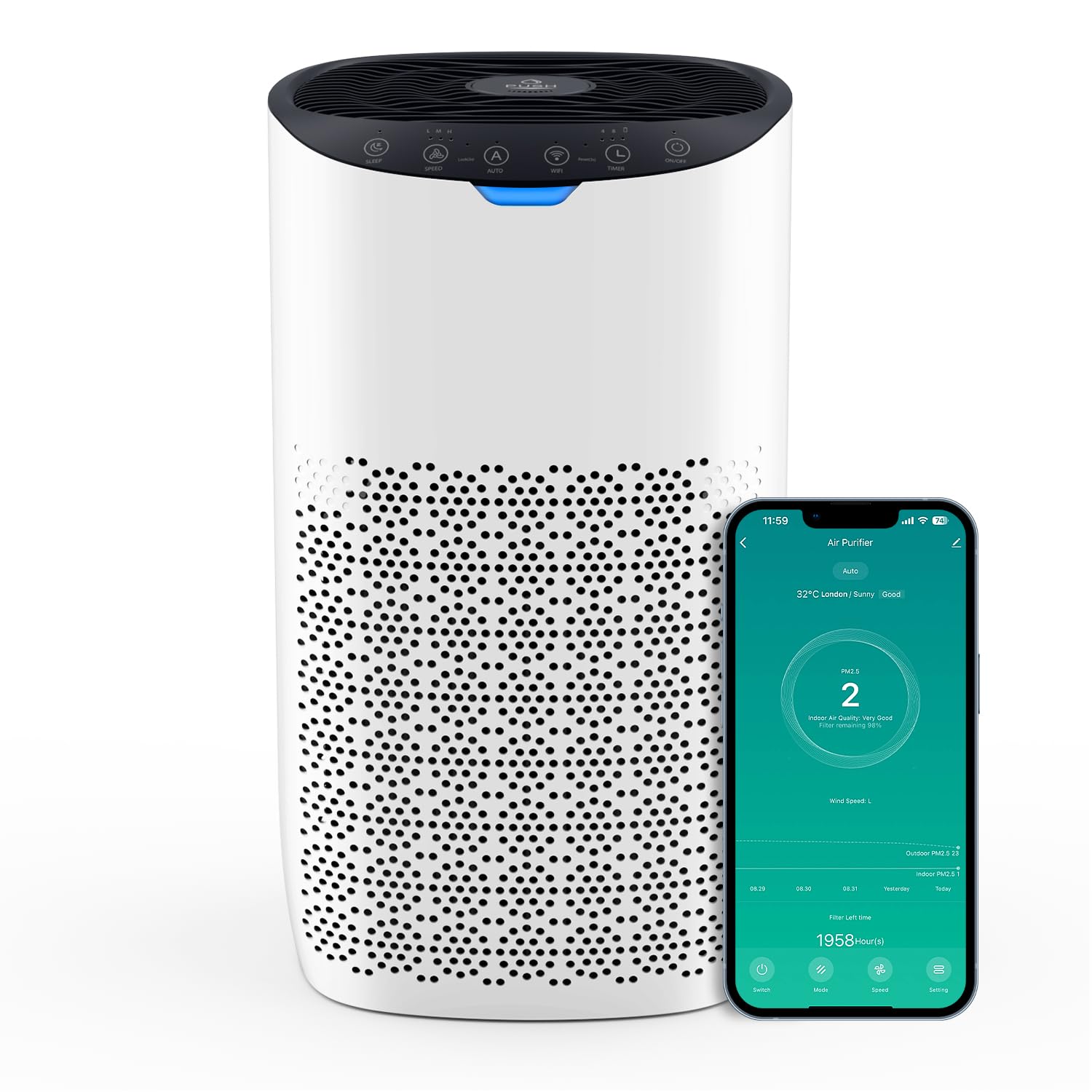
Image: The OMISOON Air Purifier efficiently cleans air in large rooms, with a CADR of 300 m³/h, capable of purifying a 120m² room once per hour, a 60m² room twice, or a 30m² room four times per hour.
2. Important Safety Instructions
- Read all instructions before operating the appliance.
- Do not operate any appliance with a damaged cord or plug.
- Do not use the appliance outdoors or on wet surfaces.
- Keep the power cord away from heated surfaces.
- Always unplug the air purifier before moving it, opening the grille, changing filters, or whenever it is not in use.
- Do not block air openings.
- Do not insert objects into any openings.
- Use only as described in this manual.
3. Product Overview
Package Contents
- OMISOON Air Purifier (Model DH-JHD03W)
- 5-in-1 Composite Filter (pre-installed)
- User Manual
Key Features
- High CADR (300 m³/h): Effectively purifies air in rooms up to 120 m².
- 5-in-1 Filtration System: Captures 99.97% of particles down to 0.3 microns, including dust, pollen, pet dander, and allergens.
- Smart Control: APP and Voice Control (Alexa, Google Assistant) for convenient operation.
- Real-time Air Quality Feedback: Integrated laser sensor and color indicator.
- Automatic Mode: Adjusts fan speed based on detected air quality.
- Ultra-Quiet Sleep Mode: Operates at 25 dB with lights off for undisturbed rest.
- Aromatherapy Function: Add essential oils for a pleasant fragrance.
4. Setup
4.1 Unpacking and Filter Installation
- Carefully remove the air purifier from its packaging.
- Remove any protective tape, especially from the essential oil compartment lid on the top.
- Turn the unit upside down.
- Twist the base cover counter-clockwise to unlock and remove it.
- Take out the pre-installed 5-in-1 composite filter.
- Remove the plastic packaging from the filter. Important: The filter must be unwrapped before use.
- Insert the unwrapped filter back into the unit.
- Replace the base cover and twist clockwise to lock it securely. Ensure it sits properly.
- Place the air purifier upright on a flat, stable surface. Ensure there is at least 15 cm (6 inches) of space around all sides for optimal airflow.

Image: The 5-in-1 high-performance filter system includes a filter hole, pre-filter, ultra-effective filter, activated carbon filter, and a sturdy steel mesh layer for comprehensive air purification.
4.2 Power Connection
Plug the power cord into a standard electrical outlet. The unit will enter standby mode.
4.3 Smart App and Voice Control Setup
For intelligent control features, download the "Smart Life" app from your smartphone's app store. Follow the in-app instructions to pair your air purifier with your Wi-Fi network. Once connected, you can integrate it with Amazon Alexa or Google Assistant for voice control.

Image: The air purifier offers smart control options such as remote control via a mobile app, voice control with Alexa or Google Assistant, scheduling, and filter change reminders for enhanced convenience.
5. Operating Instructions
5.1 Control Panel Overview
The control panel is located on the top of the unit. It includes buttons for Power, Fan Speed, Auto Mode, Sleep Mode, Wi-Fi, and Timer.
5.2 Power On/Off
Press the Power button to turn the unit on or off.
5.3 Fan Speed Adjustment
Press the Fan Speed button to cycle through available fan speeds (Low, Medium, High). The unit has 3 speed settings.
5.4 Automatic Mode
Press the Auto button to activate Automatic Mode. In this mode, the built-in laser sensor detects real-time air quality and automatically adjusts the fan speed to optimize purification.

Image: The air purifier features a smart sensor that provides real-time air quality feedback through a 4-color indicator: Blue (Very Good), Green (Good), Yellow (Moderate), and Red (Bad). The Auto mode adjusts purification based on these readings.
5.5 Sleep Mode
Press the Sleep button to enter Sleep Mode. The unit operates at its lowest fan speed (25 dB) and all indicator lights turn off to ensure a quiet and dark environment for sleep.

Image: The air purifier's smart sleep mode ensures quiet operation at 25 dB, making it ideal for bedrooms and promoting restful sleep.
5.6 Timer Function
Press the Timer button to set an operating duration (e.g., 2, 4, 8 hours). The unit will automatically turn off after the set time.
5.7 Aromatherapy Function
Locate the aromatherapy pad compartment on the top of the unit. Add a few drops of your preferred essential oil onto the pad. The air purifier will then diffuse the fragrance along with purified air.
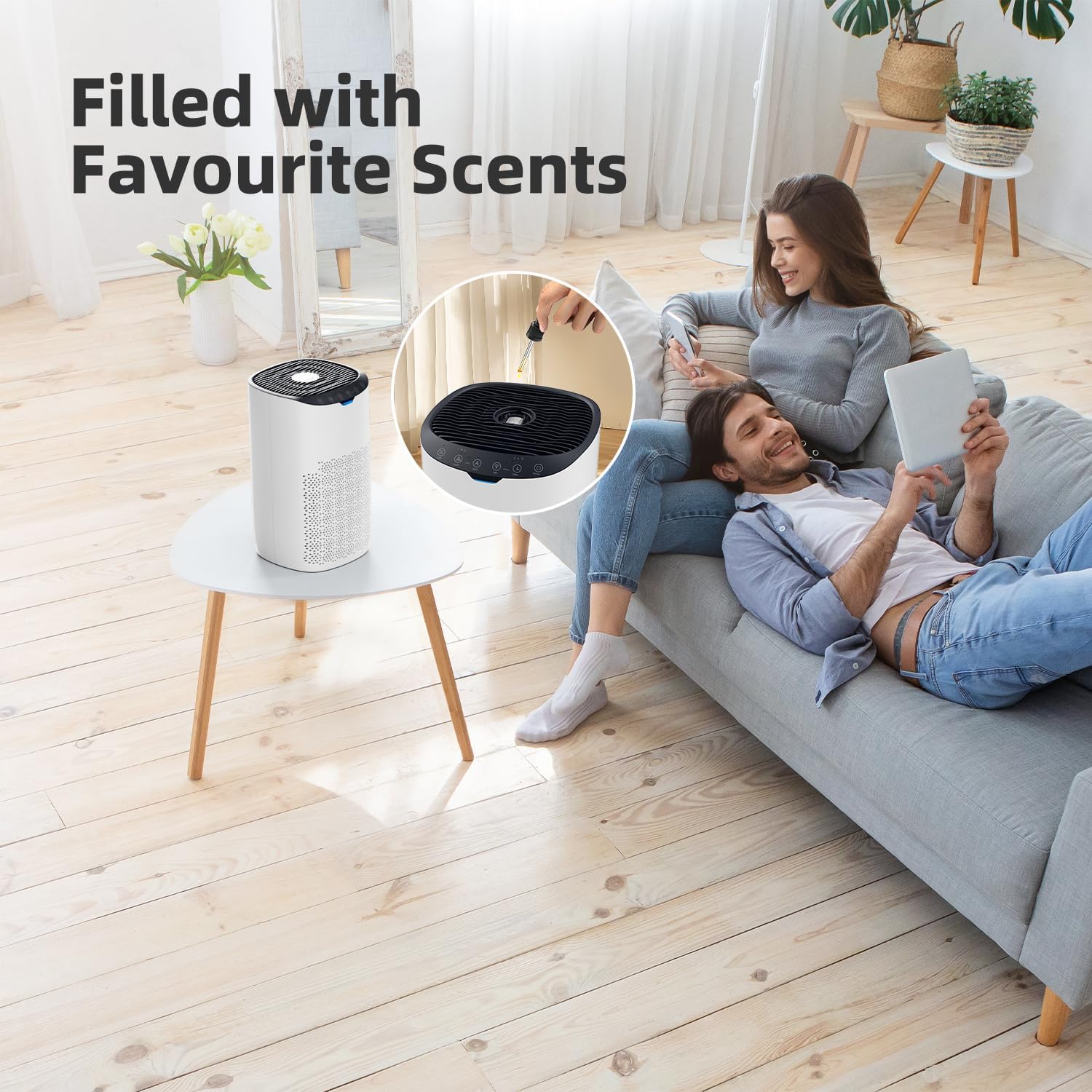
Image: The aromatherapy feature allows users to add essential oils to a dedicated pad, filling the air with pleasant scents while the purifier operates.
6. Maintenance
6.1 Cleaning the Exterior
Wipe the exterior of the air purifier with a soft, dry cloth. Do not use abrasive cleaners or solvents.
6.2 Filter Cleaning and Replacement
The 5-in-1 composite filter has a lifespan of approximately 3-6 months, depending on usage and air quality. The app will provide a filter life reminder.
- Filter Cleaning: The filter can be periodically cleaned with a dry vacuum cleaner to remove accumulated dust and debris. This can extend its effective life.
- Filter Replacement: When the filter life indicator signals replacement, follow the steps in Section 4.1 (Unpacking and Filter Installation) to replace the old filter with a new one.
- Note: Replacement filters are essential for maintaining optimal performance. Check with the manufacturer or authorized retailers for availability of genuine OMISOON replacement filters.
6.3 Aromatherapy Pad Cleaning
The aromatherapy pad can be cleaned with a damp cloth and allowed to dry completely before reuse. Replace the pad if it becomes discolored or loses effectiveness.
7. Troubleshooting
| Problem | Possible Cause | Solution |
|---|---|---|
| Unit does not turn on. | Not plugged in; power outlet malfunction; power button not pressed. | Ensure power cord is securely plugged in. Test outlet with another device. Press the Power button. |
| Poor air purification performance. | Filter is dirty or expired; protective plastic not removed from filter; air inlets/outlets blocked. | Clean or replace the filter. Ensure filter plastic is removed. Check and clear any obstructions. |
| Unusual noise. | Filter not installed correctly; foreign object inside unit. | Reinstall filter correctly. Unplug and check for foreign objects. |
| App connection issues. | Incorrect Wi-Fi password; unit too far from router; app not updated. | Verify Wi-Fi password. Move unit closer to router. Update "Smart Life" app. Refer to app's troubleshooting guide. |
| Voice control not working. | Not linked to Alexa/Google Assistant; incorrect commands. | Ensure proper integration with your smart assistant. Use correct voice commands as specified by the app. |
8. Specifications
| Feature | Detail |
|---|---|
| Brand | OMISOON |
| Model Number | DH-JHD03W |
| Color | White |
| Dimensions (L x W x H) | 23.8 x 23.8 x 40.9 cm (9.37 x 9.37 x 16.1 inches) |
| Weight | 4.03 kg (8.88 lbs) |
| Power | 28 Watts |
| CADR (Clean Air Delivery Rate) | 300 m³/h |
| Recommended Room Size | 60-120 m² (645-1290 sq ft) |
| Number of Fan Speeds | 3 |
| Noise Level (Sleep Mode) | 25 dB |
| Filter Type | 5-in-1 HEPA Composite Filter |
| Control Method | Control Panel, Smart Life App, Amazon Alexa, Google Assistant |
| Certifications | CE, RoHS |
| Automatic Shut-off | Yes |
9. Warranty and Support
9.1 Warranty Information
OMISOON products are designed and manufactured to the highest quality standards. This product comes with a standard manufacturer's warranty. The warranty period may vary by region and local regulations. Please refer to your purchase documentation or contact customer support for specific warranty details applicable to your location.
Note: In some regions, such as Germany, consumer warranty periods are legally mandated for a minimum of two years, superseding any shorter manufacturer's stated warranty. Always check your local consumer protection laws.
9.2 Customer Support
If you encounter any issues or have questions regarding your OMISOON Air Purifier, please contact our customer support team. For the fastest service, have your model number (DH-JHD03W) and purchase details ready.
Contact information can typically be found on the OMISOON official website or through your retailer's support channels.


