
CountureMode G007
Contents
CountureMode Hidden Camera Detector
Model: G007
Introduction
The CountureMode G007 Hidden Camera Detector is a versatile and portable device designed to enhance your privacy and security. It features multiple detection modes to identify hidden cameras, listening devices, GPS trackers, and other covert surveillance equipment. Its compact size and user-friendly interface make it an essential tool for personal and professional use in various environments.

Figure 1: CountureMode G007 Hidden Camera Detector - Front and back view of the compact device.
Key Features
- Portable and Durable Design: Small (0.4 x 1 x 4 inches) and lightweight (0.07 lbs) for easy portability. Features a built-in rechargeable lithium battery for extended use.
- Professional 7-in-1 Anti-Spy Detection: Offers four powerful detection functions:
- Protection Mode: Triggers an alarm upon detecting slight external force, acting as a personal alarm.
- Signal Detector: Detects active RF eavesdropping emissions, including wireless Wi-Fi cameras, wired hidden cameras, and listening devices.
- Infrared Radiation Detection: Identifies hidden cameras with night vision capabilities.
- GPS Tracker Detector: Detects magnetic fields generated by GPS tracking devices.
- Enhanced Privacy Protection: Suitable for use in various locations such as bathrooms, meeting rooms, living rooms, vehicles, hotels, and homes.
- LCD Display & User-Friendly Operation: Equipped with a high-definition LCD display for intuitive status indication. Simple two-button operation for easy function switching.
- Integrated Flashlight: A convenient flashlight function is included to assist in low-light detection scenarios.

Figure 2: Overview of the 7-in-1 multifunctional capabilities, including LCD display, red light spectral detection, burglar alarm, magnetic GPS detection, easy portability, and long standby time.
What's in the Box
- CountureMode G007 Hidden Camera Detector
- USB-C Charging Cable
- User Manual
- Lanyard
Specifications
| Attribute | Value |
|---|---|
| Product Dimensions | 4 x 1 x 0.4 inches |
| Item Weight | 0.07 lbs (0.634 ounces) |
| Model Number | G007 |
| Batteries | 1 Lithium Polymer battery (included) |
| Connectivity Technology | Wireless |
| Material | Plastic |
| Manufacturer | CountureMode |
Setup
- Unboxing: Carefully remove the detector and all accessories from the packaging.
- Initial Charge: Before first use, fully charge the device using the provided USB-C charging cable. Connect the cable to the charging port on the side of the detector and plug the other end into a compatible USB power source (e.g., computer USB port, wall adapter - not included). The LCD display will indicate charging status.
- Power On: Press and hold the power button (bottom button) for a few seconds until the LCD screen illuminates.
- Familiarize with Controls:
- Power Button: Press and hold to turn on/off. Short press to switch between modes.
- Function Button (top button): Used to activate specific detection functions or adjust sensitivity.
- Sensitivity Slider: Located on the side, this slider adjusts the detection sensitivity for signal detection.

Figure 3: The detector offers multiple methods for finding hidden devices, including wireless detection, filter reflection point detection, and infrared detection.
Operating Modes
The CountureMode G007 offers several modes to detect various types of hidden devices:
- Signal Detection Mode (RF Detection):
This mode detects active RF (Radio Frequency) signals emitted by wireless cameras, listening devices, and other transmitting bugs. The signal strength indicator on the LCD will increase as you get closer to a signal source.
- Turn on the device. The default mode is usually signal detection.
- Adjust the sensitivity slider on the side. Start with lower sensitivity and gradually increase it to narrow down the search area.
- Slowly sweep the detector around the area you wish to inspect (e.g., walls, furniture, electronic devices).
- An increasing number of illuminated bars on the LCD and an audible alert indicate a detected signal.
- Infrared (IR) Detection Mode:
This mode helps locate hidden cameras, especially those with night vision capabilities, by identifying their infrared emissions. The red filter on the detector helps to highlight the camera lens.
- Short press the power button to cycle through modes until the IR icon is displayed on the LCD.
- Look through the red filter on the top of the device.
- Scan the room, paying close attention to common hiding spots like smoke detectors, clocks, power outlets, and decorative items. Hidden camera lenses will appear as bright red dots when viewed through the filter.
- Magnetic Field Detection Mode (GPS Tracker Detection):
This mode is specifically designed to detect magnetic GPS trackers, which are often attached to vehicles using magnets.
- Short press the power button to cycle through modes until the magnetic icon (U-shaped magnet) is displayed.
- Move the detector close to surfaces where GPS trackers might be hidden, such as under vehicles, inside wheel wells, or within car interiors.
- The device will alert you when a magnetic field is detected.
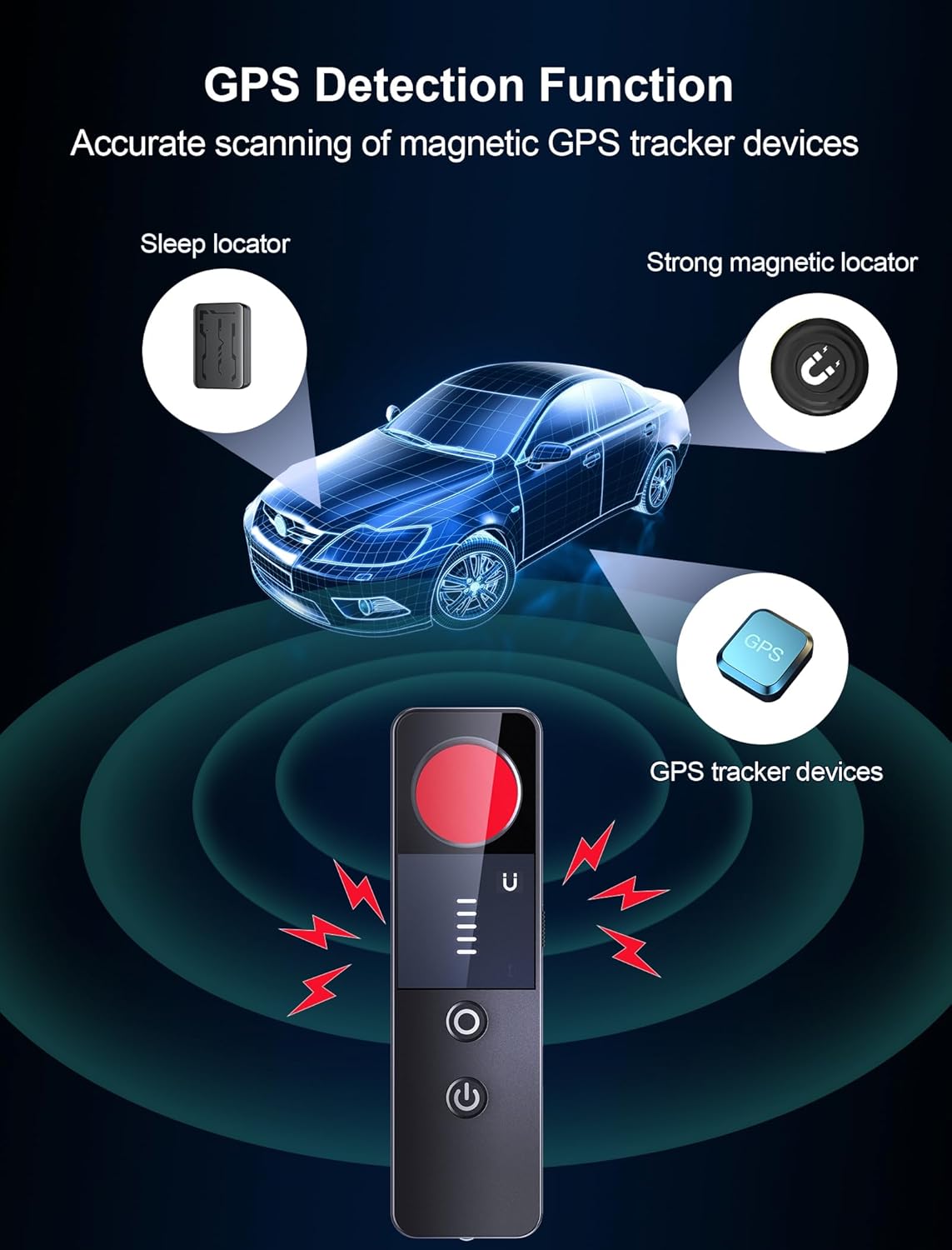
Figure 4: The detector's GPS detection function accurately scans for magnetic GPS tracker devices, including sleep locators and strong magnetic locators.
- Protection Mode (Vibration Alarm):
This mode activates a vibration-triggered alarm, useful for securing personal belongings or alerting you to unauthorized entry.
- Short press the power button to select the Protection Mode (alarm icon).
- Place the device on or near the item you want to protect (e.g., a door handle, luggage).
- If the device detects movement or vibration, it will emit an audible alarm.

Figure 5: The Anti-Theft Alarm feature provides security by alerting you to movement, protecting your personal and property safety.
- SOS Function:
In emergency situations, the device can emit an SOS signal.
- Press and hold both the power button and the function button simultaneously to activate the SOS function.
Video 1: Official demonstration of the CountureMode Hidden Camera Detector's various functions, including bug and camera detection.
Maintenance
- Cleaning: Use a soft, dry cloth to clean the device. Do not use liquid cleaners or abrasive materials.
- Storage: Store the detector in a cool, dry place away from direct sunlight and extreme temperatures.
- Battery Care: To prolong battery life, avoid fully discharging the device frequently. Charge it regularly, even if not in active use.
Troubleshooting
| Problem | Possible Solution |
|---|---|
| Device does not turn on. | Ensure the device is fully charged. Connect to a power source and try again. |
| No signal detected when expected. |
|
| False alarms in Signal Detection Mode. |
|
| Infrared detection not working. | Ensure you are in Infrared Detection Mode and looking through the red filter. Check for sufficient ambient light for the camera to emit IR. |
Warranty and Support
For warranty information and technical support, please refer to the contact details provided on the product packaging or the official CountureMode website. Keep your purchase receipt for warranty claims.
Ask a question about this manual
Ask about setup, troubleshooting, compatibility, parts, safety, or missing instructions. Manuals+ will review the question and use this page’s manual context to help answer it.