1. Introduction
This manual provides detailed instructions for the TELESIN Wireless Charging Case, a versatile power bank designed for GoPro Hero 13 batteries. It functions as a dual-slot battery charger and a 10000mAh power bank for various electronic devices. Please read this manual thoroughly before use to ensure proper operation and safety.
The TELESIN Wireless Charging Case (Model: TXSM-AU-S0-PB-01-TGP) offers an all-in-one solution for power storage and fast charging, compatible with GoPro Hero 13 and TELESIN batteries.

Image: TELESIN Wireless Charging Case with two GoPro batteries, highlighting its power storage and fast charging features. This device is an all-in-one solution for GoPro Hero 13 and TELESIN batteries, featuring a 10000mAh high-capacity battery that can fully charge a phone twice.
2. Package Contents
Verify that all items listed below are included in your package:
- 1 x TELESIN Wireless Charging Case (Power Bank for Hero Battery)
- 1 x Package Box
- 1 x Instruction Manual
- 1 x USB-C to C Data Cable
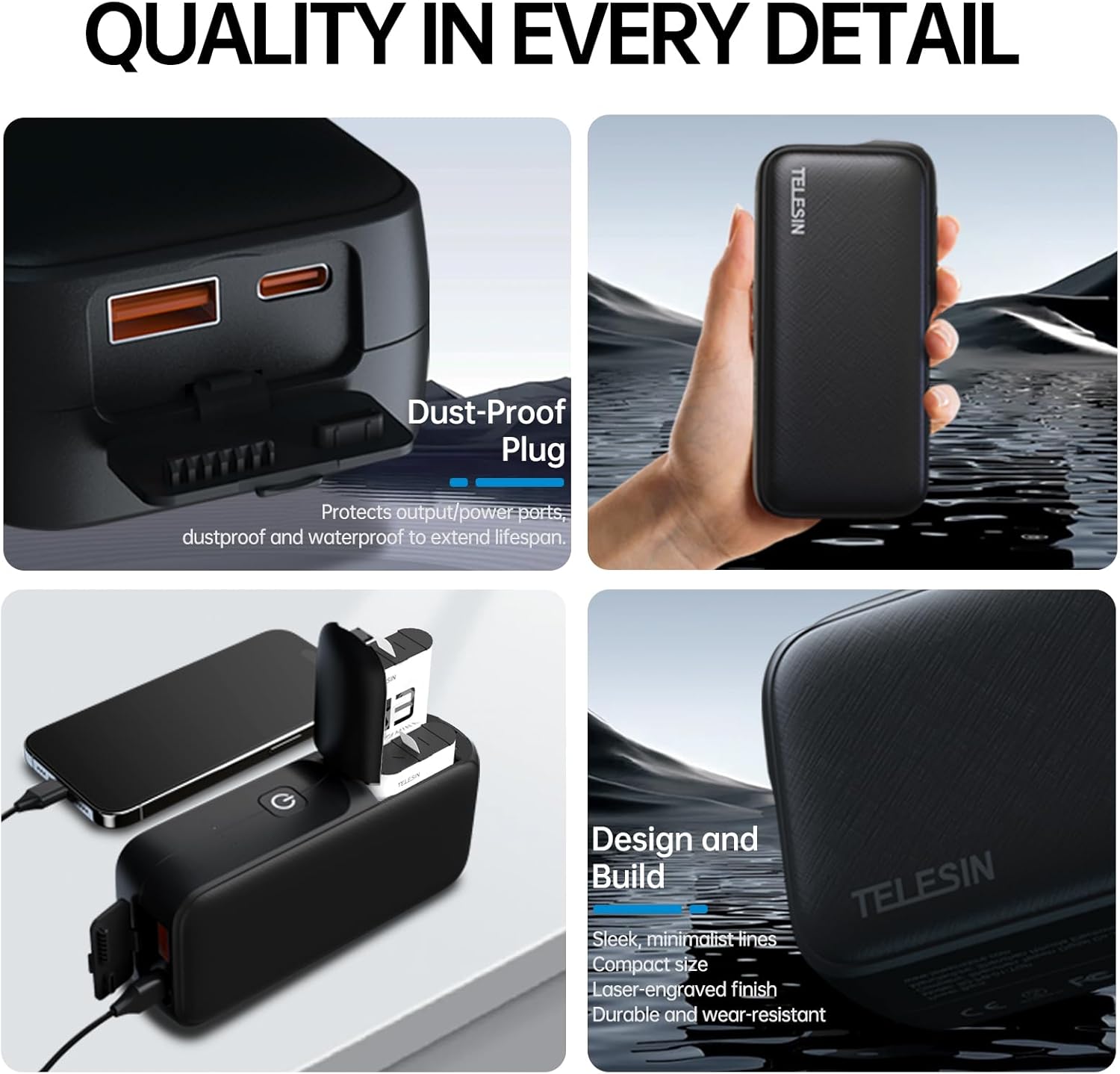
Image: The TELESIN Wireless Charging Case displayed alongside its packaging, instruction manual, and USB-C to C data cable, illustrating the complete package contents.
3. Product Overview
3.1 Components and Indicators
The TELESIN Wireless Charging Case features a robust design with multiple ports and indicators for efficient operation.

Image: Detailed view of the charging case's indicators. It shows the power check button, four power bank LEDs, and individual battery slot LEDs (red for not full, green for nearly full). This allows for a quick glance at the working status.
- Power Check Button: Short press to check battery level. Long press for 2 seconds to switch off output.
- Power Bank LEDs: Four external indicators show the mobile power's charge status.
- Battery Slot LEDs: Individual indicators for each GoPro battery slot. Red indicates not full, Green indicates nearly full.
- USB-C Port: Input/Output port for charging the power bank or external devices.
- USB-A Port: Output port for charging external devices.
3.2 Multi-Port Output
The device supports simultaneous charging from up to three ports: the Hero battery slots, USB-C, and USB-A.

Image: The TELESIN Wireless Charging Case with USB-C and USB-A ports in use, demonstrating its three-port output capability. Note that when USB-C and USB-A are used simultaneously, fast charging is not supported on the USB-C port; both ports provide standard outputs.
3.3 Safety Features
The charging case incorporates multiple protection mechanisms to ensure safe charging for all connected devices.

Image: Visual representation of the charging case's safety features, including overcharge, short circuit, overvoltage, and over-discharge protection, ensuring a secure charging environment.
4. Setup
4.1 Charging the Power Bank
Before first use, fully charge the TELESIN Wireless Charging Case.
- Connect the provided USB-C to C cable to the USB-C port on the charging case.
- Connect the other end of the cable to a 20W fast charger (not included).
- The power bank LEDs will illuminate to indicate charging status. All four LEDs will be solid when fully charged.
Using a 20W charger, the 10000mAh power bank can be fully charged in approximately 2.5 hours. A standard 5W charger may take up to 10 hours.
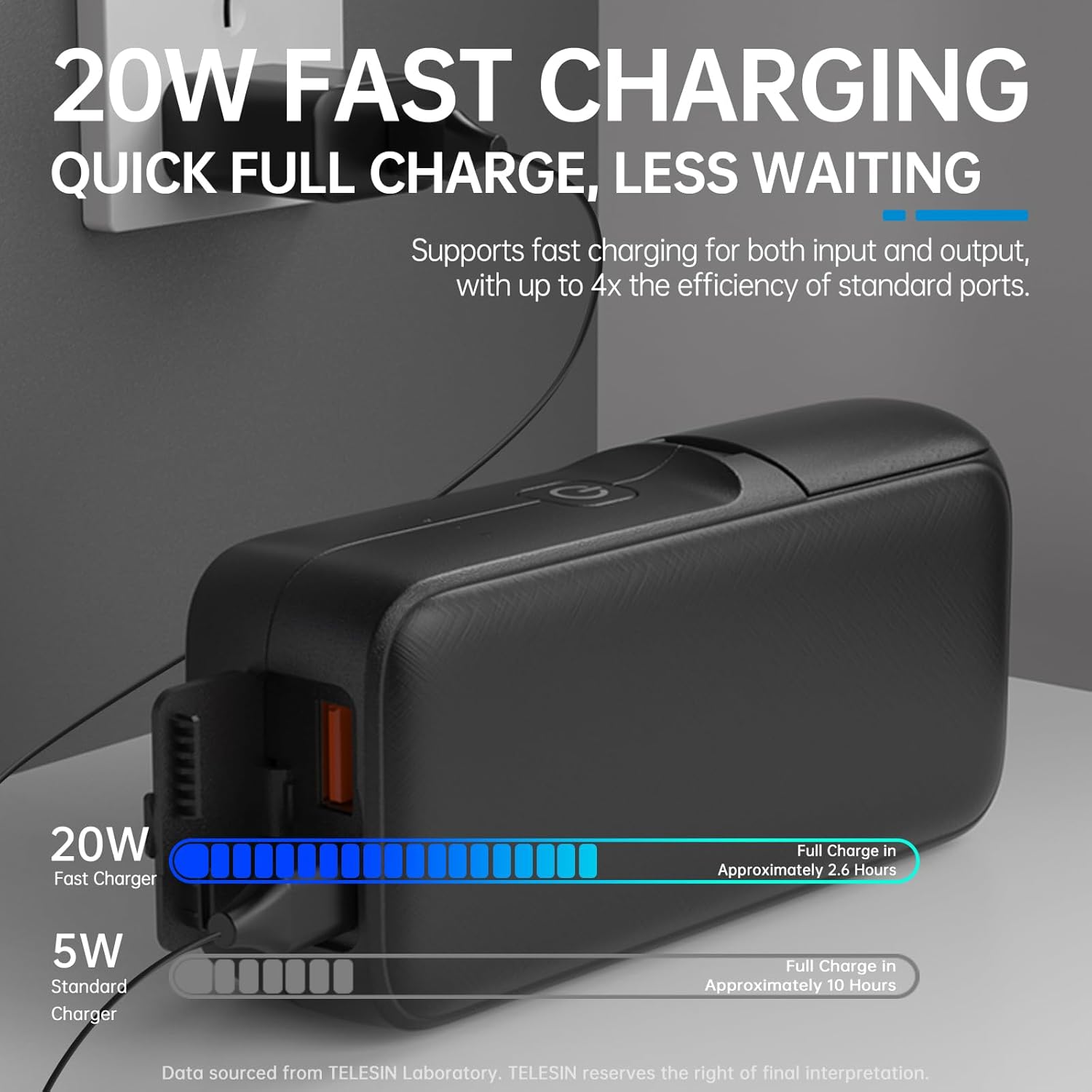
Image: The charging case connected to a 20W fast charger, illustrating the faster charging time compared to a 5W standard charger. A 20W charger can fully charge the device in about 2.5 hours.
4.2 Inserting GoPro Batteries
The case is designed for GoPro Hero 13 batteries. Ensure correct orientation when inserting.
- Open the lid of the charging case.
- Insert up to two GoPro Hero 13 batteries into the designated slots. Ensure the battery contacts align with the charging pins.
- Close the lid. The battery slot LEDs will indicate the charging status of each battery.
5. Operation
5.1 Charging GoPro Batteries Wirelessly
The case provides wireless charging for GoPro batteries once inserted.
- Ensure the power bank has sufficient charge.
- Insert GoPro Hero 13 batteries into the slots as described in Section 4.2.
- The battery slot LEDs will indicate charging. A single GoPro 13 battery can be fully charged up to 4 times, or two batteries can be fully charged 2 times, by the 10000mAh power bank.

Image: The charging case with an open lid, showing a GoPro battery being inserted for charging. A GoPro camera is positioned nearby, illustrating the convenience of charging anytime, anywhere without cables.
5.2 Using as a Power Bank for Other Devices
The TELESIN Wireless Charging Case can also charge other electronic devices.
- Connect your device (e.g., smartphone, tablet, headphones) to the USB-C or USB-A output port using an appropriate cable.
- The power bank will automatically begin charging your device.
- The device features a low current mode with automatic recognition, suitable for mobile phones, Bluetooth headsets, and other small electronic devices.

Image: The charging case demonstrating wide compatibility by charging a smartphone, wireless earbuds, and a portable outdoor light. This highlights its versatility for various electronic equipment.
5.3 Checking Power Bank Battery Level
To check the remaining charge of the power bank:
- Short press the power check button on the side of the device.
- The four power bank LEDs will light up, indicating the current battery level.
6. Maintenance
- Keep the device dry. Do not expose it to moisture or extreme temperatures.
- Clean the device with a soft, dry cloth. Do not use harsh chemicals or abrasive cleaners.
- Store the device in a cool, dry place when not in use.
- Avoid dropping or subjecting the device to strong impacts.
- Ensure the dust-proof plug for the output ports is properly seated when not in use to protect against dust and water.
Image: A detailed view of the charging case highlighting the dust-proof plug covering the output ports, designed to protect them from dust and moisture and extend the product's lifespan.
7. Troubleshooting
- Device not charging:
- Ensure the charging cable is securely connected to both the power bank and the power source.
- Verify that the power source is active.
- Try a different USB-C cable or power adapter.
- GoPro batteries not charging:
- Ensure the GoPro batteries are correctly inserted into the slots with contacts aligned.
- Check if the power bank itself has sufficient charge.
- Verify that the batteries are compatible with GoPro Hero 13.
- External devices not charging:
- Ensure the external device is properly connected to the USB-C or USB-A output port.
- Check if the power bank has sufficient charge.
- Try a different charging cable for the external device.
- Slow charging:
- When charging the power bank, use a 20W fast charger for optimal speed.
- When charging external devices, note that fast charging may not be supported on the USB-C port if both USB-C and USB-A are used simultaneously.
8. Specifications
| Feature | Detail |
|---|---|
| Model Number | TXSM-AU-S0-PB-01-TGP |
| Battery Capacity | 10000mAh |
| Product Dimensions | 4.72 x 5.91 x 1.77 inches |
| Item Weight | 12.3 ounces |
| Input/Output Ports | USB-C (Input/Output), USB-A (Output) |
| Fast Charging | Supports 20W fast charging for input and output |
| Battery Type | Lithium Ion (3 included) |

Image: An internal view showcasing the 10000mAh Samsung high-capacity density battery cells, which comply with national portable Li-ion battery safety standards.
9. Warranty and Support
TELESIN provides 2 years of premium support for this product. For any issues or inquiries, please contact TELESIN customer service.
This product is designed for outdoor use and is airline compliant, making it suitable for travel by planes and trains, hiking, and other outdoor activities.
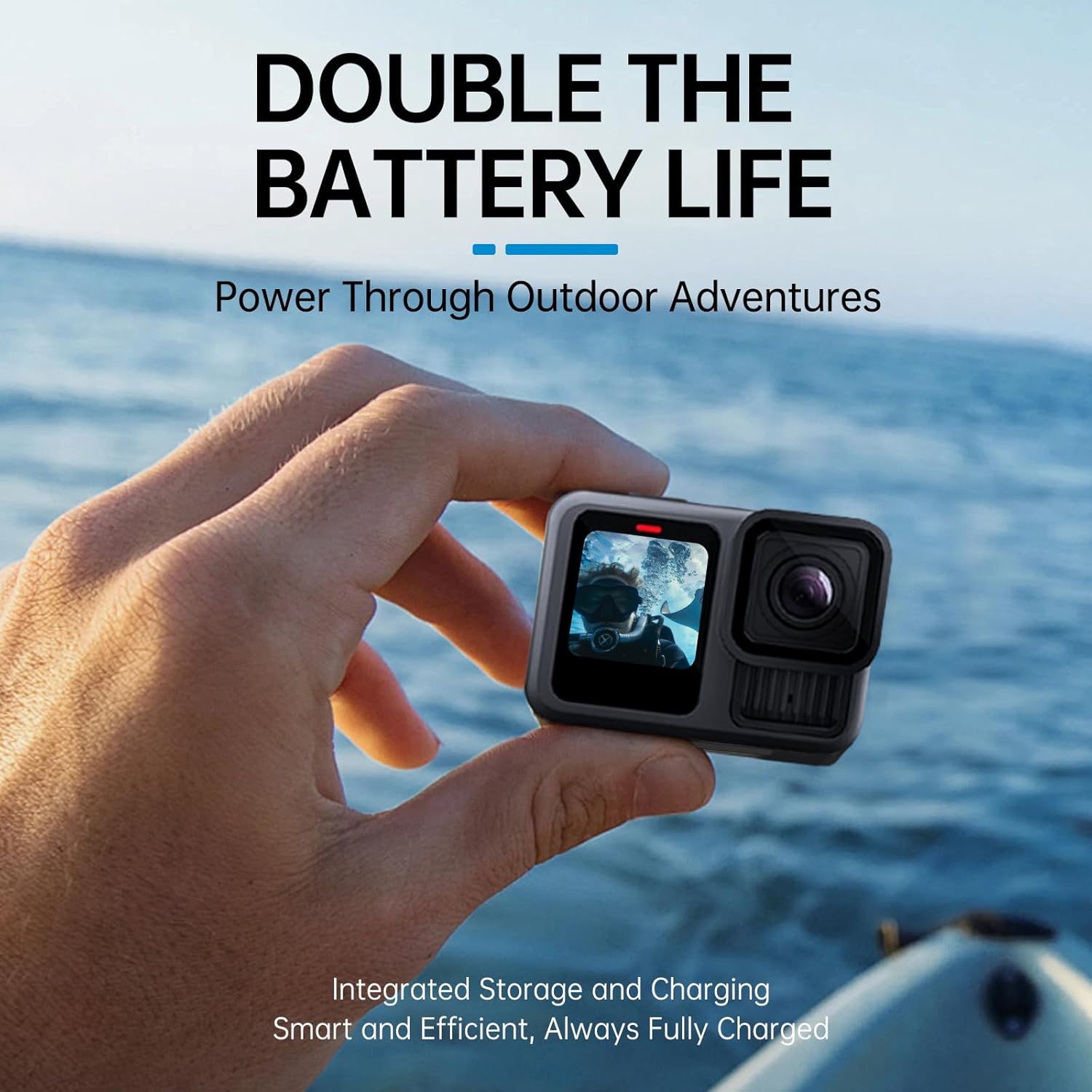
Image: A GoPro camera being held, symbolizing extended battery life and readiness for outdoor adventures, enabled by the integrated storage and charging solution.


