
Product Overview
The GGSTOPWATER XG99 Open Ear Headphones are designed for comfort and performance, featuring an innovative open-ear design that allows you to stay aware of your surroundings while enjoying high-quality audio. These wireless earbuds are equipped with Bluetooth 5.4 for stable connectivity and offer extended battery life, making them ideal for sports, workouts, and daily use.
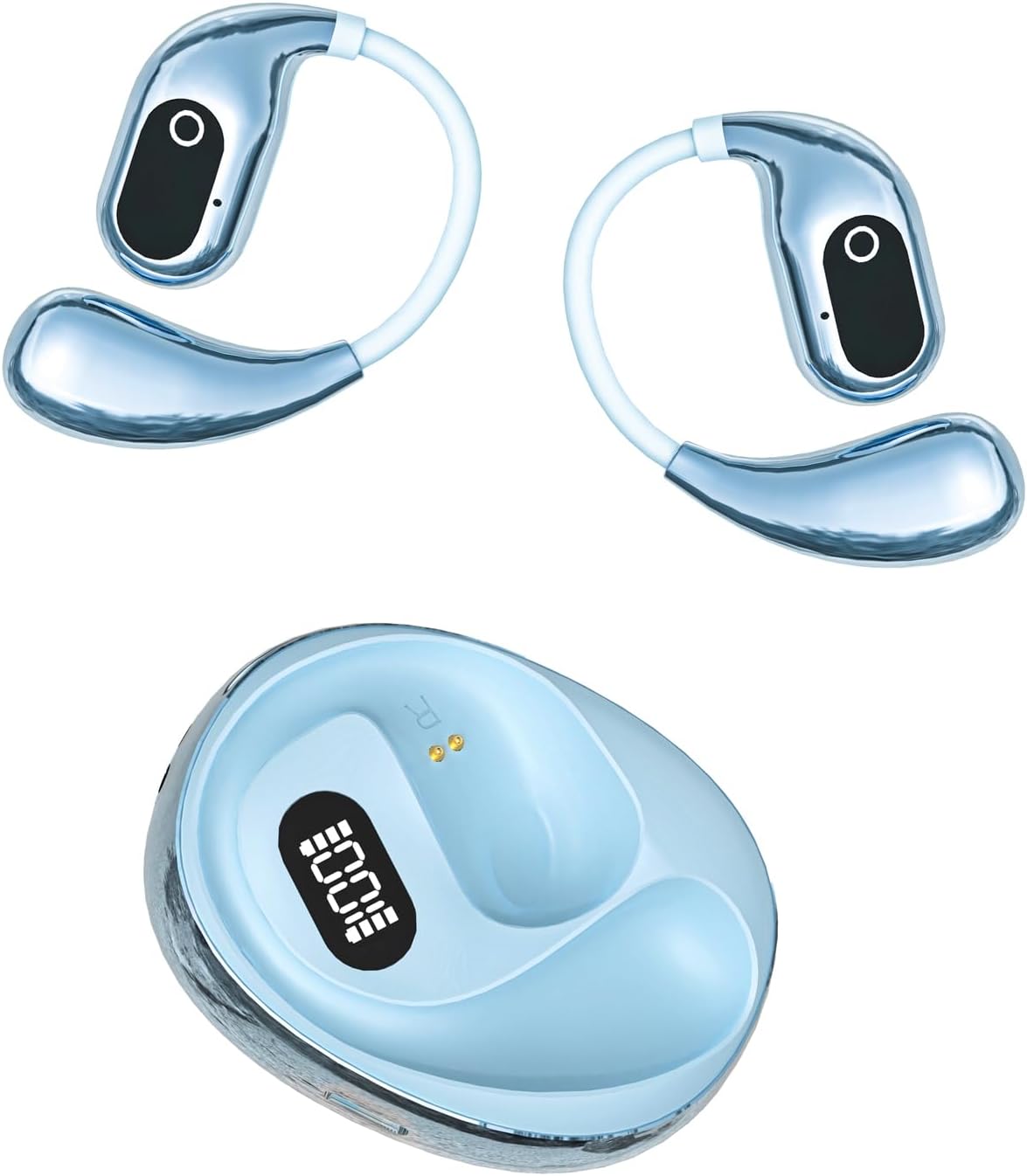
Image: The GGSTOPWATER XG99 open ear headphones, showing both earbuds with earhooks and the compact charging case with a digital battery indicator. The earbuds are blue, matching the blue charging case.
- Stable Bluetooth 5.4: Ensures a strong and continuous connection within a 30ft range with low latency.
- Comfort for Sports: Flexible and soft ear hooks provide a secure fit for extended wear during workouts.
- IPX5 Sweat-Resistant: Designed to withstand water splashes and sweat, suitable for fitness activities.
- Extended Playtime: Up to 8 hours of playback on a single charge, with the charging case providing an additional 7 full charges for a total of 64 hours.
- Smart Charging Case: Features a digital battery indicator for real-time power monitoring.
- One-Step Pairing: Automatically connects to the last paired device upon opening the charging case.
- Touch Control: Intuitive controls for managing calls, music playback, volume, and other functions.
- Compact & Convenient: Lightweight design with an included silicone lanyard for portability.
Package Contents
Please verify that all items are present in the package:
- True Wireless Bluetooth Headphones (2 earbuds)
- Headset Charging Compartment (1)
- Type-C Charging Cable (1)
- User Manual (1)
- Silicone Lanyard (1)
Setup Guide
1. Charging the Earbuds and Case
Before first use, fully charge the earbuds and the charging case. The digital battery indicator on the case will show the charging status.
- Place the earbuds into the charging case. Ensure they are correctly seated.
- Connect the Type-C charging cable to the charging port on the case and plug the other end into a USB power source (e.g., wall adapter, computer USB port).
- The digital display on the charging case will indicate the battery percentage.
- A full charge provides up to 8 hours of listening time for the earbuds, and the case can provide an additional 7 full charges, totaling 64 hours.
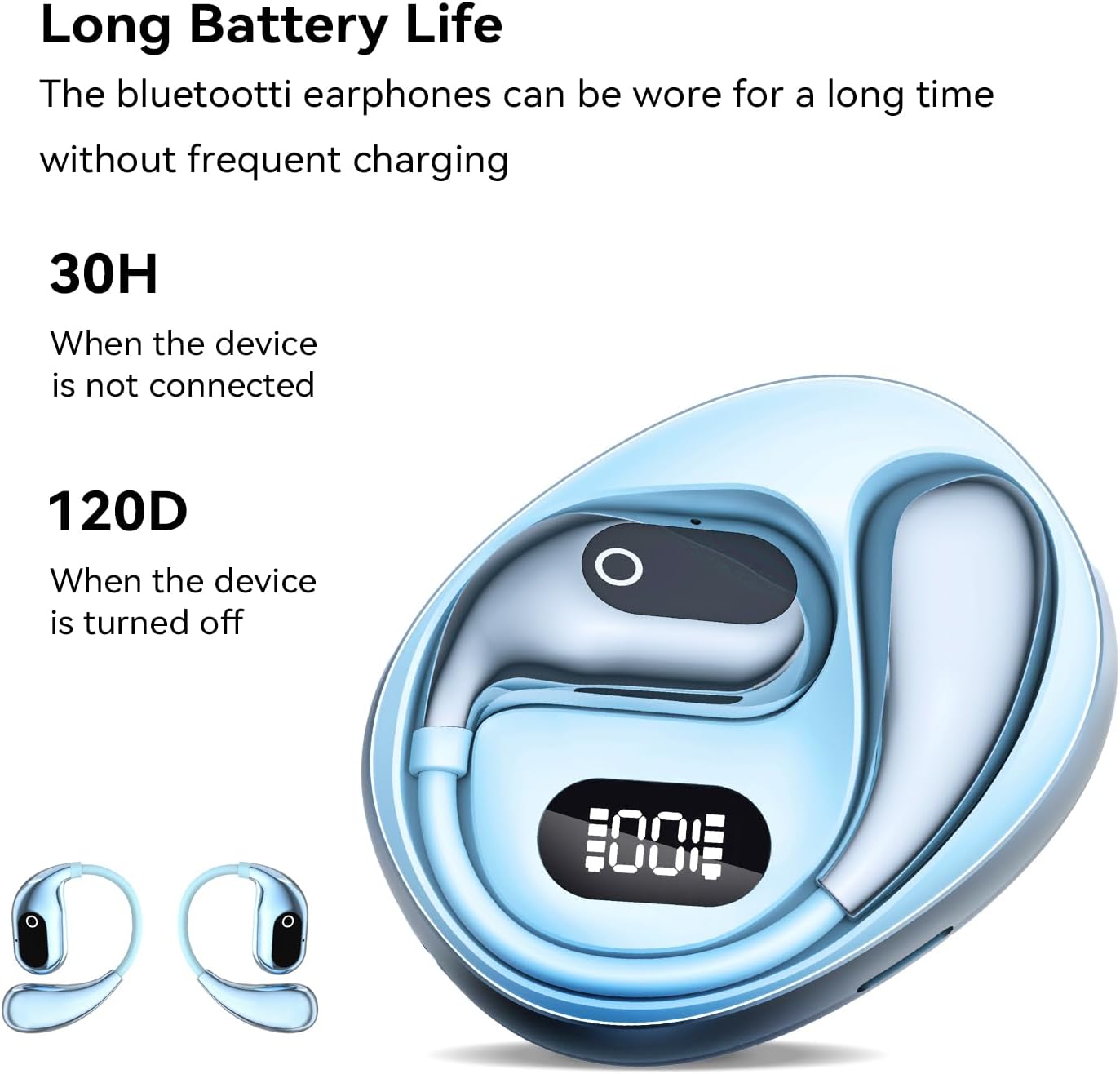
Image: The GGSTOPWATER XG99 charging case displaying a digital battery percentage, with the earbuds nestled inside. This illustrates the charging process and battery life indication.
2. Pairing with Your Device
The earbuds feature one-step pairing for convenience.
- Ensure Bluetooth is enabled on your smartphone, tablet, TV, or computer.
- Open the lid of the charging case. The earbuds will automatically power on and enter pairing mode.
- On your device, search for Bluetooth devices and select "XG99" (or similar name) from the list.
- Once connected, the earbuds will indicate successful pairing, and they will automatically reconnect to this device in the future when taken out of the case.
Operating Instructions
Wearing the Earbuds
The XG99 headphones feature an open-ear design with flexible earhooks for a secure and comfortable fit, allowing for situational awareness.
- Gently place the earbud over your ear, ensuring the earhook wraps securely around the back of your ear.
- Adjust the earbud until it rests comfortably and securely, with the speaker positioned near your ear canal without entering it.

Image: A person wearing the GGSTOPWATER XG99 open ear headphones during a workout, demonstrating the secure fit of the earhooks. This highlights the comfort and stability for active use.
Touch Controls
The earbuds are equipped with touch-sensitive controls for easy management of audio and calls. The specific touch areas are located on the outer surface of each earbud.

Image: A diagram illustrating the touch control functions of the GGSTOPWATER XG99 earbuds. Icons represent actions such as Play/Pause, Voice Assistant, Answer/Hang up, Reject Call, Previous/Next Track, Volume +/- and Game/Music Mode.
| Action | Control |
|---|---|
| Play/Pause Music | Single tap on either earbud |
| Next Track | Double tap on the Right earbud |
| Previous Track | Double tap on the Left earbud |
| Volume Up | Triple tap on the Right earbud |
| Volume Down | Triple tap on the Left earbud |
| Answer/End Call | Single tap on either earbud |
| Reject Call | Long press (2 seconds) on either earbud |
| Activate Voice Assistant | Long press (2 seconds) on either earbud (when not on a call) |
| Switch Game/Music Mode | Quadruple tap on either earbud (This is an inference based on the image and common patterns, as specific instructions were not provided in the product details.) |
Note: For optimal performance, ensure your device's Bluetooth is active and the earbuds are within range.
Maintenance
Proper maintenance ensures the longevity and optimal performance of your headphones.
- Cleaning: Use a soft, dry, lint-free cloth to clean the earbuds and charging case. Do not use abrasive cleaners or solvents.
- Water Resistance: The earbuds are IPX5 sweat-resistant. This means they can withstand splashes of water and sweat. Do not submerge them in water or expose them to heavy rain. Dry them thoroughly before placing them back in the charging case.
- Storage: Store the headphones in their charging case when not in use to protect them from dust and damage. Store in a cool, dry place away from extreme temperatures.
- Battery Care: To preserve battery life, avoid fully discharging the battery frequently. Charge the case and earbuds regularly, even if not in constant use.
Troubleshooting
If you encounter issues with your GGSTOPWATER XG99 headphones, please refer to the following common solutions:
| Problem | Possible Solution |
|---|---|
| Earbuds not pairing/connecting |
|
| No sound or low volume |
|
| Earbuds not charging |
|
| Audio latency/delay (e.g., with video) |
|
Specifications
| Feature | Detail |
|---|---|
| Model Name | XG99 |
| Brand | GGSTOPWATER |
| Connectivity Technology | Wireless (Bluetooth) |
| Bluetooth Version | 5.4 |
| Bluetooth Range | Up to 30 feet (9 meters) |
| Earpiece Shape | Open-ear |
| Control Method | Touch |
| Battery Life (Earbuds) | Up to 8 hours (single charge) |
| Total Playtime (with case) | Up to 64 hours |
| Water Resistance Rating | IPX5 (Sweat-resistant) |
| Audio Latency | 15 Milliseconds |
| Frequency Range | 20 Hz - 20,000 Hz |
| Impedance | 40 Ohm |
| Item Weight | 2.89 ounces (81.9 grams) |
| Package Dimensions | 4.61 x 4.13 x 1.42 inches |
Warranty and Support
For warranty information and customer support, please refer to the documentation included with your purchase or visit the official GGSTOPWATER brand store. Keep your proof of purchase for any warranty claims.
Official GGSTOPWATER Store: Visit Store