
tonchean USX2-0012
tonchean Portable Standing Desk User Manual
Model: USX2-0012
Introduction
Thank you for choosing the tonchean Portable Standing Desk. This compact and versatile desk is designed to enhance your workspace, offering adjustable height for both sitting and standing positions. Its robust construction and easy assembly make it an ideal solution for home offices, classrooms, and various other settings. Please read this manual carefully before assembly and use to ensure proper operation and longevity of your product.
Safety Information
- Ensure all components are securely fastened before use.
- Do not exceed the maximum weight capacity of the desk.
- Keep hands and fingers clear of moving parts during height adjustment.
- Place the desk on a stable, level surface to prevent tipping.
- Avoid placing hot items directly on the desk surface without protection.
- Keep out of reach of small children and pets.
What's In The Box
Please check the contents of your package against the list below. If any items are missing or damaged, please contact customer support.
- Table Top
- Rods (Telescoping Pole)
- Base
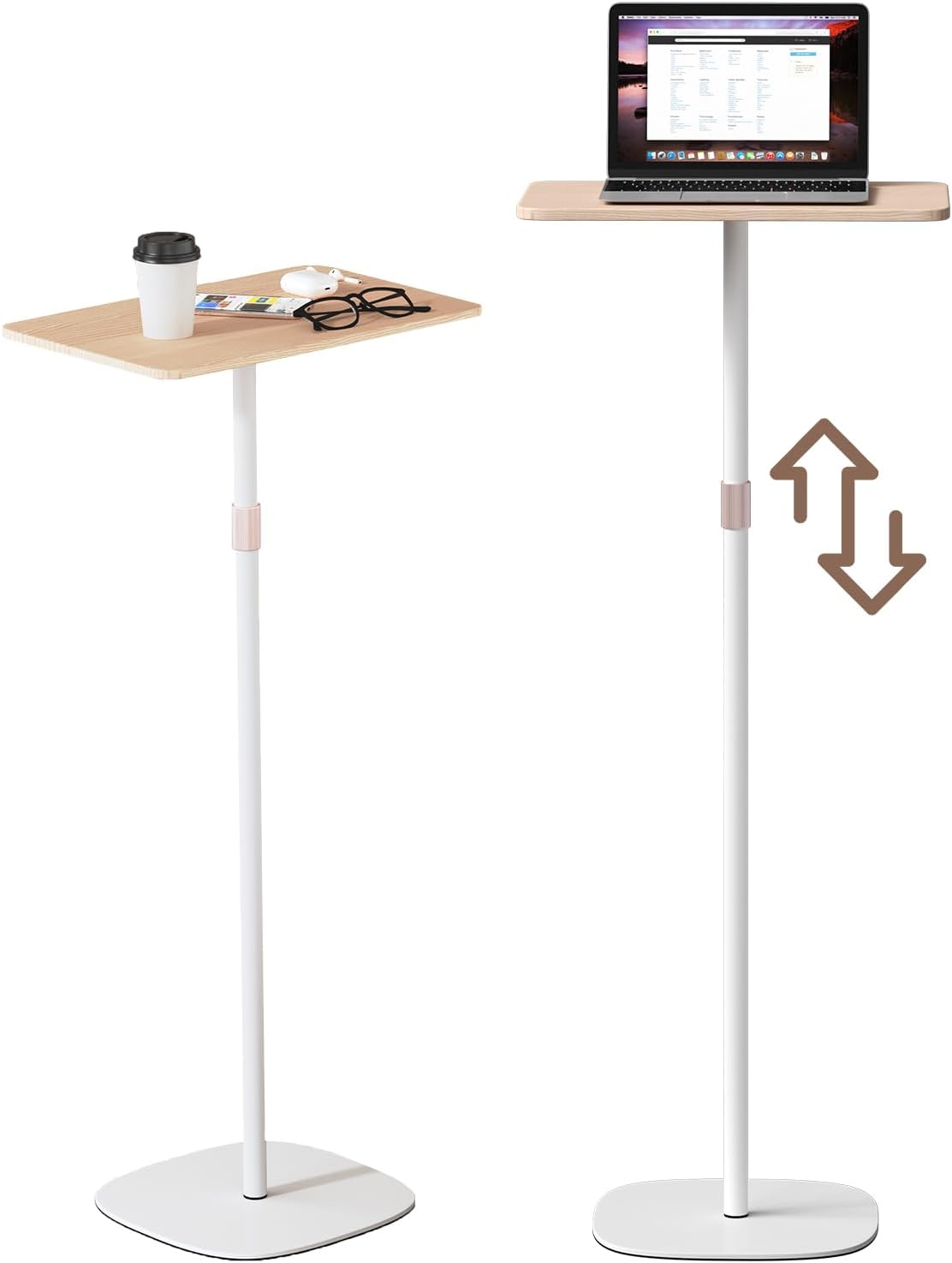
Assembly Instructions
The tonchean Portable Standing Desk is designed for quick and easy assembly, typically taking less than five minutes with no tools required.
- Attach the Rods to the Base: Carefully insert the bottom end of the main telescoping rod into the designated slot on the heavy-duty iron base. Ensure it is firmly seated.
- Secure the Table Top: Align the top end of the telescoping rod with the opening on the underside of the table top. Push the table top down onto the rod until it clicks securely into place.
- Verify Stability: Once assembled, gently shake the desk to ensure all connections are secure and the desk is stable.

Operating Instructions
Adjusting the Height
The tonchean Portable Standing Desk features an adjustable height mechanism, allowing you to effortlessly switch between sitting and standing positions. The height can be adjusted from 18.5 inches to 47.2 inches.
- Locate the Adjuster: Identify the metal adjuster mechanism located on the telescoping pole.
- Rotate to Unlock: Gently rotate the metal adjuster to unlock the pole.
- Adjust Height: While holding the table top, smoothly raise or lower the pole to your desired height.
- Rotate to Lock: Once the desired height is reached, rotate the metal adjuster back to its original position to securely lock the pole in place. Ensure it is fully locked before placing items on the desk.


Maintenance
- Cleaning: Wipe the desk surface and pole with a soft, damp cloth. Avoid abrasive cleaners or harsh chemicals that may damage the finish.
- Inspection: Periodically check all connections and the height adjustment mechanism to ensure they are secure and functioning correctly.
- Storage: If storing the desk for an extended period, ensure it is clean and dry. Store in a cool, dry place away from direct sunlight.
Troubleshooting
| Problem | Possible Cause | Solution |
|---|---|---|
| Desk is wobbly or unstable. | Connections are not fully tightened; desk is on an uneven surface. | Ensure all assembly points are securely fastened. Move the desk to a flat, level surface. |
| Height adjustment is difficult or stuck. | Adjuster not fully unlocked; debris in the mechanism. | Ensure the metal adjuster is fully rotated to the unlock position. Check for any obstructions and clear them. Do not force the mechanism. |
| Desk slides on the floor. | Anti-slip pads are dirty or missing. | Clean the anti-slip pads on the base. Ensure all pads are present and intact. |
Specifications
- Model Number: USX2-0012
- Brand: tonchean
- Product Dimensions: 18.4 x 11.4 x 47.2 inches (L x W x H, at max height)
- Adjustable Height Range: 18.5 inches to 47.2 inches
- Base Dimensions: Approximately 12.4 x 12.4 inches
- Item Weight: 10.8 pounds
- Color: White
- Material: Premium Carbon Steel (pole), Heavy Duty Iron (base), Engineered Wood (tabletop)
- Compatible Devices: Laptops, Projectors, Tablets, etc.


Warranty and Support
For warranty information or technical support, please contact tonchean customer service. Details can typically be found on the product packaging or the official tonchean website. Please have your model number (USX2-0012) and purchase date ready when contacting support.
For additional resources and product information, visit the official tonchean store on Amazon: tonchean Store
Ask a question about this manual
Ask about setup, troubleshooting, compatibility, parts, safety, or missing instructions. Manuals+ will review the question and use this page’s manual context to help answer it.