1. Introduction
The SUBLIMAKER T6715/T6716 Ink Maintenance Box is a replacement component designed to collect waste ink during printer cleaning cycles and printing operations. When your printer displays a "Maintenance Box is at the end of its service life" message, this indicates that the existing maintenance box is full and requires replacement to ensure continued printer functionality.
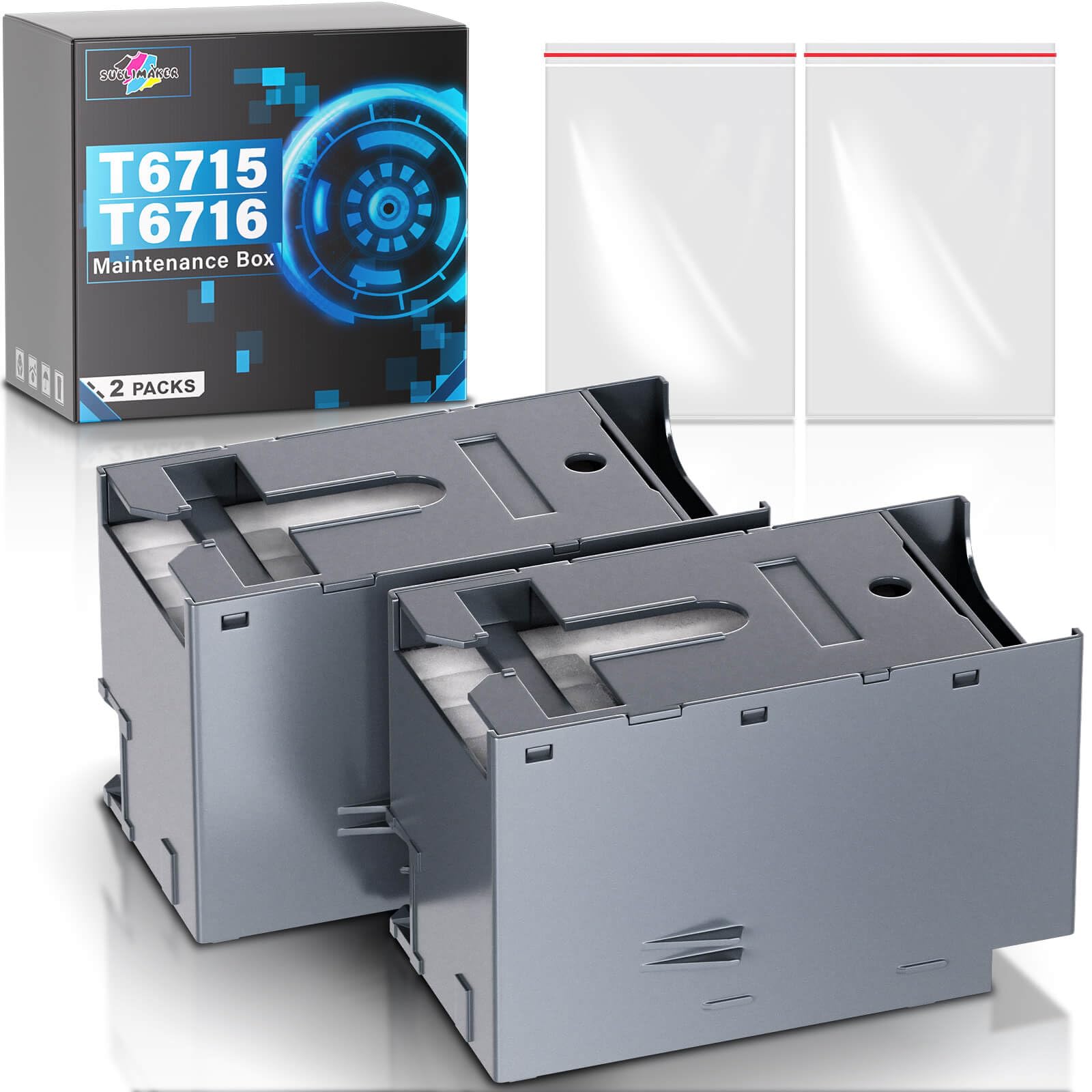
Image: The SUBLIMAKER T6715/T6716 Ink Maintenance Box packaging shown with a compatible Epson printer indicating a maintenance error.
2. Compatible Printer Models
This T6715/T6716 Ink Maintenance Box is compatible with a range of Epson Workforce Pro and EcoTank printers. Please verify your printer model against the list below:
- Epson Workforce Pro: WF-4730, WF-4740, WF-4720, WF-4734, WF-4830, WF-4820, WF-3820, WF-3823, WF-4833, WF-4834, WF-C4310, WF-C4810, WF-C5790, WF-C529, WF-C579, WF-C5710, WF-C5290, WF-C5210, WF-M5299, WF-M5799
- Epson EcoTank: EC-4020, EC-4030, EC-4040, ET-8700

Image: Visual representation of compatible Epson printer models for the T6715/T6716 Ink Maintenance Box.
3. Product Features
The SUBLIMAKER T6715/T6716 Ink Maintenance Box is engineered for reliable performance and ease of use:
- Super-Absorbent Sponge: Designed to hold a significant amount of waste ink, ensuring efficient collection.
- Stable Chips: Equipped with 100% compatible and stable chips for seamless recognition and operation with your printer.
- High-Strength Tank Body: Constructed from durable PE material to prevent any ink leakage and ensure a secure fit.

Image: Detailed view of the maintenance box highlighting its key features.
4. Package Contents
Each package contains the following items:
- 2 x SUBLIMAKER T6715/T6716 Ink Maintenance Box
- 2 x PE Seal Bag (for disposing of used maintenance boxes)

Image: What's included in the SUBLIMAKER T6715/T6716 Ink Maintenance Box package.
5. Installation Steps
Follow these steps to replace the ink maintenance box in your printer:
- Locate and Remove the Cover: Identify the maintenance box compartment on your printer, usually located on the side or back. Open or remove its cover.
- Remove the Old Maintenance Box: Carefully pull out the used maintenance box from its slot.
- Dispose of the Old Box: Immediately place the used maintenance box into one of the provided PE seal bags to prevent ink leakage and dispose of it responsibly according to local regulations.
- Insert the New Maintenance Box: Unpack a new SUBLIMAKER T6715/T6716 Ink Maintenance Box and slide it firmly into the empty slot until it clicks into place.
- Close the Cover: Securely close the maintenance box compartment cover.
- Confirm Installation: Your printer should now recognize the new maintenance box, and the error message should clear.
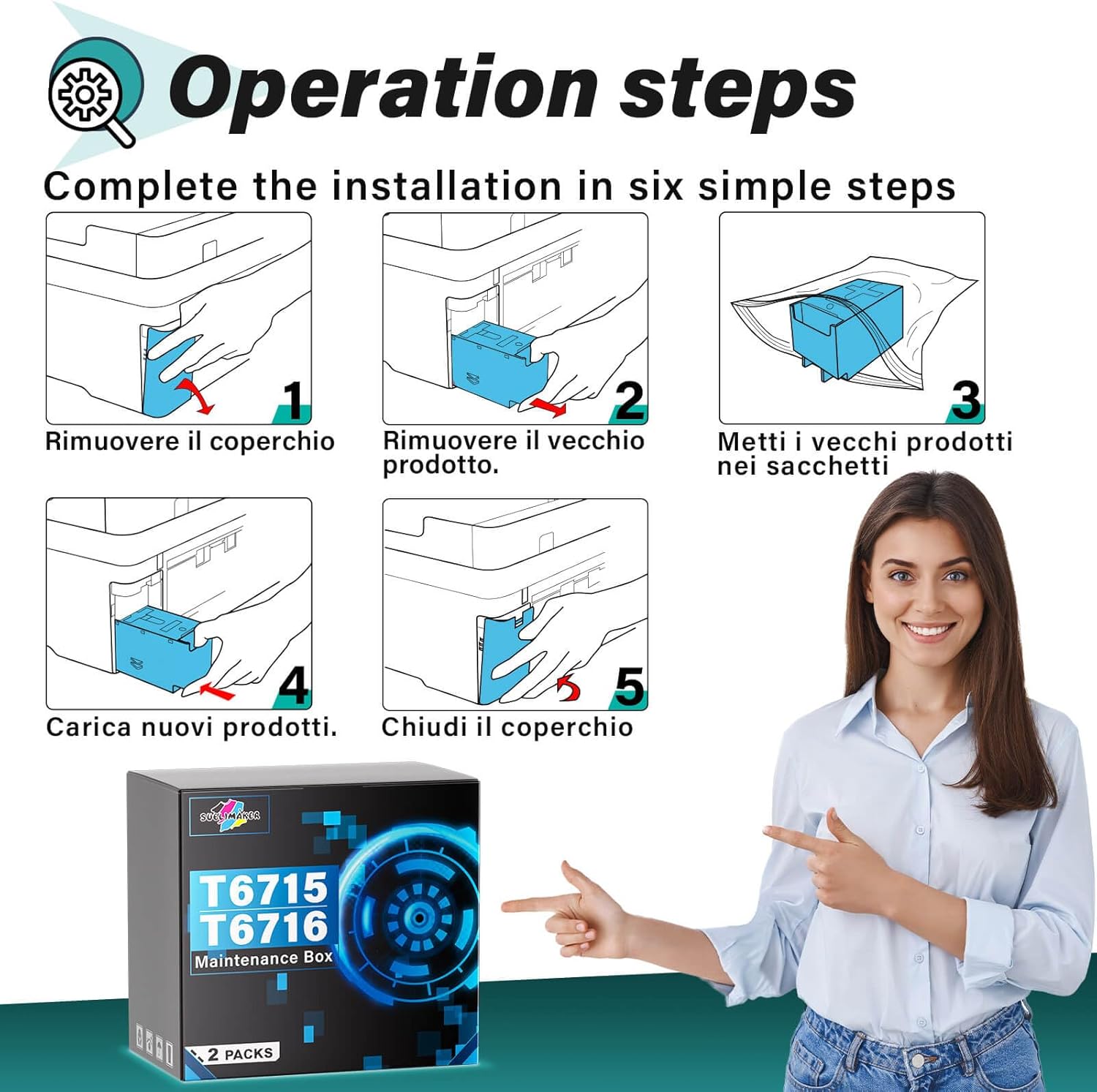
Image: Step-by-step visual instructions for replacing the maintenance box.
6. Troubleshooting: Maintenance Error
If your printer displays a "Maintenance Box is at the end of its service life" or similar error message, it indicates that the waste ink pad within the maintenance box is full. This is a standard operational message, not a malfunction of the printer itself.
- Error Message: The printer screen will typically show a message like "Maintenance Error: The Maintenance Box is at the end of its service life. You need to replace it."
- Solution: Replace the old maintenance box with a new SUBLIMAKER T6715/T6716 Ink Maintenance Box by following the Installation Steps provided in this manual.
- Post-Replacement: After successful replacement, the printer should automatically reset the maintenance box counter and resume normal operation.

Image: Example of a printer display showing a maintenance error message.
7. Specifications
| Attribute | Detail |
|---|---|
| Brand | SUBLIMAKER |
| Model Name | T6715/T6716 Ink Maintenance Box |
| Part Number | T6715 |
| Compatible Devices | Epson Workforce Pro WF-4730, WF-4740, WF-4720, WF-4734, WF-4830, WF-4820, WF-3820, WF-3823, WF-4833, WF-4834, WF-C4310, WF-C4810, WF-C5790, WF-C529, WF-C579, WF-C5710, WF-C5290, WF-C5210, WF-M5299, WF-M5799; Epson EcoTank EC-4020, EC-4030, EC-4040, ET-8700 |
| Special Features | High Yield, Stable Chips, Leak-proof Design |
| Mounting Hardware | 2 x T6715/T6716 Ink Maintenance Box, 2 x PE Seal Bag |
| Product Dimensions | 7.87 x 13.49 x 12.19 cm |
| Item Weight | 322 g |
8. Support
Should you have any questions or require assistance regarding the SUBLIMAKER T6715/T6716 Ink Maintenance Box, please contact our customer service. Our after-sales support team is available to assist you.