
1. Product Overview
The RC-D04 is a universal 9-inch car stereo designed to enhance your in-car entertainment and connectivity. It features a vibrant QLED display, a powerful Octacore processor for smooth performance, and seamless integration with wireless Apple CarPlay and Android Auto. This manual provides essential information for the proper installation, operation, and maintenance of your device.
Key functionalities include advanced navigation, hands-free communication, and multimedia playback. The system also supports 360-degree cameras for improved safety, though this feature requires additional hardware and professional installation.
2. Features
- Wireless Connectivity: Seamless integration with Apple CarPlay for iOS devices and Android Auto for Android devices.
- Universal Fit: Designed for broad compatibility with most vehicles. Note that suitable mounting brackets and wiring may be required.
- High-Resolution QLED Display: A large 9-inch screen offering vibrant visuals and crisp graphics.
- Octacore Processor: Ensures smooth and responsive operation.
- 360° Camera Support: Capability to connect and display footage from a 360-degree camera system (camera kit sold separately).
3. Package Contents
Verify that all items listed below are included in your package. If any items are missing or damaged, please contact customer support.
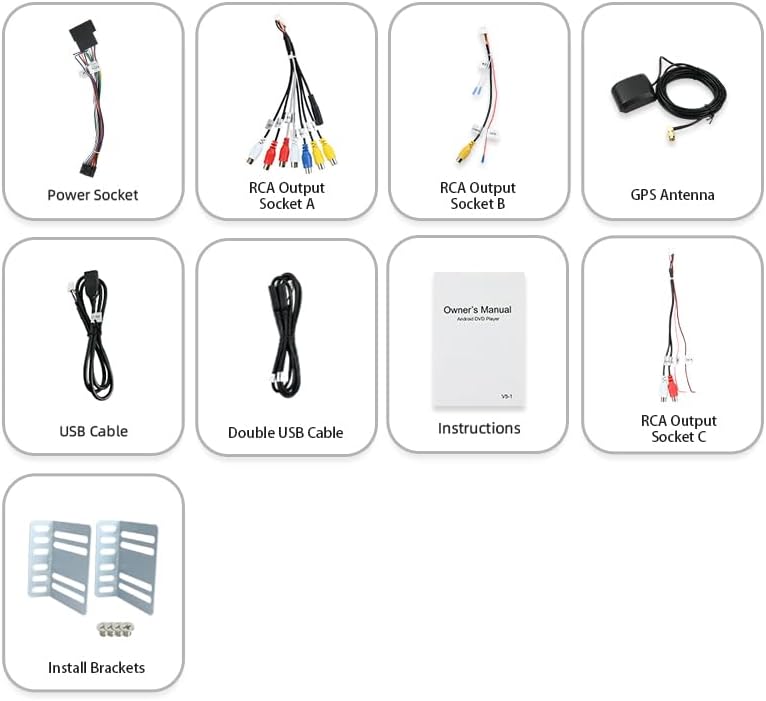
Image Description: An overhead view of the RC-D04 car stereo's package contents, neatly arranged. Visible components include the main power socket harness, various RCA output socket cables (labeled A, B, C), a GPS antenna, a USB cable, a double USB cable, an owner's manual (labeled VS-1 Instructions), and metal installation brackets.
- Main Unit (RC-D04 Car Stereo)
- Power Socket Harness
- RCA Output Socket Cables (A, B, C)
- GPS Antenna
- USB Cable
- Double USB Cable
- Instruction Manual
- Installation Brackets
4. Setup and Installation
The RC-D04 car stereo is designed for universal compatibility, but specific vehicle models may require additional mounting accessories and wiring harnesses for a proper fit. Professional installation is highly recommended to ensure correct wiring, secure mounting, and optimal functionality, especially for advanced features like 360-degree camera integration.
4.1 General Installation Steps (Consult a professional for detailed vehicle-specific instructions):
- Preparation: Disconnect the vehicle's battery to prevent electrical shorts.
- Remove Old Unit: Carefully remove the existing car stereo and trim panels.
- Mounting: Attach the provided installation brackets to the RC-D04 unit. Secure the unit into the dashboard opening.
- Wiring: Connect the power harness, speaker wires, antenna, and any auxiliary inputs (e.g., USB, RCA, GPS antenna) according to your vehicle's wiring diagram and the stereo's instructions. Ensure all connections are secure.
- Camera Connections (Optional): If installing a 360-degree camera system, connect the camera inputs to the designated ports on the stereo. This often requires specialized wiring and calibration.
- Test Functionality: Before fully reassembling the dashboard, reconnect the battery and power on the stereo to test basic functions (power, audio, touch screen, radio, CarPlay/Android Auto).
- Reassembly: Once confirmed working, reassemble all trim panels.

Image Description: A rear-angle view of the RC-D04 car stereo, showcasing its various wiring ports and the attached metal installation brackets. Multiple white and black connectors are visible for power, speakers, and other inputs, along with a coaxial port for the GPS antenna.
Important: Incorrect wiring can damage the stereo or your vehicle's electrical system. If you are unsure, seek professional assistance.
5. Operating Instructions
5.1 Power On/Off
Press the POWER button located on the left side of the unit to turn the stereo on or off. The system features a quick boot function for rapid startup.
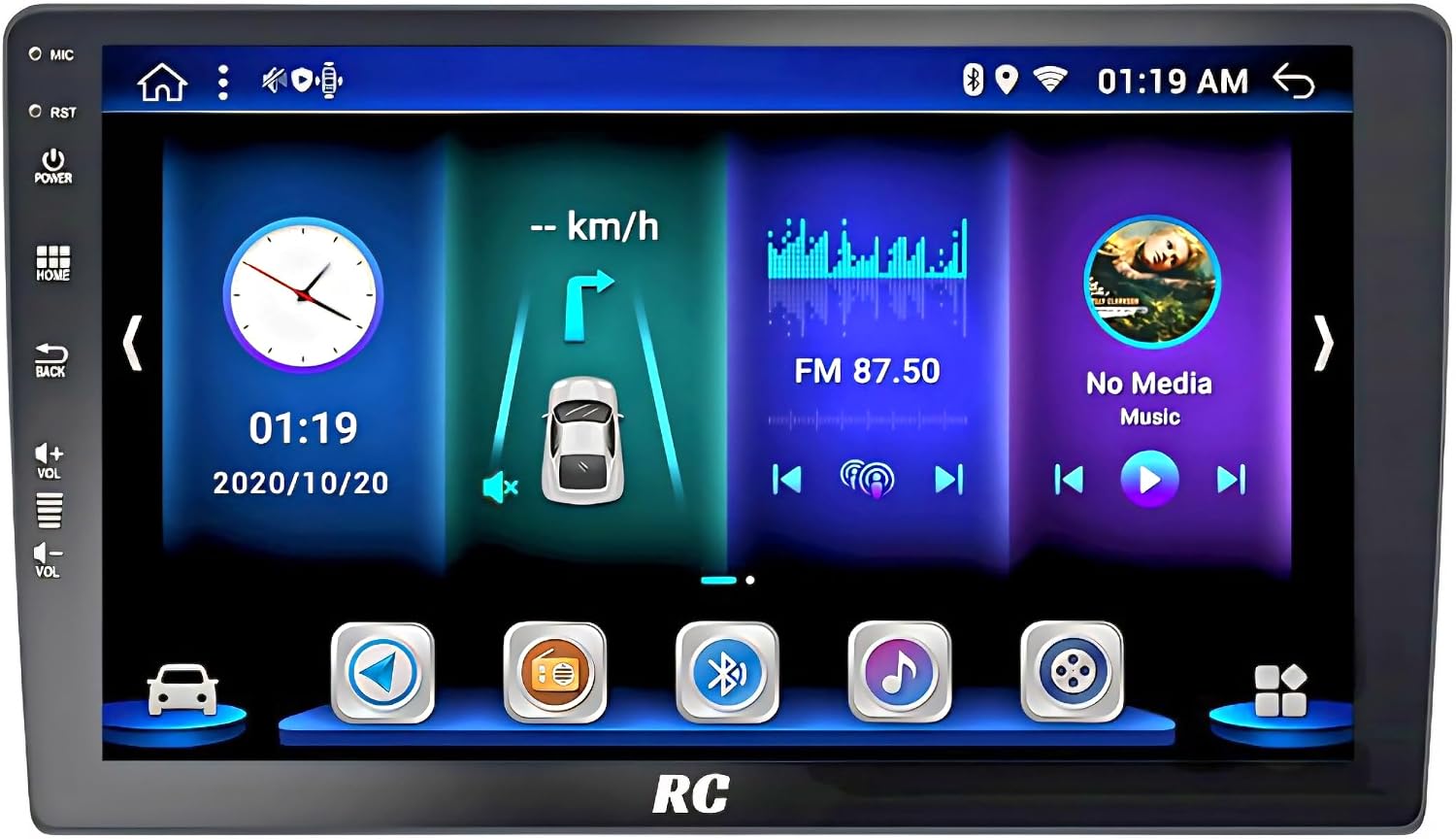
Image Description: The main interface of the RC-D04 car stereo, displaying a digital clock, speed indicator, FM radio frequency (87.50), and a music player widget. Control buttons for microphone, reset, power, home, back, and volume are visible on the left bezel.
5.2 Wireless CarPlay / Android Auto
The RC-D04 supports wireless Apple CarPlay and Android Auto for seamless smartphone integration. This allows access to navigation, music, calls, and messages directly from the stereo's display.
- Enable Bluetooth and Wi-Fi: On your smartphone, ensure both Bluetooth and Wi-Fi are enabled.
- Pair Device: On the car stereo, navigate to the "Bluetooth" or "CarPlay/Android Auto" application. Search for and select your phone from the available devices.
- Confirm Pairing: Follow the on-screen prompts on both your phone and the stereo to confirm the pairing.
- Launch CarPlay/Android Auto: Once paired, the system should automatically launch CarPlay or Android Auto. If not, select the corresponding icon from the stereo's main menu.
For optimal performance, ensure your smartphone's operating system is up to date.
5.3 Display and User Interface
The 9-inch QLED touchscreen provides a clear and responsive interface. Navigate through menus and applications by tapping or swiping. The system offers various customizable user interfaces.

Image Description: A collage of multiple screen views from the RC-D04 car stereo, demonstrating different user interface styles and themes. Various applications like radio, navigation, phone, and music are shown with distinct icon sets and color schemes, highlighting the customization options.
5.4 Audio Settings
Access the audio settings menu to adjust equalizer presets, balance, fader, and subwoofer levels. The advanced sound system ensures rich audio quality.
5.5 360-Degree Camera View (If installed)
If a 360-degree camera system is installed and properly calibrated, you can access its view through a dedicated application on the stereo. This provides a comprehensive view of your vehicle's surroundings for parking and maneuvering.
6. Maintenance
- Cleaning the Display: Use a soft, lint-free cloth to gently wipe the screen. For stubborn smudges, slightly dampen the cloth with water or a screen-safe cleaner. Avoid harsh chemicals or abrasive materials.
- Software Updates: Periodically check for software updates through the system settings or the manufacturer's website to ensure optimal performance and access to new features.
- General Care: Avoid exposing the unit to extreme temperatures, direct sunlight for prolonged periods, or excessive moisture.
7. Troubleshooting
If you encounter issues with your RC-D04 car stereo, refer to the following common troubleshooting steps:
- No Power:
- Check all power connections and fuses.
- Ensure the vehicle's battery is properly connected and charged.
- No Sound:
- Verify speaker connections.
- Check volume levels and mute settings.
- Ensure the correct audio source is selected.
- CarPlay/Android Auto Not Connecting:
- Ensure Bluetooth and Wi-Fi are enabled on your phone.
- Forget the device from both the stereo and your phone's Bluetooth settings, then attempt to re-pair.
- Restart both your phone and the car stereo.
- Touchscreen Unresponsive:
- Perform a soft reset by pressing the RST button (usually a small pinhole, requiring a thin object to press).
- Ensure the screen is clean and free of debris.
If these steps do not resolve the issue, please contact customer support for further assistance.
8. Specifications
| Brand | RC |
| Model | RC-D04 |
| Display Size | 9 Inches |
| Display Type | QLED |
| Processor | Octacore |
| Operating System | Android 13 (AC8257 chip) |
| Wireless Connectivity | Apple CarPlay, Android Auto |
| Compatible Devices | Smartphone |
| Audio Output Mode | Surround |
| Speaker Surround Sound Channel Configuration | 4 |
| Wattage | 50 watts |
| Connectivity Technology | Bluetooth, RCA |
| Product Dimensions | 5 x 23 x 16 cm; 2 kg |
| Color | Black |
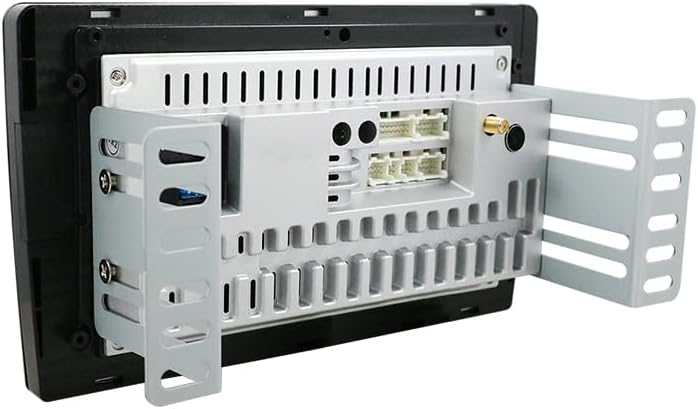
Image Description: An internal view of the RC-D04 car stereo's main circuit board, highlighting the AC8257 chip. Text overlays indicate "Android 13", "Fast Boot", "DSP 5.1 channels EQ 64 Band", and memory configurations (2+32G, 4+64G, 6+128G), illustrating the core processing components.
9. Warranty and Support
For warranty information, technical support, or any inquiries regarding your RC-D04 car stereo, please refer to the contact details provided with your purchase documentation or visit the manufacturer's official website. Ensure you have your model number (RC-D04) and purchase date available when contacting support.