
INFINMIND K913
INFINMIND Wireless Keyboard User Manual
Model: K913
Introduction
The INFINMIND K913 Wireless Keyboard is an ultra-slim, full-size keyboard designed for comfortable and efficient typing. Featuring noiseless click technology and a matte finish, it provides a quiet and clean work environment. Its plug-and-play 2.4GHz wireless connection ensures stable performance across various operating systems and devices.

Image: The INFINMIND K913 Wireless Keyboard, showcasing its full layout and the compact USB receiver.
What's in the Box
Your INFINMIND K913 Wireless Keyboard package includes the following items:
- 1 x Wireless Ultra Slim Keyboard
- 1 x 2.4GHz USB Receiver
- 2 x AAA Batteries
- 1 x User Manual (this document)
Setup Guide
- Install Batteries: Locate the battery compartment on the back of the keyboard. Insert the two included AAA batteries, ensuring correct polarity (+/-).
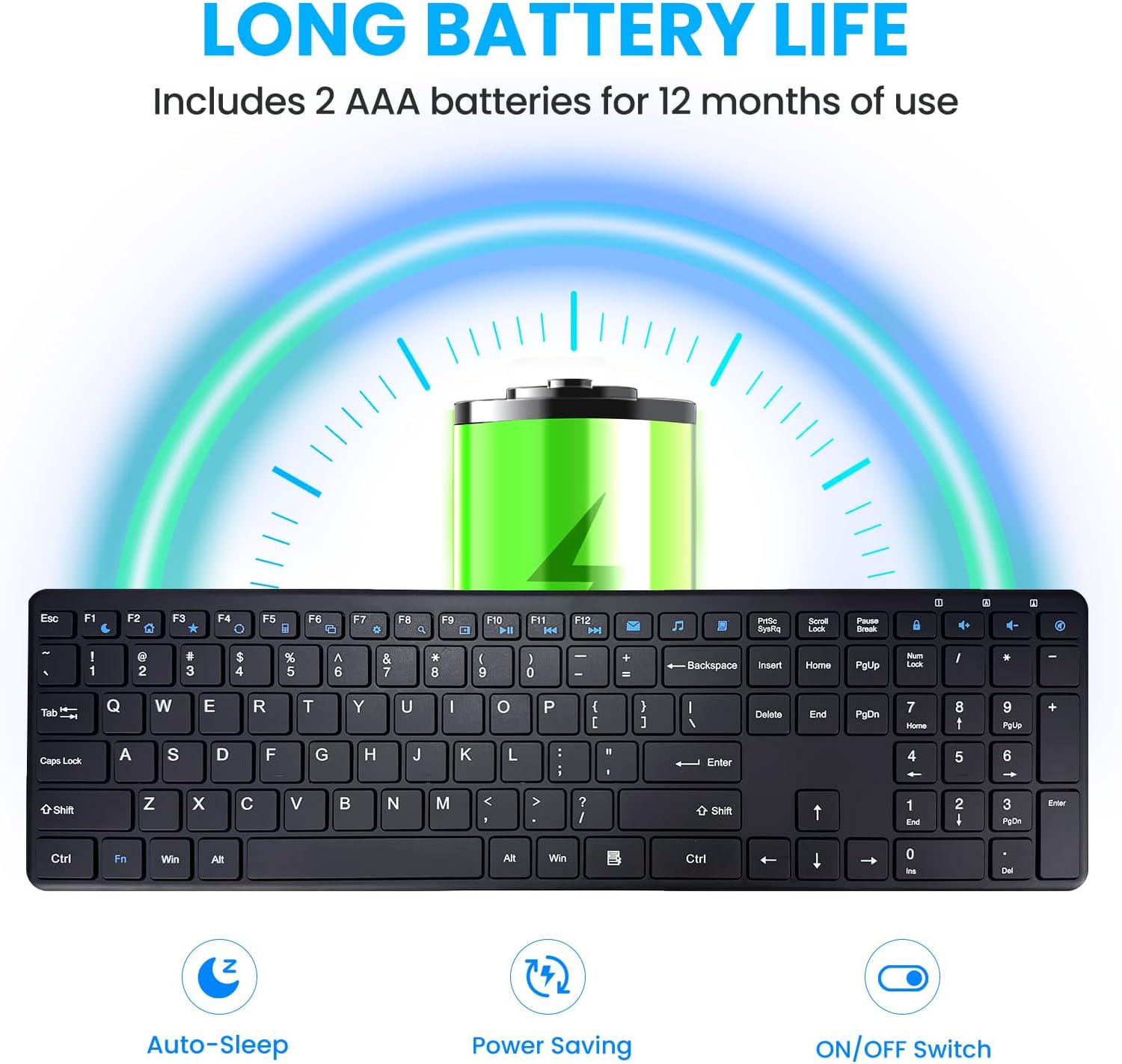
Image: Illustration of battery installation and the keyboard's long battery life feature.
- Connect USB Receiver: Take the 2.4GHz USB receiver from the keyboard's battery compartment or packaging. Plug the USB receiver into an available USB port on your computer, laptop, or smart TV.

Image: The keyboard in use with a computer, highlighting the 2.4GHz USB connection and 33ft wireless range.
- Power On: Locate the ON/OFF switch on the back side of the keyboard and slide it to the "ON" position.
- Automatic Connection: The keyboard will automatically connect to your device. No additional drivers or software are required for most operating systems.

Image: A simple setup showing the keyboard on a desk, emphasizing its plug-and-play nature.
The keyboard is now ready for use. Enjoy a stable and lag-free typing experience up to 33 feet from your device.
Operating Instructions
General Usage
The INFINMIND K913 features a full-size QWERTY layout with a dedicated number pad, providing a complete typing experience. The keys are designed for responsive and quiet typing, utilizing scissor-switch technology to minimize noise.

Image: A close-up view of the keyboard highlighting the responsive and quiet scissor-switch keys.
Multimedia and Shortcut Keys
Enhance your productivity with the integrated multimedia and shortcut keys. These keys allow quick access to frequently used functions.
| Key Function | Description |
|---|---|
| Fn + F1-F12 | Access 12 combination function keys (e.g., media controls, volume, mute). |
| Dedicated Multimedia Keys | 7 additional shortcuts for quick access to mail, browser, calculator, task manager, settings, search, and My Computer. (Note: Some shortcuts may not be compatible with Mac OS). |
| Number Pad | Full numeric keypad for efficient data entry. |

Image: The keyboard with visual indicators for multimedia and function keys, demonstrating productivity features.
Compatibility
The INFINMIND K913 Wireless Keyboard is widely compatible with various operating systems and devices:
- Windows 11, Windows 10, and earlier versions
- Chrome OS
- Linux
- Mac OS (Note: Some multimedia shortcuts may not be fully compatible)
- Compatible with Desktops, Laptops, PCs, Chromebooks, Notebooks, Smart TVs, and MacBooks.

Image: A user typing on the keyboard, with icons representing its broad compatibility across different operating systems.
Maintenance
To ensure the longevity and optimal performance of your INFINMIND K913 Wireless Keyboard, follow these maintenance tips:
- Cleaning: The keyboard features matte-finished keycaps that resist fingerprints and smudges. To clean, gently wipe the surface with a soft, dry, lint-free cloth. For stubborn dirt, a slightly damp cloth can be used, ensuring no liquid enters the key switches.

Image: A visual comparison demonstrating how the matte finish resists fingerprints and keeps the keyboard looking new.
- Battery Replacement: When the low battery indicator lights up, replace the two AAA batteries promptly to maintain optimal performance.
- Storage: Store the keyboard in a cool, dry place away from direct sunlight and extreme temperatures.
- Avoid Liquids: Do not expose the keyboard to excessive moisture or spill liquids on it. In case of accidental spills, immediately power off the keyboard and disconnect it from your device. Allow it to dry completely before re-using.
Troubleshooting
If you encounter any issues with your INFINMIND K913 Wireless Keyboard, please refer to the following common solutions:
| Problem | Solution |
|---|---|
| Keyboard not responding |
|
| Lag or delayed input |
|
| Multimedia keys not working on Mac | Some multimedia shortcuts may have limited or no compatibility with Mac OS due to system differences. This is expected behavior. |
| Keys feel stiff or unresponsive | Ensure the keys are clean and free from debris. Refer to the Maintenance section for cleaning instructions. |
Specifications
| Feature | Detail |
|---|---|
| Model Number | K913 |
| Connectivity | 2.4GHz USB Wireless (Non-Bluetooth) |
| Wireless Range | Up to 33 feet (10 meters) |
| Number of Keys | 112 |
| Key Type | Low-profile, Scissor-Switch |
| Power Source | 2 x AAA Batteries (included) |
| Battery Life | Up to 12 months (with auto-sleep function) |
| Product Dimensions | 16.13"L x 4.7"W x 0.8"H (409.7mm x 119.5mm x 20.3mm) |
| Item Weight | 1.38 pounds (0.62 kg) |
| Color | Black |
| Manufacturer | INFINMIND |

Image: Technical drawing showing the dimensions and slim profile of the keyboard.
Warranty and Support
The INFINMIND K913 Wireless Keyboard comes with a standard manufacturer's warranty. For specific warranty details, please refer to the warranty card included in your package or contact our customer service.
If you require further assistance, have questions, or need to report an issue, please contact our friendly customer service team. Contact information can be found on our official website or the product packaging.
We are committed to providing reliable products and excellent customer support.
Ask a question about this manual
Ask about setup, troubleshooting, compatibility, parts, safety, or missing instructions. Manuals+ will review the question and use this page’s manual context to help answer it.