1. Introduction
Thank you for choosing the Xmenha GS02 Smart Bluetooth Sunglasses. These innovative audio eyeglasses combine stylish eyewear with open-ear audio technology, allowing you to enjoy music and calls while remaining aware of your surroundings. This manual provides essential information for the proper setup, operation, and maintenance of your device.
Package Contents:
- 1 Pair Xmenha GS02 Smart Bluetooth Sunglasses
- 1 x USB-C Charging Cable
- 1 x User Manual (this document)
- 1 x Exquisite Packaging Box
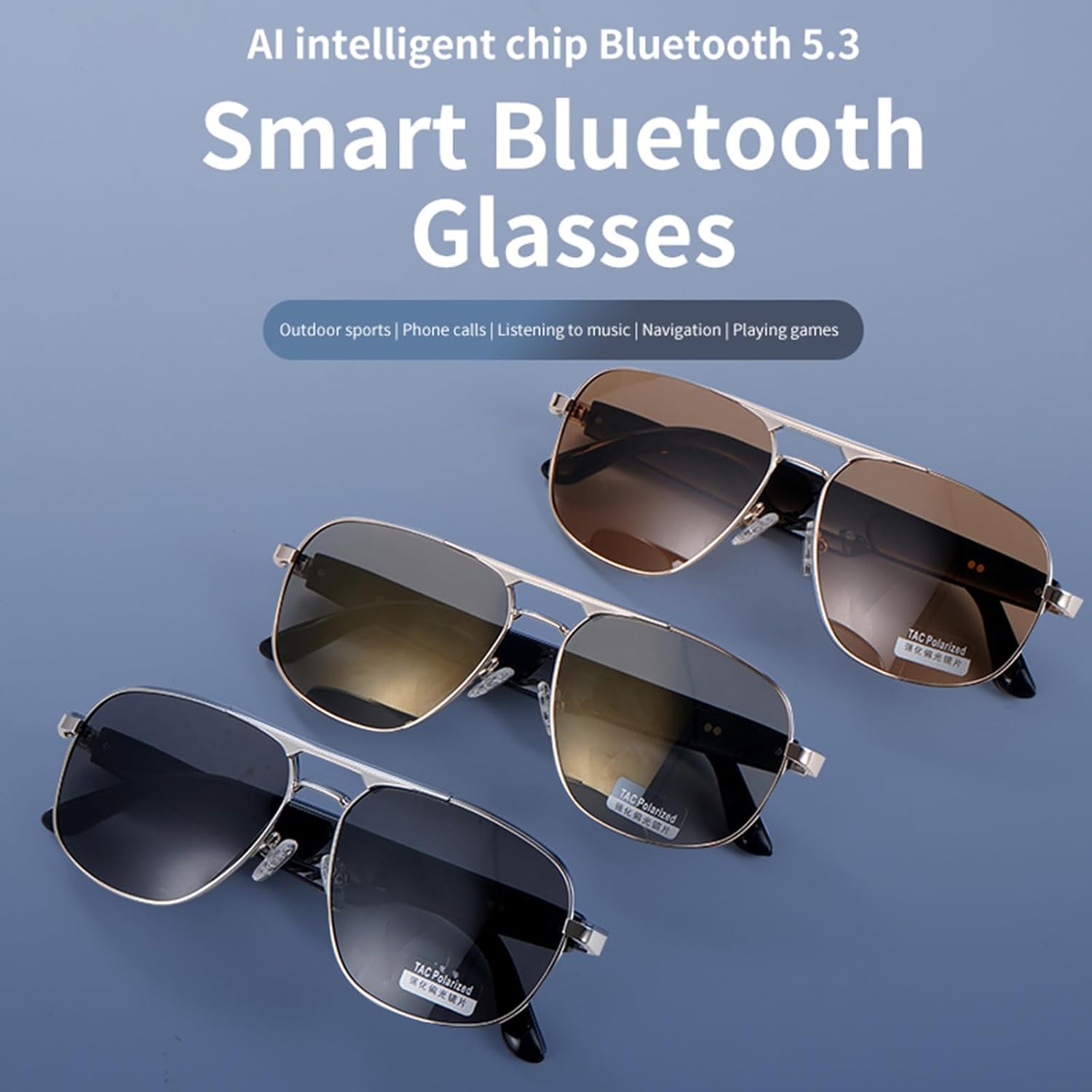
Figure 1: Xmenha GS02 Smart Bluetooth Sunglasses in various lens options.
2. Setup
2.1 Charging the Sunglasses
Before initial use, fully charge your Xmenha GS02 Smart Bluetooth Sunglasses. Connect the provided USB-C cable to the charging port on the sunglasses and plug the other end into a compatible USB power source. The charging indicator (if present) will show the charging status.
2.2 Bluetooth Pairing
The Xmenha GS02 sunglasses feature instant pairing. Simply open the glasses temples to power them on, and they will automatically enter pairing mode. Follow these steps to connect to your device:
- Ensure the sunglasses are charged and powered on by opening the temples.
- On your smartphone or Bluetooth-enabled device, navigate to the Bluetooth settings.
- Search for available devices. The sunglasses should appear as "Xmenha GS02" or a similar name.
- Select the sunglasses to pair. Once connected, you will hear an audio confirmation.

Figure 2: Instant Pairing feature for quick connection.
3. Operating Instructions
3.1 Power On/Off
- Power On: Open the temples of the sunglasses.
- Power Off: Close the temples of the sunglasses.
3.2 Audio Playback
Once paired, audio from your connected device will play through the open-ear speakers. The sunglasses support volume control and track navigation (forward/backward) directly from the frames.
3.3 Phone Calls
The integrated HD microphone allows for clear phone calls. Use the controls on the sunglasses to answer, end, or reject calls hands-free. The smart noise suppression feature helps maintain clear voice quality even in noisy environments.
3.4 Voice Control
The sunglasses are equipped with smart assistant technology, enabling voice control for hands-free operation. This allows you to make calls, answer calls, and access music stations using voice commands.
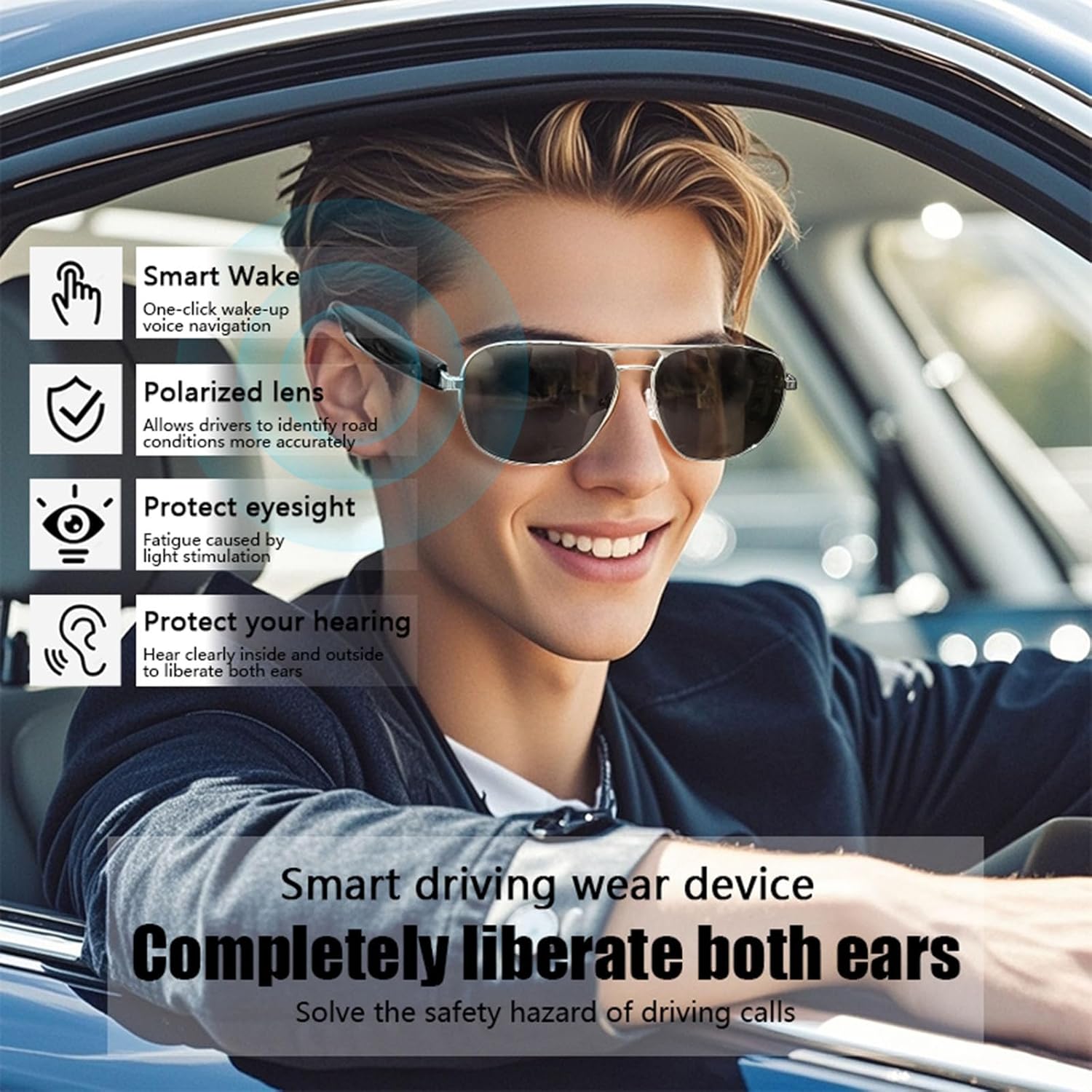
Figure 3: Key features for smart driving and awareness.

Figure 4: Open Ear Speaker design for comfort and awareness.

Figure 5: Emphasizing safety and environmental awareness during use.
3.5 Official Product Video
Video 1: An official product video showcasing the Xmenha GS02 Bluetooth Glasses, demonstrating their design and features.
4. Maintenance
4.1 Cleaning the Lenses
The sunglasses feature high-performance polarized lenses. To clean, gently wipe with a soft, clean microfiber cloth. Avoid using abrasive materials or harsh chemical cleaners, which can damage the lens coating.
4.2 General Care
- Store the sunglasses in their protective case when not in use to prevent scratches and damage.
- Avoid exposing the sunglasses to extreme temperatures or direct sunlight for prolonged periods.
- Keep the charging port clean and free of debris.
5. Troubleshooting
If you encounter issues with your Xmenha GS02 Smart Bluetooth Sunglasses, please refer to the following common solutions:
| Problem | Possible Cause | Solution |
|---|---|---|
| Cannot power on | Low battery; Temples not fully open | Charge the sunglasses; Ensure temples are fully opened. |
| Cannot pair via Bluetooth | Sunglasses not in pairing mode; Device Bluetooth off; Too far from device | Ensure temples are open; Turn Bluetooth on your device; Move sunglasses closer to device (within 10m/380ft). |
| No audio or poor audio quality | Volume too low; Not properly paired; Obstruction to speakers | Increase volume on sunglasses and device; Re-pair the device; Ensure speakers are not covered. |
| Call quality issues | Noisy environment; Microphone obstructed | Move to a quieter area; Ensure microphone is clear. |
6. Specifications
| Feature | Detail |
|---|---|
| Model | GS02 |
| Brand | Xmenha |
| Bluetooth Version | 5.3 (AI intelligent chip) |
| Transmission Distance | Approximately 10m / 380ft (barrier-free) |
| Play Time | Approximately 6-8 hours |
| Battery Capacity | 400mAh (1 Lithium Ion battery included) |
| Charging Port | USB-C |
| Product Dimensions | 0.4 x 0.2 x 0.8 inches |
| Weight | 4.8 ounces |
| Lenses | Polarized, 100% UVA & UVB protection |
| Manufacturer | Shenzhen Xintu Century Technology Co., Ltd. |
7. Warranty and Support
For warranty information and customer support, please refer to the documentation provided with your purchase or contact the retailer. The manufacturer is Shenzhen Xintu Century Technology Co., Ltd.


