
1. Introduction
This manual provides comprehensive instructions for the installation, operation, and maintenance of your DCCStands Dejavoo P1 Freestanding Swivel and Tilt Stand. This stand is engineered to securely hold your Dejavoo P1 terminal, enhancing customer interaction and improving payment transaction efficiency in various point-of-sale environments.
2. Product Features
- Durable Construction: Manufactured from sturdy steel with a durable powder-coated finish for long-lasting performance.
- Flexible Positioning: Allows for a smooth 60° tilt and 190° swivel, enabling easy adjustment of the terminal's position for both merchant and customer use.
- Enhanced Customer Experience: Designed to bring the terminal closer to the customer, streamlining payment processes.
- Upgradeable Design: The stand is upgradeable in the field with a simple top plate swap, compatible with any round or square DCCSupply freestanding plate.
- Security and Protection: Features a flange cover to conceal wires and a secure mount to minimize the risk of damage and theft to the POS terminal.
- Freestanding Stability: Includes an 8" x 8" square countertop plate, providing a stable and freestanding mounting solution.
- Simple Installation: Supplied fully built for quick and easy setup.
- Multiple Mounting Options: Offers two installation methods: screws for permanent fixture or an adhesive pad for flexible placement.
3. Package Contents
Please verify that all items are present in your package:
- Dejavoo P1 Swivel and Tilt Stand (fully assembled)
- 8" x 8" Square Countertop Plate
- Screws for mounting
- Adhesive pad for mounting
Note: The Dejavoo P1 Terminal is not included with this stand.
4. Setup and Installation
The DCCStands Dejavoo P1 stand is supplied fully built for ease of installation. Choose one of the following methods to secure your stand:
Method 1: Screw Mounting
- Position the 8" x 8" square countertop plate on your desired surface.
- Align the pre-assembled stand with the plate.
- Secure the stand to the plate using the enclosed screws. Ensure all screws are tightened firmly.
- Verify that the stand is stable and securely attached to the plate and the countertop.
Method 2: Adhesive Mounting
- Clean the desired countertop surface thoroughly to ensure it is free of dust, grease, and debris. A clean, dry surface is crucial for optimal adhesion.
- Attach the adhesive pad to the bottom of the 8" x 8" square countertop plate.
- Firmly press the plate onto the cleaned countertop surface for several seconds to ensure a strong bond. Allow adequate time for the adhesive to set before applying significant force.
- Align the pre-assembled stand with the plate.
- Secure the stand to the plate using the enclosed screws. Ensure all screws are tightened firmly.
Terminal Placement and Cable Management
- Once the stand is securely installed, carefully place your Dejavoo P1 terminal into the stand's holder. Ensure it is seated correctly and firmly.
- Utilize the internal cable management features and the flange cover to route and conceal the terminal's wires. This protects the cables from damage and maintains a tidy appearance.
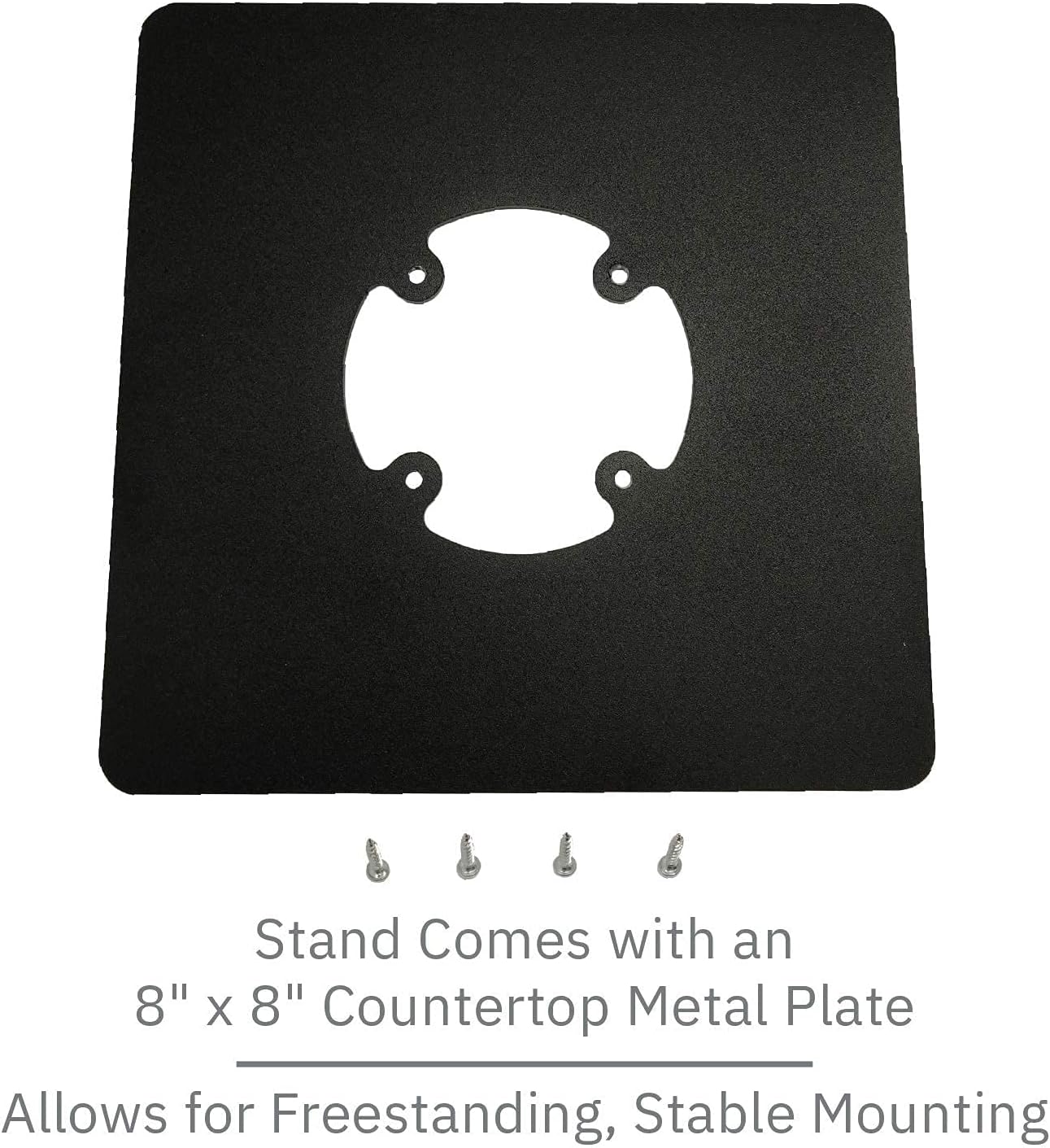
Image 4.1: The 8" x 8" square countertop plate with mounting screws, illustrating the components for secure installation.
Video 4.1: An overview of the DCCStands Dejavoo P1 Swivel and Tilt Stand, demonstrating its robust construction, smooth tilt and swivel capabilities, and ease of installation.
5. Operating Instructions
The DCCStands Dejavoo P1 stand is designed for flexible and convenient use. Its swivel and tilt features allow for optimal positioning of your payment terminal.
- Tilting the Terminal: To adjust the vertical angle of the terminal, gently push or pull the terminal holder to the desired position. The stand supports a tilt range of up to 60°.
- Swiveling the Terminal: To rotate the terminal horizontally, simply turn the terminal holder to face either the merchant or the customer. The stand allows for a full 190° swivel.
Always ensure the terminal is securely seated in the holder before and during any adjustments to prevent accidental dislodgement.

Image 5.1: The Dejavoo P1 stand demonstrating its upward tilt capability, allowing for adjustable viewing angles.

Image 5.2: The Dejavoo P1 stand rotated to the side, illustrating its swivel functionality for merchant and customer interaction.
6. Maintenance
To ensure the longevity and optimal performance of your DCCStands Dejavoo P1 stand, follow these simple maintenance guidelines:
- Cleaning: Clean the stand regularly with a soft, damp cloth. Avoid using abrasive cleaners, solvents, or harsh chemicals, as these can damage the powder-coated finish.
- Inspection: Periodically inspect the stand for any signs of wear, loose components, or damage.
- Tighten Fasteners: Ensure all mounting screws and connection points remain tight to maintain the stand's stability and security.
7. Troubleshooting
If you encounter any issues with your DCCStands Dejavoo P1 stand, please refer to the following common troubleshooting tips:
- Stand Instability: If the stand feels wobbly or unstable, check that all mounting screws are securely tightened. If using the adhesive pad, ensure the countertop surface was thoroughly cleaned and dry during installation to allow for proper adhesion.
- Difficulty Tilting or Swiveling: Ensure no cables or external objects are obstructing the movement of the terminal holder. The tilt and swivel mechanisms are designed for smooth operation; excessive force should not be required.
- Terminal Not Fitting Securely: Verify that you are using the correct terminal model (Dejavoo P1) for this stand. The stand is specifically designed for this terminal.
If these steps do not resolve your issue, please contact customer support.
8. Specifications
| Feature | Specification |
|---|---|
| Manufacturer | DCCStands |
| Model Number | DCCS-P1-7B-FREESQ-B-KIT |
| Material | Alloy Steel |
| Color | Black |
| Item Weight | 4 pounds |
| Tilt Range | Up to 60° |
| Swivel Range | Up to 190° |
| Countertop Plate Dimensions | 8" x 8" (Square) |
| Pole Height | 5.5" |
9. Warranty Information
DCCStands provides a Limited Lifetime Warranty for this product. This warranty covers manufacturing defects. If your stand ever breaks due to a manufacturing defect, DCCStands will replace it without hassle. Please retain your proof of purchase for warranty claims.
10. Support and Contact
For further assistance, technical support, or any inquiries regarding your DCCStands Dejavoo P1 Freestanding Swivel and Tilt Stand, please contact DCCStands customer support. You can typically find contact information on their official website or through the retailer where you purchased the product.