Product Overview
Keep your dog safe in a wireless fence at home or on vacation with the Premier Pet GPS Dog Fence. With a GPS-powered circular boundary, this GPS dog collar offers a flexible, reliable and user-friendly way to ensure your dog stays within the limits you set. Give your dog the freedom to play and explore, while you enjoy peace of mind knowing they’re safe. This advanced system uses GPS technology to create a wireless circular boundary that can cover yard of 3/4 acres or more. The setup is a breeze, with all configurations done directly on the collar’s LCD screen, eliminating the need for apps. Plus, with correction-free re-entry, your dog can return into their boundary without any static correction. Choose between 3 levels of correction: Tone & vibration, small-dog static or large-dog static. This water-submersible, rechargeable collar is ready for all-day adventures with a battery life of up to 24 hours.

The Premier Pet GPS Dog Fence Collar shown with its retail packaging.
Key Features
- CIRCULAR WIRELESS BOUNDARY: Discover the peace of mind that comes with a GPS-powered circular wireless boundary. This GPS fence dog collar ensures your dog's safety whether you're at home or on the go, providing a reliable and flexible solution for pet safety.
- EASY SETUP: Quick, easy setup directly on the collar’s LCD screen. No need for subscriptions or apps with this GPS dog fence, eliminating complicated installations and additional costs.
- BEST FOR LARGE YARDS OVER 3/4 ACRES: Adjustable coverage for yards larger than 3/4 acres. The Premier Pet GPS Fence is a versatile circular boundary solution that can be tailored to your specific needs, ensuring your pet's safety in various spaces.
- CORRECTION-FREE RE-ENTRY: Features correction-free re-entry. If your dog passes the boundary, they will not be corrected on the entry back into your yard. This static collar for dogs is designed with your pet's emotional well-being in mind, promoting a positive, stress-free experience.
- READY FOR ALL-DAY ADVENTURE: This water-resistant GPS dog fence collar boasts a battery life of up to 24 hours.
- SIZING: Fits dogs with neck sizes between 12 and 25 inches; designed for dogs 20 pounds and up.
- 3 CORRECTION SETTINGS: Choose between tone & vibration, small-dog static, and large-dog static to tailor it to your dog’s needs.
Setup Guide
1. Unboxing and Components
The Premier Pet GPS Dog Fence Collar comes with everything you need to get started: the GPS collar unit, a USB charging cable, short and long contact points, silicone caps for the contact points, a test light tool, and a product manual & training guide. Familiarize yourself with all components before beginning setup.

Close-up of hands interacting with the collar's LCD screen and buttons during setup.
2. Charging the Collar
Before first use, fully charge the GPS collar using the provided USB charging cable. A full charge can last up to 24 hours, ensuring your pet is protected throughout the day.

The collar's display indicating battery life and GPS signal strength.
3. Fitting the Collar
Ensure the collar fits snugly on your dog's neck, allowing two fingers to fit comfortably between the contact points and your dog's skin. The collar is designed for dogs 20 pounds and up with neck sizes between 12 and 25 inches. Trim any excess strap if necessary.
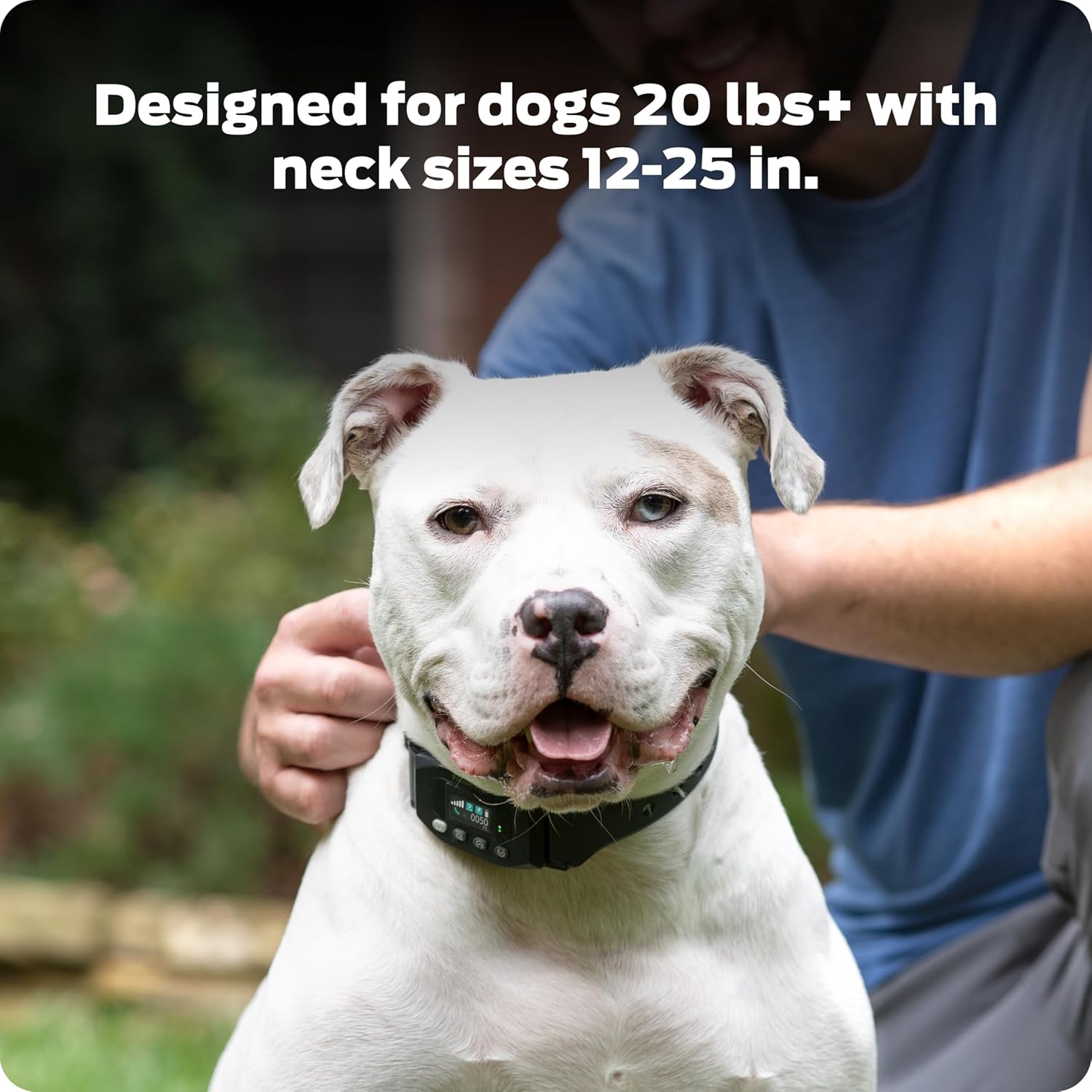
A white dog wearing the GPS collar, demonstrating proper fit around the neck.
4. Setting the Boundary
The GPS Dog Fence creates a circular wireless boundary. To set it up, take the collar to the desired center point of your pet's play area. The collar's LCD screen will guide you through the process of establishing the boundary radius. This system is ideal for yards 3/4 acres or larger.

A dog relaxing on a lawn, illustrating the concept of a safe, circular GPS boundary.
Official overview of the Premier Pet GPS Dog Fence Collar, demonstrating its features and setup process.
Detailed instructions on how to use your new Premier Pet GPS Dog Fence Collar, including boundary setting.
Operating Instructions
Correction Modes
The collar offers three distinct correction settings to suit your dog's needs: Tone & Vibration, Small-Dog Static, and Large-Dog Static. These can be selected directly from the collar's LCD screen.

Visual guide to the three available correction modes for the GPS Dog Fence Collar.
LCD Display Icons
The collar's LCD displays various icons to provide real-time information:
- GPS Signal Icon: Indicates the strength of the GPS signal.
- Positioning Icon: Displays when the collar has successfully positioned itself and is tracking.
- Static Icon: Shows when the collar is set to a static correction mode.
- Battery Power Icon: Indicates the current battery charge level.
- Distance Icon: Displays the current distance from the center point to the collar.
- Inside/Outside Boundary Icons: Indicates if the dog is currently inside or outside the set boundary.
Button Functions
The collar features intuitive buttons for easy operation:
- Power Button: Press to turn on/wake the LCD. Press and hold to display the collar menu or turn the collar off.
- Location Button: Used to confirm selections in the menu or to reset the center point.
- Adjustment Buttons (Up/Down): Used to navigate through menu options and adjust settings like boundary radius or correction mode.
Maintenance
To ensure the longevity and proper functioning of your Premier Pet GPS Dog Fence Collar, regular maintenance is recommended. Keep the collar clean by wiping it with a damp cloth. Periodically check the contact points for any debris or corrosion. Ensure the charging port is free of dirt and moisture. Store the collar in a dry place when not in use.
Troubleshooting
If you encounter issues with your GPS Dog Fence Collar, consider the following common solutions:
- No GPS Signal: Ensure you are in an open area with a clear view of the sky. Allow a few minutes for the collar to acquire a strong GPS signal (at least 3 bars).
- Collar Not Correcting: Verify the correction mode is set correctly (Tone & Vibration, Small-Dog Static, or Large-Dog Static). Ensure the contact points are making proper contact with your dog's skin. Use the test light tool to confirm activation near the boundary.
- Inconsistent Boundary: GPS accuracy can vary. Ensure the center point was set in an open area. Avoid setting boundaries near tall buildings or dense tree cover that might obstruct GPS signals.
- Battery Issues: Fully charge the collar. If battery life is significantly shorter than expected, ensure the collar is not left in GPS searching mode unnecessarily.
Product Specifications
| Item Weight | 1.32 pounds |
| Manufacturer | Radio Systems Corporation |
| Item model number | GIF00-18024 |
| Batteries | 1 Lithium Polymer batteries required. |
| Item Package Dimensions L x W x H | 15.04 x 9.37 x 3.66 inches |
| Item Dimensions LxWxH | 4.25 x 3.5 x 1.6 inches |
| Brand Name | Premier Pet |
| Target Audience Keyword | Cats, Dogs, dogs |
| Model Name | Premier Pet GPS Dog Fence with Circular Wireless Boundary |
| Color | Black |
| Size | One Size |
| Material | Plastic |
| Age Range Description | All Life Stages |
| Number of Items | 1 |
| Breed Recommendation | All Breed Sizes |
| Included Components | Product manual & Training guide, USB charging cable, Test light tool and silicone caps, Short & long contact points, Dog fence with GPS technology |
| Specific Uses for Product | Indoor |
| Product Dimensions | 4.25 x 3.5 x 1.6 inches; 1.32 Pounds |
| Brand | Premier Pet |
| Closure Type | Buckle |
Warranty & Support
Warranty Information
This product includes a 1 Year Limited Warranty from Radio Systems Corporation, the manufacturer.
Important Directions
Read instructions before use.
Customer Support
For questions about your GPS Dog Fence or need training tips for your pet, please refer to the included product manual or visit the Premier Pet website for assistance.