
Introduction
Thank you for purchasing the GPEESTRAC TD200 Bluetooth 5.4 Earphones. These wireless earbuds are designed to provide a high-quality audio experience with advanced features such as Bluetooth 5.4 connectivity, Hi-Fi bass, automatic pairing, and IPX4 waterproofing. This manual will guide you through the setup, operation, and maintenance of your new earphones.
Package Contents
Please check to ensure all items are present in your package:
- Wireless Earphones (Left and Right)
- Rechargeable Storage Case
- Ear Pieces x 3 pairs (Sizes: S, M, L) - Medium size is pre-installed.
- USB Charging Cable
- Instruction Manual
Product Overview
The GPEESTRAC TD200 earphones consist of two wireless earbuds and a magnetic charging case. The charging case features an LED display to show battery levels.

Image: GPEESTRAC TD200 Earbuds placed inside their charging case. The case is open, revealing an LED display showing battery percentages for both earbuds and the case itself. The earbuds have a sleek black design with subtle colored accents.
Each earbud is lightweight, approximately 5g, designed for comfort and a secure fit.

Image: A woman running outdoors, wearing the GPEESTRAC TD200 earbuds. The image also highlights the different sizes of ear tips (S, M, L) and illustrates the water-resistant feature with water droplets around the earbuds.
Setup
1. Charging the Earphones and Case
Before first use, fully charge the earphones and the charging case.
- Place the earbuds into the charging case. Ensure they are correctly seated; magnetic contacts will hold them in place.
- Connect the USB charging cable to the charging port on the case and to a USB power source.
- The LED display on the charging case will show the current battery level of the case and each earbud. A full charge is indicated by "100" on the display.
The 1200 mAh charging case can charge the earphones approximately 20 times, providing up to 240 hours of total playback. The earphones themselves offer 8 to 14 hours of playback on a single charge.

Image: Close-up of the GPEESTRAC TD200 charging case displaying "100" on its LED screen, indicating a full charge. Below, an illustration shows the earbuds playing music and the USB-C charging port connected to a smartphone, highlighting its power bank capability.
2. Automatic Pairing
The TD200 earphones feature automatic pairing for convenience.
- First Time Pairing:
- Open the charging case and remove both earbuds. They will automatically power on and enter pairing mode.
- On your device (smartphone, tablet, etc.), enable Bluetooth and search for available devices.
- Select "TD200" from the list of devices to connect. You will hear a confirmation sound once paired.
- Subsequent Pairing: After the initial pairing, the earphones will automatically connect to the last paired device when removed from the charging case.
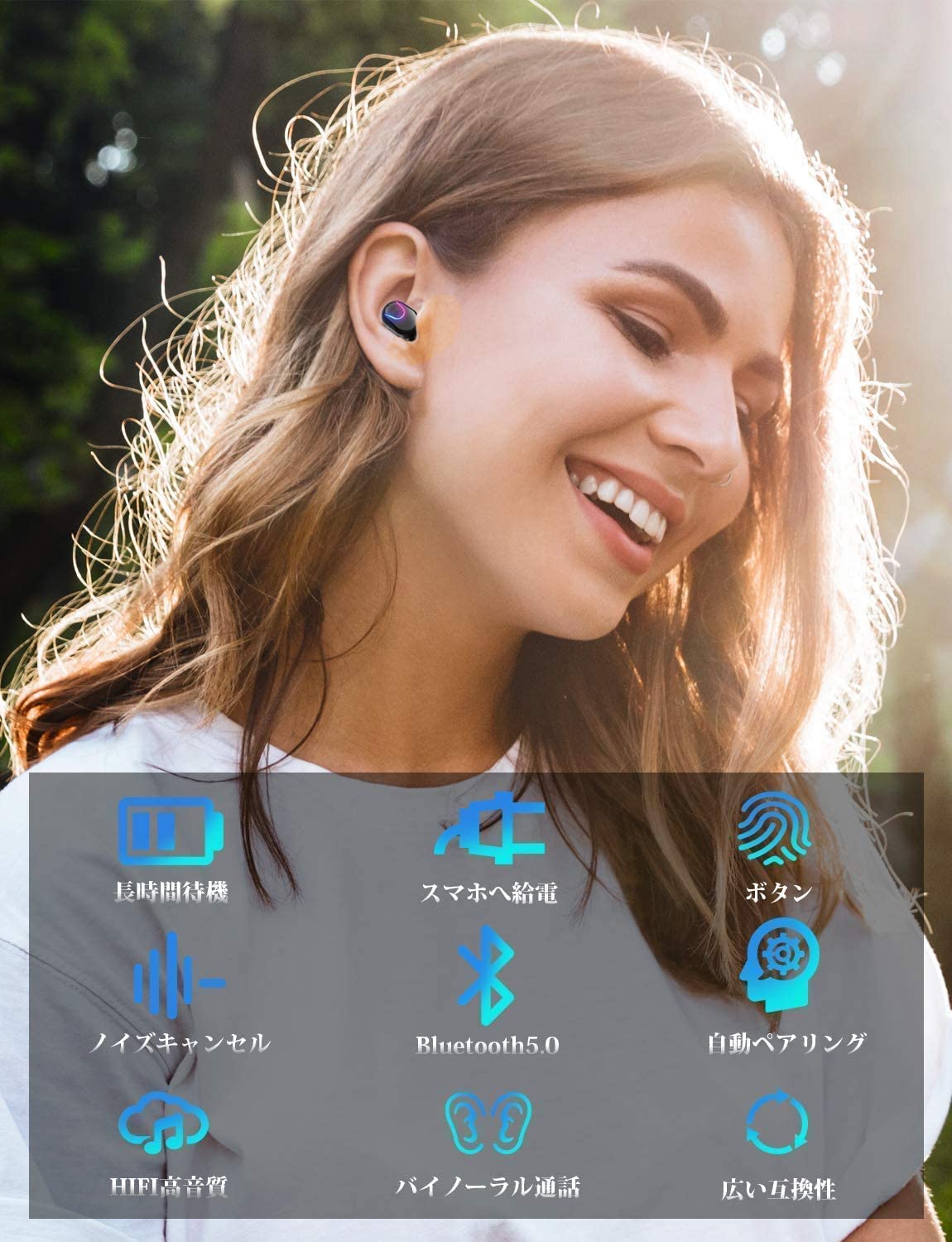
Image: A woman smiling while wearing the GPEESTRAC TD200 earbuds. Surrounding icons visually represent key features such as long standby time, power supply to smartphones, button controls, noise cancellation, Bluetooth 5.0, automatic pairing, Hi-Fi sound quality, binaural calls, and wide compatibility.
Operating Instructions
Basic Controls
The TD200 earphones feature a button-type control for various functions. These functions include:
- Playing and pausing music.
- Starting, ending, or rejecting phone calls.
- Further controls may be available through specific button presses (e.g., single, double, or long press) as detailed in the included printed manual.
Binaural and Independent Mode
The TD200 earphones support both binaural (stereo) and independent (mono) modes.
- Binaural Mode: Use both earbuds for a stereo audio experience. This is ideal for music and calls where full immersion is desired.
- Independent Mode: Either earbud can be used individually. Simply remove one earbud from the case, and it will connect as a single unit. This is useful for hands-free calls while maintaining awareness of your surroundings, or for sharing one earbud with another person.

Image: The top part shows a woman using both earbuds in binaural mode. The bottom part shows a man and a woman, each wearing one earbud, illustrating the independent mode for sharing or individual use.
Maintenance
Proper maintenance ensures the longevity and optimal performance of your earphones.
- Cleaning: Regularly clean the earbuds and charging case with a soft, dry, lint-free cloth. Do not use abrasive materials or harsh chemicals.
- Ear Tips: Remove the ear tips periodically and clean them with a damp cloth. Ensure they are completely dry before reattaching.
- Water Resistance: The earphones are IPX4 waterproof, meaning they are resistant to splashing water from any direction. This protects them from sweat during exercise and light rain. Note: The charging case is not waterproof. Avoid submerging the earphones or exposing the charging case to water.
- Storage: When not in use, store the earphones in their charging case to protect them and keep them charged.
Troubleshooting
If you encounter any issues with your TD200 earphones, please refer to the following common solutions:
- Earbuds not pairing with each other or device:
- Ensure both earbuds are charged.
- Place both earbuds back into the charging case, close the lid, wait a few seconds, then remove them again.
- On your device, forget or delete "TD200" from your Bluetooth device list, then attempt to pair again from scratch.
- No sound from one earbud:
- Check the battery level of the affected earbud.
- Ensure the earbud is clean and free of debris that might block the speaker.
- Try resetting the earbuds by placing them in the case and re-pairing.
- Charging case not charging:
- Verify the USB cable is securely connected to both the case and the power source.
- Try using a different USB cable or power adapter.
- Poor sound quality or intermittent connection:
- Ensure there are no obstructions between your device and the earbuds.
- Move closer to your device to reduce interference.
- Check if other Bluetooth devices are causing interference.
- Ensure the ear tips provide a good seal in your ear.
If the issue persists, please contact customer support as described in the "Warranty and Support" section.
Specifications
| Model | TD200 |
| Bluetooth Version | 5.4 + EDR |
| Earphone Playback Time | Approximately 8-14 hours (single charge) |
| Charging Case Capacity | 1200 mAh |
| Total Playback Time (with case) | Up to 240 hours |
| Waterproof Rating | IPX4 (Earbuds only, case is not waterproof) |
| Earbud Weight | Approx. 5g per earbud |
| Total Item Weight | 120 g |
| Manufacturer | GPEESTRAC |
Warranty and Support
GPEESTRAC products are designed for reliability and performance. In the event of any initial defects or if you have questions regarding the compatibility or usage of your TD200 earphones, please do not hesitate to contact our customer support.
To contact support, please navigate to your Amazon purchase history and select the option to "Contact Seller." We are committed to providing prompt assistance.