1. Introduction
The ANCEL DS200 is a professional OBD2 diagnostic tool designed to provide comprehensive vehicle diagnostics. It supports full system diagnostics, allowing you to identify issues across various vehicle modules, and offers over 15 reset and maintenance services. This manual will guide you through the setup, operation, maintenance, and troubleshooting of your DS200 device.
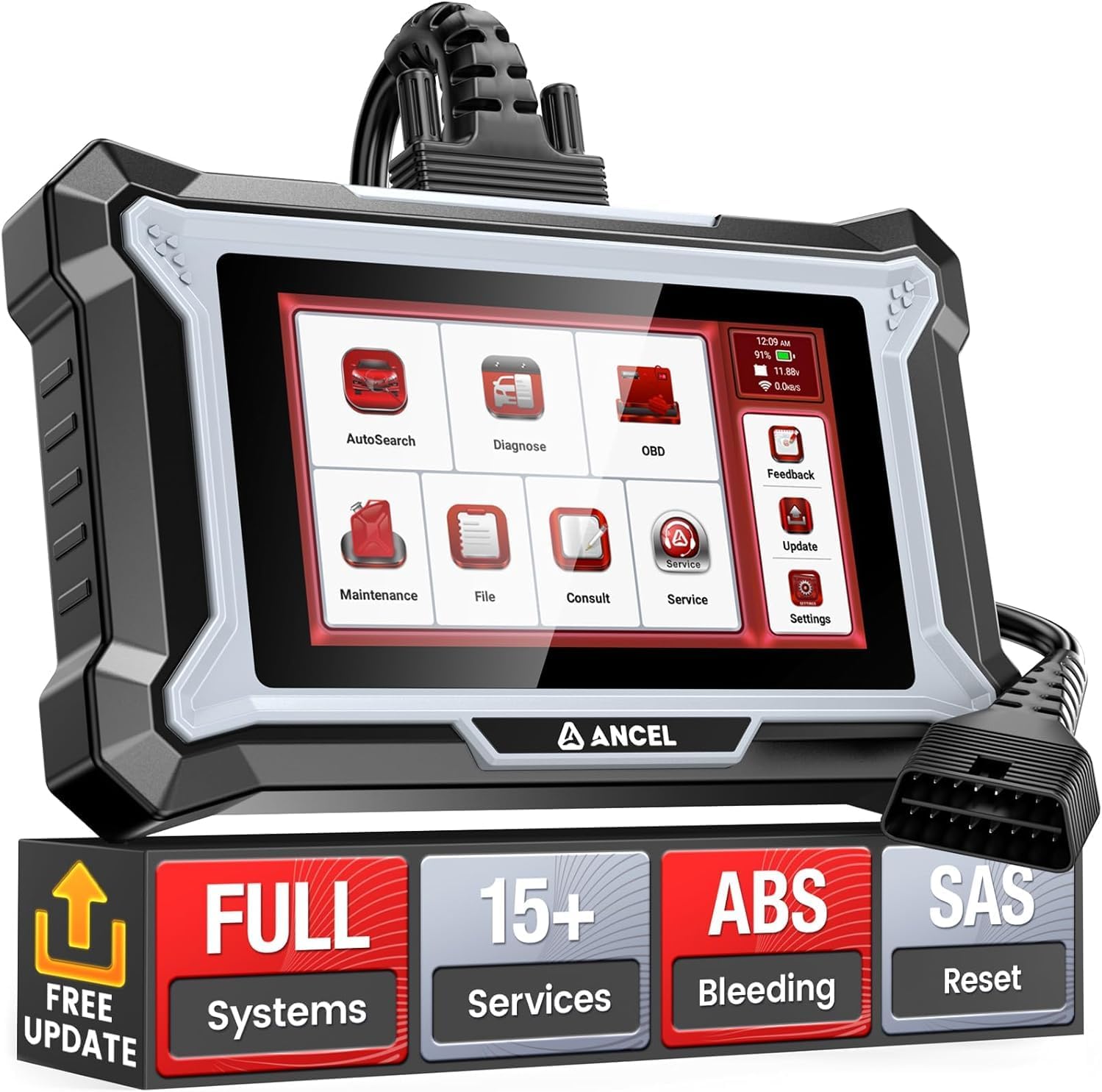
Figure 1.1: ANCEL DS200 Diagnostic Tool.
2. Setup and Initial Configuration
Before using your ANCEL DS200, please follow these steps for initial setup:
- Unboxing: Carefully remove the DS200 device and all accessories from the packaging. Ensure all components listed in the 'What's in the Box' section are present.
- Power On: Connect the device to your vehicle's OBD2 port. The device will power on automatically.
- Wi-Fi Connection: Navigate to the 'Settings' menu on the device's 5-inch HD touchscreen. Connect to a stable Wi-Fi network. This is crucial for software updates and online support.
- Software Update: After connecting to Wi-Fi, accept or initiate the update for the APP operating system and car brand diagnostic software. Regular updates ensure optimal performance and compatibility with the latest vehicle models.

Figure 2.1: Contents of the ANCEL DS200 package.
3. Operating the Device
The ANCEL DS200 offers a user-friendly interface with various diagnostic and service functions.
3.1. All System Diagnostics
The DS200 can perform a complete diagnosis on all available vehicle systems, including Engine, ABS, SRS, Transmission, ESP, SAS, Audio Control, Climate Control, PCM (Powertrain Control Module), and more. This allows you to read and clear fault codes, view live data streams, and access ECU module information to quickly identify vehicle issues.

Figure 3.1: Overview of All System Diagnostics capability.
3.2. AUTO VIN Technology
The AUTO VIN feature allows the DS200 to automatically identify your vehicle's information, such as make, model, and year, saving you time from manually entering the VIN. Simply connect the device, and it will quickly retrieve the necessary vehicle data.
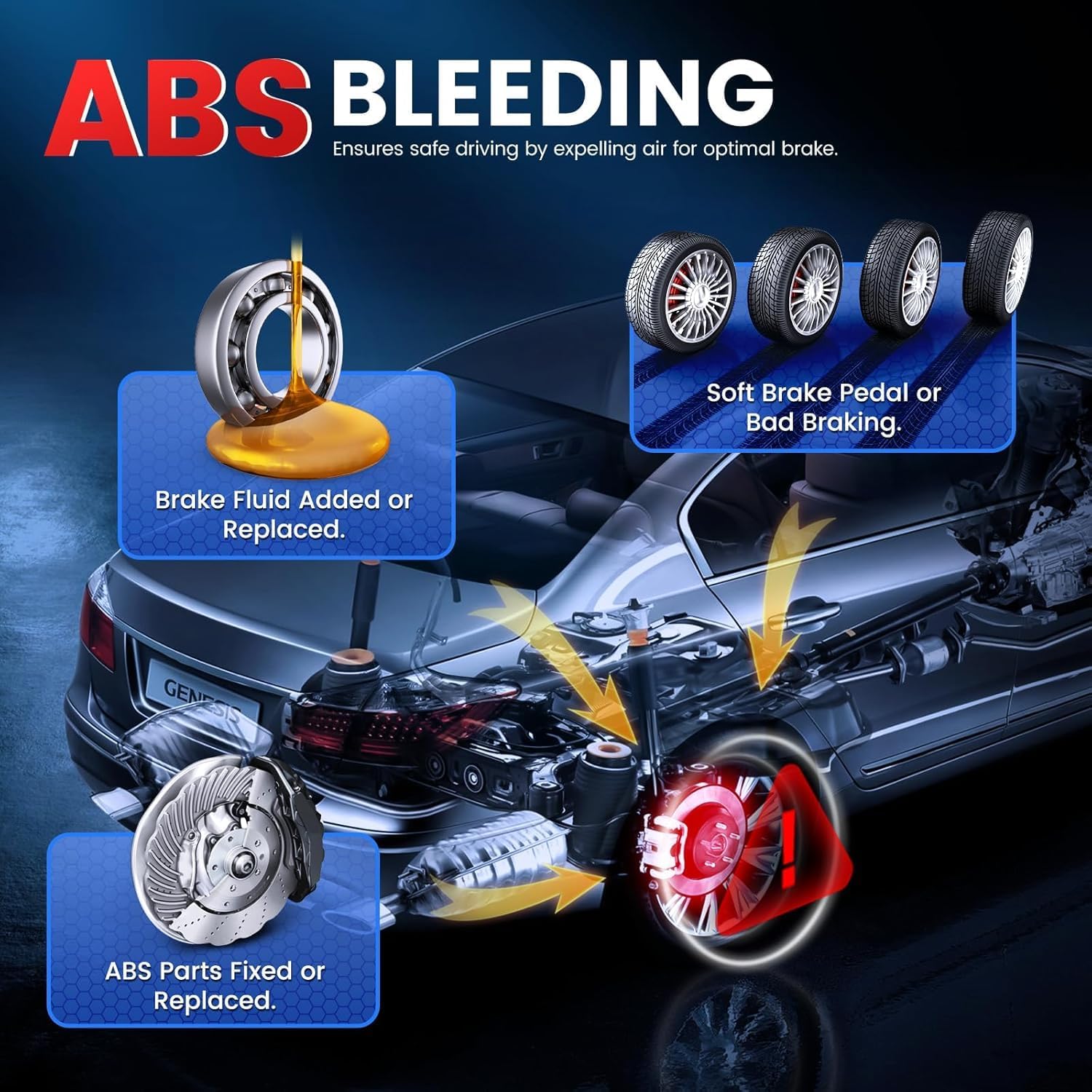
Figure 3.2: AUTO VIN technology in action.
3.3. Full OBD2 Functions
The DS200 supports all 10 OBD2 test modes, providing comprehensive engine diagnostics:
- Read/Clear Codes: Read current, pending, and permanent diagnostic trouble codes (DTCs) and clear them after repairs.
- Live Data: View real-time data streams from various sensors in text or graph format.
- Freeze Frame: Capture a snapshot of vehicle conditions when an emission-related fault occurs.
- I/M Readiness: Check the readiness of the emission monitoring systems.
- O2 Sensor Test: Retrieve O2 sensor monitor test results.
- On-Board Monitor Test: Retrieve results for emission-related powertrain components and systems.
- Component Test: Initiate a leak test for the vehicle's EVAP system.
- Vehicle Information: Retrieve the vehicle identification number (VIN), calibration ID, and calibration verification number (CVN).

Figure 3.3: Diagram illustrating full OBD2 functions.
3.4. Live Data Stream & Battery Monitoring
The DS200 can display real-time data from your vehicle, such as oil temperature, speed, and tire pressure, in 4-in-1 fused graphs for easy analysis. Data can be recorded, replayed, and shared. The integrated battery monitoring function automatically tracks battery voltage, helping you assess battery health and identify potential charging system issues.

Figure 3.4: Real-time data display with 4-in-1 fused graphs.
3.5. User Interface and Language Support
The device features a responsive 5-inch HD touchscreen for intuitive navigation. It supports 19 languages, including English, French, German, Italian, Spanish, Portuguese, Japanese, Russian, Dutch, Hungarian, Slovak, Greek, Arabic, Czech, Polish, Traditional Chinese, Korean, Turkish, and Danish, making it accessible to a wide range of users.
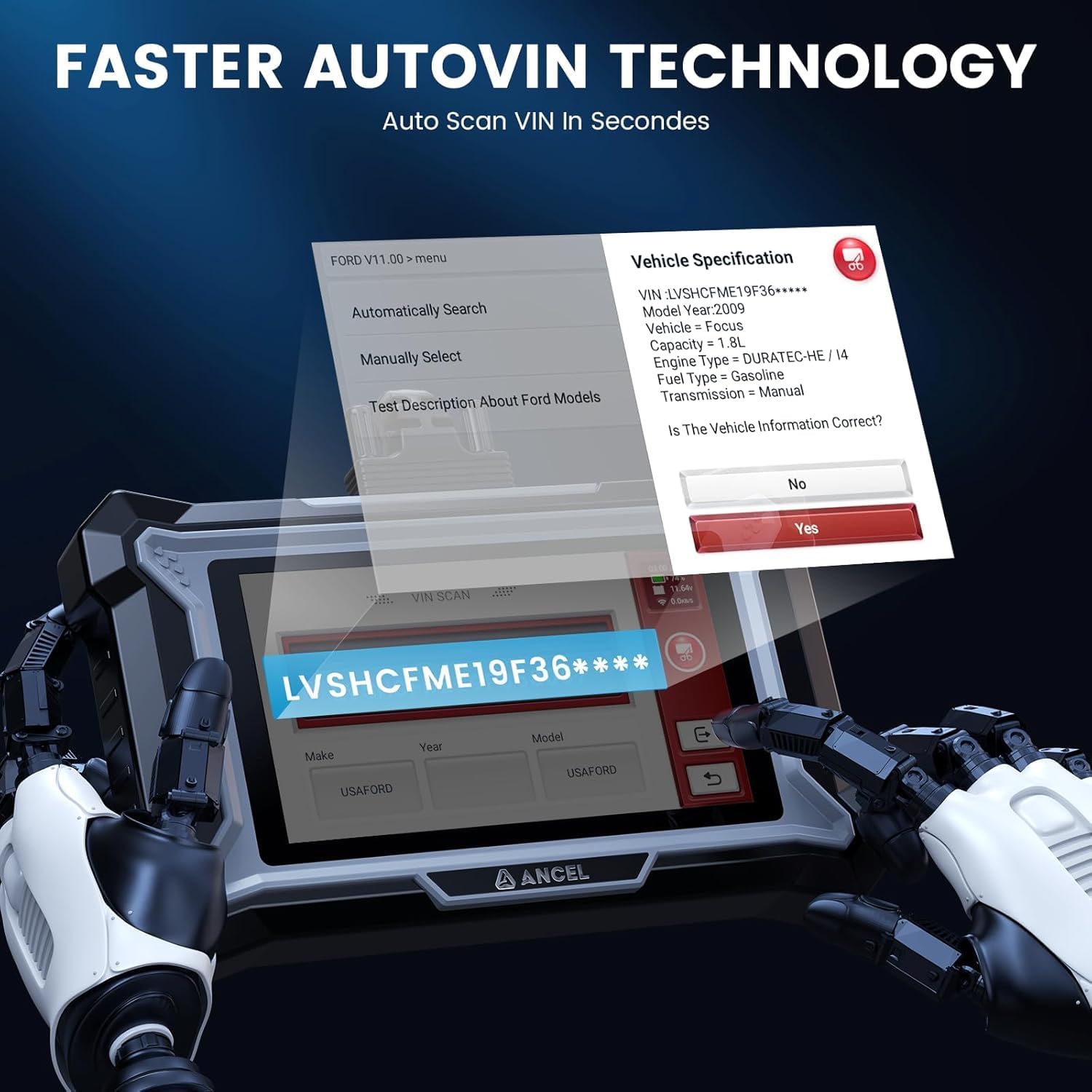
Figure 3.5: Hardware and software configuration of the DS200.
4. Maintenance and Service Functions
The ANCEL DS200 provides over 15 special reset and maintenance services to help you perform common vehicle repairs and adjustments.
4.1. ABS Bleeding
This function allows you to perform automated bleeding procedures for the Anti-lock Braking System (ABS) to remove air from the brake lines, ensuring optimal brake performance and safety after brake system repairs or component replacement.
Figure 4.1: ABS Bleeding process illustration.
4.2. SAS Reset (Steering Angle Sensor Calibration)
The Steering Angle Sensor (SAS) calibration function allows you to perform calibration of the steering angle sensor, which is crucial for the proper functioning of the Electronic Stability Program (ESP) and other steering-related systems after steering component replacement or alignment.

Figure 4.2: Steering Angle Sensor (SAS) reset procedure.
4.3. Battery Matching (BMS Reset)
This function allows you to register a new battery with the vehicle's Battery Management System (BMS) after replacement. Proper battery registration optimizes its performance, extends its lifespan, and prevents potential damage to the vehicle's electronic components.

Figure 4.3: Battery matching process.
4.4. Injector Coding
Injector coding is used to program new injector compensation codes into the ECU after replacing injectors or performing engine maintenance. This ensures accurate fuel delivery and optimal engine performance, addressing issues like abnormal fuel consumption or power loss.

Figure 4.4: Injector coding procedure.
Other maintenance services include Oil Reset, DPF Regeneration, TPMS Reset, Gearbox Relearn, EGR Adaption, Throttle Relearn, AdBlue Reset, and more. Please note that the availability of specific functions may vary depending on the vehicle model and year. Refer to the device's software or contact support for compatibility details.
5. Troubleshooting
If you encounter warning lights for Engine, ABS, Airbag, or Transmission on your dashboard, the ANCEL DS200 can help you diagnose the issue. Read the fault codes to understand their meaning, the severity of the fault, and potential solutions before visiting a workshop. After resolving the underlying issue, you can use the device to clear the fault code and turn off the warning light. Remember, fault codes can only be cleared once the problem has been fixed.
For common issues not covered here, please refer to the device's built-in help section or contact ANCEL customer support.
6. Specifications
| Feature | Specification |
|---|---|
| Brand | ANCEL |
| Model Number | DS200 |
| Operating System | Android 11.0 |
| Screen | 5-inch HD Touchscreen |
| Processor | 1.3 GHz 4-Core CPU |
| RAM | 2GB |
| ROM | 32GB |
| Battery | 1500 mAh |
| Power Source | Wired (via OBD2 port) |
| Item Weight | 950 g |
| Package Dimensions | 23.8 x 23 x 6.3 cm |
| Supported Languages | 19 Languages |
7. Warranty and Support
The ANCEL DS200 comes with lifetime free software updates, ensuring your device remains compatible with new vehicle models and features. For any questions or technical assistance, ANCEL provides online chat support. You can access this feature directly from the device's interface for quick and efficient problem resolution.

Figure 7.1: Online chat support feature.
7.1. Vehicle Compatibility
The ANCEL DS200 supports over 100 car brands and more than 100,000 vehicle models from 1996 to 2024 across American, European, and Asian regions. However, due to variations in vehicle protocols and unique systems/ECUs, not all functions may be available for every specific model. It is recommended to contact ANCEL support to confirm compatibility for specific functions before purchase.

Figure 7.2: Overview of supported vehicle brands and models.


