
1. Introduction
This manual provides instructions for the safe and efficient operation of your SinKeu HP500S Portable Power Bank. Please read this manual thoroughly before use and retain it for future reference. This device is designed to provide portable power for various electronic devices, including smartphones, tablets, and laptops, with multiple output options.
2. Important Safety Information
To ensure safe operation and prevent damage to the device or injury, please observe the following precautions:
- Do not disassemble, repair, or modify the unit. Improper assembly may cause fire or injury.
- Keep the power bank away from water, moisture, and high temperatures. Do not expose it to direct sunlight for extended periods.
- Do not use the power bank in environments with flammable gases or fumes.
- Use only the provided or approved charging accessories.
- Avoid dropping, hitting, or subjecting the power bank to strong impacts.
- Keep out of reach of children.
- Dispose of the power bank according to local regulations. Do not dispose of it in household waste.
- The SinKeu HP500S is UL safety certified and approved by CE, FCC, and RoHS standards, ensuring complete protection for you and your devices.
3. Package Contents
Please verify that all the following items are present in your product package:
- 1 x SinKeu HP500S 24000mAh AC Portable Power Bank
- 1 x DC 15V/2A (30W) Input Charger
- 1 x Cigarette Lighter Adapter
- 1 x 12V Car Charging Cable
- 1 x User Manual
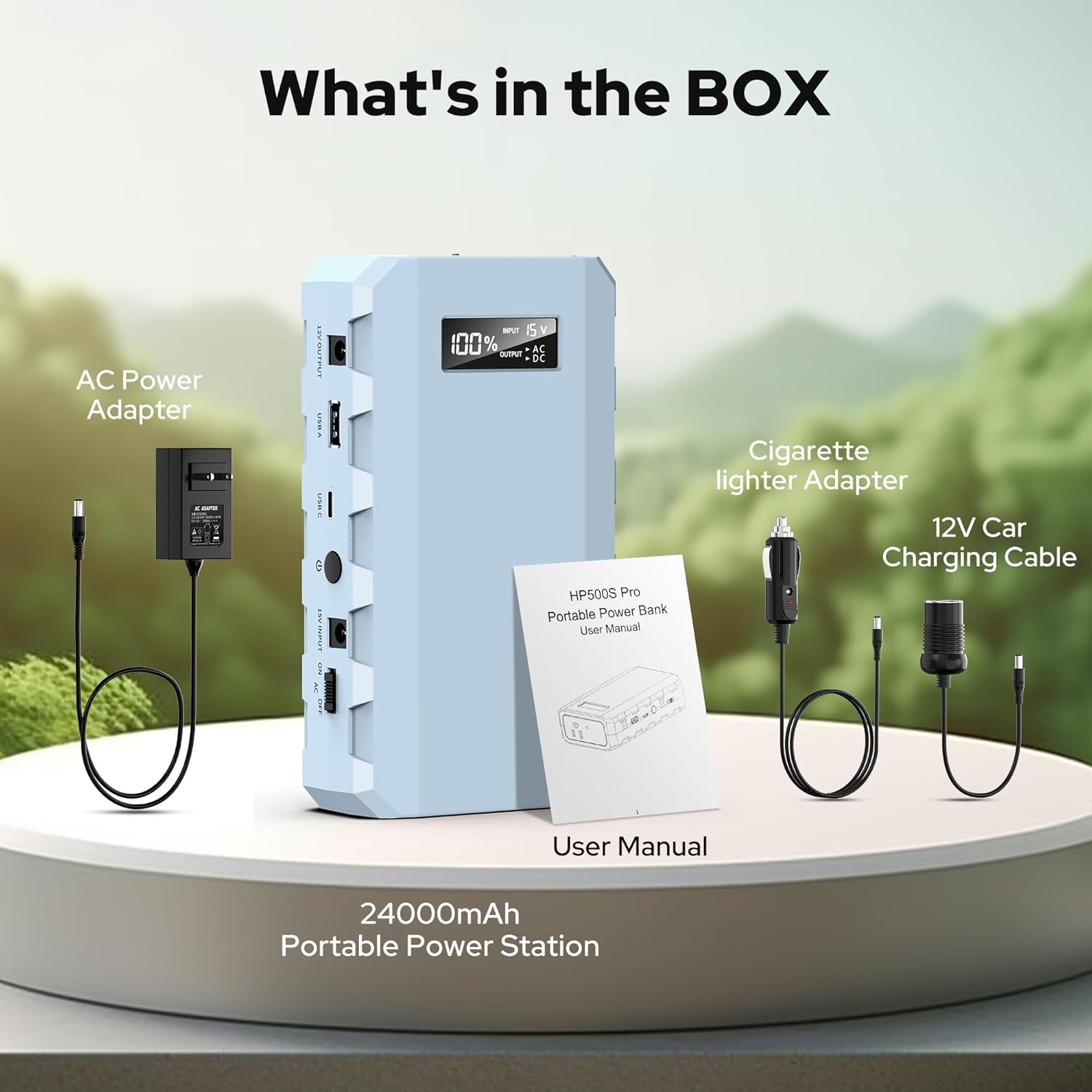
This image displays the items included in the product package: the 24000mAh Portable Power Station, an AC Power Adapter, a Cigarette Lighter Adapter, a 12V Car Charging Cable, and the User Manual.
4. Product Overview
Familiarize yourself with the various ports, indicators, and controls on your SinKeu HP500S Portable Power Bank.
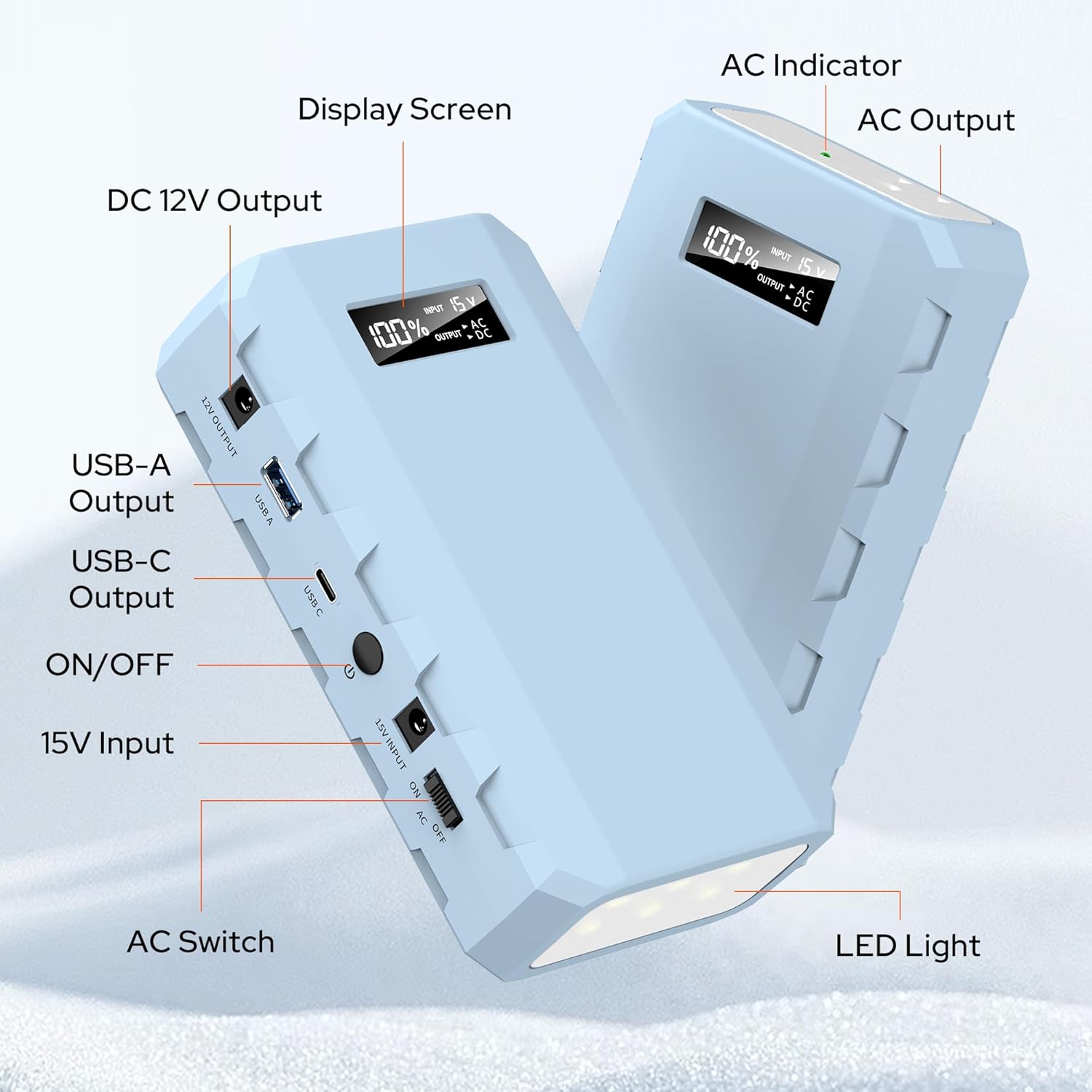
This diagram labels the key components of the power bank, including the Display Screen, AC Indicator, AC Output, DC 12V Output, USB-A Output, USB-C Output, ON/OFF button, 15V Input, AC Switch, and LED Light.
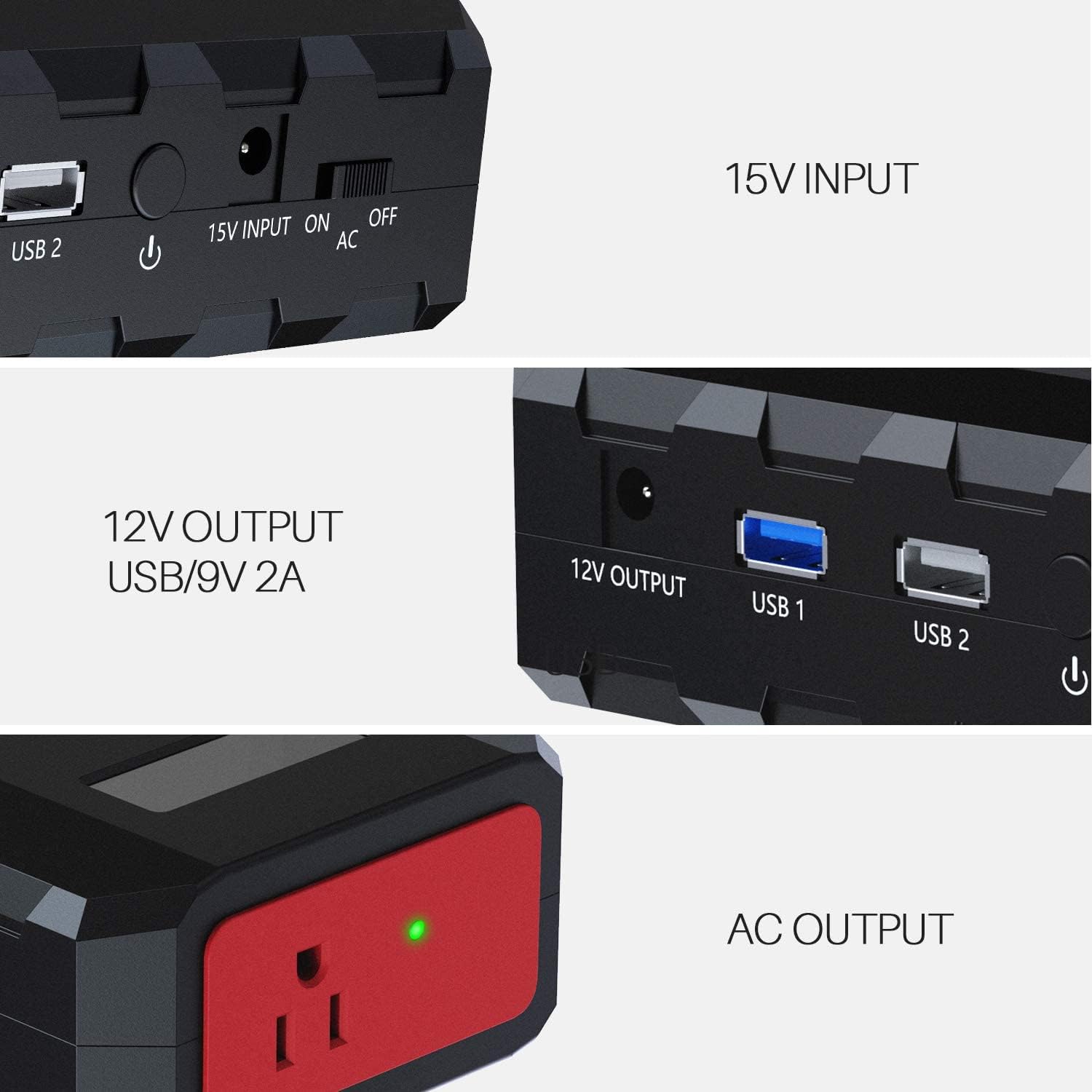
This image highlights the 15V Input port, the AC ON/OFF switch, the 12V Output port, and the USB 1 and USB 2 ports.

This image provides a closer look at the AC Output, 12V Output, USB 1 (QC3.0/9V 2A), USB 2, Light button, and 15V Input.
5. Technical Specifications
| Model | HP500S |
| Battery Capacity | 24000mAh / 88.8Wh |
| AC Output | 110V / 65W |
| USB-A Output | 5V/3A, 9V/2A (QC3.0) |
| USB-C Output | 5V/3A, 9V/2A |
| DC Output | 9V~12.6V / 10A Max |
| DC Input | 15V / 2A (30W) |
| Safety Certifications | UL, CE, FCC, RoHS |
6. Setup: Recharging the Power Bank
Before first use, fully charge your SinKeu HP500S Portable Power Bank.
- Connect the provided DC 15V/2A (30W) input charger to the 15V INPUT port on the power bank.
- Plug the charger into a standard wall outlet.
- The display screen will show the charging progress. The power bank is fully charged when the display shows 100%.
- Charging time may vary depending on the remaining battery level.
7. Operating Instructions
7.1. Charging Devices via USB-A/USB-C
- Connect your smartphone, tablet, or other USB-powered device to the USB-A or USB-C output port using a compatible charging cable.
- The power bank will automatically begin charging your device. The display screen will show the remaining battery percentage.
7.2. Using the AC Outlet
The AC outlet provides 110V/65W power for laptops and other small appliances.
- Ensure the device you intend to power does not exceed 65W.
- Flip the AC switch to the 'ON' position. The AC indicator light will illuminate.
- Plug your device's power adapter into the AC outlet on the power bank.
- When finished, flip the AC switch to the 'OFF' position to conserve power.
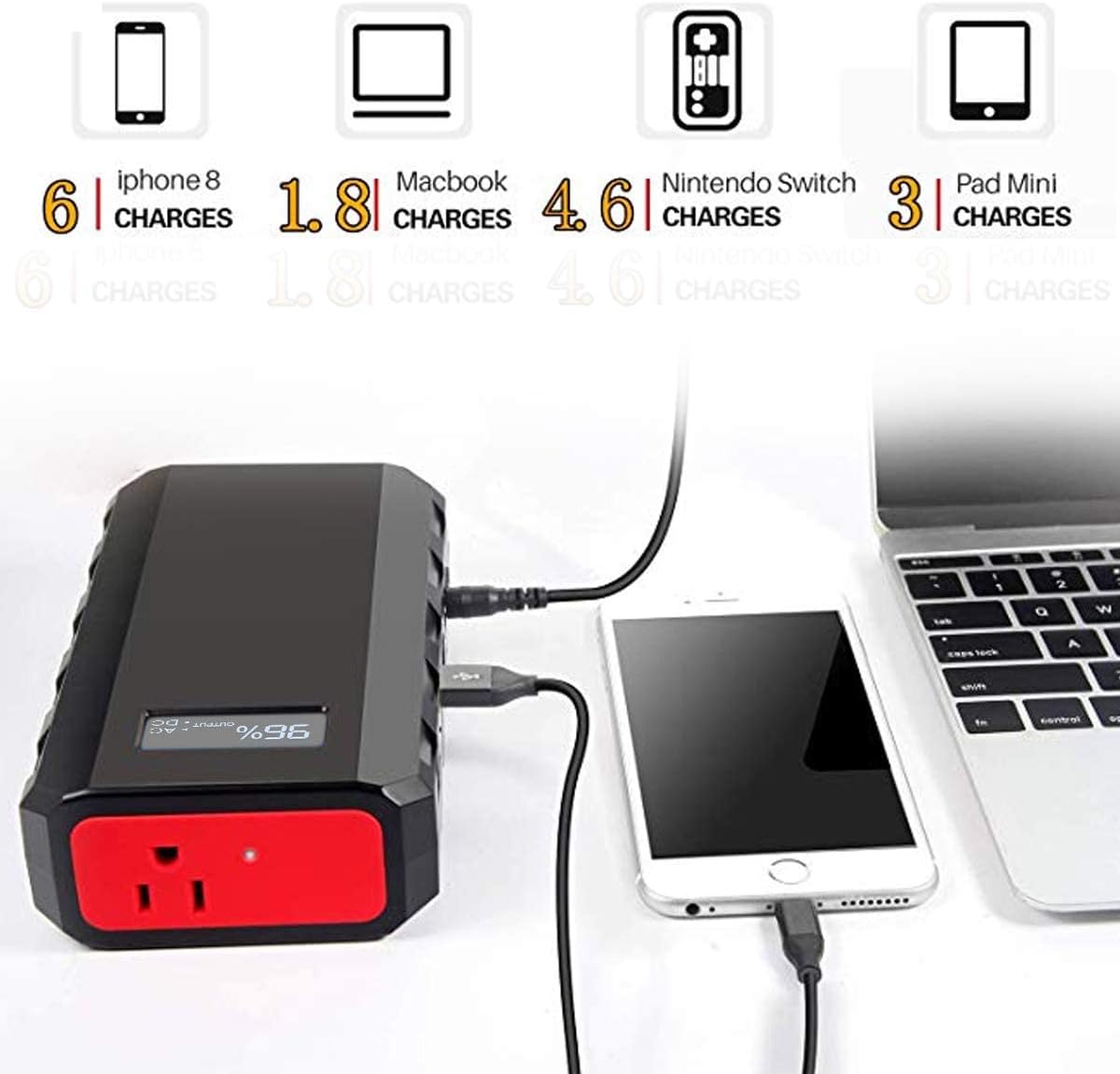
This image shows the power bank connected to a smartphone via USB and a laptop via the AC outlet, demonstrating its multi-device charging capability. The display shows 96% charge.

This image illustrates the power bank's versatility, showing it simultaneously charging various devices through its AC, USB-A, USB-C, and 12V DC output ports.
7.3. Using the DC 12V Output
The DC 12V output is suitable for devices that require a 12V DC input, such as car accessories or specific portable electronics.
- Connect your 12V DC device to the 12V DC OUTPUT port.
- The power bank will automatically provide power to the connected device.
7.4. LED Light Function
The integrated LED light offers three modes for various situations.
- Press the 'LIGHT' button once to turn on the LED light in standard illumination mode.
- Press the 'LIGHT' button a second time for Emergency Strobe mode.
- Press the 'LIGHT' button a third time for SOS mode.
- Press the 'LIGHT' button a fourth time to turn off the LED light.
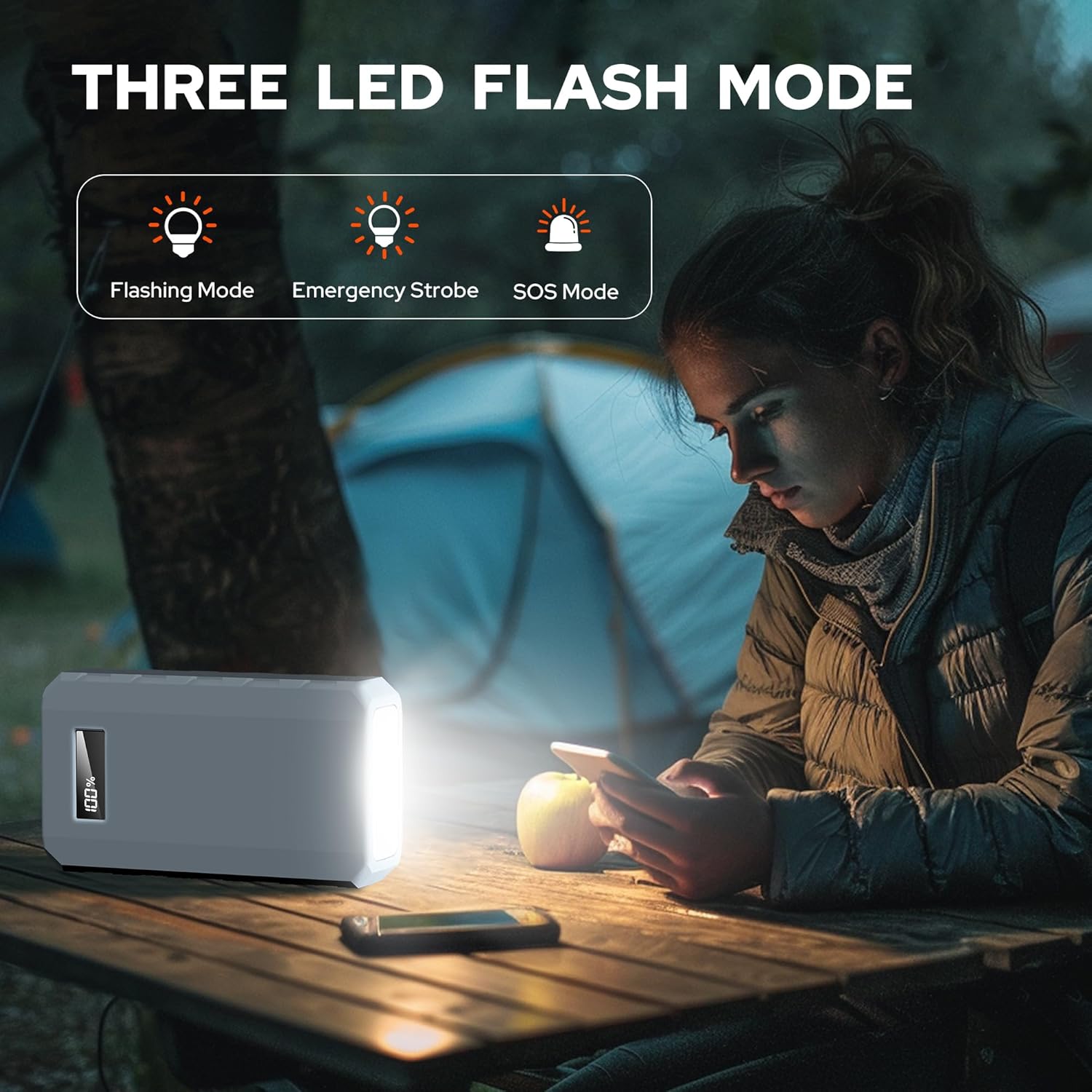
This image demonstrates the power bank's integrated LED light, highlighting its three modes: Flashing Mode, Emergency Strobe, and SOS Mode, useful for camping or emergencies.
8. Maintenance
Proper care and maintenance will extend the lifespan of your power bank:
- Clean the power bank with a dry, soft cloth. Do not use abrasive cleaners or solvents.
- Store the power bank in a cool, dry place, away from direct sunlight and extreme temperatures.
- If not used for an extended period, recharge the power bank at least once every three months to maintain battery health.
- Avoid fully discharging the battery frequently, as this can reduce its overall lifespan.
9. Troubleshooting
If you encounter issues with your SinKeu HP500S, refer to the following common problems and solutions:
- Power Bank Not Charging: Ensure the DC 15V/2A input charger is properly connected to both the power bank and a working wall outlet. Check if the charger's indicator light is on.
- Device Not Charging from Power Bank: Verify that the power bank has sufficient charge. Ensure your device's charging cable is securely connected to both the power bank and your device. For AC output, ensure the AC switch is turned ON.
- AC Output Not Working: Confirm the AC switch is in the 'ON' position and the AC indicator light is illuminated. Ensure the connected device's power consumption does not exceed 65W.
- LED Light Not Functioning: Press the 'LIGHT' button multiple times to cycle through modes and ensure it's not off.
- Overheating: If the power bank feels excessively hot, disconnect all devices and allow it to cool down in a well-ventilated area. Avoid using it in direct sunlight or enclosed spaces.
10. Warranty and Customer Support
SinKeu provides a 30-day return policy for this product. For any questions, concerns, or technical assistance, please contact our customer service team. We offer 7x24 friendly customer service to ensure your satisfaction.
Please refer to the contact information provided in your purchase documentation or visit the official SinKeu website for support.
