1. Product Overview
The ETCR3660C Handheld Type DC Resistance Tester, also known as a Microhmmeter, is a precise instrument designed for measuring low DC resistance. It utilizes microprocessor technology and a 4-wire test method to ensure accurate and reliable results. This device is suitable for a wide range of applications including transformer winding resistance, cable conductor resistance, contact resistance of switches and relays, metal riveting resistance, and more.
Its compact size, light weight, and integrated high-capacity lithium battery make it ideal for outdoor use. The tester features a 5-inch colorful LCD screen and supports both automatic and manual measurement modes, offering flexibility for various testing environments. Additionally, it includes Bluetooth communication for mobile app integration, USB connectivity for data transfer, automatic discharge, alarm functions, and an automatic shutdown feature.
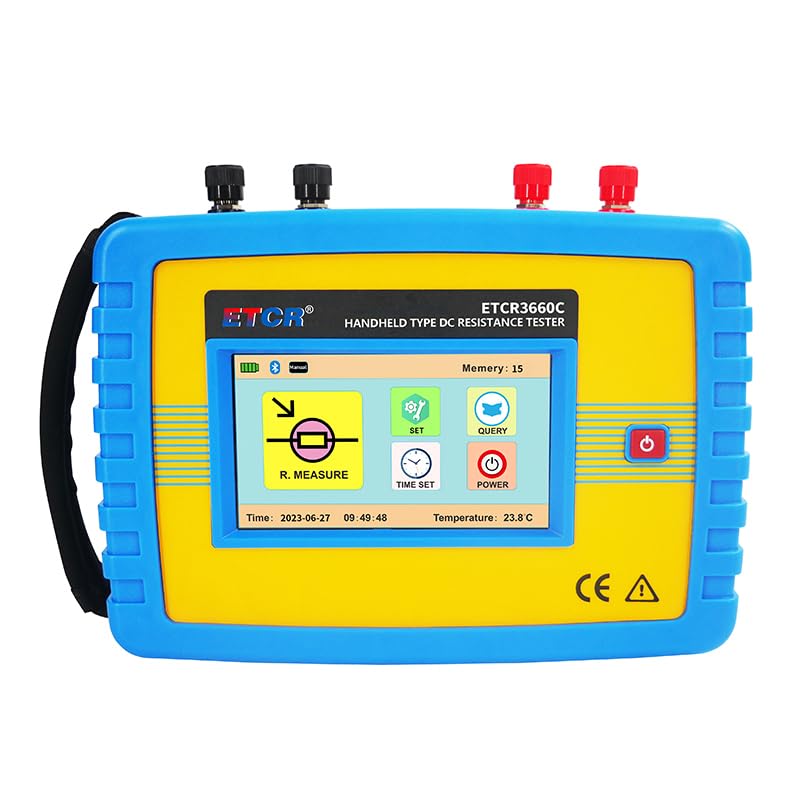
Figure 1.1: Front view of the ETCR3660C Handheld DC Resistance Tester, showing its display and control buttons.
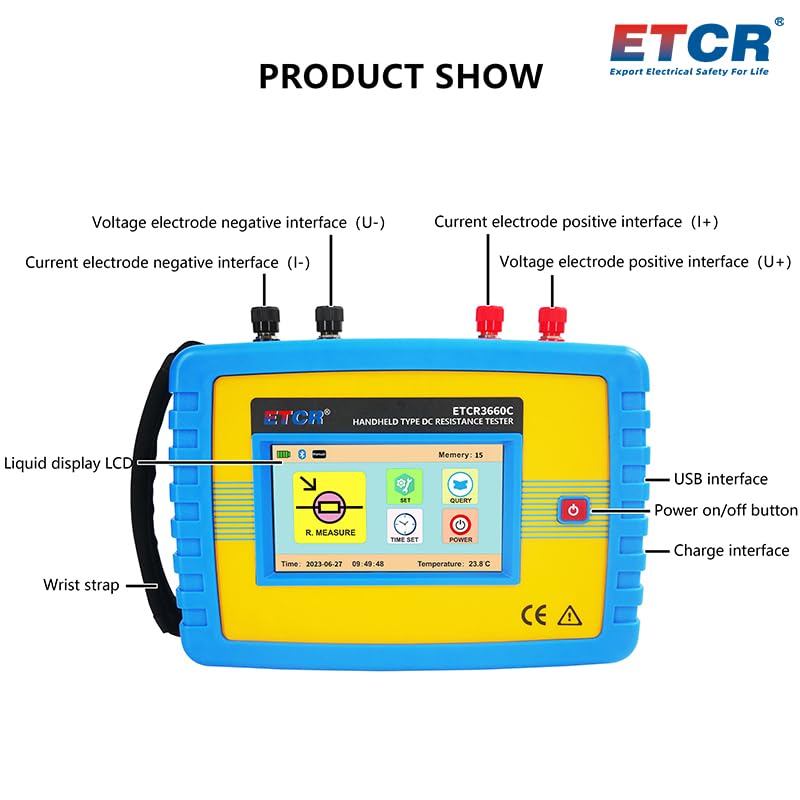
Figure 1.2: Detailed view of the ETCR3660C tester with key interfaces labeled, including voltage and current electrode interfaces, USB port, power button, and charge interface.
2. Safety Information
To ensure safe operation and prevent damage to the instrument, please read and understand all safety precautions before use. Failure to follow these instructions may result in electric shock, fire, or damage to the device.
- Always ensure the measured object is not live before testing.
- Remove the insulation layer and oxide layer on the measured object to ensure good contact.
- If the discharge is not completed, do not touch the test line and the measured object to avoid electric shock.
- To ensure the service life of lithium batteries, please charge every three months if not in use.
- Use only the provided charger (DC 16.8V) for charging the lithium battery (DC 14.8V 5200mAh).
- Do not operate the tester in wet environments or near flammable gases.
- Do not attempt to disassemble or modify the instrument. Refer all servicing to qualified personnel.
- Keep the instrument away from strong electromagnetic fields.

Figure 2.1: Rear view of the ETCR3660C tester, showing the warning label with important safety instructions regarding testing and battery care.
3. Product Features
- High Output Capability: Maximum output voltage of 16V and maximum test current of 10A, enabling fast and efficient testing of various resistances, including transformers.
- Dual Measurement Modes:
- Automatic Measurement Mode: Automatically selects the appropriate test current based on the load.
- Manual Measurement Mode: Offers 6 selectable test current gears to meet specific user requirements.
- Bluetooth Communication: Allows users to operate testing and view results on a mobile phone after installing the dedicated APP, providing convenience for on-site use.
- USB Interface & Monitoring Software: Equipped with a USB interface for connecting to a computer and monitoring software for reading, viewing, and saving historical data. The tester can store up to 600 groups of data.
- Automatic Discharge Function: Safely discharges the measured object automatically after testing, enhancing user safety.
- Temperature Conversion: Includes a function for 75°C conversion resistance, which compensates for the material temperature of the tested object, ensuring accurate readings.
- Alarm Function: Allows setting of a resistance alarm value, alerting the user if the measured value exceeds the set limit.
- Automatic Shutdown: Features an automatic shutdown function that activates after 15 minutes of inactivity, conserving battery life.
- Portable Design: Handheld type structure with a 5-inch colorful LCD screen, small in size and light in weight, making it highly portable for field applications.
4. What's in the Box
Upon opening the package, please verify that all components listed below are present and in good condition:
- ETCR3660C Tester: 1 unit
- Test Lines: 2 sets (red and black)
- USB Communication Cable: 1 unit
- Charger: 1 unit
- Meter Bag: 1 unit (for storage and transport)
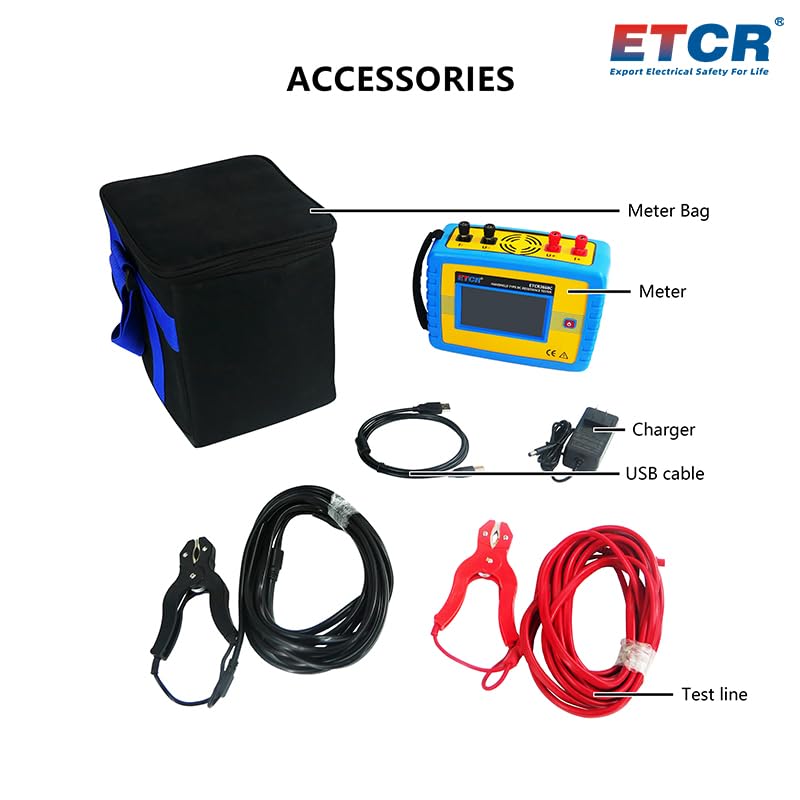
Figure 4.1: An illustration of all items included in the ETCR3660C package, showing the tester, test lines, USB cable, charger, and meter bag.
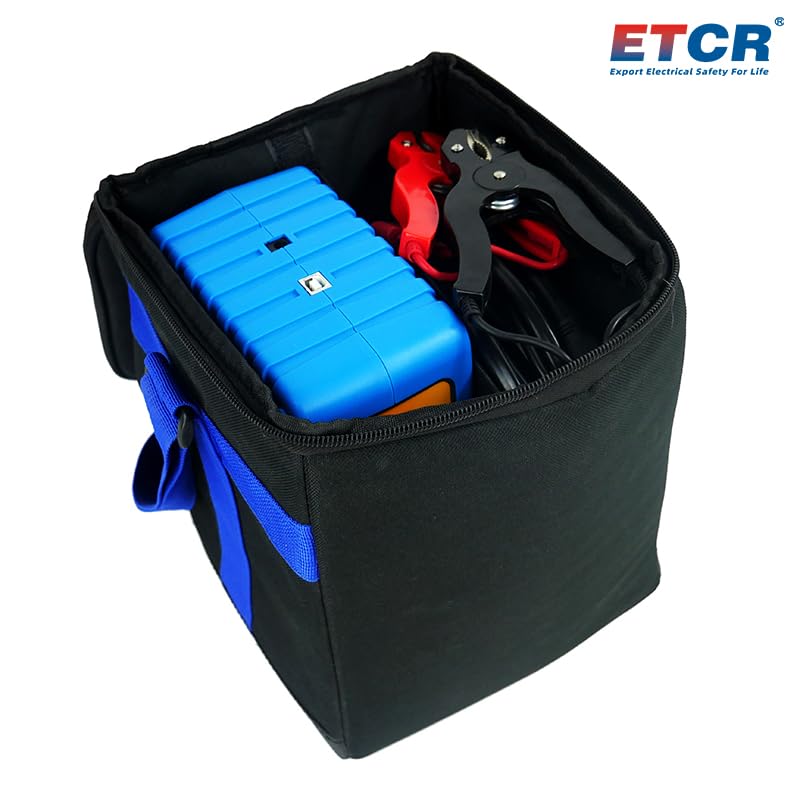
Figure 4.2: The ETCR3660C tester and its accessories neatly stored within the provided meter bag, demonstrating its portability.
5. Setup
5.1 Initial Charging
Before first use, fully charge the ETCR3660C tester. Connect the provided charger to the charging interface on the side of the tester (refer to Figure 1.2 for location). The charging indicator on the screen will show the charging status. A full charge ensures optimal battery life and performance.
5.2 Connecting Test Lines
The ETCR3660C uses a 4-wire method for precise resistance measurement. Connect the test lines to the corresponding ports on the top of the tester:
- Connect the black test line's current terminal to the "I-" port.
- Connect the black test line's voltage terminal to the "U-" port.
- Connect the red test line's current terminal to the "I+" port.
- Connect the red test line's voltage terminal to the "U+" port.
Ensure a secure connection for accurate readings. Refer to Figure 1.2 for a visual guide to the port locations.
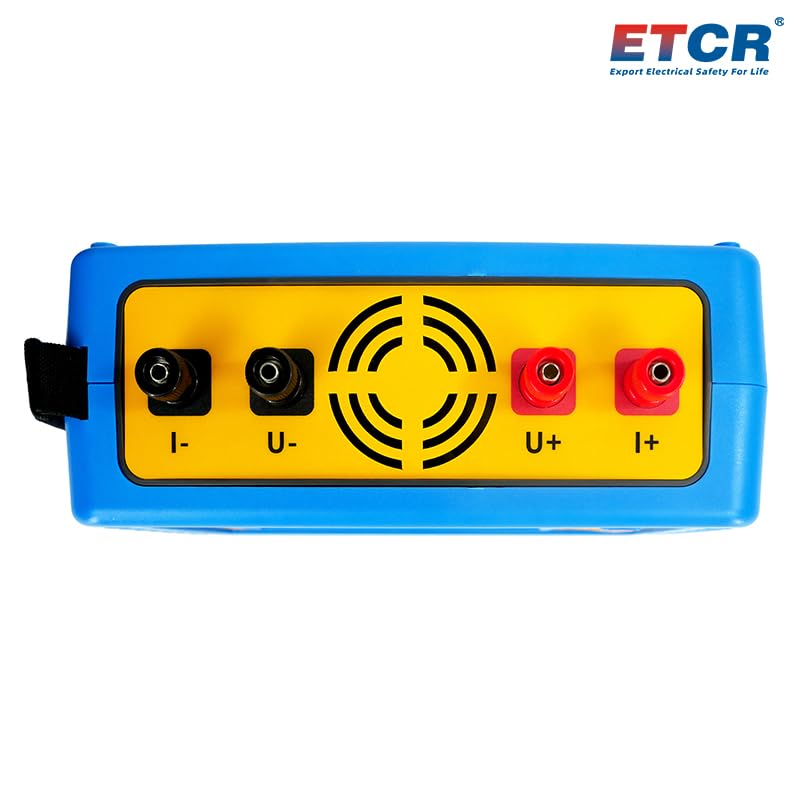
Figure 5.1: Top view of the ETCR3660C tester, clearly showing the four input terminals (I-, U-, U+, I+) for connecting the test leads.
6. Operating Instructions
6.1 Powering On/Off
Press and hold the power button (refer to Figure 1.2) to turn the tester on or off. The 5-inch LCD screen will illuminate upon startup.
6.2 Measurement Modes
The ETCR3660C offers two primary measurement modes:
- Automatic Measurement Mode: In this mode, the tester intelligently selects the optimal range gear and test current based on the resistance of the object being measured. This is the recommended mode for general use.
- Manual Measurement Mode: For specific testing requirements, you can manually select from 7 different range gears. This mode provides greater control over the testing parameters. Consult the on-screen menu for manual range selection.
6.3 Performing a Measurement
- Ensure the test lines are securely connected to the tester and the object to be measured.
- Verify that the measured object is de-energized and safe to test.
- Select your desired measurement mode (Automatic or Manual) from the main menu.
- Initiate the measurement process. The tester will display the resistance value on the LCD screen.
- After the measurement is complete, the automatic discharge function will activate to safely discharge any residual energy from the measured object.
6.4 Bluetooth Communication (APP)
The tester supports Bluetooth connectivity for remote operation and data viewing via a mobile application. Download the official ETCR APP from your device's app store. Pair your mobile device with the ETCR3660C tester to access real-time measurements, control testing, and review stored data conveniently.
6.5 Data Storage and Transfer
The ETCR3660C can store up to 600 groups of measurement data. To transfer data to a computer:
- Connect the tester to your computer using the provided USB communication cable.
- Install the ETCR monitoring software on your computer.
- Launch the software. You can then read, view, save, and analyze the historical data stored on the tester.
6.6 Advanced Functions
- 75°C Conversion Resistance: This function allows for temperature compensation, adjusting the measured resistance value to what it would be at a standard temperature of 75°C. This is crucial for comparing resistance values of materials at different ambient temperatures.
- Alarm Setting: You can set a specific resistance threshold. If a measured value exceeds this threshold, the tester will trigger an alarm, indicating a potential issue.
- Automatic Shutdown: To conserve battery life, the tester will automatically power off after 15 minutes of inactivity. This feature can typically be enabled or disabled in the system settings.
7. Maintenance
7.1 Cleaning
Regularly clean the exterior of the tester with a soft, dry cloth. For stubborn dirt, a slightly damp cloth with mild detergent can be used, ensuring no liquid enters the device. Do not use abrasive cleaners or solvents.
7.2 Battery Care
The ETCR3660C is equipped with a high-capacity lithium battery. To maximize its lifespan:
- Charge the battery fully before first use.
- If the tester will not be used for an extended period, charge it every three months to prevent deep discharge.
- Always use the original charger provided with the device.
- Avoid exposing the tester to extreme temperatures, which can degrade battery performance.
7.3 Storage
When not in use, store the tester and its accessories in the provided meter bag in a cool, dry place, away from direct sunlight and excessive humidity.
8. Troubleshooting
This section provides solutions to common issues you might encounter with your ETCR3660C tester. If the problem persists, please contact customer support.
| Problem | Possible Cause | Solution |
|---|---|---|
| Tester does not power on. | Battery is depleted. | Connect the charger and allow the battery to charge for at least 30 minutes before attempting to power on again. |
| Inaccurate readings. | Poor contact with measured object; Test leads damaged; Object is live. | Ensure test leads are firmly connected and the object's surface is clean. Inspect test leads for damage. Always ensure the object is de-energized. |
| Bluetooth connection fails. | Bluetooth on tester or mobile device is off; APP not installed or outdated. | Ensure Bluetooth is enabled on both devices. Restart both devices. Reinstall or update the ETCR APP. |
| Cannot transfer data via USB. | USB cable faulty; Monitoring software not installed or running. | Try a different USB port or cable. Ensure the ETCR monitoring software is correctly installed and launched on your computer. |
| Tester shuts down unexpectedly. | Automatic shutdown feature enabled; Low battery. | This is likely the automatic shutdown feature. If it happens during active use, check battery level and recharge if necessary. |
9. Technical Specifications
| Parameter | Value |
|---|---|
| Model Number | ETCR3660C |
| Product Dimensions | 9.13 x 7.13 x 3.46 inches |
| Item Weight | 3.7 Kilograms (8.16 Pounds) |
| Brand | ETCR |
| Power Source | Battery Powered (Lithium Battery DC 14.8V 5200mAh) |
| Maximum Output Voltage | 16V |
| Maximum Test Current | 10A |
| Display | 5-inch Colorful LCD Screen |
| Data Storage | 600 groups |
| Communication Interface | Bluetooth, USB |
| Manufacturer | Guangdong ETCR Electronic Technology Co., Ltd. |
10. Warranty and Customer Support
For information regarding product warranty, technical support, or service, please contact the manufacturer or your authorized dealer. Keep your purchase receipt as proof of purchase.
Manufacturer: Guangdong ETCR Electronic Technology Co., Ltd.
For more information and resources, you may visit the official ETCR store: ETCR Official Store on Amazon


