
1. Introduction
This manual provides detailed instructions for the installation, configuration, and operation of your WAVLINK AX3000 WiFi 6 Wireless Outdoor Repeater and N300 Outdoor WiFi Extender. Please read this manual thoroughly before using the device to ensure proper setup and optimal performance.
Product Features:
- Versatile Modes: Supports Mesh, AP, Router, Repeater, AP+Repeater modes for diverse outdoor scenarios.
- Robust Outdoor Design: Features IP67 waterproof enclosure, 15kV ESD protection, and 6kV lightning protection for reliable outdoor performance.
- Extended Coverage: Equipped with four 8dBi omnidirectional fiberglass tube antennas and dual high-power amplifiers for unparalleled WiFi coverage and penetration.
- Flexible Power Options: Supports both 802.3AF/AT active PoE and passive PoE for convenient power delivery via Ethernet cable.
- High-Speed Connectivity: Dual-band support delivering up to 2402Mbps on 5GHz and 573Mbps on 2.4GHz (AX3000), and 300Mbps on 2.4GHz (N300).
- Device Capacity: Supports connection for up to 256 devices (AX3000) and up to 32 devices (N300).
2. Package Contents
Please verify that all items are present in your package:
- WAVLINK AX3000 WiFi 6 Outdoor Repeater Unit
- WAVLINK N300 Outdoor WiFi Extender Unit
- PoE Power Adapter (for AX3000)
- Power Adapter (for N300)
- Ethernet Cable
- Mounting Kit (Pole/Wall Mount)
- Quick Installation Guide
3. Product Overview
3.1 AX3000 Unit

Image: The WAVLINK AX3000 unit (left) with four external antennas, and the N300 unit (right) with two integrated antennas, alongside a PoE adapter and an Ethernet cable.
The AX3000 unit is designed for high-performance outdoor WiFi 6 connectivity. It features multiple external antennas for enhanced signal strength and coverage.
3.2 N300 Unit

Image: Close-up of the WAVLINK N300 Outdoor WiFi Extender, showing LED indicators for 2.4G and 5G bands, and the WAVLINK logo.
The N300 unit is a compact outdoor WiFi extender, primarily operating on the 2.4GHz band, ideal for extending coverage to up to 32 devices.
3.3 Default Parameters (N300)

Image: A visual representation of the N300's default Wi-Fi SSID (WAVLINK-N XXXX), default IP address (192.168.10.1), and default password (admin). Also shows the reset button, WAN/LAN (PoE) port, GND, and physical dimensions (43cm/17in height, 5cm/2in width).
For the N300 unit, the default Wi-Fi SSID is "WAVLINK-N XXXX", the default IP address is 192.168.10.1, and the default password is "admin". These details are crucial for initial setup and configuration.
4. Setup and Installation
4.1 Mounting the Device
Both the AX3000 and N300 units are designed for outdoor installation and come with mounting kits for pole or wall mounting. Choose a location that provides optimal line-of-sight to the desired coverage area and is within reach of power and network cables.

Image: The WAVLINK N300 Outdoor WiFi Extender mounted on a pole next to a house, illustrating its outdoor placement and signal coverage.
4.2 Powering the Device (PoE)
The AX3000 and N300 units support Power over Ethernet (PoE), allowing both power and data to be transmitted over a single Ethernet cable. This simplifies installation, especially in outdoor environments where power outlets may be scarce.

Image: A diagram illustrating how to connect the WAVLINK outdoor device to a modem/router using a PoE adapter. It highlights support for both DC 54V Passive PoE and DC 48V Active PoE, with a cable length limit of 100m (328ft) using CAT5E or above cable.
Connect the Ethernet cable from the PoE adapter's "PoE" port to the device's WAN/LAN (PoE) port. Then, connect an Ethernet cable from your router/modem to the "LAN Data In" port on the PoE adapter. Finally, connect the power adapter to the PoE injector.
Note: For optimal performance, use CAT5E or above Ethernet cable within a 100m (328ft) range.
5. Operating Modes
The WAVLINK AX3000 and N300 devices offer multiple operating modes to suit various networking needs. The AX3000 supports Mesh, AP, Router, Repeater, and AP+Repeater modes. The N300 primarily functions as an AP/Repeater.

Image: A visual guide demonstrating the setup for different operating modes: Mesh Mode (Router/Modem to Mesh Router, then to Mesh Extender), AP/Router Mode (Router/Modem to AP/Router), Repeater Mode (Router to Repeater), and AP+Repeater Mode (Router/Modem to AP, then to Repeater).
5.1 Access Point (AP) Mode
In AP mode, the device connects to a wired network and broadcasts a wireless signal, allowing wireless clients to connect. This is ideal for creating a new wireless network in an area without existing Wi-Fi.
5.2 Repeater Mode
Repeater mode extends the range of an existing wireless network. The device connects wirelessly to your main router and re-broadcasts the signal, eliminating Wi-Fi dead zones.
5.3 Router Mode
In Router mode, the device acts as a primary router, connecting to your modem and providing internet access to both wired and wireless clients. This mode is suitable for small offices or homes.
5.4 Mesh Mode (AX3000 only)
Mesh mode allows multiple AX3000 units to work together to form a unified, seamless Wi-Fi network. This provides broader coverage and eliminates signal drops as you move around the coverage area.

Image: An infographic highlighting the WAVLINK AX3000's features, including WiFi 6, Dual Band AX3000, PoE Power Supply, Mesh Technology, WPA3 security, ability to connect over 256 devices, and robust high-gain antennas (4x 8dBi).
The AX3000's Mesh technology allows for managing multiple devices (256+) simultaneously, enabling a unified network experience.

Image: The WAVLINK AX3000 unit placed in an outdoor environment, with icons representing a security camera, laptop, and game controller, illustrating its capability to manage multiple connected devices simultaneously.
6. Configuration
To configure the device, connect your computer to the device via an Ethernet cable or wirelessly to its default SSID. Then, open a web browser and enter the default IP address (e.g., 192.168.10.1 for N300) to access the web management interface.
- Connect: Connect your computer to the device's LAN port or connect to its default Wi-Fi SSID.
- Access Web UI: Open a web browser and type the default IP address (e.g.,
192.168.10.1) into the address bar and press Enter. - Login: Enter the default username (usually
admin) and password (e.g.,adminfor N300). - Setup Wizard: Follow the on-screen setup wizard to configure your desired operating mode, Wi-Fi name (SSID), password, and other network settings.
- Save and Reboot: Save your settings and reboot the device if prompted.
7. Maintenance
Regular maintenance ensures the longevity and optimal performance of your WAVLINK outdoor repeater/extender.
- Firmware Updates: Periodically check the WAVLINK official website for the latest firmware updates. Updating firmware can improve performance, add new features, and fix bugs.
- Physical Inspection: Regularly inspect the device and cables for any signs of damage, especially after severe weather conditions. Ensure all connections are secure.
- Cleaning: Gently clean the exterior of the device with a soft, dry cloth. Do not use liquid cleaners or aerosols.
- Reset: If the device is unresponsive or experiencing persistent issues, you may perform a factory reset by pressing and holding the reset button for 8 seconds (refer to N300 diagram for location). This will revert all settings to their default values.
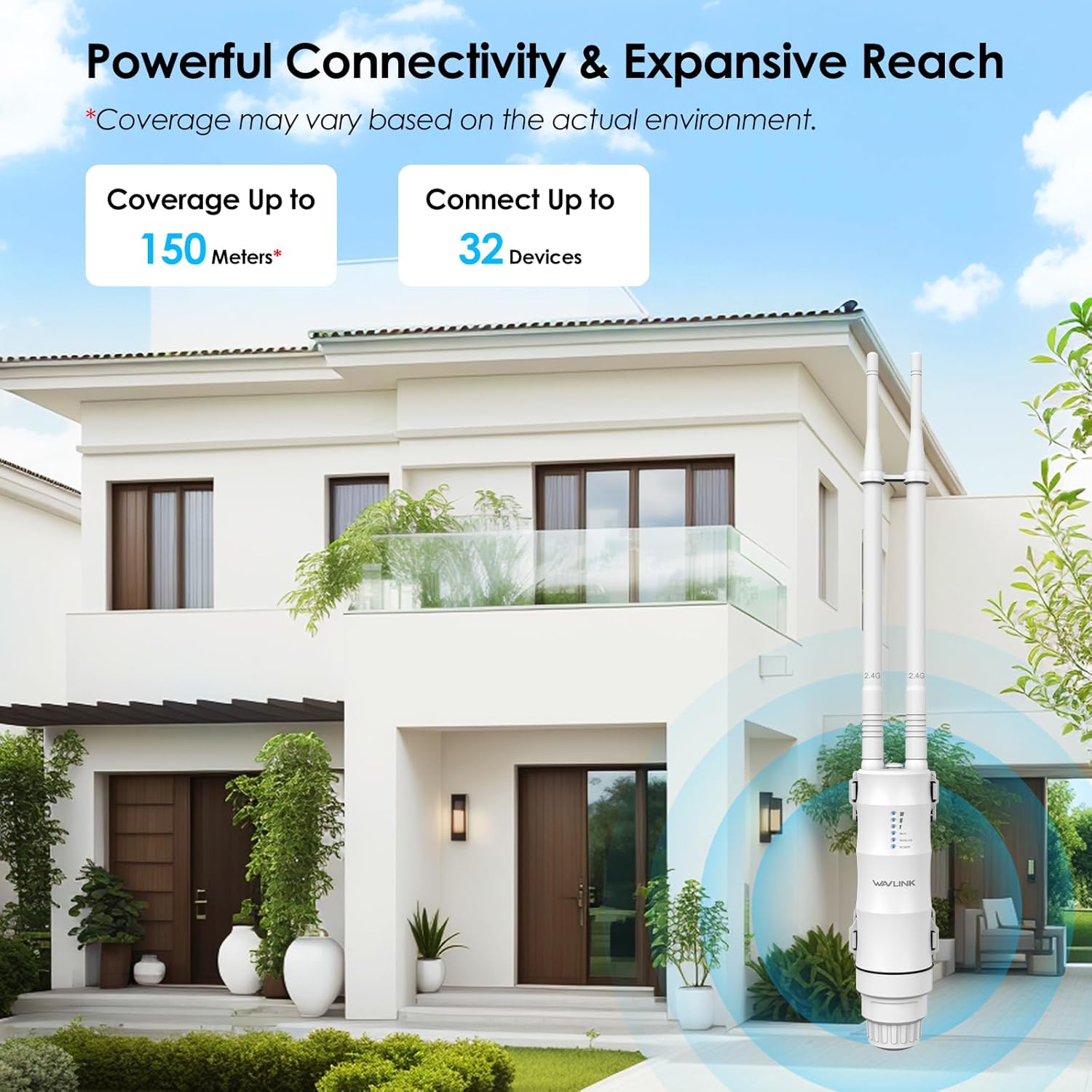
Image: An illustration of the WAVLINK outdoor device highlighting its IP67 Weatherproof Enclosure, providing protection against high temperature, cold, water, and 6KV lightning.
The IP67 rating ensures the device is protected against dust and water ingress, making it suitable for harsh outdoor environments.
8. Troubleshooting
| Problem | Possible Cause | Solution |
|---|---|---|
| No Power/LEDs Off | Power adapter or PoE connection issue. | Check power connections. Ensure PoE injector is powered and connected correctly. Try a different power outlet. |
| Cannot Access Web Management Interface | Incorrect IP address, network configuration, or device not powered on. | Verify the device's IP address. Ensure your computer is on the same subnet. Try clearing browser cache. Perform a factory reset if necessary. |
| Poor Wi-Fi Signal or Coverage | Obstructions, interference, or improper placement. | Relocate the device to a more central position. Ensure antennas are properly oriented. Check for sources of interference (e.g., microwaves, cordless phones). |
| Frequent Disconnections | Channel interference, outdated firmware, or too many connected devices. | Change Wi-Fi channel in settings. Update firmware. Reduce the number of connected devices or consider adding another access point. |
9. Specifications
| Feature | WAVLINK AX3000 | WAVLINK N300 |
|---|---|---|
| Wi-Fi Standard | IEEE 802.11ax/ac/a/b/g/n (Wi-Fi 6) | IEEE 802.11b/g/n |
| Frequency Bands | 2.4 GHz & 5 GHz | 2.4 GHz |
| Max Speed | 2.4GHz: 573Mbps, 5GHz: 2402Mbps | 300Mbps |
| Antennas | 4x 8dBi Omni-directional | 2x 7dBi Omni-directional |
| Power Options | 802.3AF/AT Active PoE, Passive PoE | Passive PoE |
| Weather Protection | IP67, 15kV ESD, 6kV Lightning | IP67, 15kV ESD, 6kV Lightning |
| Max Devices | Up to 256 | Up to 32 |
| Coverage Range | Up to 150 meters | Up to 150 meters |
Image: The WAVLINK N300 Outdoor WiFi Extender mounted on a pole, illustrating its coverage range of 150 meters and support for up to 32 devices on the 2.4GHz band at 300Mbps.
10. Warranty and Support
WAVLINK provides comprehensive after-sales support for its products.
- Technical Support: Life-long technical support is available.
- Phone Support: +18889730883 (UTC-5) Mon - Fri 9 AM - 6 PM
- Email Support: Contact@wavlink.com (Solutions provided within 8 hours)
Please retain your purchase receipt for warranty claims.