
1. Introduction
This manual provides essential instructions for setting up, operating, and maintaining your Generic Smart Watch G208. This device combines style with functionality, offering a 1.2-inch full touch screen, fitness tracking capabilities, and smart notifications to enhance your daily life.

Image 1.1: The Generic Smart Watch G208, featuring a gold case and a beige silicone band.
2. What's in the Box
Please verify that all items are present upon unboxing:
- Generic Smart Watch G208
- Silicone Band
- Charging Cable (not explicitly listed but implied for a watch)
- User Manual (this document)
3. Setup
3.1. Charging the Device
Before first use, fully charge your Smart Watch. Connect the charging cable to the watch's charging port and plug the other end into a USB power source. A full charge typically provides up to 5 days of battery life, depending on usage.
3.2. Pairing with Your Smartphone
To unlock the full potential of your Smart Watch, pair it with your smartphone via Bluetooth:
- Download the Companion App: Search for the official companion app (name not specified, refer to packaging or quick start guide) on your smartphone's app store (iOS or Android). Install the app.
- Enable Bluetooth: Ensure Bluetooth is enabled on your smartphone.
- Open the App: Launch the companion app and follow the on-screen instructions to create an account or log in.
- Add Device: Within the app, select the option to 'Add Device' or 'Pair New Device'. The app will search for available Smart Watches.
- Select Your Watch: Choose 'G208' or the corresponding device name from the list of found devices. Confirm the pairing request on both your phone and the watch if prompted.
Once paired, the watch will synchronize with your phone for time, notifications, and health data.
4. Operating Instructions
4.1. Basic Navigation
The Smart Watch G208 features a 1.2-inch full touch screen for intuitive control. Swipe across the screen to navigate through menus and functions. A physical button on the side typically serves as a 'back' function or to wake/sleep the screen.

Image 4.1: The vibrant 1.2-inch full touch screen of the Smart Watch G208.
4.2. Fitness Tracking
The watch continuously monitors various health metrics:
- Heart Rate Monitoring: Provides real-time heart rate data.
- Step Counter: Tracks your daily steps.
- Calorie Burned: Estimates calories expended based on activity.
- Sleep Monitoring: Records sleep patterns, including deep, light, and awake times.

Image 4.2: Health tracking features accessible through the watch's interactive menu.
4.3. Smart Notifications
Receive notifications for calls, messages, and app alerts directly on your wrist. Ensure your watch is paired with your smartphone and app notifications are enabled in the companion app settings.
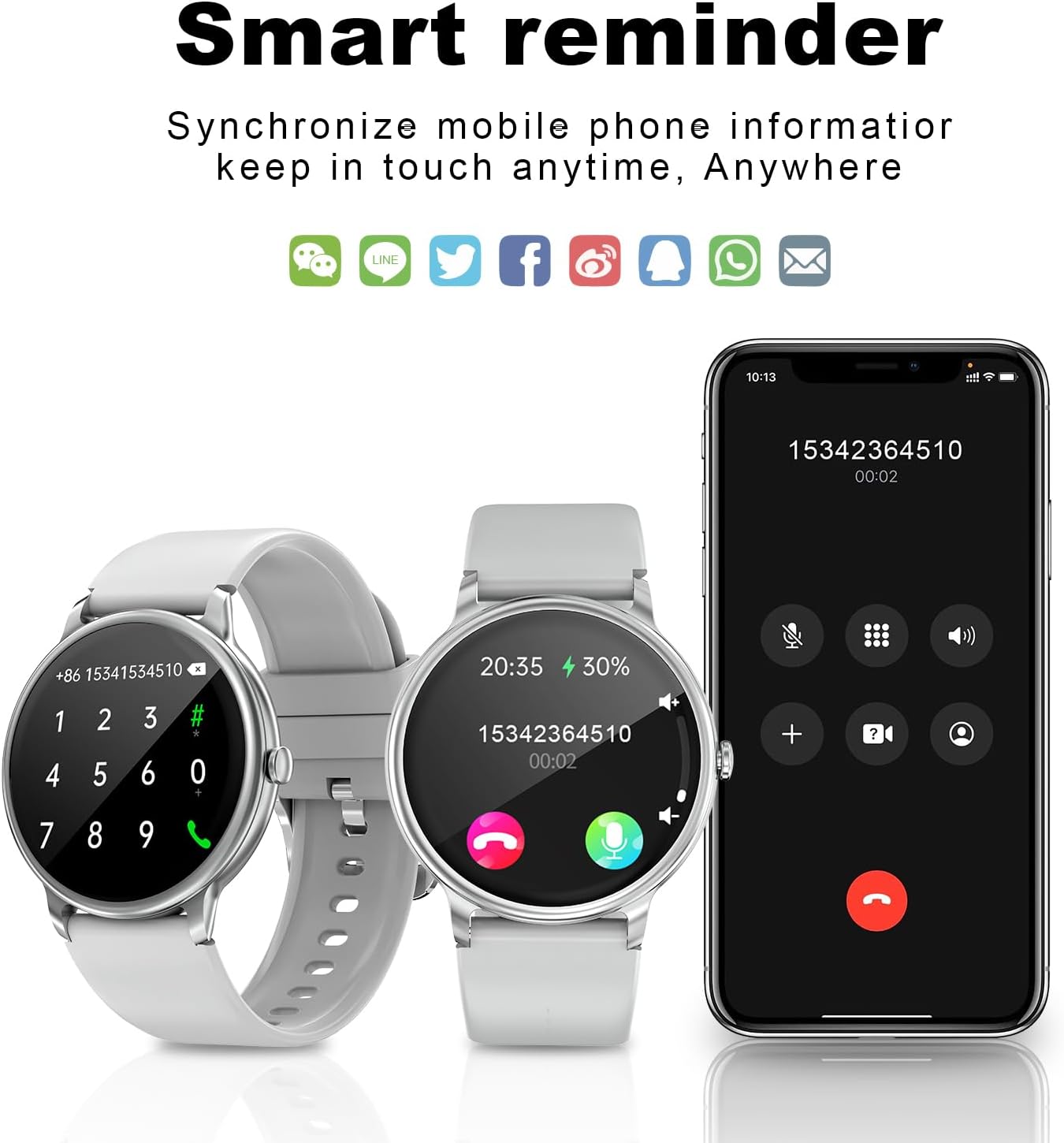
Image 4.3: The Smart Watch G208 displaying call and message notifications.
4.4. Customizable Watch Faces
Personalize your watch with a variety of pre-installed watch faces or download more through the companion app. Long-press the watch face on the screen to access customization options.

Image 4.4: Examples of customizable watch faces for the G208.
4.5. Water Resistance (IP67)
The Smart Watch G208 is IP67 water-resistant, meaning it can withstand splashes, rain, and brief immersion in water. It is suitable for daily use and light water activities like hand washing. Avoid hot water, prolonged swimming, or diving.
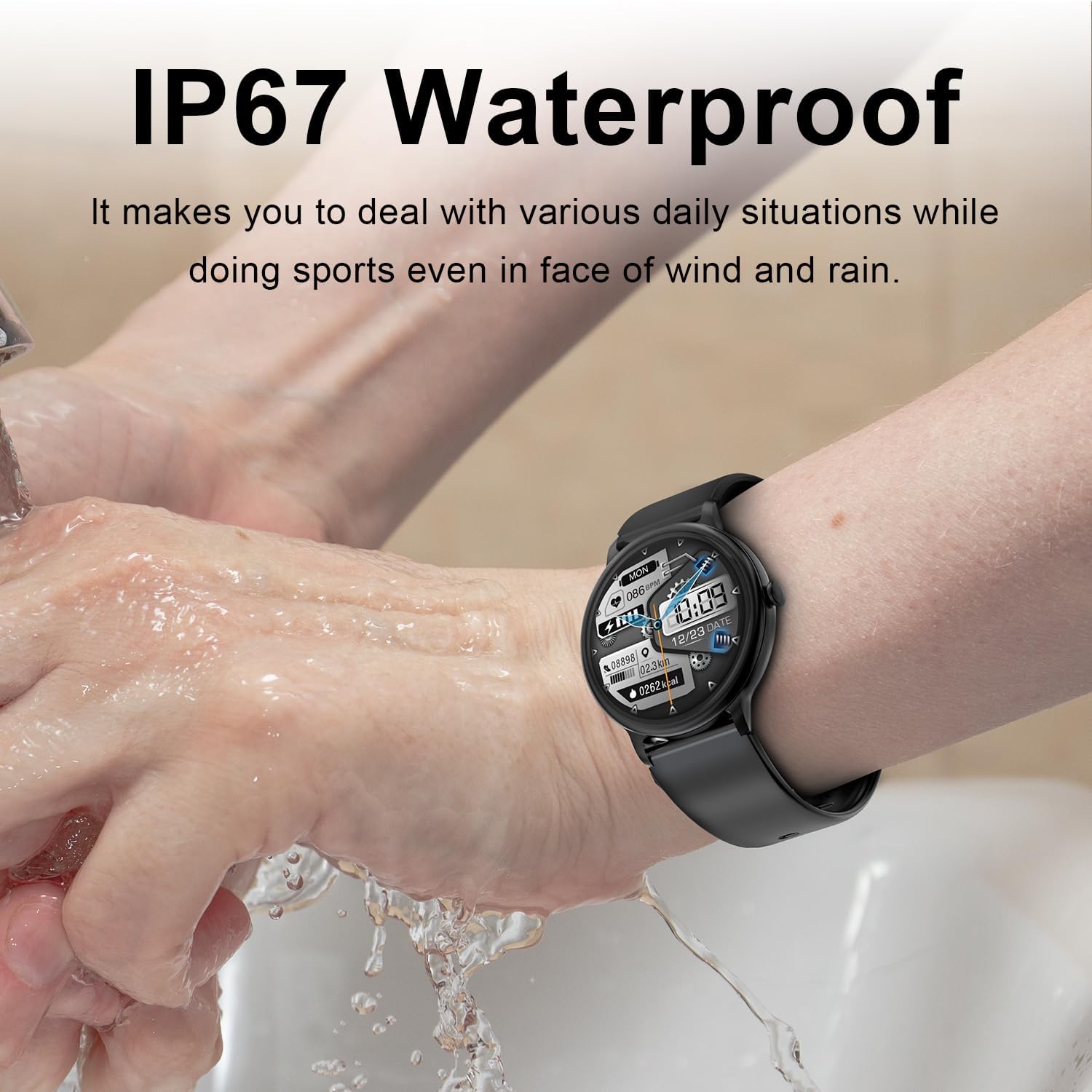
Image 4.5: Demonstrating the IP67 water resistance during hand washing.
4.6. Female Health Management
For female users, the companion app allows you to input physiological cycle information. The watch can then display the physiological state of the current day, assisting with health management.

Image 4.6: Sleep monitoring and female health tracking features.
5. Maintenance
5.1. Cleaning
Regularly clean your watch and band to prevent skin irritation and maintain functionality. Use a soft, damp cloth to wipe the screen and body. For the silicone band, mild soap and water can be used. Ensure the watch is dry before charging.
5.2. Battery Care
To prolong battery life, avoid exposing the watch to extreme temperatures. Charge the watch fully before long periods of inactivity. Do not attempt to replace the battery yourself.
6. Troubleshooting
If you encounter issues with your Smart Watch, try the following steps:
- Watch Not Turning On: Ensure the watch is fully charged. Connect it to the charger for at least 30 minutes.
- Cannot Pair with Phone: Check that Bluetooth is enabled on your phone and the watch. Restart both devices and try pairing again through the companion app. Ensure the app has necessary permissions.
- Inaccurate Tracking Data: Ensure the watch is worn snugly on your wrist, but not too tight. Clean the sensors on the back of the watch.
- Notifications Not Appearing: Verify that notifications are enabled in your phone's settings for the companion app and within the app itself. Ensure the watch is connected via Bluetooth.
- Screen Unresponsive: Try restarting the watch by holding down the physical button. If unresponsive, allow the battery to drain completely and then recharge.
7. Specifications
| Feature | Detail |
|---|---|
| Model Number | G208 |
| Screen Size | 1.2 Inches |
| Display Type | Full Touch Screen |
| Connectivity | Bluetooth |
| Battery Capacity | 220 Milliamp Hours |
| Battery Type | Lithium Ion |
| Operating System | JL7013A6 |
| Water Resistance | IP67 |
| Special Features | Activity Tracker, Custom Activity Tracking, Daily Workout Memory, Multisport Tracker, Phone Call |
| Item Weight | 4.2 ounces |
| Manufacturer | Weiwo |
8. Warranty and Support
8.1. Warranty Information
Specific warranty details for the Generic Smart Watch G208 are not provided in this document. Please refer to the product packaging or contact the seller for information regarding warranty coverage and terms.
8.2. Customer Support
For technical assistance, troubleshooting, or any product-related inquiries, please contact the manufacturer or seller. Refer to the contact information provided on the product packaging or the point of purchase.


