
ASORT K8
ASORT Rechargeable Torch K8 User Manual
Model: K8
1. Product Overview
The ASORT Rechargeable Torch K8 is a high-performance tactical flashlight designed for various applications, including home use, outdoor activities, emergencies, and professional patrols. It features exceptional brightness, multiple lighting modes, and a robust, waterproof design.
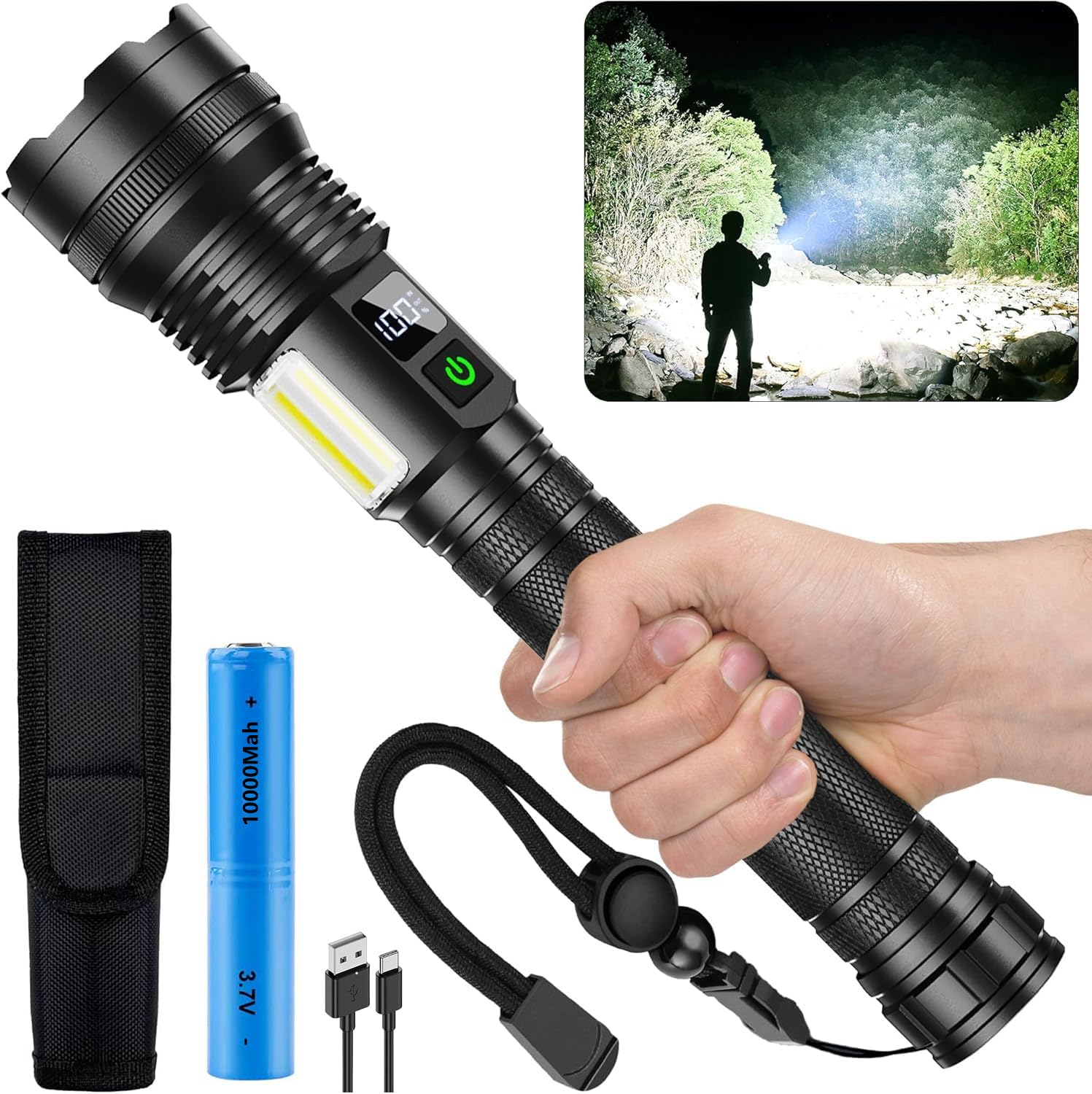
Image 1.1: The ASORT Rechargeable Torch K8, showcasing its main body, included 10000 mAh battery, USB Type-C charging cable, and a protective holster. The inset image demonstrates the torch's powerful beam illuminating a dark outdoor environment.
Key Features:
- High Brightness: Up to 990,000 lumens, capable of illuminating large areas and reaching distances up to 3 km.
- Advanced Memory Function: Remembers the last used lighting mode for convenience.
- Long-Lasting Battery: Equipped with a 10000 mAh rechargeable battery for extended use.
- LCD Power Display: Shows remaining battery power.
- Fast Charging: Supports Type-C 2.0 fast charging.
- 10 Lighting Modes: 6 main light modes (High, Medium, Low, Energy Saving, Strobe, SOS) and 4 COB side light modes (High, Medium, Red, Red Strobe).
- Durable Construction: Made from aviation aluminum alloy, IP67 waterproof, and resistant to 10-foot drops.
- Zoomable Functionality: Adjusts between floodlight and spotlight beams.
2. Package Contents
Please verify that all items are present in your package:
- 1 x ASORT Rechargeable Torch K8
- 1 x 10000 mAh Rechargeable Battery
- 1 x Leather Case
- 1 x USB Type-C Charging Cable
- 1 x Lanyard
- 1 x User Manual
3. Safety Information
Important Safety Precautions:
- Battery Insulation: Before first use, ensure you remove the small white insulating ring located at the bottom of the battery. Failure to do so will prevent the torch from operating.
- Eye Protection: Do not shine the torch directly into eyes, as the high lumen output can cause temporary vision impairment or discomfort.
- Children: Keep the torch out of reach of children.
- Heat: The torch may become warm during prolonged use, especially on high settings. This is normal due to its powerful output and heat dissipation technology.
- Battery Care: Use only the specified 10000 mAh battery or a compatible replacement. Do not attempt to disassemble the battery or expose it to extreme temperatures.
- Water Exposure: While IP67 waterproof, avoid prolonged submersion in water beyond specified limits. Ensure the charging port cover is securely closed before exposing to water.
4. Setup
4.1 Battery Installation
- Unscrew the tail cap of the torch by turning it counter-clockwise.
- Locate the 10000 mAh rechargeable battery. If it's the first time using the torch, remove the small white insulating ring from the bottom (negative end) of the battery.
- Insert the battery into the torch with the positive (+) end facing towards the head of the torch.
- Screw the tail cap back on clockwise until it is securely tightened.

Image 4.1: An exploded diagram of the ASORT Rechargeable Torch K8, illustrating its internal components including the battery compartment. The image highlights the battery insertion point and the importance of removing the insulating film before use.
4.2 Initial Charging
It is recommended to fully charge the torch before its first use.
- Locate the Type-C charging port on the torch, usually covered by a rubber flap for waterproofing.
- Open the rubber flap and connect the provided USB Type-C cable to the torch.
- Connect the other end of the USB cable to a compatible USB power source (e.g., wall adapter, power bank, computer USB port).
- The LCD power display on the torch will indicate the charging status. A full charge is indicated when the display shows 100%.
- Once fully charged, disconnect the cable and securely close the rubber flap over the charging port to maintain IP67 waterproofing.

Image 4.2: The ASORT Rechargeable Torch K8 being charged via its Type-C port. The image also illustrates various compatible charging sources such as a wall adapter, power bank, laptop, and car charger.
5. Operating Instructions
5.1 Power On/Off
- To Turn On: Press the power button once. The torch will activate in the last used main light mode due to its memory function.
- To Turn Off: Press and hold the power button for approximately 2 seconds in any mode.
5.2 Main Light Modes (6 Modes)
With the torch turned on, press the power button repeatedly to cycle through the main light modes:
- High Brightness
- Medium Brightness
- Low Brightness
- Energy Saving Mode
- Strobe Mode (flashing light)
- SOS Mode (Morse code for distress)

Image 5.1: Visual representation of the six main LED light modes available on the ASORT Rechargeable Torch K8: High, Medium, Low, Moonlight (Energy Saving), Strobe, and SOS. Each mode is depicted with its corresponding light intensity or pattern.
5.3 COB Side Light Modes (4 Modes)
To activate the COB side lights, double-click the power button while the main light is on. Once the COB side light is active, press the power button repeatedly to cycle through its modes:
- COB High Brightness
- COB Medium Brightness
- COB Red Light
- COB Red Strobe Mode
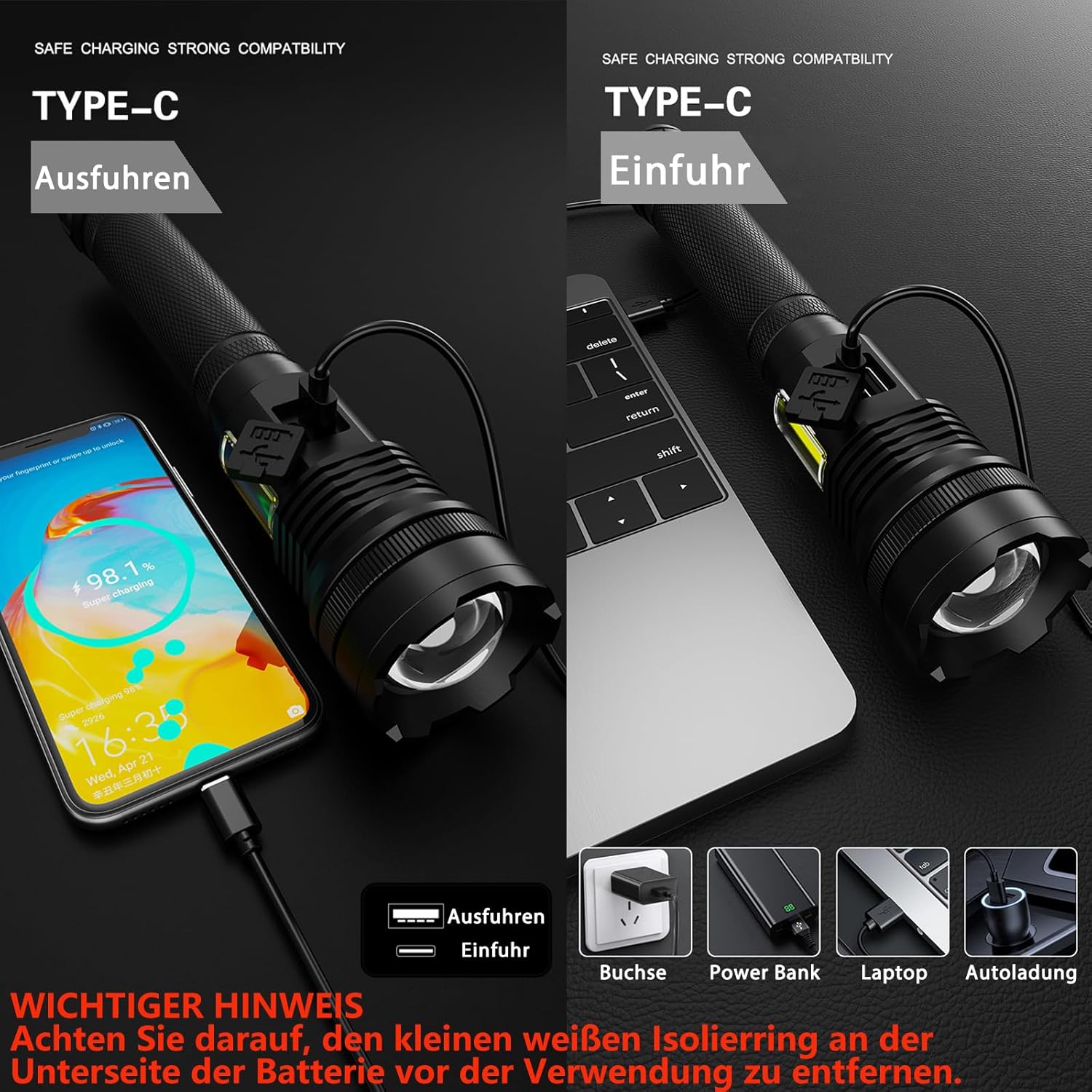
Image 5.2: Visual representation of the four COB sidelight modes available on the ASORT Rechargeable Torch K8: High, Medium, Red, and Red Strobe. These modes provide versatile illumination for different situations.
5.4 Zoom Function
The ASORT K8 torch features a zoomable head. To adjust the beam from a wide floodlight to a focused spotlight, gently push or pull the head of the torch forward or backward.

Image 5.3: The ASORT Rechargeable Torch K8 demonstrating its zoomable functionality. The left panel shows a wide floodlight beam, ideal for illuminating a broad area, while the right panel shows a focused spotlight beam, suitable for long-distance illumination.
6. Maintenance
6.1 Cleaning
- Wipe the torch body with a soft, damp cloth.
- Do not use abrasive cleaners or solvents, as these may damage the finish or internal components.
- Keep the lens clean for optimal light output. Use a lens cleaning cloth if necessary.
6.2 Battery Care
- For long-term storage, charge the battery to approximately 50-70% and store the torch in a cool, dry place.
- Avoid fully discharging the battery frequently, as this can reduce its lifespan.
- If the torch will not be used for an extended period, consider removing the battery.
6.3 Durability Features
The ASORT K8 is built for resilience:
- IP67 Waterproof: The torch is protected against dust ingress and temporary immersion in water up to 1 meter for 30 minutes. Ensure the charging port cover is sealed.
- Drop Resistance: Constructed from aviation aluminum alloy, it can withstand drops from up to 10 feet.
- Heat Dissipation: Advanced temperature control technology ensures efficient heat dispersal, protecting the LED wick and maintaining performance.

Image 6.1: The ASORT Rechargeable Torch K8 highlighting its robust features: IP67 waterproofing (shown partially submerged), resistance to drops (depicted with falling debris), and effective heat dissipation (represented by a torch in ice).
7. Troubleshooting
| Problem | Possible Cause | Solution |
|---|---|---|
| Torch does not turn on. |
|
|
| Torch does not charge. |
|
|
| Light output is dim. |
|
|
8. Specifications
| Feature | Detail |
|---|---|
| Model | K8 |
| Brand | ASORT |
| Brightness | Up to 990,000 Lumens |
| Beam Distance | Up to 3 km |
| Battery Type | 10000 mAh Lithium Ion (included) |
| Charging Port | USB Type-C 2.0 |
| Waterproof Rating | IP67 |
| Drop Resistance | Up to 10 feet (3 meters) |
| Material | Aviation Aluminum Alloy |
| Main Light Modes | 6 (High, Medium, Low, Energy Saving, Strobe, SOS) |
| COB Side Light Modes | 4 (High, Medium, Red, Red Strobe) |
| Dimensions (L x W x H) | 20D x 15W x 5H Centimeters (approx.) |
| Weight | 710 g (approx.) |
| Voltage | 3.7 Volts (DC) |
9. Warranty and Support
9.1 Warranty Information
Specific warranty details may vary by region and retailer. Please refer to your purchase documentation or contact ASORT customer service for precise warranty terms.
9.2 Customer Support
For any questions, concerns, or assistance with your ASORT Rechargeable Torch K8, please contact our customer service team. We offer 24/7 customer support.
To contact support, please refer to the contact information provided with your purchase or visit the official ASORT website.
Ask a question about this manual
Ask about setup, troubleshooting, compatibility, parts, safety, or missing instructions. Manuals+ will review the question and use this page’s manual context to help answer it.