Important Safety Information
Please read and understand this entire manual before attempting to assemble, install, or operate this ceiling fan. Failure to follow these instructions could result in electric shock, fire, or serious personal injury.
- Always turn off power at the main circuit breaker before installation or maintenance.
- All electrical connections must be in accordance with local codes, ordinances, and the National Electric Code. If you are unfamiliar with electrical wiring, use a qualified electrician.
- Ensure the installation site allows for a minimum clearance of 7 feet from the floor to the fan blades.
- The outlet box and support structure must be securely mounted and capable of reliably supporting a minimum of 35 lbs (15.9 kg).
- Do not operate the fan with damaged blades or housing.
Package Contents
Carefully unpack your fan and check the contents. You should have the following items:
- Ceiling Fan Motor Assembly (Matte Black)
- Fan Blades (3, Walnut finish)
- Mounting Bracket
- Hardware Pack (screws, wire nuts, washers)
- Remote Control and Wall Mount
- User Manual
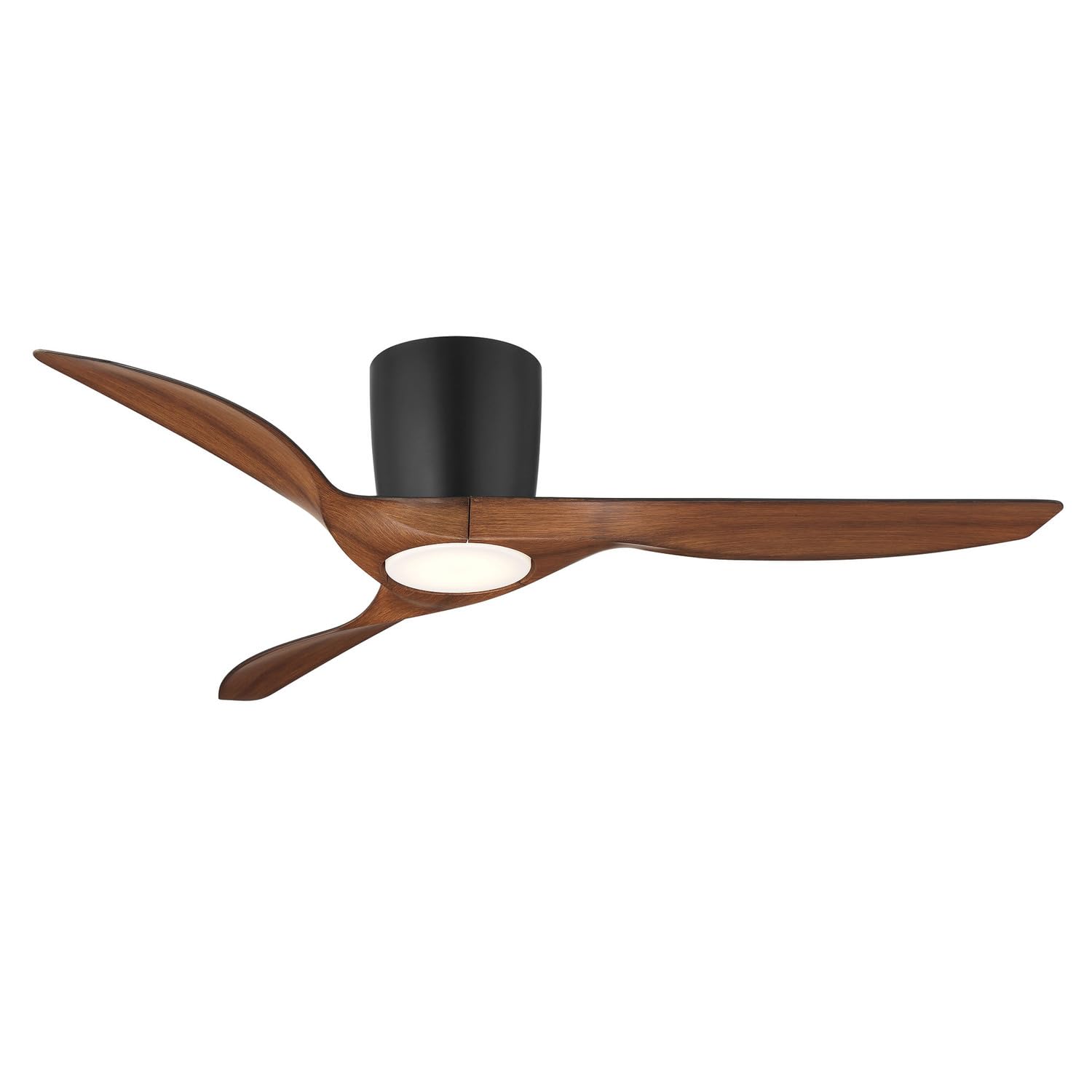
Image: The Wind River Delta 52 Inch Smart Flush Mount Ceiling Fan, featuring a matte black motor housing and three walnut-finished blades. The fan is designed for both indoor and outdoor use.
Tools Required for Installation
- Phillips Head Screwdriver
- Flat Head Screwdriver
- Adjustable Wrench
- Wire Strippers
- Electrical Tape
- Step Ladder
- Voltage Tester
Setup and Installation
- Turn Off Power: Before beginning installation, ensure the power is turned off at the circuit breaker to prevent electrical shock.
- Mounting Bracket Installation: Secure the mounting bracket to the ceiling outlet box using the screws provided. Ensure the bracket is firmly attached and can support the fan's weight.
- Wiring Connections: Connect the fan's electrical wires to the household wiring. Connect the black (Live) wire from the fan to the black (Live) wire from the ceiling, the white (Neutral) wire from the fan to the white (Neutral) wire from the ceiling, and the green/bare copper (Ground) wire from the fan to the green/bare copper (Ground) wire from the ceiling. Secure all connections with wire nuts and electrical tape.
- Attach Fan Body: Carefully lift the fan motor assembly and attach it to the mounting bracket. Ensure all screws are tightened securely.
- Blade Installation: Attach the three walnut-finished fan blades to the motor housing using the provided screws. Ensure each blade is securely fastened.
- Restore Power: Once all connections are secure and the fan is fully assembled, restore power at the circuit breaker.
- Test Operation: Use the remote control to test the fan's functions (on/off, speed, light).
Operating Instructions
Your Wind River Delta Smart Ceiling Fan can be operated via the included remote control or through a smart device application.
Remote Control Functions:
- Fan ON/OFF: Press the fan button to turn the fan on or off.
- Fan Speed: Use the speed buttons to adjust the fan speed (low, medium, high).
- Light ON/OFF/Dim: Press the light button to turn the LED light on or off. Hold the button to dim or brighten the light.
- Reverse Function: Press the reverse button to change the direction of the fan blades for summer (downward airflow) or winter (upward airflow) operation.
Smart Features (Wi-Fi Enabled):
This fan is Wi-Fi enabled, allowing for advanced control and integration with smart home systems.
- Download App: Download the official Wind River smart home application from your device's app store.
- Pair Device: Follow the in-app instructions to pair your ceiling fan with your Wi-Fi network. This typically involves putting the fan into pairing mode and selecting your network.
- App Control: Once paired, you can control fan speed, light, direction, and set schedules directly from the application.
- Voice Control: Integrate with compatible voice assistants (e.g., Amazon Alexa, Google Assistant) for hands-free control. Refer to the app's help section for specific integration steps.
Maintenance
Regular maintenance ensures optimal performance and longevity of your ceiling fan.
- Cleaning: To avoid damage to the finish, clean the fan with a soft, damp cloth only. Do not use abrasive cleaners or solvents.
- Blade Cleaning: Dust the fan blades regularly to prevent dust buildup, which can cause wobbling.
- Tighten Fasteners: Periodically check all screws and fasteners on the fan and mounting bracket to ensure they are secure.
- No Lubrication: The motor is permanently lubricated and does not require oiling.
Troubleshooting
If you experience issues with your fan, refer to the following common problems and solutions:
| Problem | Possible Cause | Solution |
|---|---|---|
| Fan does not start | No power to the fan; Loose wire connections; Remote control battery low. | Check circuit breaker; Verify all wire connections are secure; Replace remote control battery. |
| Fan wobbles | Loose blade screws; Unevenly installed blades; Loose mounting bracket. | Tighten all blade screws; Ensure blades are installed evenly; Secure mounting bracket. |
| Light does not work | Loose wire connection to light kit; Faulty LED module. | Check light kit wiring; Contact customer support for LED module replacement if necessary. |
| Remote control not responding | Low battery; Remote not paired with fan. | Replace remote battery; Refer to operating instructions for remote pairing. |
| Smart features not connecting | Incorrect Wi-Fi password; Fan out of Wi-Fi range; Router issues. | Verify Wi-Fi password; Move fan closer to router or use a Wi-Fi extender; Restart router. |
Specifications
- Brand: Wind River
- Model Name: Delta
- Model Number: WR2118
- Blade Span: 52 Inches
- Blade Type: ABS
- Blade Finish: Walnut
- Housing Finish: Matte Black
- Product Type: Flush Mount (Hugger)
- Material: Metal
- Light Source: Integrated LED
- Wattage (Light): 18 watts
- Voltage: 120 Volts
- Item Weight: 17.14 Pounds
- Connectivity: Wi-Fi Enabled (Smart Fan)
- Indoor/Outdoor Use: Yes
Warranty Information
This Wind River Delta Ceiling Fan comes with a Limited Warranty. Please refer to the warranty card included in your package for specific terms, conditions, and duration of coverage. Keep your proof of purchase for warranty claims.
Customer Support
For further assistance, technical support, or warranty inquiries, please contact Wind River customer service. Refer to the contact information provided on the product packaging or the official Wind River website.


