1. Introduction
Thank you for choosing the vidaXL TV Cabinet with LED Lighting. This manual provides essential information for the safe assembly, proper operation, and effective maintenance of your new furniture. Please read all instructions carefully before beginning assembly and retain this manual for future reference.
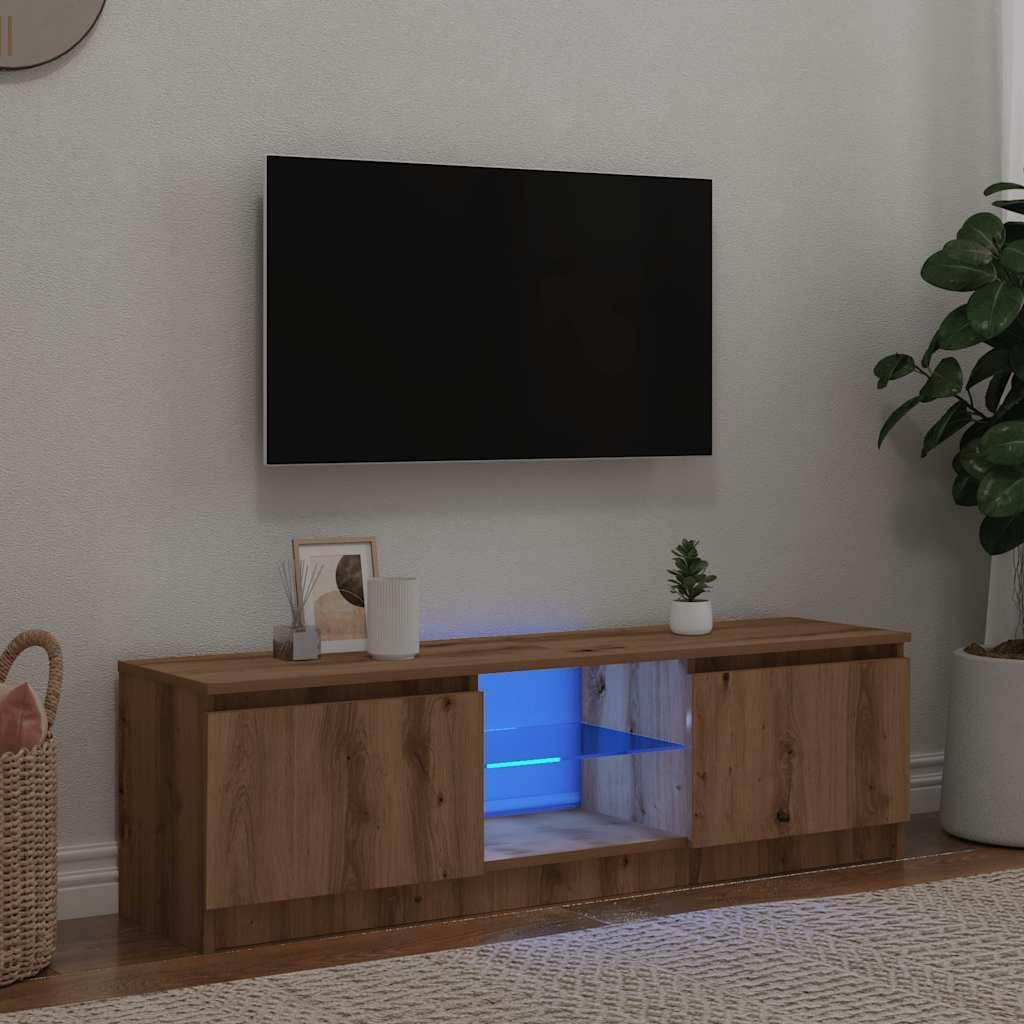
Image 1.1: The vidaXL TV Cabinet with LED Lighting in artisanal oak finish.
2. Safety Information
There are no specific safety warnings provided for this product beyond standard furniture assembly precautions. Always ensure a stable and level surface for assembly and placement. Keep small parts away from children. Do not overload the cabinet shelves or top surface. Secure the cabinet to a wall if there is any risk of tipping, especially in households with children or pets (wall mounting hardware not included).
3. Package Contents
Before assembly, verify that all components are present and undamaged. If any parts are missing or damaged, please contact vidaXL customer support.
- Cabinet Panels (various sizes)
- Assembly Hardware (screws, dowels, cam locks, hinges, etc.)
- RGB LED Strip with Controller
- USB Power Cable for LED
- Assembly Manual
4. Assembly Instructions
Assembly is required for this TV cabinet. It is recommended to have two people for assembly. Use a soft, clean surface to prevent scratching the panels during assembly.
- Identify Components: Lay out all panels and hardware. Refer to the included diagram for part identification.
- Assemble the Base and Side Panels: Connect the bottom panel to the side panels using the provided hardware. Ensure all connections are secure.
- Install Shelves and Dividers: Insert any fixed or adjustable shelves and internal dividers as indicated in the diagram.
- Attach the Top Panel: Secure the top panel to the assembled structure.
- Install Back Panel: Fasten the back panel to the rear of the cabinet.
- Attach Door Hinges: Mount the hinges to the doors and then attach the doors to the cabinet. Adjust hinges as necessary to ensure proper door alignment.
- Install LED Strip: Carefully adhere the RGB LED strip to the designated area within the open compartment. Connect the LED strip to the controller and then to the USB power cable.

Image 4.1: Dimensions of the TV cabinet (120 cm width, 30 cm depth, 36 cm height).
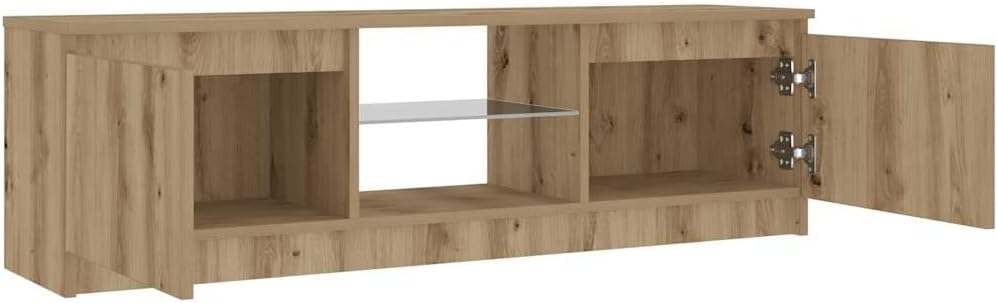
Image 4.2: Interior view showing the two closed compartments and the central open compartment with a glass shelf.
Note: A certified 5V USB power source (not included) is required to power the LED lighting. Ensure the USB power source is compatible and provides stable 5V output.
5. Operating Instructions (LED Lighting)
The TV cabinet features RGB LED lighting with various modes and adjustable colors.
- Connect Power: Plug the USB power cable into a certified 5V USB power source (e.g., a USB wall adapter, power bank, or TV USB port).
- Control Panel: Use the inline controller attached to the LED strip to manage the lighting.
- Mode Button: Press the 'MODE' button to cycle through different lighting effects and patterns.
- Color Button: Press the 'COLOR' button to change the static color of the LED lights.
- Speed/Brightness Buttons: Use the 'SPEED' buttons (sun icon) to adjust the speed of dynamic modes or the brightness of static colors.

Image 5.1: The USB power cable for the LED lighting system.
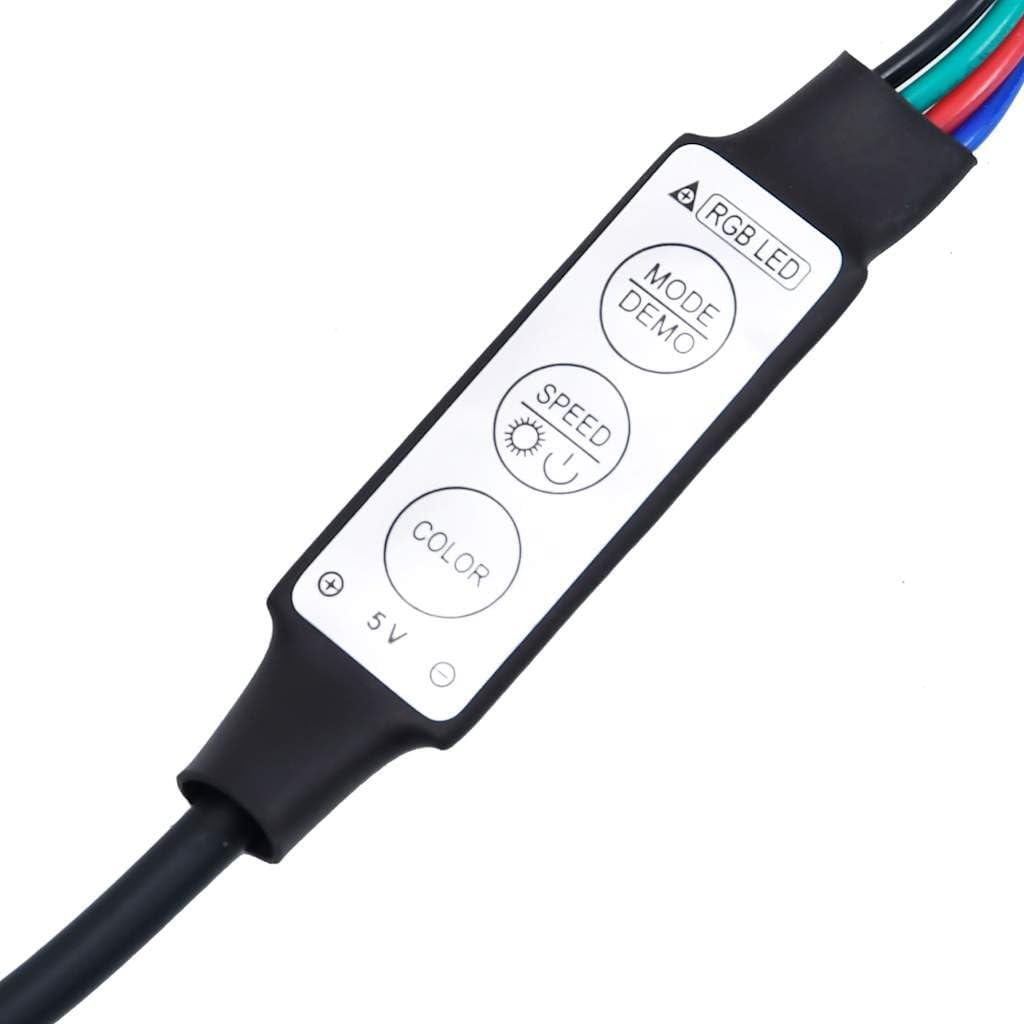
Image 5.2: The inline RGB LED controller for adjusting lighting settings.

Image 5.3: The RGB LED strip that provides illumination.
6. Maintenance
To ensure the longevity and appearance of your vidaXL TV cabinet, follow these maintenance guidelines:
- Cleaning: Wipe surfaces with a soft, damp cloth. Avoid abrasive cleaners or harsh chemicals, as these can damage the engineered wood finish.
- Spills: Immediately wipe up any spills to prevent moisture damage.
- Sunlight: Avoid prolonged exposure to direct sunlight to prevent fading or discoloration.
- Heat: Do not place hot items directly on the surface without protective coasters.
- Hardware: Periodically check and tighten all assembly hardware to maintain stability.
7. Troubleshooting
If you encounter any issues with your TV cabinet, refer to the following common solutions:
- LED Lights Not Working:
- Ensure the USB power cable is securely connected to both the LED controller and a working 5V USB power source.
- Verify the 5V USB power source is functioning correctly.
- Check for any visible damage to the LED strip or controller.
- Doors Not Aligning:
- Adjust the hinges. Most furniture hinges allow for vertical, horizontal, and depth adjustments using a screwdriver. Refer to the hinge manufacturer's instructions if available.
- Ensure the cabinet is placed on a level surface. Uneven flooring can cause doors to appear misaligned.
- Cabinet Wobbles:
- Check that all assembly screws and fasteners are fully tightened.
- Ensure the cabinet is on a flat, level surface. Use furniture glides or shims if necessary to stabilize.
8. Specifications
| Brand | vidaXL |
| Model Number | 856348 |
| Material | Engineered Wood |
| Color | Artisanal Oak |
| Overall Dimensions (W x D x H) | 120 x 30 x 36 cm (47.2 x 11.8 x 14.2 inches) |
| Weight | 18.55 kg |
| Features | RGB LED Lighting, 2 Doors, 1 Open Compartment |
| Assembly Required | Yes |
| Country of Origin | China |
9. Warranty and Support
For warranty information or technical support, please contact vidaXL B.V. directly. Details regarding product warranty periods and claims procedures can typically be found on the official vidaXL website or by contacting their customer service department. Please have your model number (856348) and proof of purchase ready when contacting support.
Manufacturer: vidaXL B.V.