
1. Introduction
This manual provides instructions for the safe and effective use of your BAOFENG BL-W31 Li-ion Battery. This battery is designed for use with BAOFENG W31, WP31, and MP31 two-way radios.
The BL-W31 battery features a 1500mAh capacity and USB-C charging capability, ensuring reliable power for your communication needs.
2. Safety Information
Important Safety Instructions: To prevent damage, injury, or fire, observe the following precautions:
- Do not remove the plastic covering from the battery pack.
- Do not disassemble the battery.
- Do not dispose of the battery in fire.
- Do not change or charge the battery in hazardous locations.
- Do not short-circuit the terminals.
The battery incorporates advanced protection features including low heat dissipation, overcurrent protection, over-temperature protection, and PCM short circuit protection to enhance safety and longevity.
Must be recycled or disposed of properly. Recycling facilities may not exist in all areas.

This image displays the warning label on the BL-W31 battery, detailing critical safety precautions such as not disassembling or short-circuiting the battery, and proper disposal instructions.
3. Package Contents
Your package should contain:
- 2 x BAOFENG BL-W31 Batteries
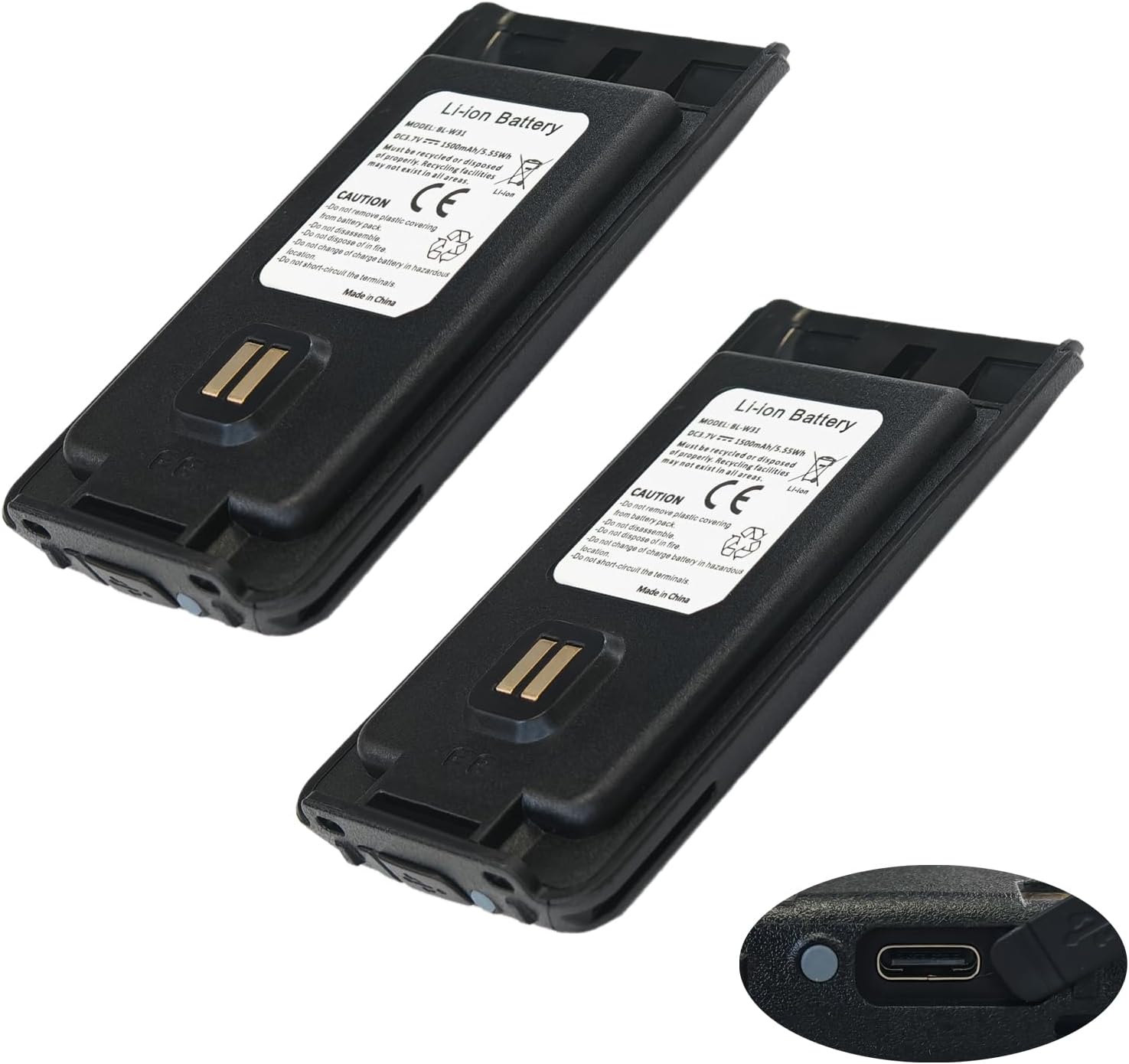
This image shows two BL-W31 batteries, highlighting their compact design and the integrated USB-C charging port on the bottom right of one battery.
4. Setup
Installing the Battery:
- Ensure your radio is powered off.
- Align the battery with the battery compartment on your compatible BAOFENG radio (W31, WP31, or MP31).
- Slide the battery into place until it clicks securely.
- Verify the battery is firmly seated before powering on the radio.
5. Operating
Charging the Battery:
The BL-W31 battery features a convenient USB-C charging port.
- Locate the USB-C port on the battery.
- Connect a standard USB-C charging cable to the battery port.
- Connect the other end of the USB-C cable to a compatible USB power source (e.g., wall adapter, computer USB port).
- The battery's indicator light will show charging status (refer to radio manual for specific light indications if charging via radio, or battery itself if it has one).
- Once fully charged, disconnect the charging cable.

This image provides a detailed view of the BL-W31 battery's bottom, clearly showing the USB-C charging port and two small LED indicator lights, which typically display charging status.
6. Maintenance
Battery Care and Storage:
- Store the battery in a cool, dry place away from direct sunlight and extreme temperatures.
- Avoid fully discharging the battery for extended periods. For long-term storage, charge the battery to approximately 50-70%.
- Clean the battery terminals periodically with a dry cloth to ensure good contact with the radio.
Disposal:
Dispose of the battery according to local regulations. Do not dispose of with household waste. Look for designated battery recycling facilities.
7. Troubleshooting
Common Issues:
- Battery not charging: Ensure the USB-C cable and power source are functioning correctly. Check for debris in the USB-C port.
- Battery not powering radio: Verify the battery is correctly installed and fully charged. Clean battery contacts on both the battery and the radio.
- Shortened battery life: This may indicate the battery is nearing the end of its lifespan. Ensure proper charging practices are followed.
If problems persist, contact BAOFENG customer support.
8. Specifications
Product Specifications:
| Model Number | BL-W31 |
| Battery Type | Lithium Ion |
| Battery Capacity | 1500 mAh |
| Voltage | 3.7V |
| Energy | 5.55 Wh |
| Compatible Radios | BAOFENG W31, WP31, MP31 |
| Charging Port | USB-C |
| Item Weight | 3.7 ounces |
| Package Dimensions | 4.72 x 4.69 x 1.06 inches |
9. Support
For further assistance, technical support, or inquiries regarding compatible models, please contact BAOFENG customer service.
Refer to the official BAOFENG website for contact information.