
1. Introduction
This manual provides comprehensive instructions for the MIZUDO Pureflo Mini-Size 400GPD Reverse Osmosis (RO) Filter Replacement. This filter is designed for the MIZUDO Pureflo Mini-Size 400GPD Tankless Reverse Osmosis System. Please read this manual thoroughly before proceeding with filter replacement to ensure proper function and longevity of your water filtration system.
2. Safety Information
- Always turn off the water supply to the RO system and unplug the unit from the power outlet before performing any maintenance, including filter replacement.
- Ensure hands are clean when handling new filters to prevent contamination.
- Do not use tools to overtighten filters; hand-tightening is sufficient.
- Dispose of old filters according to local regulations.
- Keep the system and filters away from direct sunlight and freezing temperatures.

Image: The MIZUDO Pureflo system is CSA Tested and Listed, ensuring safety for drinking water, including for infants. A certificate of compliance is shown next to a baby drinking water from a glass.
3. Product Overview
The MIZUDO Pureflo Mini-Size 400GPD RO Filter Replacement is an integral component of your tankless reverse osmosis system, designed to provide high-quality filtered water. This filter features an advanced 8-stage filtration process with 0.0001 micron precision, effectively removing over 1,000 contaminants.
Key Features:
- Deep 8-Stage Filtration: Removes sediment, chlorine, fluoride, heavy metals, odors, TDS, PFAS, PFOA, and PFOS.
- High Efficiency: Achieves a 3:1 pure to drain ratio, minimizing water waste.
- Long Lifespan: Designed to last up to 2 years, providing approximately 400 gallons of filtered water.
- Automatic Auto-Flushing Technology: Helps maintain filter performance and extends lifespan.

Image: A visual representation of the MIZUDO Pureflo RO system and its replaceable 400G RO filter, highlighting its 24-month (2-year) lifespan and 400 gallons capacity.

Image: An infographic detailing the MIZUDO Pureflo system's capabilities, including 8-stage filtration, removal of over 1000 contaminants, 400 GPD capacity, 3:1 pure to drain ratio, easy installation, quick filter replacement, tankless design, and quiet operation.
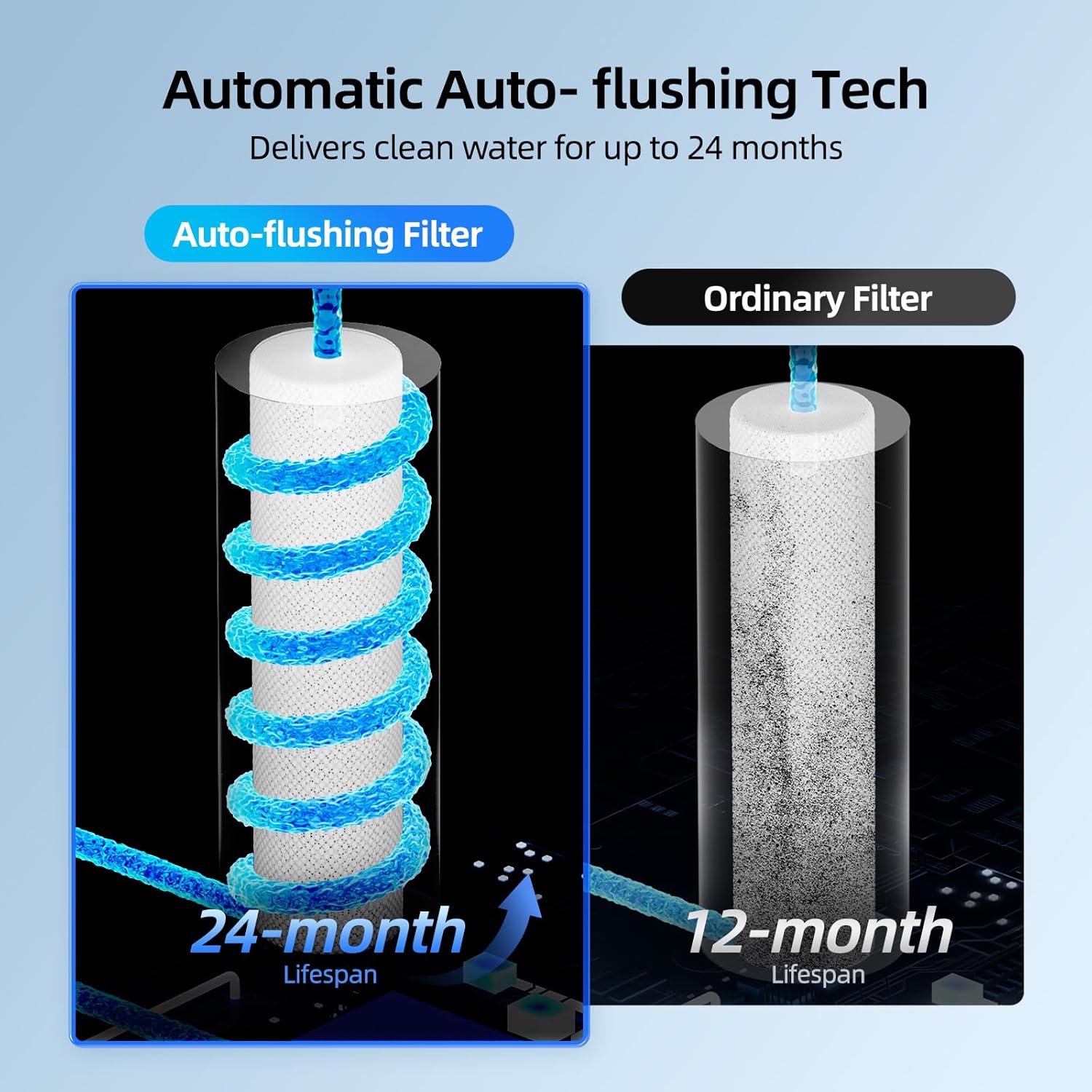
Image: A diagram illustrating the difference between an auto-flushing filter and an ordinary filter, demonstrating how auto-flushing technology helps maintain filter cleanliness and extends its lifespan to 24 months compared to 12 months for an ordinary filter.
4. Filter Replacement (Setup)
This section outlines the steps for replacing the RO filter in your MIZUDO Pureflo Mini-Size 400GPD Tankless Reverse Osmosis System. The system features a tool-free DIY design for rapid replacement.
Step-by-Step Replacement:
- Prepare for Replacement: Turn off the water supply to the RO system and unplug the unit from the power outlet.
- Remove Old Filter: Locate the RO filter (typically labeled 'RO'). Gently turn the old filter counter-clockwise to the unlocked position (refer to the icon on the system). Once unlocked, slide the old filter out.
- Install New Filter: Remove the new RO filter from its packaging. Align the new filter with the corresponding slot in the system. Insert the filter and turn it clockwise to the locked position until it clicks securely into place.
- Restore Power and Water: Turn the water supply back on and plug the RO system back into the power outlet.
- Flush the System: Allow the system to run for a few minutes to flush out any air and carbon fines from the new filter. Refer to the 'Operating' section for details on resetting the filter indicator.

Image: A hand demonstrating the tool-free filter replacement process for the MIZUDO Pureflo RO system, highlighting the ease of installation within 30 minutes and rapid 3-second replacement.
Instructional Video:
Video: This official MIZUDO video provides a visual guide on how to install and replace filters for the MIZUDO Pureflo RO system, demonstrating the steps mentioned above.
5. Operating After Filter Replacement
After replacing the RO filter, it is important to perform a system flush and reset the filter indicator.
Post-Replacement Steps:
- Initial Flush: After restoring power and water, allow the system to dispense water for 5-10 minutes to flush out any air and fine particles from the new filter. Discard this initial water.
- Reset Filter Indicator: If the filter replacement indicator light is flashing or beeping, press and hold the flashing button on the system for a few seconds until it stops flashing/beeping and displays a steady blue light. This confirms the filter timer has been reset.
- Check for Leaks: Visually inspect all connections around the new filter for any signs of leaks. If a leak is detected, turn off the water supply immediately and re-seat the filter.
6. Maintenance
Regular filter replacement is crucial for maintaining the performance and water quality of your MIZUDO Pureflo RO system.
Filter Lifespan:
- The MIZUDO Pureflo Mini-Size 400GPD RO Filter (Model RP011A0N) is designed for a lifespan of up to 24 months (2 years) or approximately 400 gallons, whichever comes first.
- The system's indicator light will notify you when it is time to replace the filter.
Always use genuine MIZUDO replacement filters to ensure compatibility and optimal filtration performance.
7. Troubleshooting
If you encounter issues after replacing your RO filter, refer to the following common troubleshooting steps:
| Problem | Possible Cause | Solution |
|---|---|---|
| Filter indicator light still flashing/beeping after replacement. | Indicator not reset. | Press and hold the flashing button for a few seconds until it turns solid blue. |
| Water leakage around the new filter. | Filter not properly seated or O-ring issue. | Turn off water, remove and re-seat the filter, ensuring it's fully locked. Check O-rings for damage. |
| Low water flow after replacement. | Air in the system or new filter needs flushing. | Allow water to run for 5-10 minutes to purge air. Ensure water supply is fully open. |
| Poor water taste or odor. | New filter not adequately flushed. | Flush the system for an extended period (15-20 minutes). If problem persists, contact support. |
8. Specifications
| Feature | Detail |
|---|---|
| Model Number | RP011A0N |
| Material | Polyethylene (PE) |
| Product Dimensions (D x W x H) | 3.9"D x 3.9"W x 13.4"H |
| Filtration Stages | 8-Stage (integrated RO & PCF) |
| Filtration Precision | 0.0001 micron |
| Contaminant Reduction | PFOS, TDS, Lead, Arsenic, Iron, Chlorine, Sediment, Fluoride, Microplastics, Calcium, Lime, Odor, Smell, Heavy Metals, Bacteria, Mercury, Nitrates |
| Rated Capacity | 400 Gallons Per Day (GPD) |
| Pure to Drain Ratio | 3:1 |
| Lifespan | Up to 2 years |
9. Warranty and Support
Warranty Information:
MIZUDO provides a 2-year spare part availability duration for this product. For specific warranty terms and conditions, please refer to the documentation included with your original MIZUDO Pureflo Mini-Size 400GPD Tankless Reverse Osmosis System or contact MIZUDO customer service.
Customer Support:
For technical assistance, troubleshooting, or inquiries regarding your MIZUDO Pureflo system and replacement filters, please contact MIZUDO Home Comfort Direct. MIZUDO offers US-based service to assist you with any questions or concerns.
Please visit the official MIZUDO website or refer to your product packaging for the most current contact information.