
1. Important Safety Information
Your safety and the safety of others are paramount. Always follow these safety guidelines when operating the ELEMARA Electric Dirt Bike.
- Protective Gear: Always wear a helmet, knee pads, and elbow pads when riding.
- Supervision: Children should always be supervised by an adult while operating the dirt bike.
- Weight Limit: Do not exceed the maximum rider weight of 150 lbs (50 kg). Overloading can cause damage to the bike and pose a safety risk.
- Environmental Conditions: Avoid riding in wet conditions, on steep inclines, or on uneven terrain that exceeds the bike's capabilities.
- Battery Safety: For external use only. Avoid contact with eyes. Keep away from naked flame or direct heat sources.
- Pre-Ride Check: Before each ride, ensure all bolts are tightened, brakes are functioning correctly, and tires are properly inflated.
2. Product Overview
The ELEMARA Electric Dirt Bike (Model SX2328) is designed for children, offering an exciting and safe riding experience. It features a 350W motor, a top speed of 15.5 mph, and a range of up to 10 miles. The bike includes a twist-grip throttle, hand-operated rear brake, 12-inch air-filled tires, and a high-performance suspension system for a smooth ride.
Additional features include tail lights, music, and Bluetooth connectivity for enhanced enjoyment.

Image: The ELEMARA Electric Dirt Bike, showcasing its design and features.
Video: An overview of the ELEMARA Electric Dirt Bike, highlighting its features and use.
3. Package Contents
Carefully unpack the box and ensure all items are present:
- Electric Dirt Bike (main body)
- Front Wheel Assembly
- Front Mudguard
- Number Plate
- Toolkit (includes wrenches, bolts, spacers)
- Charger
- User Manual
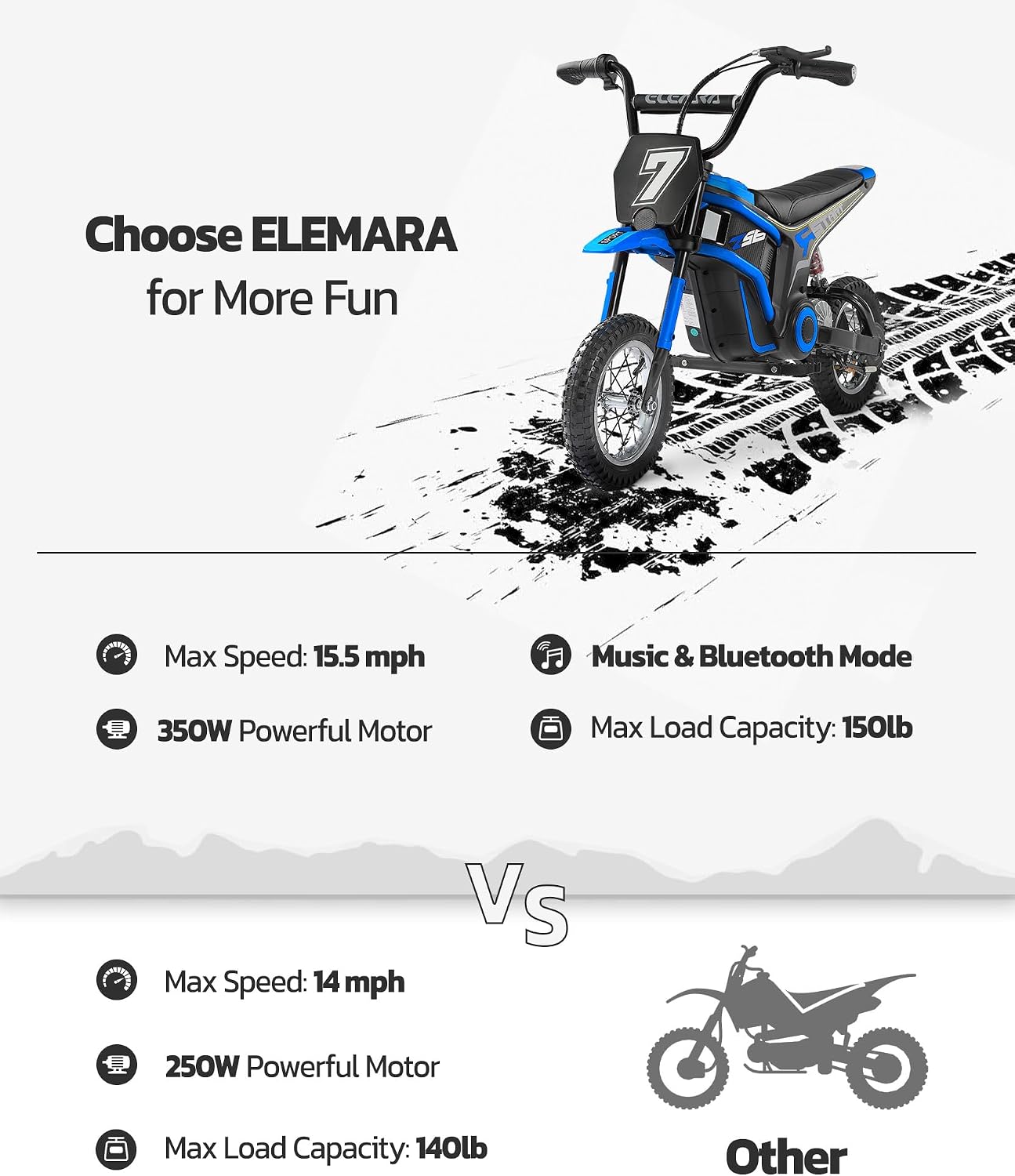
Image: All components included in the package, laid out for inspection.
4. Setup & Assembly
Follow these steps to assemble your ELEMARA Electric Dirt Bike. Refer to the provided videos for visual guidance.
4.1 Unpacking and Initial Preparation
- Carefully open the packaging and remove all components.
- Cut any cable ties securing parts and remove protective wrapping.
4.2 Front Wheel Installation
- Insert the axle through the front shock absorber bracket.
- Slide on the spacer, pass it through the hub, and continue with the axle sleeve.
- Pass the axle through the other side's front shock absorber mounting hole.
- Install the cap nut. Use the wrench from the toolkit to tighten the locknut securely.
4.3 Front Brake Assembly Installation
Note: E150 and E250 models do not have a front brake. This step applies to the SX2328 model.
- Insert the front shock absorber aligned with the front brake disc into place.
- Align the bolts with the mounting holes and tighten them using the appropriate tool.
4.4 Handlebar Installation
- Loosen the four bolts on the handlebar clamp (two on each side).
- Remove the cover plate.
- Set the handlebar in place, ensuring proper alignment.
- Replace the cover plate and tighten the bolts to secure it.
4.5 Brake Lever Locks Installation
- The right lock is for the front brake. Clip the lock into the right brake lever housing.
- Pass the cable through the cross nut gap and firmly clip it into the nut column.
- Tighten the cross nut in the opposite direction.
- Repeat the process for the left rear brake lever.
4.6 Front Mudguard and Number Plate Installation
- Remove the front mudguard bolts.
- Slip the mudguard through the front forks.
- Clip the mudguard into the bottom connecting plate and tighten the bolts.
- Remove the bolt from the upper connecting plate's center.
- Align the holes on the number plate with the feet on the mudguard.
- Insert and tighten the bolt to secure the number plate.
4.7 Rear Shock Absorber Installation
- After placing the rear wheel down, align the rear shock absorber mounting hole with the rear swing arm mounting location.
- Insert the bolt and use the toolkit's socket tool to tighten the bolt.
Video: Detailed unboxing and assembly guide for the MX-E350 series.
Video: Step-by-step instructions on how to install the ELEMARA Electric Dirt Bike.
5. Operating Instructions
Familiarize yourself with the controls and operation of your dirt bike.
5.1 Starting the Bike
- Remove the protective cover from the power button located on the handlebar.
- Press and hold the power button for 3 seconds until the light on the left side illuminates, indicating a successful startup.
- Twist the throttle slightly to engage the motor and begin moving.
5.2 Speed Settings
The bike features multiple speed settings. Tap the power button to cycle through them:
- Green Light: Low speed (approx. 5.6 mph)
- Yellow Light: Medium speed (approx. 10 mph)
- Red Light: High speed (approx. 15.5 mph)
5.3 Music & Bluetooth
The bike is equipped with music and Bluetooth mode. Consult the user manual for specific instructions on connecting devices and controlling audio playback.
5.4 Braking
The bike features a hand-operated rear drum brake. Squeeze the brake lever on the handlebar to slow down or stop. Ensure the brakes are tested before each ride.
6. Maintenance
Regular maintenance ensures the longevity and safe operation of your dirt bike.
6.1 Battery Care
- Recommended charging of 6-8 hours for first use to ensure the battery is fully charged.
- After every ride, it is recommended to charge for 8-12 hours.
- When the car is not used for a long time, it is recommended that the battery is fully charged, the car switch is switched off to ensure that the battery power is disconnected. Place the car and battery in a cool and ventilated environment for storage. When not in use, the battery should be charged once a month.
- Troubleshooting Inability to Charge:
- Replace the charger or check the wiring.
- Use the charger to continuously charge for 48 hours and then test the ride. If it still doesn't work, replace the battery.

Image: Battery care and charging tips.
6.2 Rear Shock Absorber Replacement
If the rear shock absorber needs replacement, follow these steps:
- Remove the seat by unscrewing the butterfly bolts.
- Unscrew the rear fender mounting bolts and remove the rear fender.
- Using a 6mm Allen wrench, unscrew the upper and lower bolts securing the rear shock absorber.
- Remove the old shock absorber.
- Take the new shock absorber and align the upper mounting hole with the upper bracket hole. Insert the bolt.
- Adjust the height of the rear fork to align the lower mounting hole with the lower bracket hole. Insert the bolt.
- Tighten both the upper and lower bolts using the 6mm Allen wrench.
- Reattach the rear fender and secure it with bolts and nuts.
- Reattach the seat.
Video: Tutorial on replacing the rear shock absorber for the MX-E Series.
7. Troubleshooting
If you encounter issues with your ELEMARA Electric Dirt Bike, refer to the following common problems and solutions:
- Throttle Not Working:
- Ensure the bike is powered on correctly (light illuminated on the handlebar).
- Check all wire connections, especially those leading to the throttle and motor, for any loose connections.
- Verify the battery is sufficiently charged.
- Bike Unexpectedly Stops:
- This could indicate a loose electrical connection. Remove the back box (usually by unscrewing six screws) and check all connections, particularly any red plugs, to ensure they are secure.
- Check the battery charge level.
- General Performance Issues:
- Ensure tires are properly inflated.
- Verify that the speed setting is appropriate for the rider and terrain.
- Inspect the chain for proper lubrication and tension.
If problems persist, please contact customer support.
8. Specifications
| Feature | Detail |
|---|---|
| Product Dimensions | 25 x 30 x 45 inches |
| Item Weight | 49.5 pounds |
| Item Model Number | SX2328 |
| Manufacturer Recommended Age | 13 - 16 years |
| Motor Power | 350W |
| Max Speed | 15.5 mph |
| Max Range | 10 Miles |
| Max Load Capacity | 150 lb (50 kg) |
| Batteries | 2 x 12V batteries (included) |
| Tire Size | 12 inches (air-filled) |
| Brake Type | Rear Drum Brake |
| Special Features | Tail Lights, Music & Bluetooth |
9. Warranty and Support
For warranty information or technical assistance, please refer to the warranty card included in your package or contact ELEMARA customer support directly. You can typically find contact details on the manufacturer's website or through your retailer.
Customer Support: For any inquiries or issues, please reach out to ELEMARA customer service. Details can be found on the product packaging or the official ELEMARA website.