
Introduction
This manual provides detailed instructions for the Qecnato S10 Smartwatch. Please read this guide thoroughly to ensure proper setup, operation, and maintenance of your device. The Qecnato S10 is a robust smartwatch designed for active lifestyles, featuring call capabilities, extensive sports tracking, and health monitoring functions.
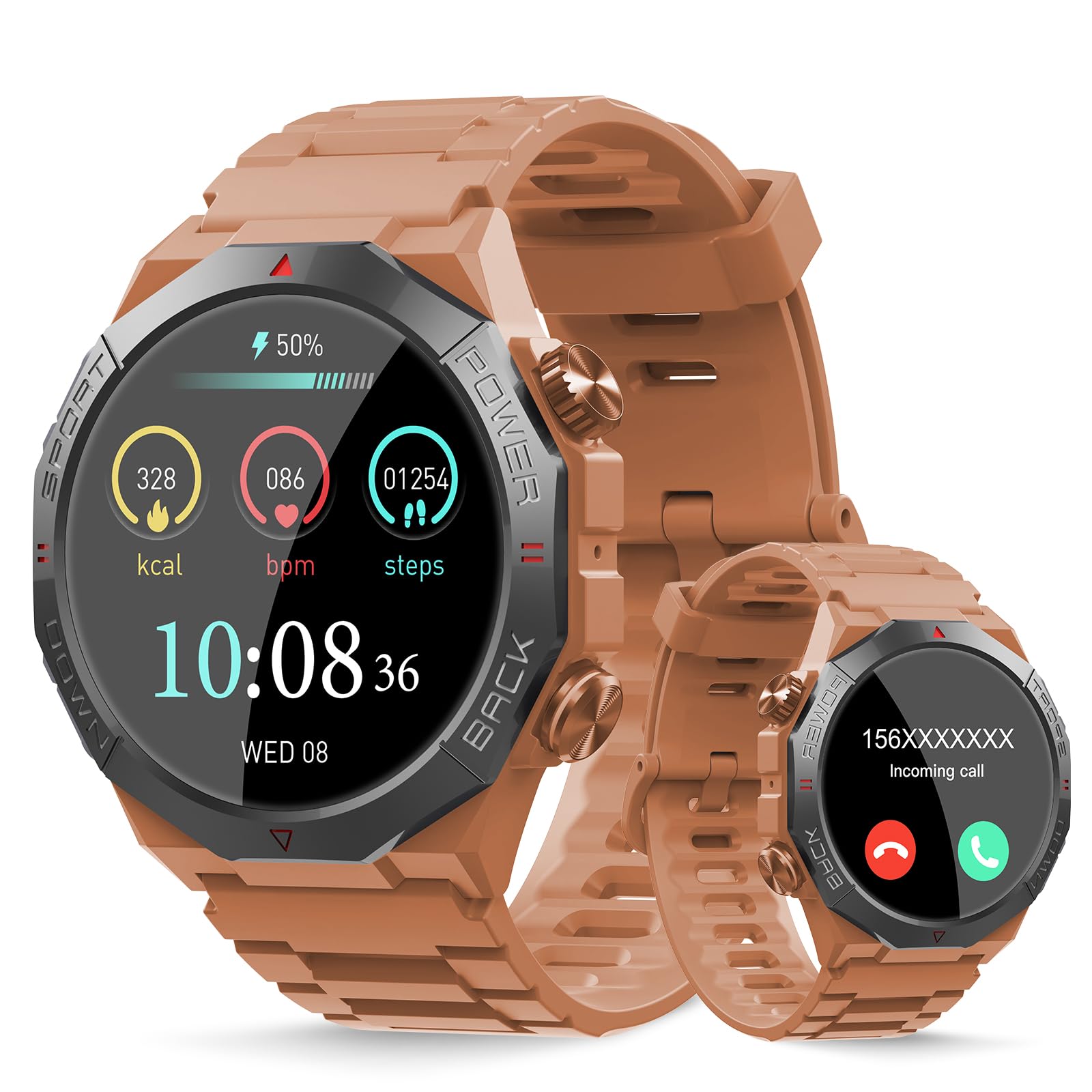
Image 1: Qecnato S10 Smartwatch. The main display shows time, activity metrics, and a smaller inset shows an incoming call screen.
Package Contents
Verify that all items are present in your product package:
- Qecnato S10 Smartwatch
- Charging Cable (Magnetic USB)
- User Manual
- Additional Watch Strap (if included)

Image 2: Package contents of the Qecnato S10 Smartwatch.
Setup
1. Charging the Device
Before first use, fully charge the smartwatch. Connect the magnetic charging cable to the charging points on the back of the watch and plug the USB end into a power source. A full charge takes approximately 2 hours.
2. App Installation and Pairing
- Download the GloryFit application from your smartphone's app store (compatible with Android 5.0/iOS 9.0 and above).
- Open the GloryFit app and follow the on-screen instructions to create an account or log in.
- Enable Bluetooth on your smartphone.
- Within the GloryFit app, navigate to the device pairing section and select the Qecnato S10 from the list of available devices.
- Confirm the pairing request on both your smartphone and the smartwatch.
3. Notification Permissions
After successful pairing, enable notification permissions within the GloryFit app for applications such as WhatsApp, Facebook, Twitter, Line, Skype, Instagram, and LinkedIn to receive alerts on your smartwatch.
Operating Instructions
Call Functions
- The smartwatch is equipped with a 60-decibel speaker and a noise-canceling microphone.
- Making Calls: Synchronize frequently used contacts via the GloryFit app for quick dialing directly from the watch.
- Answering Calls: When an incoming call is received, you can answer or reject it directly from the smartwatch screen.
Display and Customization
- The 1.39-inch HD touchscreen offers intuitive operation.
- Watch Faces: Customize your watch face by selecting from pre-installed options or uploading your own photos via the GloryFit app.
- Brightness: Adjust the screen brightness through four available levels in the watch settings.
- Vibration Intensity: Customize the vibration intensity for notifications and alerts in the watch settings.
Sports Modes
The smartwatch features over 110 built-in sports modes. Select the appropriate mode before starting an activity to track relevant data such as steps, distance, calories burned, and exercise duration. Examples include running, cycling, skateboarding, skiing, climbing, and boxing.
Health Monitoring
The Qecnato S10 provides various health monitoring functions:
- Sleep Monitoring: Tracks sleep patterns and duration.
- Heart Rate Monitoring: Measures heart rate throughout the day.
- Pedometer: Counts daily steps.
Important Note: Data collected by the smartwatch is for daily reference only and is not intended for medical purposes. Consult a healthcare professional for any health concerns.
Additional Functions
The smartwatch includes several other useful features:
- Music Playback Control (Play/Pause)
- Camera Control (Remote shutter)
- Voice Assistant
- Weather Forecasts
- Sedentary Reminders
- Stopwatch
- Alarm Clock
- Calculator
- Find My Phone
Maintenance
Water Resistance (IP68)
The Qecnato S10 Smartwatch has an IP68 water resistance rating, making it suitable for use in rain or during showers. However, it is not suitable for saunas, hot water, swimming, or diving. Exposure to hot water or steam may compromise the water resistance.
Cleaning
Wipe the watch and strap regularly with a soft, dry cloth. Avoid using harsh chemicals or abrasive materials.
Troubleshooting
- Watch not turning on: Ensure the watch is fully charged.
- Cannot pair with phone:
- Ensure Bluetooth is enabled on your phone.
- Make sure the watch is within range of your phone.
- Restart both the watch and your phone.
- Check if the GloryFit app is updated to the latest version.
- Notifications not received:
- Verify notification permissions are enabled in the GloryFit app and your phone's settings.
- Ensure the watch is connected via Bluetooth.
- Inaccurate health data: Ensure the watch is worn snugly on your wrist, not too tight or too loose. Remember, data is for reference only.
Specifications
| Brand | Qecnato |
| Model Number | S10 |
| Screen Size | 1.39 Inches |
| Operating System | Android 5.0 or above, iOS 9.0 or above |
| Connectivity Technology | Bluetooth |
| Compatible Devices | Smartphone |
| Battery Capacity | 400 mAh (Lithium-polymer) |
| Charging Time | Approximately 2 hours |
| Normal Use Time | Up to 10 days |
| Standby Time | Approximately 30 days |
| Water Resistance Rating | IP68 |
| GPS | No GPS |
| Shape | Round |
Warranty and Support
For warranty information and customer support, please refer to the documentation included in your product packaging or contact the retailer where the product was purchased. You may also visit the official Qecnato website for further assistance.
