
Bmax B5 A Pro
Bmax B5 A Pro Mini PC User Manual
Model: B5 A Pro
Brand: Bmax
1. Introduction and Overview
The Bmax B5 A Pro Mini PC is a compact and powerful desktop computer designed for a wide range of applications, from office productivity and web browsing to 4K video playback and light gaming. It is equipped with an AMD Ryzen 7 5825U processor, 16GB of DDR4 RAM, and a fast 512GB NVMe SSD, ensuring smooth and responsive performance for demanding tasks.
This mini PC supports triple 4K display output via DP, HDMI, and Type-C ports, making it ideal for multi-monitor setups. It also features WiFi 5 and Bluetooth 5.0 for reliable wireless connectivity. This manual provides essential information for setting up, operating, maintaining, and troubleshooting your Bmax B5 A Pro Mini PC.
2. What's in the Box
Upon opening the package, please ensure all the following items are present:
- 1 x B5 A Pro MINI PC
- 1 x Power Adapter
- 1 x User Guide
- 1 x HDMI cable
- 1 x Metal Bracket

Image: The Bmax B5 A Pro Mini PC shown with its power adapter, HDMI cable, and metal bracket.
3. Setup Guide
3.1 Connecting Your Mini PC
- Power Connection: Connect the power adapter to the DC Power Port on the rear of the Mini PC and then plug it into a power outlet.
- Display Connection: Connect your monitor(s) to the Mini PC using the HDMI, DisplayPort (DP), or Type-C ports. The Mini PC supports up to three 4K displays simultaneously.
- Peripheral Connection: Connect your keyboard, mouse, and other USB devices to the available USB 3.2 or USB 2.0 ports.
- Network Connection: For wired internet, connect an Ethernet cable to the RJ45 port. For wireless internet, the device supports WiFi 5.
- Audio Connection: Connect headphones or speakers to the 3.5mm Stereo Headset Jack.
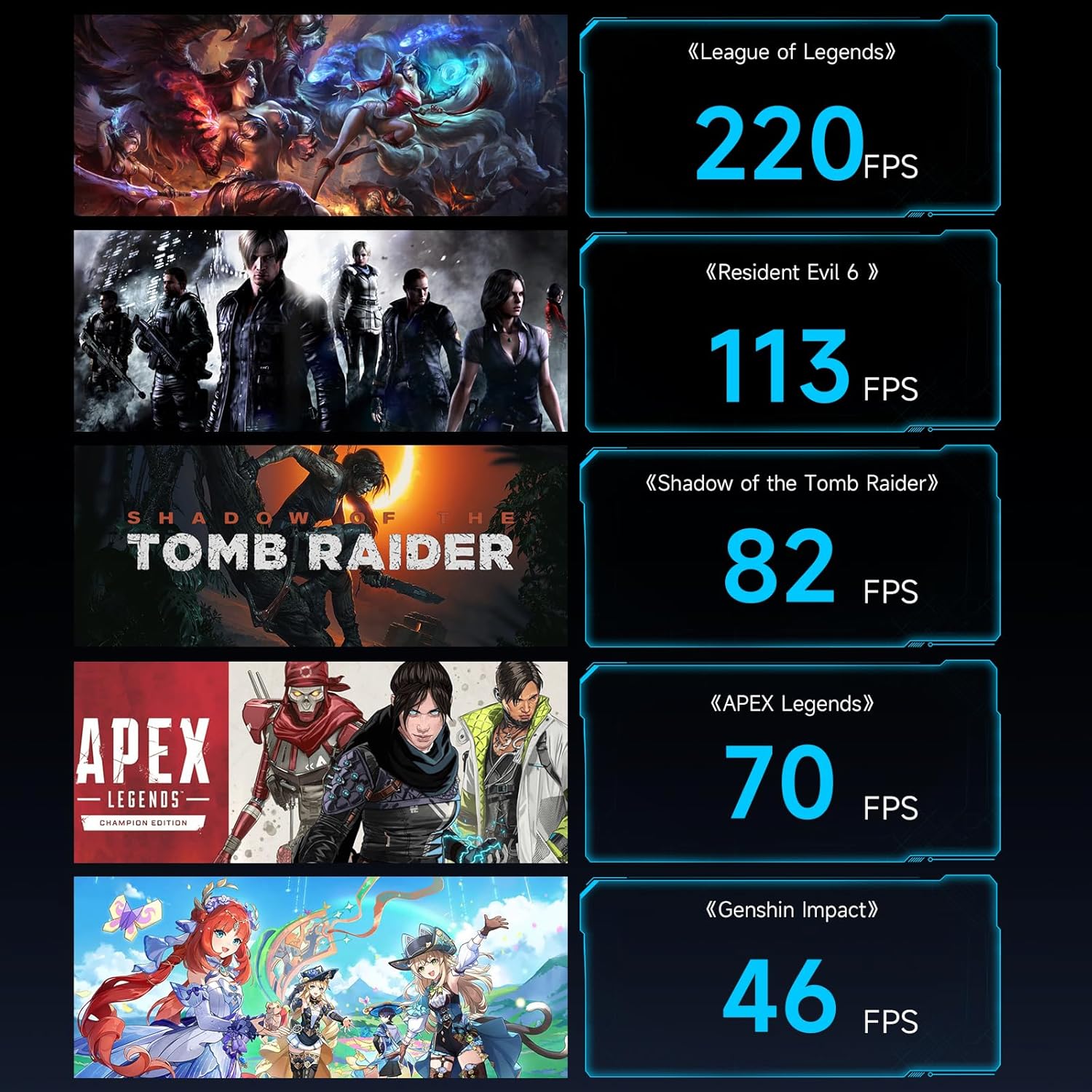
Image: Detailed view of the front and rear ports of the Bmax B5 A Pro Mini PC, including USB, HDMI, DP, Type-C, Ethernet, and power input.
3.2 Initial Boot-up
After connecting all necessary peripherals and power, press the power button on the front of the Mini PC. The system will boot up. The Bmax B5 A Pro typically comes with Windows 11 pre-installed, allowing for immediate use after initial setup prompts.
Video: An overview of the Bmax B5 A Pro Mini PC, showcasing its design, ports, and internal components. This video provides a visual guide to the physical aspects of the device.
4. Operating Instructions
4.1 Performance and Capabilities
The Bmax B5 A Pro is powered by an AMD Ryzen 7 5825U processor, featuring 8 cores and 16 threads with a turbo frequency of up to 4.5GHz. This processor, combined with 16GB of DDR4 RAM (upgradable to 64GB) and a 512GB NVMe SSD, delivers excellent performance for multitasking, demanding applications, and smooth operation.

Image: Visual representation of the AMD Ryzen 7 5825U processor, highlighting its 8 cores, 16 threads, 7nm process, 16MB Smart Cache, and 4.50GHz Turbo Frequency.
The integrated AMD Radeon Graphics supports 4K/60Hz video output, providing a crisp and clear visual experience. The triple display support allows for an expansive workspace, enhancing productivity for various tasks including multimedia consumption, education, and business applications.

Image: The Bmax B5 A Pro Mini PC connected to three external monitors, demonstrating its triple-display capability for an extended desktop experience.
4.2 Cooling System
The B5 A Pro features a "Space Capsule Cooling System" designed for efficient heat dissipation. This system includes an enlarged double copper heat pipe and a giant turbo smart fan, ensuring stable performance even under heavy loads and contributing to a silent working environment.
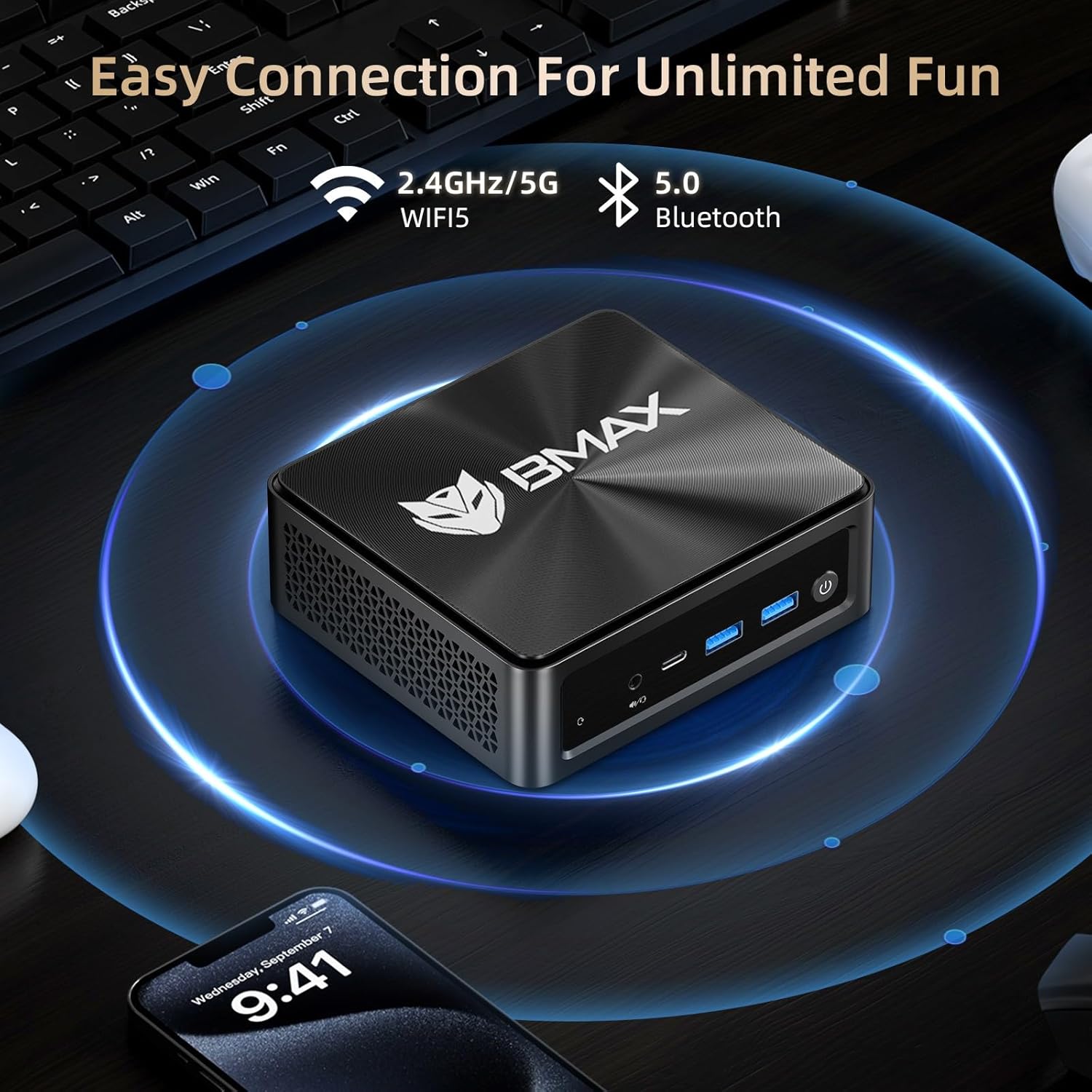
Image: An exploded view diagram illustrating the components of the Space Capsule Cooling System, including the double copper heat pipe and smart fan, designed for efficient heat dissipation.
5. Maintenance
5.1 General Care
- Keep the Mini PC in a clean, dust-free environment to prevent accumulation in the cooling vents.
- Avoid placing heavy objects on top of the Mini PC.
- Do not expose the device to extreme temperatures or direct sunlight.
- Use a soft, dry cloth for cleaning the exterior. Do not use liquid cleaners directly on the device.
5.2 Smart Recovery System
The Bmax B5 A Pro features a "Smart Recovery" system, which allows you to restore the operating system to its factory settings. This is a crucial tool for resolving software issues, system crashes, or slow performance without requiring advanced technical knowledge.
To access Smart Recovery, follow the instructions provided on the recovery screen, typically by pressing a specific key during boot-up (refer to the on-screen prompts or the included user guide for exact key combinations). Ensure the device is connected to power before initiating any recovery process to prevent data loss or system corruption.

Image: The Smart Recovery System interface, showing options for "Factory Reset" and "Exit," designed to help users restore their system.
6. Troubleshooting
If you encounter issues with your Bmax B5 A Pro Mini PC, please refer to the following common troubleshooting steps:
| Problem | Possible Cause | Solution |
|---|---|---|
| No Power / Does not turn on | Power adapter not connected properly; Power outlet issue. | Ensure the power adapter is securely connected to both the Mini PC and a working power outlet. Try a different outlet. |
| No display on monitor | Incorrect display cable connection; Monitor input not selected. | Check HDMI/DP/Type-C cable connections. Ensure your monitor is set to the correct input source. |
| System is slow or unresponsive | Too many applications running; System files corrupted; Driver issues. | Close unnecessary applications. Update drivers. Consider using the "Smart Recovery" feature to reset the OS to factory settings if issues persist. |
| Wi-Fi or Bluetooth not working | Wireless adapter disabled; Driver issues. | Check network settings in the operating system. Ensure Wi-Fi/Bluetooth is enabled. Update wireless drivers. |
7. Specifications
| Feature | Detail |
|---|---|
| Processor | AMD Ryzen 7 5825U (up to 4.5GHz, 8 Cores/16 Threads) |
| Graphics | Integrated AMD Radeon Graphics |
| RAM | 16GB DDR4 (Supports up to 64GB MAX with 2 available memory slots) |
| Storage | 512GB NVMe SSD (M.2 2280) |
| Video Output | DP Port, HDMI 2.0 Port (4K@60Hz), Type-C (full features) - Triple Display Support |
| Wireless Connectivity | WiFi 5 (802.11a/b/g/n/ac), Bluetooth 5.0 |
| Ports (Front) | 2x USB 3.2, 1x Type-C (full features), 1x 3.5mm Stereo Headset Jack, Power Button |
| Ports (Rear) | 2x USB 2.0, 1x HDMI 2.0, 1x DP Port, 1x RJ45 Ethernet, 1x DC Power Port |
| Operating System | OS (Windows 11 typically pre-installed) |
| Dimensions | 10.98 x 6.22 x 2.91 inches |
| Weight | 1.94 pounds |
8. Warranty and Support
Bmax provides comprehensive support for your Mini PC:
- Return Policy: 30-day return period from the date of purchase.
- Customer Service: 7x24 hours one-to-one customer service for any inquiries or assistance.
- Warranty: 12-month warranty covering manufacturing defects and hardware malfunctions.
For warranty claims or technical support, please contact Bmax customer service through the official channels provided at the time of purchase or on the Bmax website.
Related documentsB5 A Pro


Ask a question about this manual
Ask about setup, troubleshooting, compatibility, parts, safety, or missing instructions. Manuals+ will review the question and use this page’s manual context to help answer it.