
1. Introduction
The Jinvocloud Matter Smart Wired Hub Gateway is designed to unify your smart home devices, supporting multiple communication protocols like Zigbee and Thread. It acts as a central control unit, enabling cross-platform compatibility with systems such as Google Home, Alexa, and Apple HomeKit. This manual provides essential information for the proper setup, operation, and maintenance of your gateway.
2. Package Contents
Verify that all items are present in the package:
- Smart Hub Gateway
- Instruction Manual
- Network Cable
- Power Cable (Type-C)
- Reset Pin

Image: The Jinvocloud Matter Smart Wired Hub Gateway shown with its included network and power cables.
3. Setup Guide
3.1 Device Overview

Image: Front view of the Matter Gateway highlighting compatibility with various smart home platforms.
3.2 Power and Network Connection
- Connect the provided Type-C power cable to the gateway's Type-C port and plug it into a 5V-1A power adapter (not included).
- Connect one end of the provided network cable to the gateway's LAN port and the other end to your router.
- Ensure your mobile device is connected to a 2.4 GHz Wi-Fi network. The gateway only supports 2.4 GHz Wi-Fi.
3.3 Initial Configuration with Tuya App
- Download the Tuya Smart or Smart Life app from your mobile device's app store.
- Register or log in to your account.
- Follow the in-app instructions to add the Matter Smart Wired Hub Gateway. Ensure your phone and the gateway are on the same 2.4 GHz Wi-Fi network during this process.
- Once added, the gateway will be visible in your app.
3.4 Connecting Smart Devices
The gateway supports Zigbee and Thread protocol devices. When adding Zigbee devices, ensure they support Matter's boundary routing for proper functionality.

Image: The gateway's ability to connect with diverse smart devices, including power plugs, smart light bulbs, door sensors, and motion sensors.
4. Operating Instructions
4.1 App Remote Control
Control your connected Tuya Zigbee devices anytime and anywhere using the Tuya App, Smart Life App, or Google Home App. This allows for local near-field control and remote access via Tuya Cloud.
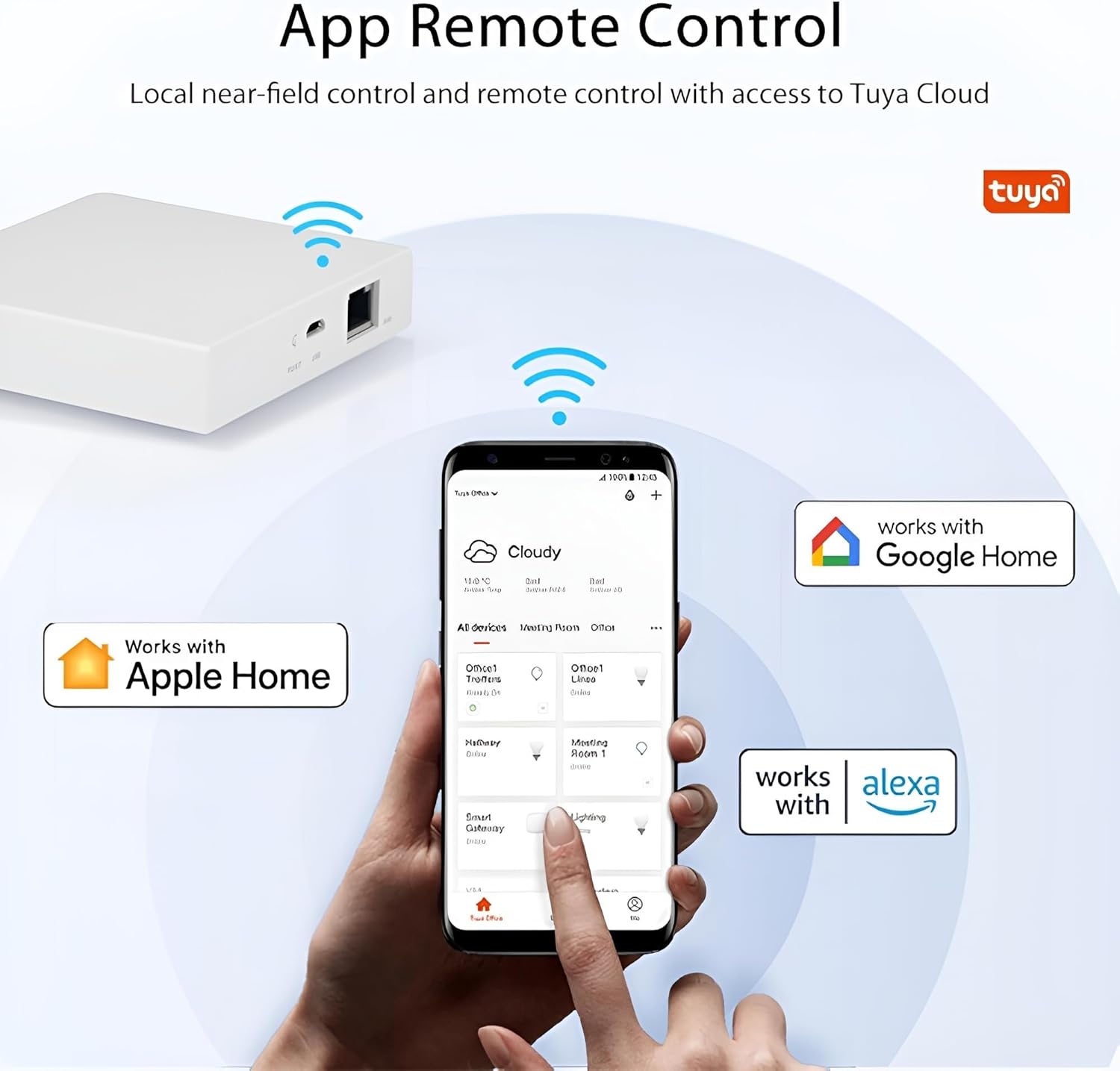
Image: A smartphone displaying the Tuya app, illustrating remote control capabilities and compatibility with major smart home ecosystems.
4.2 Multi-Platform Support
The gateway supports Cross-Platform Protocol 1.0, allowing Tuya Zigbee-standard devices to operate on third-party platforms such as Apple HomeKit, Google Home, and Amazon Alexa. You can share the QR code from the Tuya app with these platforms to enable cross-platform control.

Image: A visual representation of the gateway's high compatibility with Apple, Google, and Amazon ecosystems.
4.3 Voice Control
Once Thread and Zigbee devices are connected to the Matter Smart Gateway, voice control is available through Siri, Google Home, and Alexa. Ensure the gateway and your voice assistant device (e.g., HomePod) are on the same network and IPv6 is enabled for optimal performance.

Image: Demonstrates voice control functionality with Siri, Google Assistant, and Alexa in a smart home environment.
4.4 Smart Scene Automation
The gateway allows for the stable connection of multiple smart devices, enabling rich application scenarios. By configuring corresponding scene linkages within the app, you can automate various aspects of your home environment.

Image: The gateway as a central device for a smart home, connecting various sensors and lights to create automated scenes.
5. Maintenance
To ensure the longevity and optimal performance of your Jinvocloud Matter Smart Wired Hub Gateway, follow these general maintenance guidelines:
- Keep the device clean and free from dust. Use a soft, dry cloth for cleaning.
- Avoid exposing the gateway to extreme temperatures, direct sunlight, or high humidity.
- Ensure proper ventilation around the device to prevent overheating.
- Do not attempt to open or repair the device yourself. Refer to qualified personnel for service.
6. Troubleshooting
If you encounter issues with your gateway, refer to the following troubleshooting steps:
6.1 Connectivity Issues
- No Power: Ensure the Type-C power cable is securely connected to the gateway and a functional 5V-1A power source.
- No Network Connection: Verify that the network cable is properly connected to both the gateway's LAN port and your router. Check your router's internet connection.
- Wi-Fi Connection Problems: Confirm that your mobile device is connected to a 2.4 GHz Wi-Fi network during setup. The gateway does not support 5 GHz Wi-Fi.
- Gateway Unresponsive: Use the provided reset pin to press the RESET button on the gateway for approximately 5 seconds to perform a factory reset. You will need to reconfigure the device after a reset.
6.2 Device Compatibility
- Zigbee Device Not Connecting: Not all Zigbee devices are compatible. Ensure your Zigbee devices support Matter's boundary routing for proper integration with this gateway.
- Off-Brand Device Integration: Integrating certain off-brand devices (e.g., air purifiers, specific fans) beyond basic switches or plugs may require advanced configuration or familiarity with the Tuya developer site.
6.3 Voice Control Issues
- Voice Commands Not Working: Ensure the gateway and your voice assistant device (e.g., HomePod, Amazon Echo, Google Home) are connected to the same network. Verify that IPv6 is enabled on your network.
7. Specifications

Image: Detailed product parameters including dimensions, power, and wireless protocols.
| Feature | Detail |
|---|---|
| Model Number | ZigBee Matter Thread |
| Dimensions (H x W x D) | 3.55 x 3.55 x 0.87 inches (90 x 90 x 22 mm) |
| Item Weight (Shipping) | 10.6 ounces |
| Net Weight (Device) | 74g |
| Color | White |
| Power Supply | Type-C Port (5V DC 1A) |
| Wireless Protocol | Zigbee, Thread |
| Supported Wi-Fi | 2.4 GHz (5 GHz not supported) |
| Coverage Distance (Indoor) | 35 meters |
| Standby Quantity (Max Devices) | 128 |
| Voice Assistant Support | Alexa, Hey Google, Siri |
8. Warranty and Support
For warranty information or technical assistance, please contact Jinvocloud customer support. You can find more information and contact details on the official Jinvocloud store page: Jinvocloud Store.


