
1. Introduction
This manual provides comprehensive instructions for the ZdalaMit Replacement Remote Control Commander. This remote is designed as a direct replacement for various Supersonic TV models, ensuring seamless operation without the need for complex programming. Simply insert batteries, and the remote is ready for use.

Figure 1: Front view of the ZdalaMit Replacement Remote Control Commander, showcasing its button layout.
2. Setup
2.1 Battery Installation
The ZdalaMit Replacement Remote Control requires two (2) AAA size alkaline batteries for operation. Batteries are not included with the remote control.
- Locate the battery compartment on the back of the remote control.
- Slide the battery compartment cover downwards or in the direction indicated by an arrow to open it.
- Insert two AAA alkaline batteries, ensuring the positive (+) and negative (-) terminals align correctly with the markings inside the compartment. Incorrect insertion can prevent the remote from functioning.
- Slide the battery compartment cover back into place until it clicks securely.
Once batteries are installed, the remote control is ready for immediate use with compatible Supersonic TV models without any additional programming.

Figure 2: Angled view of the remote control, illustrating its ergonomic design and the location of the battery compartment on the rear.
3. Operating Instructions
This remote control functions identically to the original Supersonic TV remote. Point the remote directly at your television and press the desired button.
3.1 Key Functions Overview
| Button | Function |
|---|---|
| POWER (●) | Turns the TV on or off. |
| 0-9 | Direct channel selection. |
| VOL +/- | Adjusts the volume level up or down. |
| CH +/- | Changes the channel up or down. |
| MUTE (🔇) | Mutes or unmutes the TV audio. |
| MENU | Accesses the TV's main menu. |
| OK | Confirms selections within menus. |
| Arrow Keys (▲ ◀ ▼ ▶) | Navigates through menus and options. |
| EXIT | Exits the current menu or screen. |
| SOURCE | Selects input sources (HDMI, AV, etc.). |
| P.MODE | Changes picture modes (e.g., Standard, Dynamic, Movie). |
| S.MODE | Changes sound modes (e.g., Standard, Music, Movie). |
| CH.LIST | Displays the channel list. |
| SLEEP | Sets the sleep timer for the TV. |
| INFO | Displays current program information. |
| MEDIA | Accesses media playback functions. |
| EPG | Opens the Electronic Program Guide. |
| CC | Activates or deactivates Closed Captions. |
| FAV | Accesses favorite channels. |
| ASPECT | Changes the screen aspect ratio. |
| MTS | Selects Multi-channel Television Sound (audio language). |
| TTS | Activates or deactivates Text-to-Speech. |
| AUTO | Initiates auto-tuning or auto-setup. |
| Colored Buttons (Red, Green, Yellow, Blue) | Functions vary by TV model and menu context. Refer to your TV's manual. |
| Playback Controls (Play, Pause, Stop, Rewind, Fast Forward, Skip Back, Skip Forward) | Controls media playback when using compatible TV functions or connected devices. |
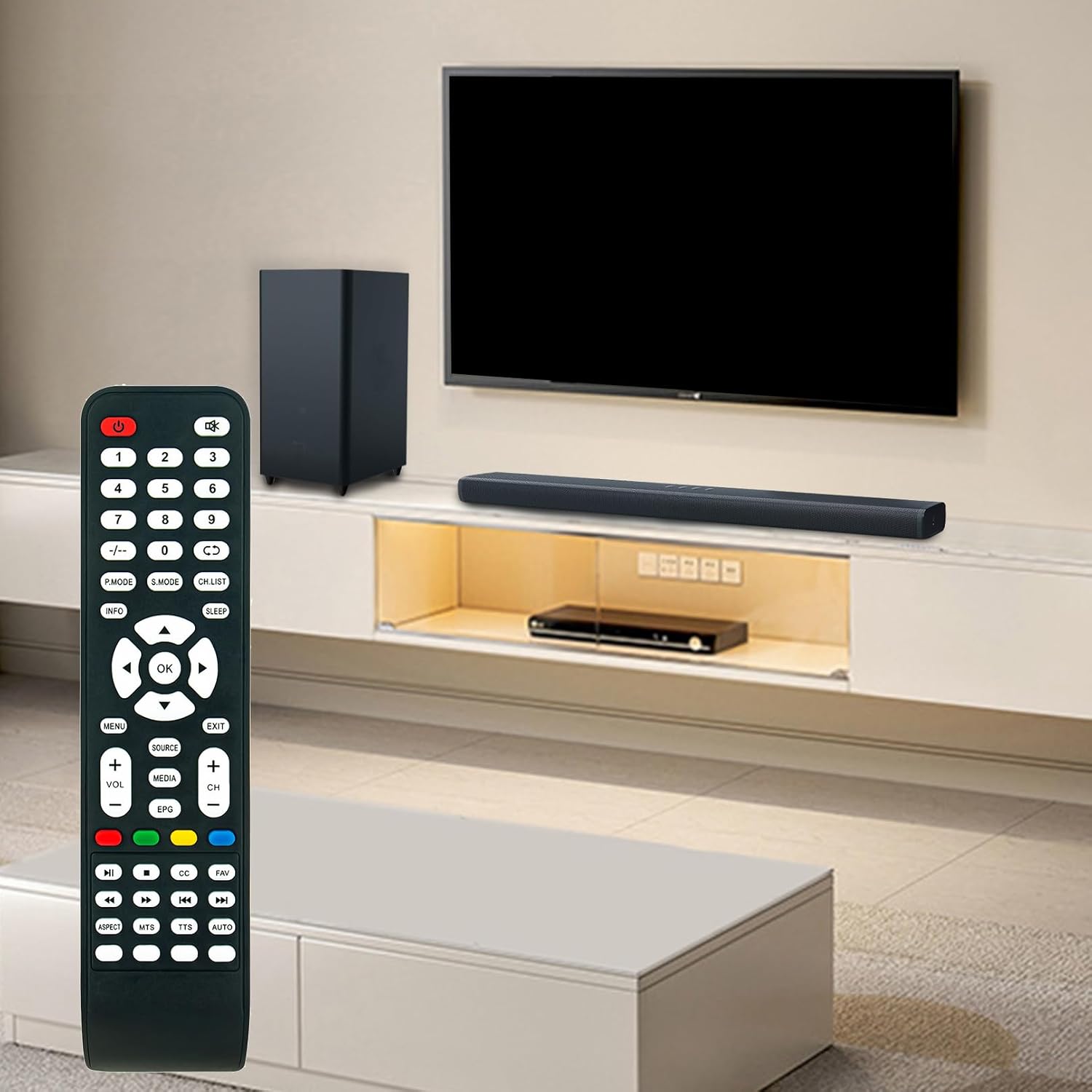
Figure 3: The remote control in a typical home entertainment setup, demonstrating its intended use with a television.
4. Maintenance
4.1 Cleaning the Remote
To maintain the remote control's appearance and functionality, clean it regularly:
- Use a soft, dry cloth to wipe the surface of the remote.
- For stubborn dirt, slightly dampen the cloth with water or a mild, non-abrasive cleaner. Avoid excessive moisture.
- Do not use harsh chemicals, abrasive cleaners, or solvents, as these can damage the remote's finish or internal components.
4.2 Battery Replacement
Replace batteries when the remote's responsiveness decreases or it stops functioning. Always replace both batteries at the same time with new AAA alkaline batteries. Do not mix old and new batteries or different types of batteries.
4.3 Storage
If the remote control will not be used for an extended period, it is recommended to remove the batteries to prevent leakage and potential damage to the remote.
5. Troubleshooting
If you experience issues with your ZdalaMit Replacement Remote Control, refer to the following common troubleshooting steps:
- Remote Not Responding:
- Ensure batteries are inserted correctly with the correct polarity (+/-).
- Replace old batteries with new AAA alkaline batteries.
- Check for any obstructions between the remote control and the TV's infrared sensor.
- Ensure you are within the effective range of the TV's IR receiver.
- Specific Buttons Not Working:
- This remote is pre-programmed for compatible Supersonic TVs. If a specific button does not work, it might indicate a function not present on your particular TV model or a rare compatibility issue.
- Clean the remote's surface, especially around the non-functioning button, to ensure no debris is preventing contact.
- Interference:
- Bright lights, especially fluorescent or LED lighting, can sometimes interfere with infrared signals. Try operating the remote in different lighting conditions.
If the issue persists after trying these steps, please refer to the "Warranty and Support" section for further assistance.
6. Specifications
| Feature | Detail |
|---|---|
| Product Name | ZdalaMit Replacement Remote Control Commander |
| Brand | ZdalaMit |
| Compatible TV Models | Supersonic TV SC-3222, SC-1312, SC-1912, SC-1511, SC-1512, SC-2412, SC-2212, SC-4024K, SC-4344K |
| Power Source | 2 x AAA Alkaline Batteries (not included) |
| Product Dimensions (L x W x H) | 8.34 x 2 x 0.6 inches (approximately) |
| Item Weight | 2 ounces (approximately) |
| Color | Black |
| Special Feature | Pre-Programmed (No setup required) |

Figure 4: Front view of the remote control with approximate dimensions indicated.
7. Warranty and Support
7.1 Return Policy
This product is typically covered by a 30-day return policy for refund or replacement, as per standard retail terms. Please refer to your purchase receipt or the retailer's website for specific details regarding returns and exchanges.
7.2 Customer Support
For any questions, concerns, or technical assistance not covered in this manual, please contact the seller or manufacturer directly through the platform where the product was purchased. Provide your order details and a clear description of the issue for prompt support.