
BAOFENG GM-5RH
Contents
BAOFENG GMRS Handheld Radio Instruction Manual
Model: GM-5RH
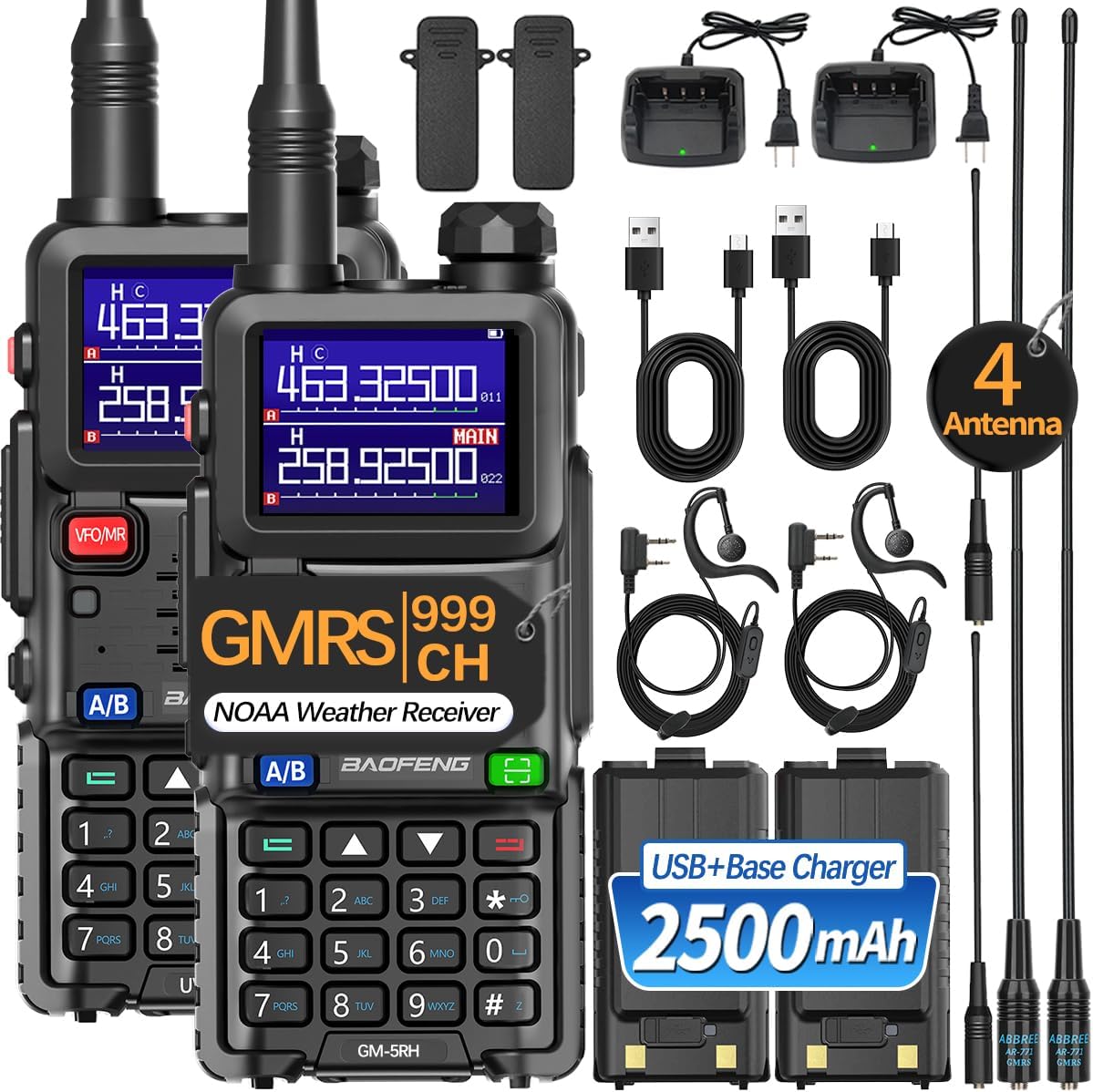
Image: BAOFENG GM-5RH GMRS Handheld Radios and included accessories.
Introduction
Thank you for choosing the BAOFENG GM-5RH GMRS Handheld Radio. This professional GMRS radio features up to 999 storage channels and a 1.77-inch large color screen for convenient operation. Designed ergonomically for enhanced user comfort, this radio is equipped with advanced features such as NOAA Weather Receiving, GMRS Repeater capability, and one-key frequency matching. This manual provides essential information for the proper setup, operation, and maintenance of your radio.
Package Contents
- 2 x GM-5RH Radios
- 2 x 2500mAh Batteries
- 2 x AR-771 Antennas
- 2 x US Base Chargers
- 2 x USB-C Charging Cables
- 2 x Belt Clips
- 2 x Earpieces
- 2 x Slings
- 1 x User Manual

Image: All items included in the standard BAOFENG GM-5RH package.
Product Overview
Familiarize yourself with the various parts and functions of your BAOFENG GM-5RH radio.

Image: Labeled diagram of the BAOFENG GM-5RH radio components.
Key Features
- Up to 999 Storage Channels
- 1.77-inch Large Color LCD Screen
- GMRS Repeater Capable
- One-Key Frequency Match
- NOAA Weather Receiving
- 2500mAh Rechargeable Battery
- USB-C Charging
- Built-in Flashlight
- VOX (Voice Operated Exchange) Function
- FM Radio Function
Product Video Overview
Video: An official product video from BAOFENG demonstrating the GM-5RH GMRS radio's features, including its large color LCD, wireless copy frequency, built-in flashlight, FM radio function, and NOAA weather receiver capabilities.
Setup
1. Battery Installation and Charging
Before first use, fully charge the battery. The radio comes with a 2500mAh rechargeable battery.
- Align the battery with the grooves on the back of the radio and slide it into place until it clicks securely.
- To charge, connect the USB-C charging cable directly to the radio or place the radio in the US Base Charger.
- The charging indicator will show the charging status. A full charge typically takes several hours.

Image: Various charging options for the radio, including USB-C and base charger.
2. Antenna Attachment
Screw the antenna clockwise into the antenna connector on top of the radio until it is finger-tight. Do not overtighten.
Operation
Power On/Off and Volume Control
Rotate the power/volume knob clockwise to turn on the radio and adjust the volume. Rotate counter-clockwise until it clicks to turn off.
Channel Selection
The radio supports up to 999 storage channels. Use the up/down navigation keys to cycle through available channels. The 1.77-inch color LCD will display the current channel and frequency.
One-Key Frequency Match (Wireless Copy Frequency)
This feature allows you to easily copy the frequency from another walkie-talkie, simplifying programming.
- Long press the green key (often labeled with a square icon) to enter scanning mode.
- Place the transmitting walkie-talkie near your GM-5RH and transmit.
- The GM-5RH will scan and identify the frequency. Once found, press the MENU key to confirm and save the frequency.

Image: Step-by-step guide for one-key frequency copying.
NOAA Weather Receiver
The radio can scan and receive weather reports from 10 NOAA weather channels, providing timely alerts for severe weather conditions.
- Access the NOAA weather function through the radio's menu.
- Select a weather channel to monitor or initiate a scan for active weather broadcasts.

Image: The radio's NOAA Weather Receiving capability.
Built-in Flashlight
The radio includes a built-in bright LED flashlight for convenience in low-light conditions. Activate it via a dedicated button or menu option.
VOX (Voice Operated Exchange) Function
The VOX function allows for hands-free operation, transmitting automatically when it detects your voice. Adjust VOX sensitivity in the menu to suit your environment.
FM Radio Function
The radio can also function as an FM broadcast receiver. Tune into your favorite FM stations for entertainment.
Long Range Communication
The communication range varies based on terrain and environmental factors:
- Open Areas: Up to 4-5 miles (e.g., flat ground, suburban areas without obstructions).
- Forest: Up to 3-4 miles.
- City: Up to 2-3 miles (due to buildings and interference).
Maintenance
- Cleaning: Use a soft, damp cloth to clean the radio's exterior. Do not use harsh chemicals or abrasive cleaners.
- Battery Care: To prolong battery life, avoid overcharging or completely draining the battery. Store the radio and battery in a cool, dry place when not in use for extended periods.
- Storage: Store the radio in a dry, dust-free environment away from direct sunlight and extreme temperatures.
Troubleshooting
| Problem | Possible Cause | Solution |
|---|---|---|
| Radio does not power on | Low or dead battery; Incorrect battery installation | Charge the battery; Reinstall the battery correctly |
| No signal or poor reception | Antenna not properly attached; Out of range; Obstructions; Incorrect frequency/channel | Ensure antenna is secure; Move closer to other radios or repeater; Find a clear line of sight; Verify frequency settings |
| Cannot transmit | Incorrect frequency; Low battery; PTT button malfunction | Check frequency and ensure it's a GMRS channel; Charge battery; Contact support if PTT is faulty |
| One-Key Frequency Match fails | Transmitting radio too far; Interference; Incorrect procedure | Place radios closer; Try in a different location; Review the One-Key Frequency Match steps |
Specifications
| Feature | Detail |
|---|---|
| Model Number | GM-5RH |
| FCC ID | 2AJGM-5GPLUS |
| Number of Channels | 999 |
| Battery Capacity | 2500mAh (12V batteries included) |
| Display | 1.77-inch Color LCD |
| Charging Method | USB-C, US Base Charger |
| Frequency Range | GMRS (136-173.99 & 400-519.99MHz) |
| Maximum Talking Range | 5 Miles (environment dependent) |
| Water Resistance Level | Water Resistant |
| Item Weight | 2.72 pounds |
| Package Dimensions | 9.09 x 8.19 x 4.61 inches |
Warranty and Support
For warranty information or technical support, please refer to the warranty card included in your product package or visit the official BAOFENG website. Keep your purchase receipt as proof of purchase for any warranty claims.
Documents and downloads
Ask a question about this manual
Ask about setup, troubleshooting, compatibility, parts, safety, or missing instructions. Manuals+ will review the question and use this page’s manual context to help answer it.